HashGate — picoCTF 2026 Writeup
Category: Web Exploitation | Difficulty: Medium
HashGate — picoCTF 2026 Writeup
Category: Web Exploitation | Difficulty: Medium
First Look — What Are We Even Dealing With?
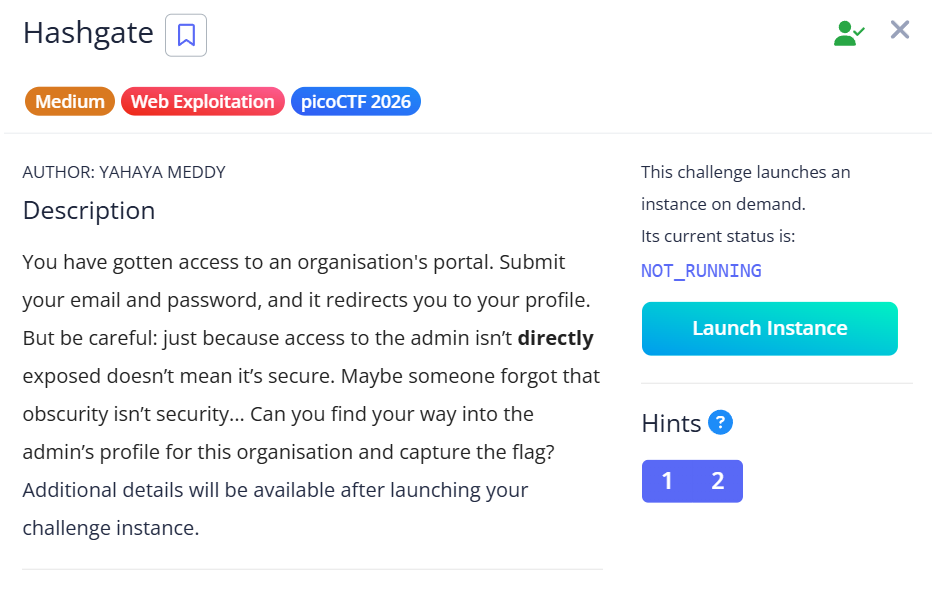
The challenge description says:
“Just because access to the admin isn’t directly exposed doesn’t mean it’s secure. Maybe someone forgot that obscurity isn’t security.”
Okay. So the admin page exists somewhere. It’s just hidden, not locked. That’s actually a huge hint. Hidden ≠ protected.
Step 1 — Always Check the Source First
Before trying any fancy attack, I right-clicked the login page and hit View Page Source (Ctrl+U). Developers leave things in source code all the time — comments, debug notes, credentials.
And sure enough, right there in the <head>:

Step 2 — Noticing the URL After Login
After logging in, I got redirected to my profile. The URL looked like this:

I stared at that string for a moment. It looks random — but it’s exactly 32 characters long. That’s a specific length. MD5 hashes are always 32 characters. So my first instinct was: is this an MD5 hash of something?
The challenge hint also confirmed it — “one-way function is involved.” So yes, hashing.
Now the question is: hash of what?
Step 3 — Figuring Out What’s Being Hashed
The profile page itself told me directly:

My user ID is 3000. The site is showing it plainly. So I immediately tested — what if the URL is just md5(3000)?
python
import hashlib
print(hashlib.md5(b"3000").hexdigest())
# Output: e93028bdc1aacdfb3687181f2031765d
That matched the URL exactly. Confirmed — the site is just putting md5(user_id) in the URL. No magic, no randomness. Just a hash of a number the page was already telling me.
Step 4 — Understanding the Vulnerability
Now I understood the full picture.
The website is doing this:
user_id → md5(user_id) → put in URL → show that user's profileThe developers thought hashing the ID would make it “secure.” But here’s the problem: hashing is not authorization. The server never checks who you are — it just checks does this hash match a user? If I can generate someone else’s hash, I can visit their profile directly.
This is called IDOR — Insecure Direct Object Reference. You’re directly referencing another user’s object (their profile) without the server verifying you have permission.
The “obscurity” was the hash. But obscurity is not security.
Step 5 — Finding the Admin
The page said: “Insufficient privileges. Only top-tier users can access the flag.” So I needed the admin’s profile.
Hint #2 said: “There are about 20 employees.”
My ID is 3000. If there are ~20 employees, their IDs are probably 3001 through 3020. Instead of visiting each one manually, I wrote a script to do it automatically:
python

What this script does:
- Loops through IDs 3001 to 3020
- For each one, generates the MD5 hash
- Visits that profile URL
- Checks if the response contains “admin” or the flag format “picoCTF”
- Stops as soon as it finds a match
User ID 3012 was the admin. The flag was right there in the response.

The Core Lesson
The developers made two mistakes:
- Used MD5 to “hide” IDs — hashing is not encryption, and it’s not access control
- Never checked who the requester is — the server should verify your session before showing any profile
The fix is simple: check the logged-in session, not the URL parameter.
if (session_user != requested_user && session_user != admin):
    deny access
메타데이터
- post_id
- 92beaa3a17ff
- slug
- hashgate-picoctf-2026-writeup-92beaa3a17ff
- url
- https://medium.com/@anubhavbora40/hashgate-picoctf-2026-writeup-92beaa3a17ff
- canonical_url
- https://medium.com/@anubhavbora40/hashgate-picoctf-2026-writeup-92beaa3a17ff
- author_url
- https://medium.com/@anubhavbora40
- status
- ok
- fetched_at
- 2026-06-16 19:09:56

