Your Power Automate Flow Might Be One Invisible Character Away from Failing
I was listening to The Unicorn Project audiobook earlier and had one of those uncomfortable moments where fiction feels a bit too close to…
Your Power Automate Flow Might Be One Invisible Character Away from Failing

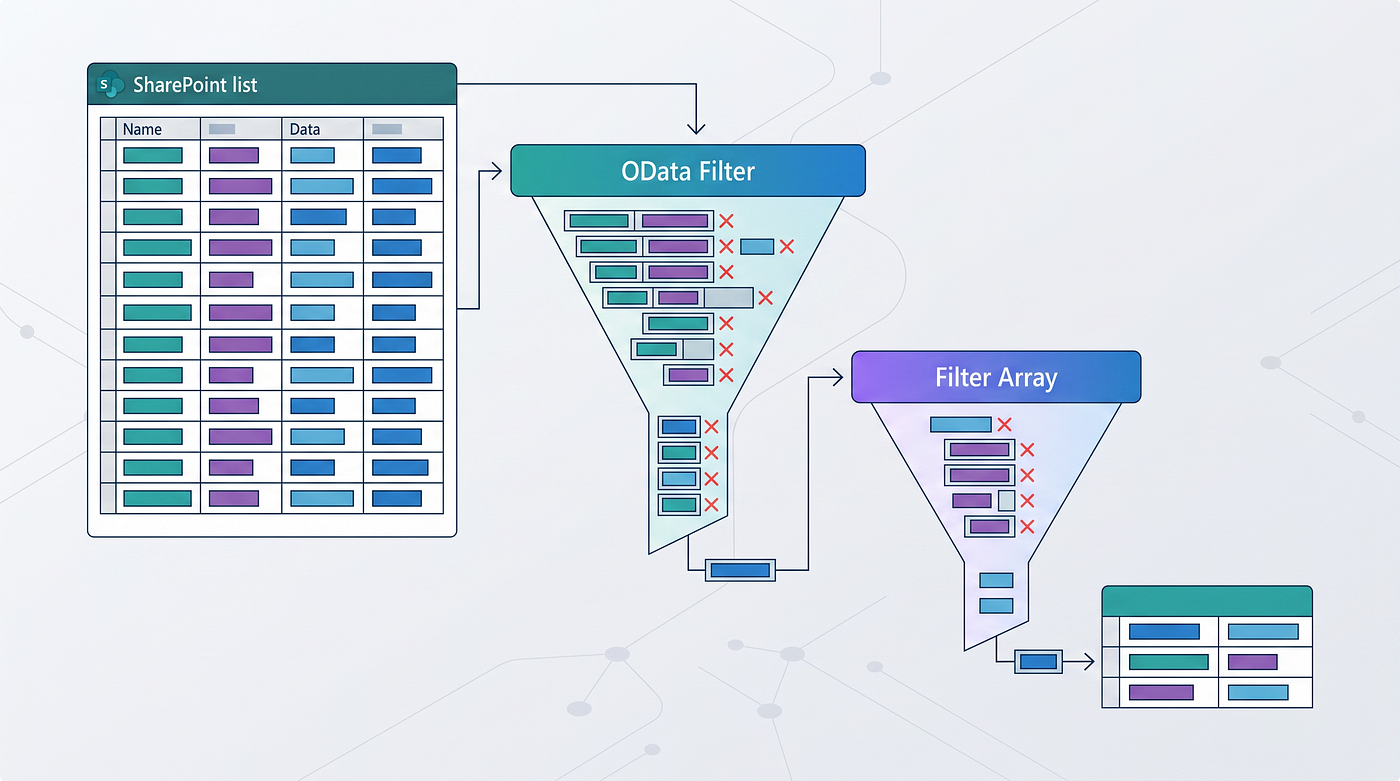
Cover image created with AI, based on the workflow issue described in this article.
I was listening to The Unicorn Project audiobook earlier and had one of those uncomfortable moments where fiction feels a bit too close to work.
Near the start of the book, Maxine is moved into another division after a major outage. She reflects on a prior experience of spending an entire day chasing a bug, only to find that the failure had been caused by a non-printing character.
That gave me a slight chill, because I had just dealt with almost the same type of issue earlier this week.
A Power Automate flow that had been running perfectly for months suddenly stopped extracting one of the currency amounts from emailed PDFs. The destination system started rejecting the data, and complaints started coming in because every processed email had the same issue.
Nothing obvious had changed. The PDF looked the same. The email looked the same. The label before the amount looked the same. The flow had not been edited.
But the process was failing anyway.
After testing the raw extracted text, the issue turned out to be a non-breaking space, also known as NBSP, Unicode U+00A0, encoded as %C2%A0.
Visually, it looked like a normal space.
Technically, it was not a normal space.
So logic that expected this:
amount: $15000was actually receiving something closer to this:
amount: $15000Those two strings are not equivalent. One uses a standard space. The other uses a non-breaking space.
That was enough to throw off the parsing logic.
This is the part that matters: the flow was not badly designed because it failed once. It failed because the input surface was wider than expected. Emails and PDFs are not clean data structures. They are formatted documents being reused as automation inputs.
Where invisible characters come from
These characters are not usually random. They normally come from systems trying to preserve formatting.
Common sources include:
- Outlook HTML emails
- Attached PDFs
- OCR output
- Excel and CSV exports
- Copied text from Word, websites, or Teams
- SharePoint rich text fields
- CRM notes
- Web form submissions
- API payloads that preserve Unicode formatting
- Email signatures, disclaimers, and forwarded message chains
The more human-generated or formatting-heavy the input is, the more likely you are to eventually see this.
The common problem characters include:
U+00A0  non-breaking space
U+200B  zero-width space
U+200C  zero-width non-joiner
U+200D  zero-width joiner
U+FEFF  byte order mark
U+00AD  soft hyphen
U+200E  left-to-right mark
U+200F  right-to-left mark
You do not need to memorize all of them. The practical point is simpler.
What you see on screen is not always what the flow receives.
Why trim() is not enough
A common response is to wrap extracted values in:
trim(<value>)That helps with normal leading and trailing spaces. It does not solve hidden characters inside the string.
If the value is:
" ABC123 "trim() helps.
If the value is:
"ABC123"or:
"Amount USD"trim() is not the control.
The fix is normalization before parsing.
Normalize before parsing
For any text automation, especially one reading emails, PDFs, OCR output, or CSV files, I would suggest adding a dedicated normalization step near the start of the flow to avoid this invisible character failure mode.
The pattern is:
Raw input
Convert HTML to text if needed
Extract PDF or OCR text if needed
Normalize invisible and problematic characters
Parse from the normalized value
Validate extracted fields
Route exceptions for review
Do not hide this logic in multiple places. Create one compose action, child flow, or reusable expression block that handles text cleanup before the parsing starts.
For the finance issue, the key fix was:
replace(<text>, uriComponentToString('%C2%A0'), ' ')That converted the specific non-breaking space into a standard space.
I then updated it to a more complete normalization expression like this:
trim(
  replace(
    replace(
      replace(
        replace(
          replace(
            replace(
              string(outputs('Html_to_text')),
              uriComponentToString('%E2%80%8B'),
              ''
            ),
            uriComponentToString('%E2%80%8C'),
            ''
          ),
          uriComponentToString('%E2%80%8D'),
          ''
        ),
        uriComponentToString('%EF%BB%BF'),
        ''
      ),
      uriComponentToString('%C2%A0'),
      ' '
    ),
    uriComponentToString('%C2%AD'),
    ''
  )
)
That handles:
%E2%80%8B  zero-width space
%E2%80%8C  zero-width non-joiner
%E2%80%8D  zero-width joiner
%EF%BB%BF  byte order mark
%C2%A0     non-breaking space
%C2%AD     soft hyphen
For NBSP, I replace it with a normal space. For true zero-width characters, I remove them.
Build it once and reuse it
This is where developer discipline matters.
The level of error-proofing above can look excessive if you treat it as something you manually rebuild every time. That is the wrong way to think about it.
A good developer does not just fix the immediate flow. They turn the fix into a reusable pattern.
In Power Automate, that could mean:
- A child flow that accepts raw text and returns normalized text
- A standard compose expression copied from a controlled internal template
- A shared solution component
- A documented parsing pattern in your build standards
- A test pack with known bad inputs
Once you have this template, the overhead drops massively.
You are not spending extra time on every project. You are building a defensive component once, then reusing it wherever text parsing matters.
We avoid building a one-off automation, and instead build a maintainable asset.
Validate after extraction
Normalization reduces the risk, but it should not be the only control.
After parsing, validate the extracted values before writing them downstream.
Examples:
Amount must convert to a decimal
Currency must match an expected currency code
Date must convert successfully
Reference must not be blank
Lookup key must return one valid match
If the input is business-critical, do not let one bad character terminate the whole process without a useful exception path.
A general pattern is:
Extract
Normalize
Validate
Write clean records downstream
Route failed records to review
This is especially important when the source is external. Brokers, suppliers, banks, customers, and third-party systems are not going to format messages consistently just because your automation expects them to.
Make hidden characters visible when debugging
When a string looks correct but does not behave correctly, encode it.
In Power Automate, a useful debugging compose is:
uriComponent(<yourText>)That can expose invisible characters as encoded values.
For example:
%C2%A0     non-breaking space
%E2%80%8B  zero-width space
%EF%BB%BF  byte order mark
This is often faster than staring at run history wondering why two identical-looking strings are not matching.
You can also compare string lengths. If two values look the same but one is longer, there is probably something hidden in the text.
This is a recurring software development problem
This is not just a Power Automate issue. Developers deal with this anywhere text is copied, imported, parsed, or passed between systems. Text is not harmless just because it is text.
GitHub now warns when files contain hidden Unicode text because code can appear one way to a human and be interpreted differently by tooling.
One paper from Cornel showed how Unicode control characters can make source code appear different from how it is logically interpreted.
Apple has also had real-world Unicode text handling issues. In 2018, Apple patched a CoreText issue where processing a maliciously crafted string could lead to memory corruption.
These are different scenarios, but the lesson is the same.
Visual text and actual text are not always the same thing.
The takeaway
If your flow parses text from emails, PDFs, OCR, Excel, CSVs, web forms, or copied rich text, invisible characters are a risk.
You do not need to over-engineer every flow. But for production automations that drive finance, operations, approvals, customer service, or reporting, text normalization should be standard.
Normalize early. Parse from the normalized value. Validate before writing downstream. Log enough to diagnose failures. Route exceptions cleanly.
Then template the pattern.
Build the control once and reuse it across projects.
That is how you stop a small invisible character from becoming a production failure.
메타데이터
- post_id
- 92c07fbdacb6
- slug
- your-power-automate-flow-might-be-one-invisible-character-away-from-failing-92c07fbdacb6
- url
- https://medium.com/@lance_raeper/your-power-automate-flow-might-be-one-invisible-character-away-from-failing-92c07fbdacb6
- canonical_url
- https://medium.com/@lance_raeper/your-power-automate-flow-might-be-one-invisible-character-away-from-failing-92c07fbdacb6
- author_url
- https://medium.com/@lance_raeper
- status
- ok
- fetched_at
- 2026-06-26 21:52:29