Stop Making Your Database Sweat: A Step-by-Step Guide to Caching
“Why on earth did it take so long to fetch that data?!”
Stop Making Your Database Sweat: A Step-by-Step Guide to Caching
“Why on earth did it take so long to fetch that data?!”
If you’ve ever said this right after deploying a project, or if you’ve spent what felt like an eternity staring at a spinning loading wheel in your local environment — welcome to the club. We’ve all been there.
As projects grow and the user base expands, our once-reliable databases start to sweat, and requests begin to crawl. Right at this bottleneck, one of the most powerful performance weapons in software development comes to the rescue: Cache.
If you’ve never used a caching mechanism before, or if you’re not entirely sure why and how to integrate it into your projects, don’t worry at all. In this article, we’re breaking down this essential concept from scratch, step-by-step. It’s a topic that is bound to come up in interviews and will truly elevate you to a senior developer mindset in real-world projects. So, grab your coffee, and let’s dive right in!
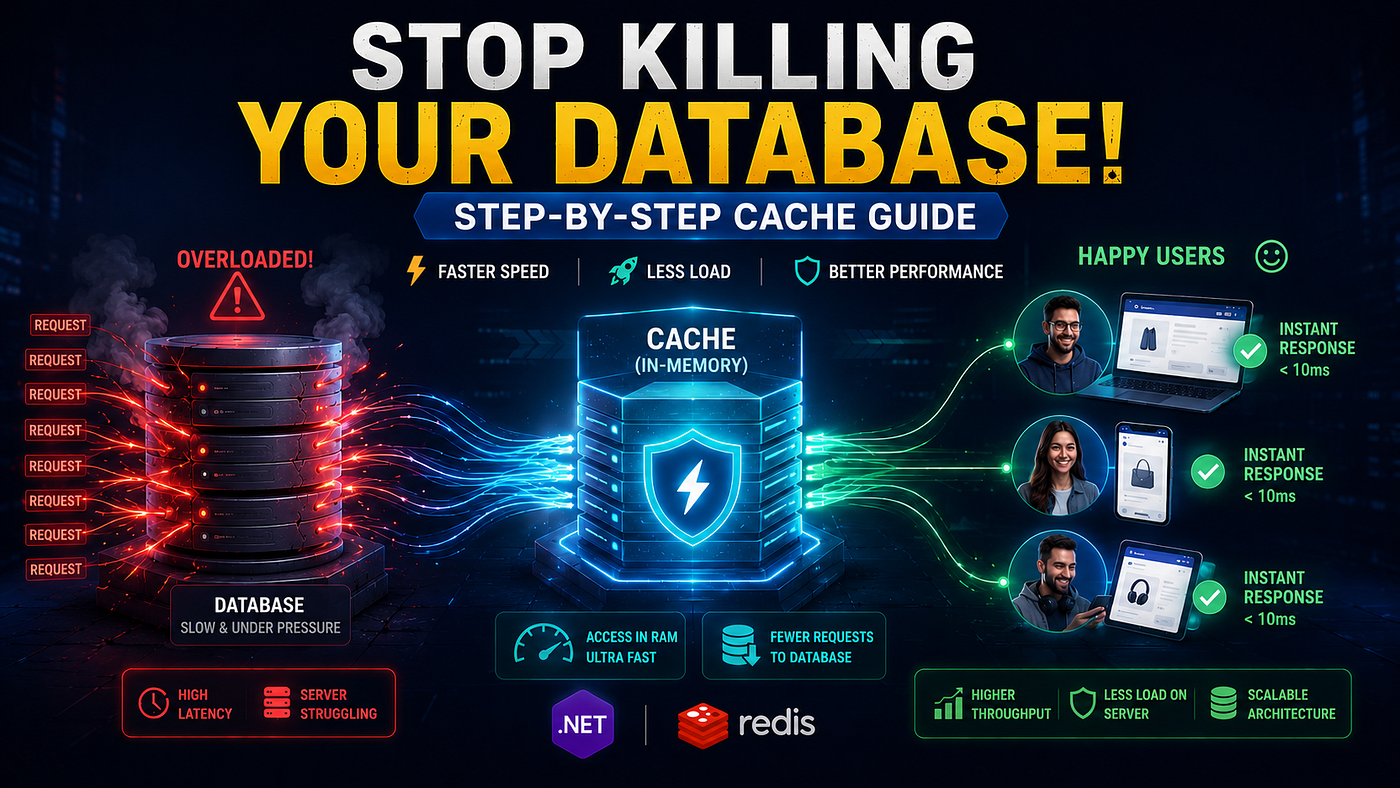
(Visual generated with AI for conceptual illustration purposes.)
1. What is Cache? Why Do We Use It?
When a user visits a web application, a typical request lifecycle often looks like this:
- The User opens the website (sends a request).
- Your Code runs and needs data. It either queries your database or makes an HTTP request to an External API saying: “Get me the active product list.”
- The Database or External API processes the request, reads/fetches the data, packages it, and sends it back over the network.
- Your Code processes this data and renders it on the user’s screen.
If your website receives 1,000 requests per second, you would hit that database or external API 1,000 times per second for the exact same product list. Soon, you will exhaust your database, hit API rate limits, face high network latency, and your website will slow down dramatically.
This is where Caching steps in: We fetch data that doesn’t change frequently from the database or API just once and store it in the server’s RAM (Memory). When the next user requests the same data, we bypass the heavy database queries and slow network API calls entirely, serving it instantly from RAM in microseconds.
💡 Real-World Analogy: Imagine you are at a restaurant and you keep asking the waiter for the price of the soup of the day. If the waiter has to walk back to the kitchen to ask the chef (Database), or worse, has to call the restaurant’s supplier on the phone every single time (External API), it wastes a lot of time. Instead, if the waiter writes the price on a notepad and puts it in his pocket (Cache), he can answer you instantly every time you ask.
2. The Two Guardians of Software: In-Memory vs. Distributed Cache
In software architecture, we primarily use two types of caching. Choosing the right one can decide the fate of your application’s scalability.
A) In-Memory Cache (Local Cache)
Data is stored directly in the RAM of the server where your application is running. Wherever your application instance is, your cache is right there with it.
- Speed: Access time is in microseconds because the data lives inside the application process.
- Cost: Completely free. It comes built-in with .NET and requires zero third-party installation.
- The Catch: If the server restarts or crashes, the RAM is cleared, and the cache is lost. Furthermore, if you scale up your app across 3 different servers (Load Balancing), each server will have its own independent RAM. This can cause data inconsistency (Server A might hold the updated price, while Server B serves stale data).
B) Distributed Cache
The savior of large-scale, multi-server systems (such as Microservices or Multi-Instance apps). Data is NOT stored inside the application server; instead, it lives in an external, dedicated cache cluster like Redis or Memcached.
- How it Works: Even if you have 10 application servers running concurrently, they all connect to a single, centralized Redis server. When data is updated, all instances see the exact same fresh data instantly.
- Pros: If an application server crashes, your cache remains perfectly safe on the external cluster. It can easily feed massive enterprise systems with millions of users (like Netflix or Amazon).
- Cons: Because fetching data requires a network call to an external server, it is slightly slower (by a tiny margin) compared to In-Memory cache. Setting it up and managing the infrastructure is also more complex.

3. Cache Lifespan Strategies: Absolute vs. Sliding Expiration
The most critical decision you need to make when caching is: “How long should this data live in memory?” If you keep it forever, your RAM will fill up, and your system will crash. Fortunately, .NET provides two excellent strategies to handle this:
1. Absolute Expiration
The cached item has a fixed, concrete expiration time from the moment it enters the cache. It doesn’t matter how many times the data is read; the moment the clock hits the limit, it gets evicted.
- The Logic: “No matter what happens, destroy this data exactly 10 minutes after it is cached.”
- Real-World Analogy: It’s like a movie ticket. Whether you go to the theater or stay home, the ticket becomes completely invalid once the movie showtime passes.
- Scenario: Ideal for data that must be updated at specific intervals, such as exchange rates or weather forecasts.
2. Sliding Expiration
The cache lifespan resets and extends automatically every time the data is accessed (read). The data is evicted only if it receives no requests within the designated timeframe.
- The Logic: “This data has a lifespan of 5 minutes. But if a user requests it before those 5 minutes are up, extend its life for another 5 minutes.”
- Real-World Analogy: Think of a banking app or Netflix session. As long as you keep clicking and interacting with the screen, the system keeps you logged in. But if you walk away for 15 minutes, your session expires.
- Scenario: Perfect for user sessions, shopping carts, or highly dynamic temporary data.
⚠️ The Danger Zone: The Sliding Expiration Trap!
If you rely only on Sliding Expiration, you might run into a critical bug: If a piece of data (like a popular product list) is heavily requested day and night, and users refresh the page before the 5-minute window closes, that data will never expire. Even if an admin updates a product price in the database, your users will keep seeing stale data for days because the cache lifespan keeps sliding forward.
✔️ The Solution: Combining Both (Best Practice)
According to clean architecture principles, you should always combine these two strategies. We tell our code: “Extend the expiration by 5 minutes on every read (Sliding), but no matter how popular it is, kill it exactly 1 hour after it was first created (Absolute)!”
Here is what this looks like in .NET:
var cacheOptions = new MemoryCacheEntryOptions()
    // 1. Sliding Expiration: Extend the lifespan by 5 minutes on every click.
    .SetSlidingExpiration(TimeSpan.FromMinutes(5))

    // 2. Absolute Expiration: Evict the item exactly 1 hour after its creation, guaranteed.
    .SetAbsoluteExpiration(TimeSpan.FromHours(1))

    // Cache Priority: Tell RAM to evict this last if it runs out of space.
    .SetPriority(CacheItemPriority.High);
4. Step-by-Step In-Memory Cache Implementation in .NET
Let’s turn this theory into clean, highly readable code using a standard E-Commerce Product Listing scenario.
Step A: Registering the Cache Service in the Web Layer
First, we must notify .NET that we intend to use caching so it can prepare the necessary container. Open your Program.cs file and add the following line:
// Program.cs
var builder = WebApplication.CreateBuilder(args);

// Register .NET's native In-Memory Cache service into the DI container.
builder.Services.AddMemoryCache();

builder.Services.AddControllersWithViews();

var app = builder.Build();
Step B: Utilizing Cache in the Business Layer
Now, let’s head over to our service class where we fetch our data. We will inject .NET’s built-in IMemoryCache interface using Dependency Injection:
using Microsoft.Extensions.Caching.Memory;

public class ProductManager : IProductService
{
    private readonly IProductRepository _productRepository;
    private readonly IMemoryCache _memoryCache;

    // Injecting dependencies through the constructor
    public ProductManager(IProductRepository productRepository, IMemoryCache memoryCache)
    {
        _productRepository = productRepository;
        _memoryCache = memoryCache;
    }

    public async Task<List<Product>> GetActiveProductsAsync()
    {
        // 1. Define a unique Cache Key (like a barcode label on a box)
        string cacheKey = "active_products_list";

        // 2. Check if the data exists in RAM under this key.
        // If it exists, it populates the 'products' variable and skips the IF block entirely.
        if (!_memoryCache.TryGetValue(cacheKey, out List<Product> products))
        {
            // 3. CACHE MISS: If the cache is empty (first request or expired):
            // Go to the database to fetch fresh products.
            products = await _productRepository.GetListAsync(x => x.IsActive);

            // 4. Configure the cache lifespan options
            var cacheOptions = new MemoryCacheEntryOptions()
                .SetAbsoluteExpiration(TimeSpan.FromMinutes(10)) // Evict after exactly 10 minutes.
                .SetPriority(CacheItemPriority.Normal);

            // 5. Store the freshly fetched database list into RAM.
            _memoryCache.Set(cacheKey, products, cacheOptions);
        }

        // 6. Return the data (whether it came from Cache or DB)
        return products;
    }
}
⚡ Code Execution Flow:
- First User:
TryGetValuechecks the RAM and finds nothing. Code enters theifblock, queries the database, saves the result to RAM, and displays it to the user. (Execution time: ~150ms) - Subsequent Users:
TryGetValuechecks the RAM and finds a match! The code skips theifblock entirely. It returns the data directly from RAM without hitting the database. (Execution time: ~2ms)
5. The Golden Question: “What Happens When Data Changes?” (Cache Invalidation)
Everything works perfectly up to this point. But what happens if an admin logs into the dashboard and adds a new product or edits an existing price?
Your users will continue to look at stale data in RAM for up to 10 minutes! In software engineering, this is known as the Cache Invalidation problem.
The solution is straightforward: When data changes, blow up (delete) the cache.
public async Task AddProductAsync(Product product)
{
    // 1. Add the new product to the database
    await _productRepository.AddAsync(product);

    // 2. Erase the outdated list from RAM!
    // This ensures that the very next user visiting the site encounters a cache miss,
    // forces a database pull, and caches the brand-new dataset.
    _memoryCache.Remove("active_products_list");
}
6. Future-Proofing: How Hard is it to Switch to Distributed (Redis) Cache?
The beauty of .NET architecture lies in its abstractions. If your project scales up down the road and you need to migrate from In-Memory to Distributed (Redis) infrastructure, you barely have to touch your core business logic (ProductManager.cs).
You simply swap IMemoryCache for .NET's standardized IDistributedCache. The underlying logical flow remains identical:
using Microsoft.Extensions.Caching.Distributed;
using System.Text.Json;

public async Task<List<Product>> GetActiveProductsDistributedAsync()
{
    string cacheKey = "active_products_list";

    // Read the data from Redis as a JSON string
    var cachedData = await _distributedCache.GetStringAsync(cacheKey);

    if (string.IsNullOrEmpty(cachedData))
    {
        // Cache Miss: Fetch from DB
        var products = await _productRepository.GetListAsync(x => x.IsActive);

        // Serialize the object list to a JSON string and save to Redis
        var jsonData = JsonSerializer.Serialize(products);
        await _distributedCache.SetStringAsync(cacheKey, jsonData, new DistributedCacheEntryOptions
        {
            AbsoluteExpirationRelativeToNow = TimeSpan.FromMinutes(10)
        });

        return products;
    }

    // Cache Hit: Deserialize the JSON string back into a strongly-typed List<Product>
    return JsonSerializer.Deserialize<List<Product>>(cachedData);
}
Conclusion
If your application currently runs on a single server instance or is in its early development stages, In-Memory Cache is your best, most cost-effective, and highest-performing choice. As your system scales, you can easily graduate to Redis with a simple interface swap without breaking your business rules.
Remember: The best code isn’t just the one that executes fast; it’s the one that utilizes system resources most efficiently! 🚀
Which caching strategies do you prefer using in your systems? Let’s discuss in the comments below!
메타데이터
- post_id
- 92e00dd97edb
- slug
- stop-making-your-database-sweat-a-step-by-step-guide-to-caching-92e00dd97edb
- url
- https://medium.com/@melisa.akkus/stop-making-your-database-sweat-a-step-by-step-guide-to-caching-92e00dd97edb
- canonical_url
- https://medium.com/@melisa.akkus/stop-making-your-database-sweat-a-step-by-step-guide-to-caching-92e00dd97edb
- author_url
- https://medium.com/@melisa.akkus
- status
- ok
- fetched_at
- 2026-08-08 07:34:52