The Exact CapCut Workflow I Use for Content That Actually Gets Views
Most people don’t fail on social media because of bad ideas. They fail because their content looks unfinished. I learned this the hard way…
This image was generated with ChatGPT
The Exact CapCut Workflow I Use for Content That Actually Gets Views
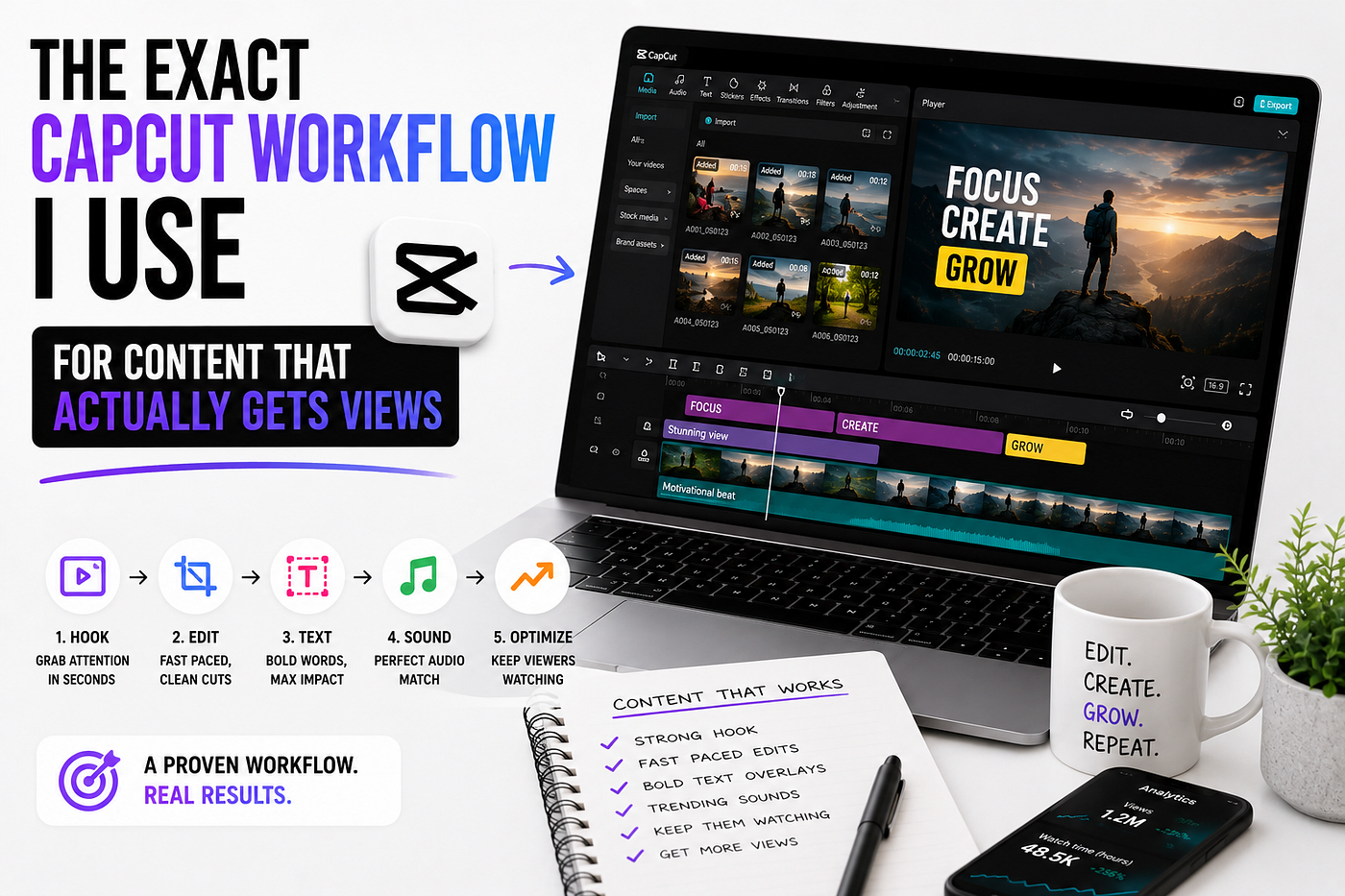
Most people don’t fail on social media because of bad ideas. They fail because their content looks unfinished. I learned this the hard way after uploading dozens of videos that barely moved. Low watch time. Low retention. Almost no engagement. The weird part? The ideas were decent. The editing was the problem. Everything changed when I stopped trying to make “cinematic masterpieces” and built a simple content workflow inside CapCut that focused on one thing: Keeping attention. This is the exact workflow I now use for short-form videos, AI content, faceless channels, and YouTube automation videos that look clean without taking 10 hours to edit. And honestly? Most creators are overcomplicating the process.
Why CapCut Became My Main Editing Tool
I tested a lot of editing software before settling on CapCut. Some were powerful. Some looked more “professional.” Some had better color grading. But for content creation speed, CapCut wins. Especially in 2026, where consistency matters more than perfection. The biggest advantage is this: You can go from idea → edited video → upload in under 1 hour. That changes everything when you’re posting daily content.
Step 1: I Never Start Editing Without a Hook
Before I even open CapCut, I already know the first 3 seconds. Because if the hook fails, the entire video dies. Most people edit first and think later. I do the opposite. I ask: What would stop someone from scrolling? What creates curiosity instantly? What makes viewers NEED the next sentence? For example: Instead of: “Today I’ll show you my editing workflow…” I’d say: “I wasted 6 months editing videos the wrong way.” That instantly creates tension. And tension creates retention.
Step 2: I Build the Timeline First (Without Effects)
This is where most beginners waste hours. They start adding animations, transitions, zooms, and flashy effects before the structure is even good. Bad move. My first edit inside CapCut is always ugly. Seriously. I only focus on: Cutting dead space, Removing weak sentences, Fixing pacing, Tightening audio, Making every second move fast. If the raw edit is boring, effects won’t save it. This step alone improved my watch time more than any transition pack ever did.
Step 3: Pattern Interrupts Every Few Seconds
Attention spans are brutal now. If the screen stays the same too long, people leave. So I add “micro changes” constantly. Things like: Zoom-ins, Fast cuts, B-roll overlays, Text movement, Sound effects, Slight camera repositioning, Background changes, Flash transitions. Not because it looks cool. Because it resets attention. This is one of the biggest secrets behind viral short-form editing.
Step 4: I Use Text Like a Weapon
Most captions are terrible. Tiny fonts. Bad timing. Too many words. I treat subtitles as part of the entertainment. Inside CapCut I usually: Highlight important words, Animate key phrases, Keep captions large, Use very short sentence chunks, Match text timing perfectly to speech. The goal is simple: Even muted viewers should understand the video instantly. That massively increases retention on platforms like TikTok, YouTube, Shorts, and Instagram Reels.
Step 5: Audio Matters More Than Video
This surprised me. Bad visuals can survive. Bad audio kills content immediately. Now I spend more time fixing sound than visuals. My usual workflow: Remove background noise, Increase vocal clarity, Add subtle background music, Layer soft sound effects, Add transitions with audio impact, Lower music during important dialogue. People feel audio emotionally before they notice visuals logically. That’s why strong sound design makes videos feel “high quality” even when the edit itself is simple.
Step 6: I Edit for Retention, Not Beauty
This mindset changed everything for me. A beautiful video is useless if nobody watches past 10 seconds. Now every editing decision comes down to one question: “Will this help retention?” If not, I remove it. Sometimes ugly edits outperform cinematic edits because they move faster. That’s the reality of modern content.
Step 7: Thumbnail + Title Before Export
Most creators leave thumbnails until the end. I don’t. Before exporting, I already know: The title, The thumbnail idea, The emotional angle, The curiosity gap, Because the packaging matters almost as much as the video itself. A great video with a weak thumbnail dies quietly.
The Biggest Mistake Beginners Make in CapCut
They use too many effects. Every new creator goes through this phase. Crazy transitions. RGB flashes. Overedited subtitles. Constant motion blur. It screams “beginner.” The best edits usually feel invisible. Clean pacing. Good storytelling. Strong hooks. Fast movement. That’s it. Simple wins more often than complicated.
My Current Content Strategy in 2026
Right now, I mainly focus on: AI content, YouTube automation, Faceless videos, Educational short-form clips, Relaxation/sleep content, Content systems that scale, And honestly, CapCut is still one of the fastest tools for all of them. Especially if your goal is consistency. Because consistency beats perfection almost every time online.
Final Thoughts
The internet rewards creators who publish consistently, not creators who endlessly “perfect” drafts. That’s why my workflow is built around: speed, retention, simplicity, and repeatability. Not perfection. And the funny part? The simpler my edits became, the better my videos performed. If you’re overediting everything right now, try this: Make the next video 30% simpler. You’ll probably get better results. If you enjoy content about AI, content creation, YouTube growth, and realistic online income strategies, follow for more.
메타데이터
- post_id
- 93a3c5dac87f
- slug
- the-exact-capcut-workflow-i-use-for-content-that-actually-gets-views-93a3c5dac87f
- url
- https://medium.com/@msimoliunas/the-exact-capcut-workflow-i-use-for-content-that-actually-gets-views-93a3c5dac87f
- canonical_url
- https://medium.com/@msimoliunas/the-exact-capcut-workflow-i-use-for-content-that-actually-gets-views-93a3c5dac87f
- author_url
- https://medium.com/@msimoliunas
- status
- ok
- fetched_at
- 2026-06-09 14:34:10