Deployment of React App on GoDaddy
It has been long since i had deployed anything on the Godaddy, But for some startup it is a necessity. As it is cheap and easy to deploy. i…
Deployment of React App on GoDaddy
It has been long since i had deployed anything on the Godaddy, But for some startup it is a necessity. As it is cheap and easy to deploy. i will show an easy way to deploy everything on the GoDaddy so that you could create a website with the AI and then yourself deploy it on the Godaddy Server.
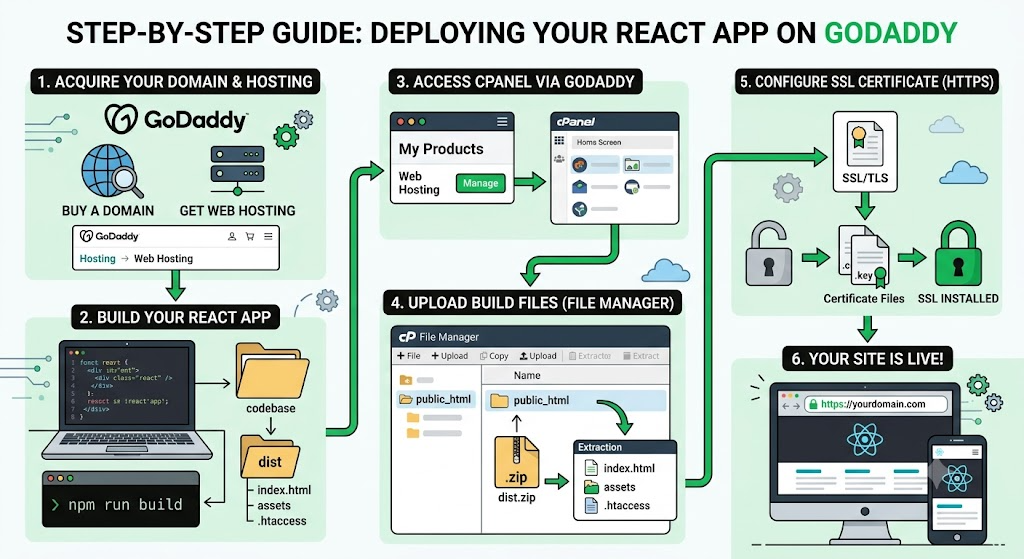
BUY A DOMAIN
Buy a domain from GoDaddy. Once you buy you will be able to see that in your My Product page.
CREATE A WEBSITE
Using any AI platform, create a website for your business. I personally use react to create a frontend so i will take a reactapp as an example.
Once your react app is complete, you could first check how your app looks in the mobile version and on th eta or laptop screen. Once confirmed you need to create a build for the react app. That can be build using the command below:
npm run buildThis will create a build for your website. It will be named as dist in your codebase. If you open that folder you will have index.html, assests and ./htaccess file. Compress the dist folder.
HOSTING
Now open up the Godaddy and go to “Hosting” option in the Navbar and choose “WebHosting” option.
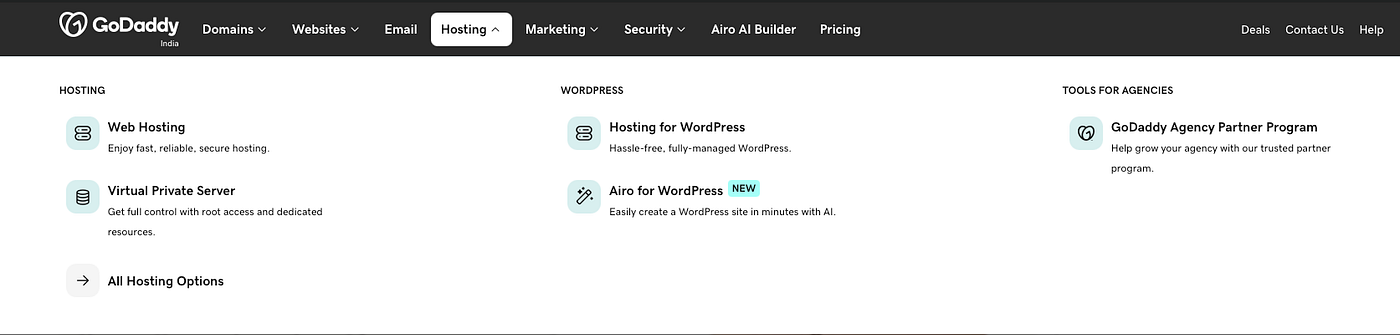
Once you open the Web hosting page, select the package you want to choose.
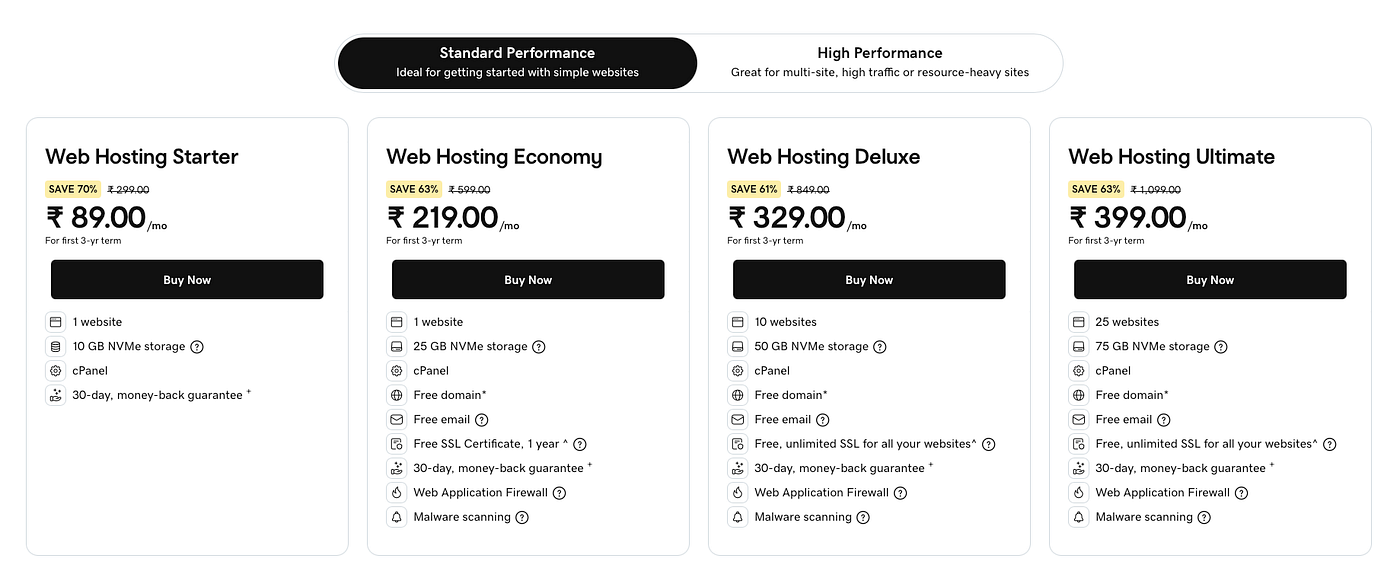
Make the payment. Once the payment is complete you will get an email that the hosting isenabled on your account.
CONFIGURE WEB HOSTING
Go to the My Products page from the NavBar and scroll down to Web Hosting.
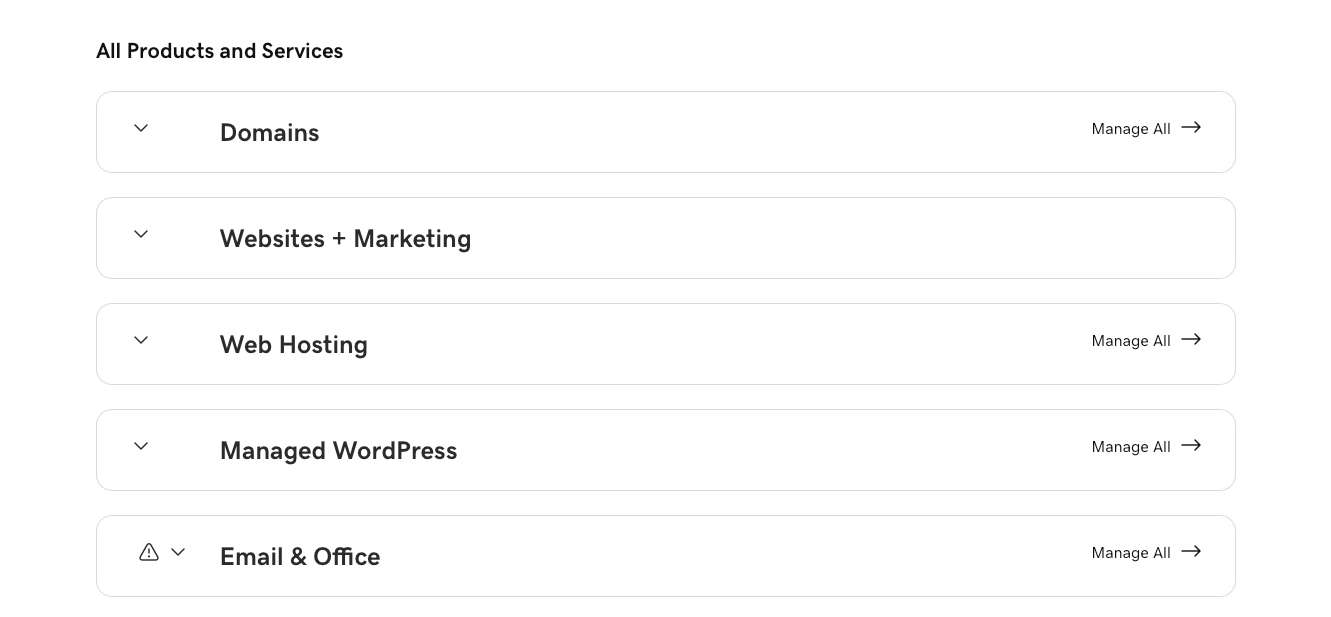
Click on it and the click on Manage option of the Web hosting. It will take you to the setting page of the server. This is basically a Cpanel. Now in the top you will be able to see the domain. Choose the domain which you want to select and then that VM is connected to your domain
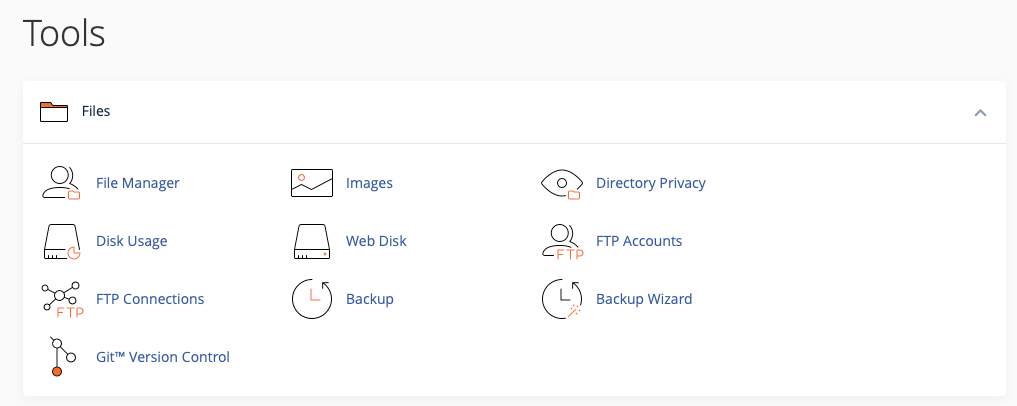
Now click on the Cpanel Admin in the top right. This will open the admin page of the Cpanel. Navigate to the File Manager option under the Files option.
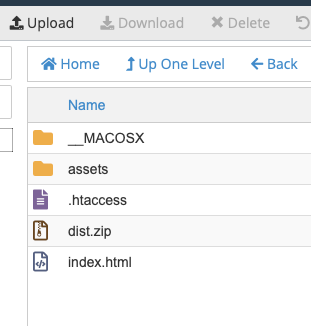
Click on the public_html option and delete everything inside that folder. Then click on Upload and the select the compressed dist folder from your react app. Once the folder is uploaded the click on back. You will be able to see the dist compressed folder. Now select the folder and extract the files in the folder. Make sure your .htaccess file is in the root folder. Move the files if you have to.
All is done. Now we will configure the SSL.
SSL CONFIGURATION
Now if you open up your website it will open but it will say not secure. So we have to add the SSL. There are two options. Either buy the SSL from GoDaddy which comes with the hosting or buy it from anywhere.
Navigate to Cpanel<SSL/TLS If you have downloaded the SSL from the other website you will have these three files key.pem, crt and csr
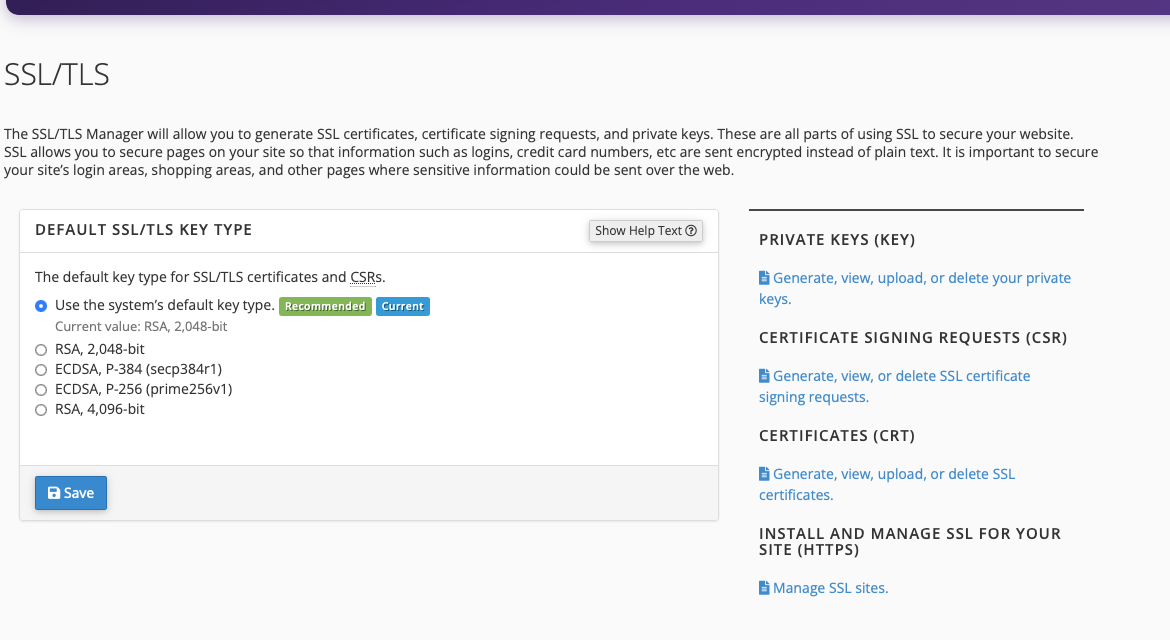
From the above chosse CRT option and from you downloaded files find the file either with the name bundle or .crt Open the file in the word and copy the content or upload the file in the website. Click on choose file and upload the certificate.

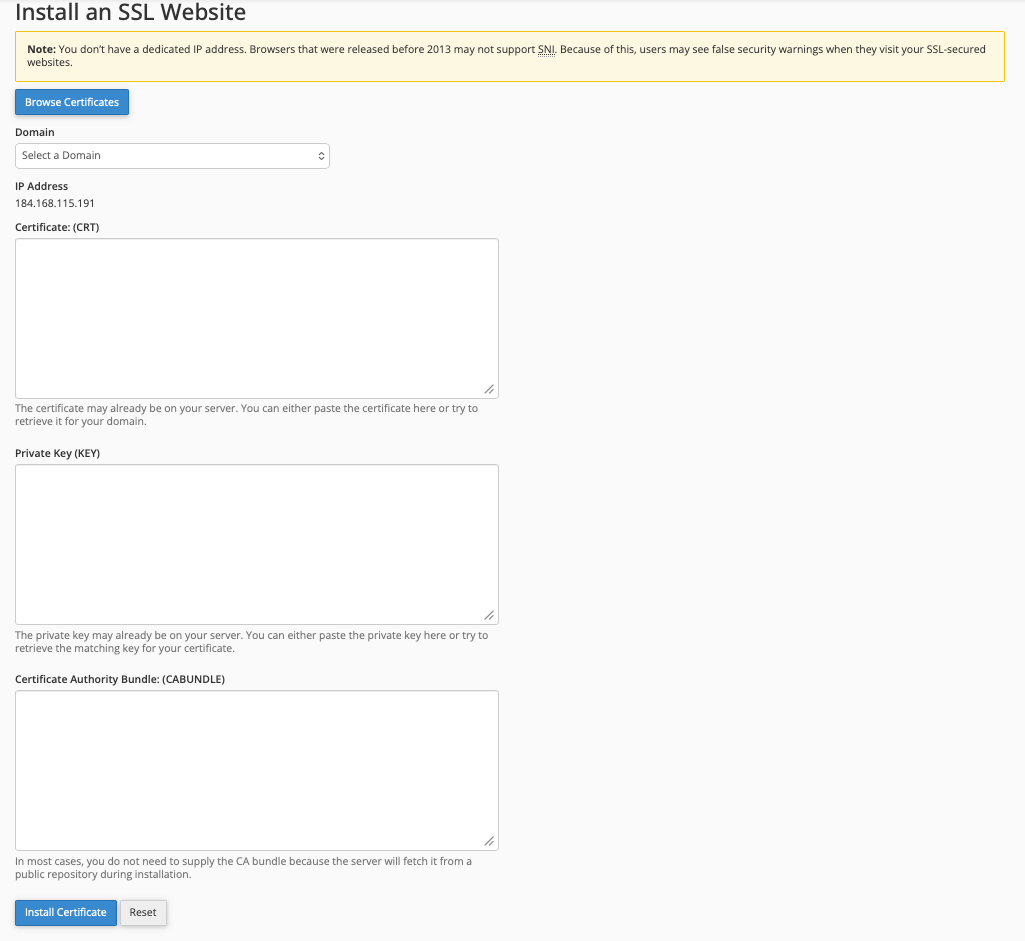
Now go the Manage SSL Host and now you have to select the Domain and add the CRT and KEY value. Then click on Install Certificate.
DONE….!! You website is now live.
메타데이터
- post_id
- 94dac57744cd
- slug
- deployment-of-react-app-on-godaddy-94dac57744cd
- url
- https://medium.com/@adityakaran109/deployment-of-react-app-on-godaddy-94dac57744cd
- canonical_url
- https://medium.com/@adityakaran109/deployment-of-react-app-on-godaddy-94dac57744cd
- author_url
- https://medium.com/@adityakaran109
- status
- ok
- fetched_at
- 2026-06-13 12:55:53



