Don’t Let Hackers Drain Your Wallet: 5 Pro Tips to Protect Your Crypto
I’ve had my crypto wallet drained before. It felt weird. It felt violating in a way. But it was my mistake, and I owned it. Perhaps that’s…
Don’t Let Hackers Drain Your Wallet: 5 Pro Tips to Protect Your Crypto

Photo by Nahel Hadi on Unsplash
I’ve had my crypto wallet drained before. It felt weird. It felt violating in a way. But it was my mistake, and I owned it. Perhaps that’s the reason I started taking crypto security seriously. I hope what I’ve learned can help you avoid losing money.
The first and most important step in protecting your crypto assets is:
1. Use a hardware wallet
When I created my first crypto wallet, I thought it was safe. It was a simple browser wallet that generated 24 random words (called a private key) that serve as your wallet’s password. If you reinstall your wallet app, your browser, or get a new computer, the private key will unlock access to your wallet.
The part that I didn’t know was that you can see your private key in your wallet’s settings. If a hacker gains access to your computer, they can copy your wallet’s private key, paste it into their computer, and gain full access to your wallet. At that moment, they can move your coins whenever they want, and there’s nothing you can do about it.
That’s what makes hardware wallets the first line of defense for anyone serious about crypto. Unlike browser wallets (called software wallets), hardware wallets are USB-like devices that generate your private key directly on the device. The key is encrypted and invisible to your computer. If a hacker gains access to your computer, they won’t be able to see your private key, no matter what they do.
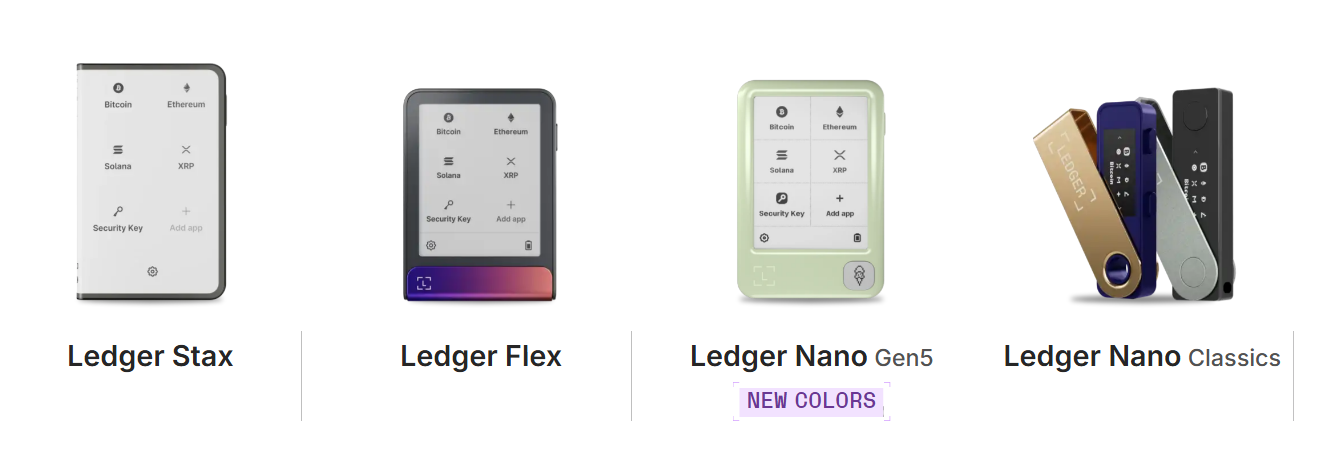
Ledger hardware wallets lineup | Ledger
Another protective feature is the way they process transactions. With a software wallet, you simply enter the recipient’s wallet address and press send. With hardware wallets, you do the same, but you have to approve the transaction by physically pressing buttons on the hardware device.
On top of that, the device itself is locked with either a PIN or biometrics, meaning a hacker has to steal your phone or computer, your hardware wallet, and know your PIN to successfully drain your assets.
Does that mean hardware wallets are unhackable? No. If someone is that determined to hack your wallet, they can still do it. But it’s not easy. By the time they do it, you can safely move your assets to a new wallet.
Check out the popular hacker Joe Grand and how he hacked a crypto wallet to recover $2 million. That particular hardware wallet company patched the exploit after the video came out, but it can still happen. For the everyday Joe? Hardware wallets beat software wallets every time.
Pro tip: Get a second hardware wallet as a backup. Although rare, hardware wallets can break or malfunction. Have another wallet ready to take its place without waiting days for delivery.
2. Keep your private key safe
This might come as a shocker, but putting your Bitcoin in a hardware wallet doesn’t mean your coins can’t be stolen even if the wallet itself is still in your possession.
Remember the private key we mentioned earlier? The way hardware wallets create and store their key is what makes them superior to software wallets. The key is encrypted, kept offline, and always remains on the wallet device.
That means a hacker doesn’t need to do all the Mission Impossible stunts to steal your computer and hardware wallet. All they need is your private key. The hacker can then repeat the steps as before, paste the 24-word sequence to any software wallet, and drain your assets without ever needing to steal your device.
Here’s how to protect your private key:
- Never take photos of it.
- Don’t share it with anyone.
- Don’t type it into your computer.
- Write it down on a piece of paper and keep it somewhere safe.
Pro tip: Get yourself a Cryptotag titanium plate and etch your private key on it. Bury the plate in your backyard if you want. Just make sure to put a rock over it so a metal detector can’t find it. Okay, this is a bit overkill, but you get my point.
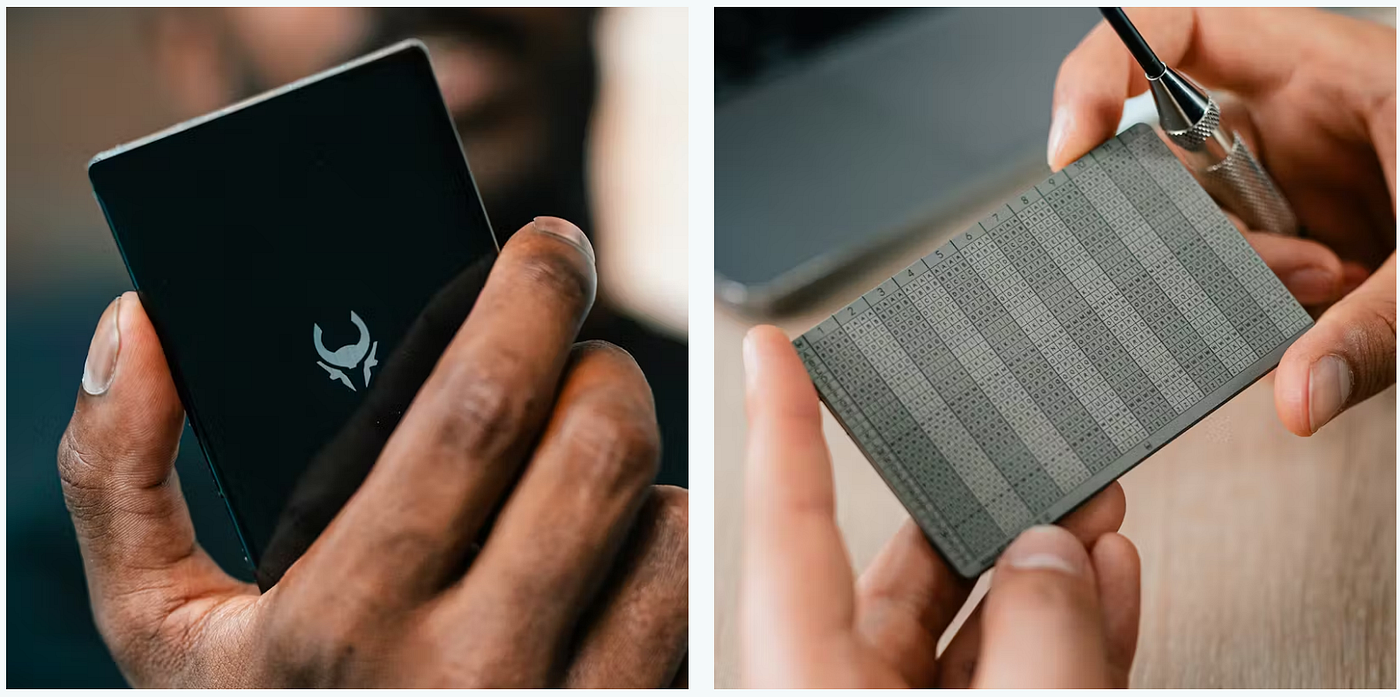
Cryptotag Loki private key storage | Cryptotag
3. Don’t click on suspicious links
To be fair, if you’ve already taken the first two steps, clicking suspicious links by itself won’t drain your wallet. But, seriously, why would you do it?
Typically, clicking a suspicious link either downloads a malicious file or redirects you to a page to download it yourself. Scammers often use this tactic, posing as legitimate companies that want to hire you.
Once you download the file, your computer is infected. All browser passwords, all passwords in Word documents, everything you have on your computer is compromised. That is the reason why you never keep your private key on your computer.
Again, if you have a hardware wallet, your crypto is safe because they can’t see your private key and can’t approve a transaction without physically pressing the buttons. However, if your computer is compromised with malware, hackers can trick you into approving a malicious transaction without you knowing.
For example:
- You want to transfer your coins to a crypto exchange.
- You initiate the transaction.
- The hacker swaps the transaction details.
- You approve the transaction by pressing the buttons on your wallet.
- The coins go to a different address.
Pro tip: Double-check links before clicking them and ensure the site is legit (for example, ledger.com and not leger.definitely-real-site.io). Never accept links or files from someone’s DMs on X or Discord, even if you know the person. Above all, never approve transactions you aren’t sure about. If you absolutely want to connect your wallet to a site, use a burner wallet.
4. Don’t use decentralized finance apps
Crypto offers strong incentives to participate in decentralized finance (DeFi). For example, keeping your stablecoins in your wallet gives you nothing; looping your stablecoins in a DeFi app earns you 20% annualy.
This is where it gets tricky. Using DeFi apps means you transfer your coins from your hardware wallet to the app. Once you do this, your coins are no longer protected by your hardware wallet, and their safety now depends on the app.
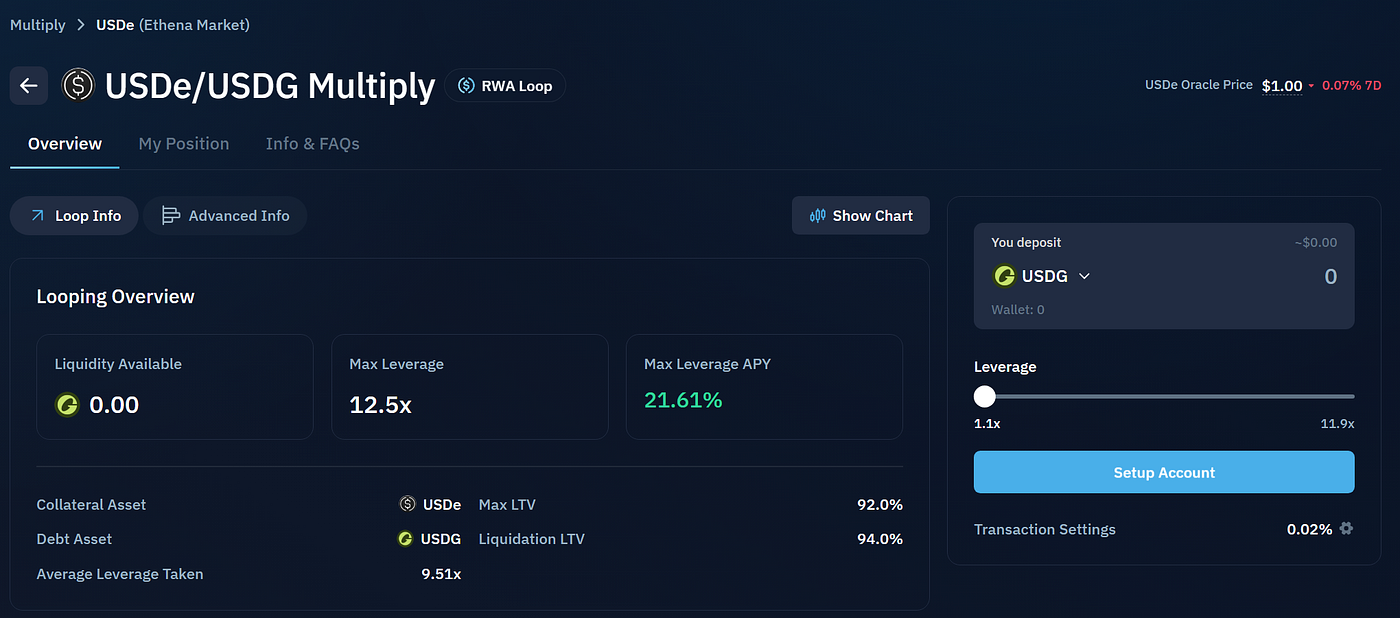
Kamino USDe multiply loop | Kamino
With vibe-coding becoming a thing now, where everyone is a coder, and Claude Mythos finding vulnerabilities left and right, holding your coins in third-party apps requires a massive amount of trust.
One of the biggest decentralized exchanges on Solana, Drift Protocol, lost $280 million in a hack. Users who had their assets on Drift lost everything.
Pro tip: If you still want to participate in DeFi despite the obvious risks, minimize your exposure. Never put more assets in the app than you need for whatever you want to do. Always withdraw your profits and weigh whether the risk of losing all of your assets is worth a 5% yield.
5. Don’t brag
Something I’ve noticed about crypto users, especially on X, is that they tend to show their winning trades or how much money they have to invest. Why would you advertise your wealth to complete strangers online? That’s exactly what hackers and scammers are waiting for.
If you become a target, clicking on suspicious links and having your phone or computer stolen will be the least of your worries. Hackers can use social engineering tactics such as phishing, impersonation, malicious airdrops, and SIM card swapping to access your funds and wreak havoc in your personal and financial life.
Let’s say you successfully avoid the phishing and impersonation parts. A malicious airdrop can instantly drain your wallet. Here’s how that works: someone airdrops an NFT or a bunch of tokens that appear to have high value. You rush to sell them to pocket the profit. But by approving the transaction, you also approve a hidden instruction within the smart contract that allows the scammer to steal your assets.
SIM swapping is another scam used by hackers that tricks your mobile carrier into transferring your phone number to another SIM card. This way, hackers can access your SMS codes, which are often used for various confirmations, such as password changes on your email or a crypto exchange. Once they have that, expect headaches getting it all back.
Pro tip: If you really want to show a screenshot, hide the amount and just show the percentages. Ensure that your wallet address is not visible on any screenshot.
메타데이터
- post_id
- 9502bb0a3ff7
- slug
- dont-let-hackers-drain-your-wallet-5-pro-tips-to-protect-your-crypto-9502bb0a3ff7
- url
- https://medium.com/@dukovski.kliment/dont-let-hackers-drain-your-wallet-5-pro-tips-to-protect-your-crypto-9502bb0a3ff7
- canonical_url
- https://medium.com/@dukovski.kliment/dont-let-hackers-drain-your-wallet-5-pro-tips-to-protect-your-crypto-9502bb0a3ff7
- author_url
- https://medium.com/@dukovski.kliment
- status
- ok
- fetched_at
- 2026-06-09 15:37:30



