Stored Procedures in databricks
Databricks Runtime 17.0 introduced support for SQL stored procedures. For example, the procedure below moves orders to demonstrate that…
Stored Procedures in databricks
Databricks Runtime 17.0 introduced support for SQL stored procedures. For example, the procedure below moves orders to demonstrate that multiple DML statements can be used inside a procedure:
CREATE PROCEDURE archive_old_orders(cut_date DATE)
LANGUAGE SQL
SQL SECURITY INVOKER
AS BEGIN
    INSERT INTO archived_orders
        SELECT * FROM orders WHERE order_date < cut_date;

    DELETE FROM orders WHERE order_date < cut_date;
END;
CALL archive_old_orders(date'2024-01-01')If you are not yet a member of Medium, you can access for free via a friend’s link.
What Are SQL Stored Procedures?
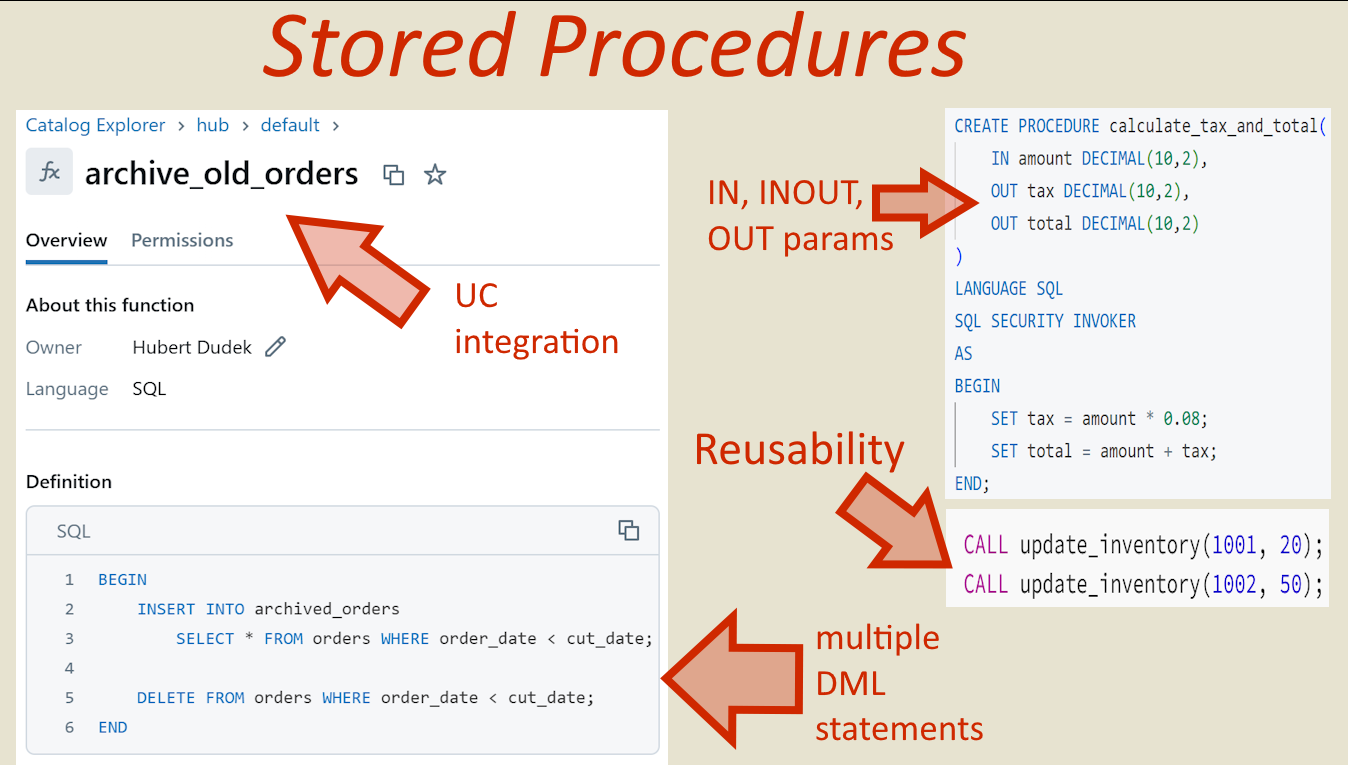
Encapsulated SQL Scripts: A stored procedure is a named routine that contains a set of SQL statements (inside a BEGIN … END block) stored in the Unity Catalog. You create it once with CREATE PROCEDURE and execute it with a CALL command. Reusability: Procedures promote code reuse and abstraction. Instead of duplicating SQL code, you can define complex logic once and call it from multiple notebooks or jobs.
CREATE OR REPLACE PROCEDURE update_inventory(product_id INT, quantity INT)
LANGUAGE SQL
SQL SECURITY INVOKER
AS BEGIN
    UPDATE inventory
    SET stock = (stock - update_inventory.quantity)
    WHERE id = update_inventory.product_id;
END;
CALL update_inventory(1001, 20);
CALL update_inventory(1002, 50);Multi-Step Logic: It supports executing multiple SQL statements in sequence, including variable assignments and control flow (conditional statements, looping, etc.), all within one call. It supports DML operations. Optional Outputs: Unlike a function that returns a single value, a procedure can return results via OUT parameters or by producing a result set from the final SELECT in its body. Performance: The SQL in a procedure runs entirely in the Databricks SQL engine; it is the perfect way to create code which you can be sure is run by native Spark/Photon.
Stored Procedures vs. SQL Functions
Input/Output: Procedures can have input and output parameters, whereas SQL user-defined functions (UDFs) only accept input parameters and return a single value or table. (For example, a procedure can output multiple values via OUT parameters, something a function cannot do.)
-- SQL Function (Only returns single value)
CREATE FUNCTION calculate_tax(amount DECIMAL(10,2))
RETURNS DECIMAL(10,2)
RETURN amount * 0.08;

SELECT calculate_tax(100); -- Returns 8.00
-- Stored Procedure (Multiple OUT params)
CREATE PROCEDURE calculate_tax_and_total(
IN amount DECIMAL(10,2),
OUT tax DECIMAL(10,2),
OUT total DECIMAL(10,2)
)
LANGUAGE SQL
SQL SECURITY INVOKER
AS
BEGIN
SET tax = amount * 0.08;
SET total = amount + tax;
END;DECLARE tax DECIMAL(10,2);
DECLARE total DECIMAL(10,2);
CALL calculate_tax_and_total(100, tax, total);
SELECT tax, total; -- Returns 8.00, 108.00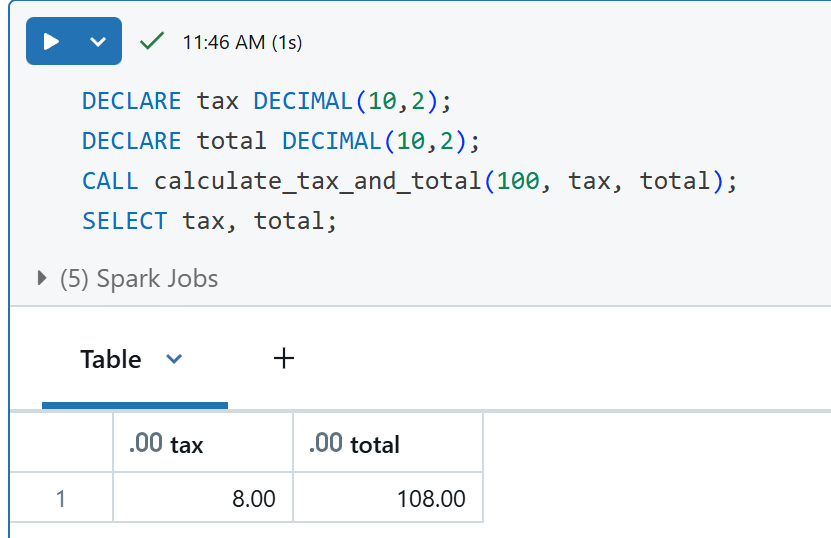
Usage in Queries: You invoke a procedure using a CALL statement alone, not as part of a SELECT/WHERE clause. Conversely, functions are inline in SQL queries (e.g., in a SELECT list or predicate). In other words, you cannot use a stored procedure inside an SQL expression, while a function can be used anywhere a scalar or table expression is allowed.
-- Inline Function -- No DML allowed
CREATE OR REPLACE FUNCTION usd_to_eur_func(usd DECIMAL(10,2))
RETURNS DECIMAL(10,2)
RETURN usd * 0.92;

-- can be used inside SELECT
INSERT INTO rate_log (rate, log_date, source)
SELECT usd_to_eur_func(10), current_date(), 'func';
-- Stored Procedure, can include DML but must be CALLed separately:
CREATE OR REPLACE PROCEDURE usd_to_eur_proc(IN usd DECIMAL(10,2))
LANGUAGE SQL
SQL SECURITY INVOKER
AS
BEGIN
DECLARE eur DECIMAL(10,2);
SET eur = usd * 0.92;
INSERT INTO rate_log(rate, log_date, source) VALUES(eur, current_date(), 'proc');
END;
-- standalone call
CALL usd_to_eur_proc(10); 
Final result is the same
Unity Catalog Integration (Reusability & Security)
Unity Catalog Only: Databricks SQL procedures are stored in Unity Catalog. This allows them to be discovered, versioned and reused across different notebooks or projects, such as tables, views, and functions.

Secure Sharing: Because procedures are catalogue objects, you can manage access with Unity Catalog’s granular privileges.
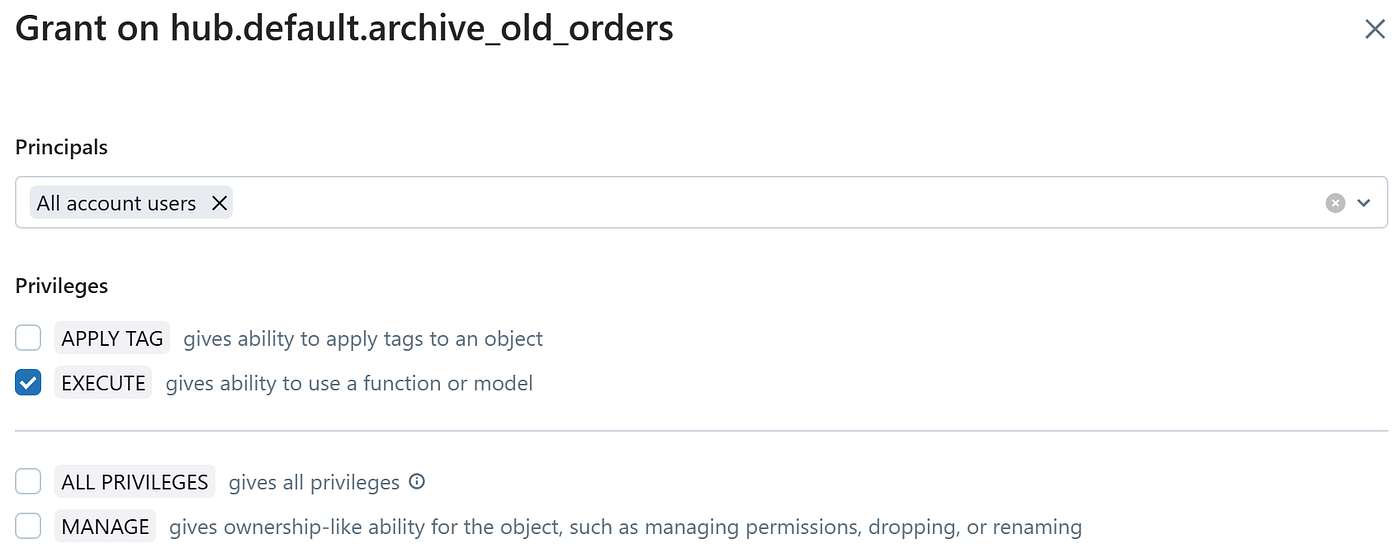
Governance Benefits: Storing logic in procedures can centralise business rules in one secure location. Auditing and permission control can be applied, and changes to the procedure’s logic propagate to all users automatically.
Stored Procedures vs. Python UDFs
Performance & Optimisation: Python UDFs run external to the core SQL engine (in Python processes), which makes them “black boxes” to Spark’s Catalyst optimiser. This can hinder performance because Spark cannot reorder or optimise the UDF’s internal logic. In contrast, a SQL stored procedure keeps all processing in the Spark SQL engine so that each SQL statement can be optimised and executed with Spark’s complete parallelism.
Before we had to write inefficient Python UDF, now we can make it fully Spark native thanks to stored procedures and SQL scripting:
CREATE OR REPLACE PROCEDURE validate_card(IN card_number STRING)
LANGUAGE SQL
SQL SECURITY INVOKER
AS
BEGIN
    DECLARE total INT DEFAULT 0;
    DECLARE pos INT DEFAULT length(card_number);
    DECLARE idx INT DEFAULT 0;
    DECLARE digit INT;
    -- Loop through digits from right (pos = length) to left (pos = 1)
    WHILE pos > 0 DO
        SET digit = CAST(SUBSTRING(card_number, pos, 1) AS INT);
        IF idx % 2 = 1 THEN
            -- Double every second digit and subtract 9 if result >= 10
            SET digit = digit * 2;
            IF digit > 9 THEN
                SET digit = digit - 9;
            END IF;
        END IF;
        SET total = total + digit;
        SET idx = idx + 1;
        SET pos = pos - 1;
    END WHILE;
    IF total % 10 = 0 THEN
        SELECT 'VALID' AS result;
    ELSE
        SELECT 'INVALID' AS result;
    END IF;
END;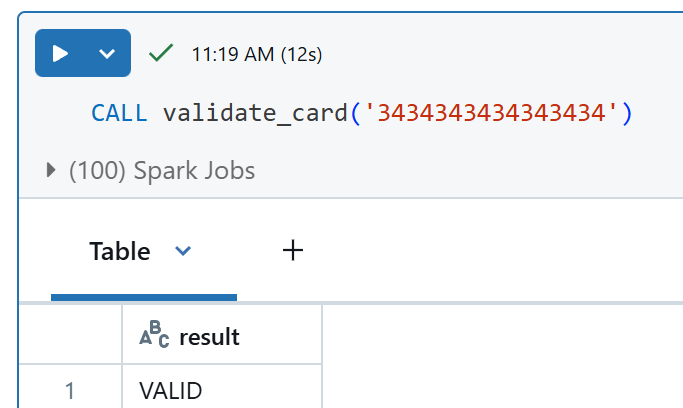
complicated logic can be included in procedure
AI agents
If you want your agents to modify data in databricks tables, I can say that stored procedures are the way to go (not working with Genie yet, but in custom implementations).
Notebook used in that article: medium/sql/procedures.ipynb at main · hubert-dudek/medium · GitHub

Hubert Dudek (author)
If you like this blog post, consider buying me a coffee :-) https://ko-fi.com/hubertdudek
메타데이터
- post_id
- 95136fb5e273
- slug
- stored-procedures-in-databricks-95136fb5e273
- url
- https://medium.com/@databrickster/stored-procedures-in-databricks-95136fb5e273
- canonical_url
- https://medium.com/@databrickster/stored-procedures-in-databricks-95136fb5e273
- author_url
- https://medium.com/@databrickster
- status
- ok
- fetched_at
- 2026-07-14 12:33:16