How to lock device orientation for React Native apps (Android & iOS)- 2x02
There are apps with a UI designed to contain a lot of visual elements; in these cases app creators make a decision to visualize this…
How to lock device orientation for React Native apps (Android & iOS) — 2x02
This story is part of a series where I am sharing my experiences on React Native, hoping it will prove useful to the React Native community and provide helpful insights. For app development enquiries check us out or contact me here.

Image 1: Abstract smartphone image that changes orientation gradually
Why lock application orientation mode?
Many applications have their User Interface (UI) designed to contain a lot of elements. To have these applications change their orientation (i.e. from portrait to landscape), it would mean that users will have a bad UI experience and also a lot of scrolling to deal with. A typical example of that case is games.
In these cases, app creators make a decision to visualize this information either vertically or horizontally, not both. Instead they prefer to “lock” orientation to one mode and optimize for it.
How to perform the configuration
There is no exposed API from React Native to achieve that (although there is one from ExpoKit), so in order to achieve our goal we can either configure it directly on the native apps or use third party packages that have been built to help with this purpose, like *react-native-orientation.*
This article is going to demonstrate how to perform the configuration in the native projects by ourselves; I’m a fan of discovering things in the native realm and delve deeper into them. And in this case it’s really easy and fast to configure it! Let’s see how to achieve this config, for both major platforms:
Android
For Android platform all we need to do is navigate to AndroidManifest.xml file that lies inside android/app/src/main path and add the property android:screenOrientation with a value or portrait or landscape respectively. The property has to be added in xml element activity which is a child of application element.
Simply add it as shown below:
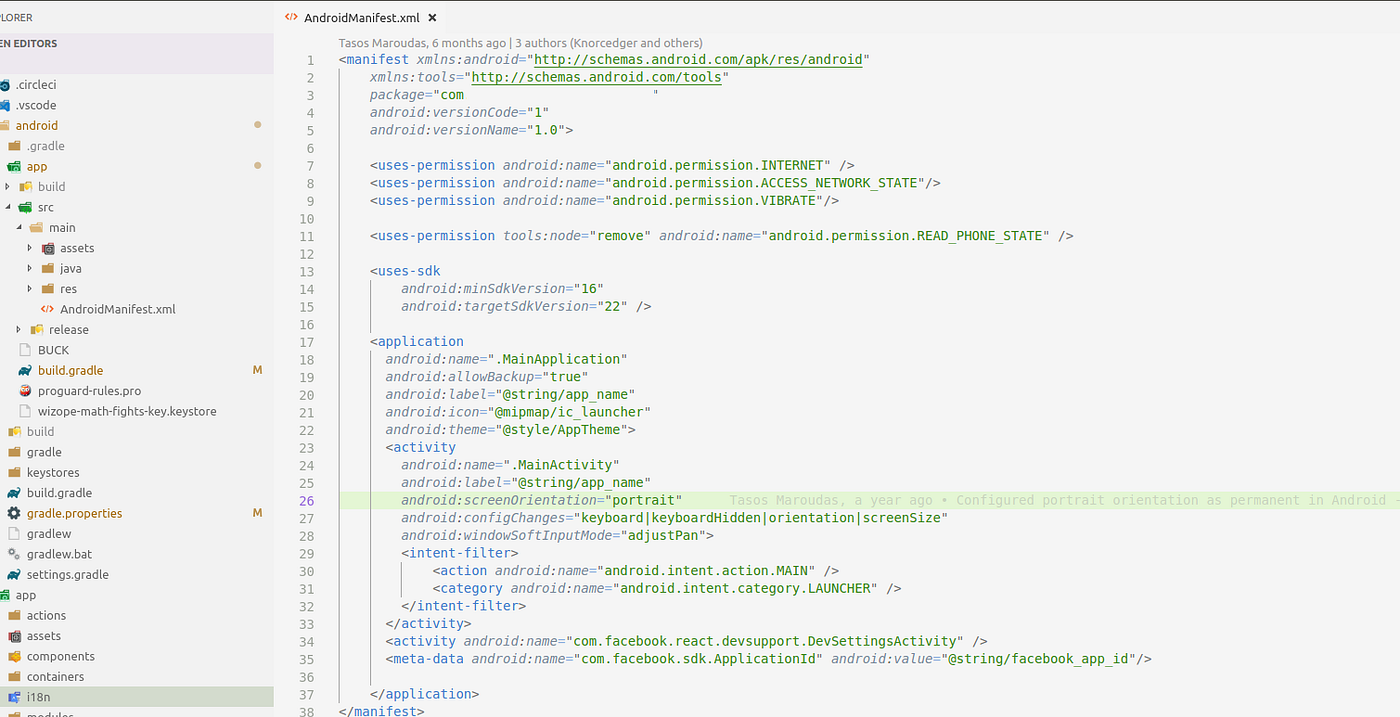
Image 2: Android Manifest config file with highlighted the line that performs the discussed configuration
That’s it! Rebuild your project and your are good to go!
iOS
For iOS platform we need to open Xcode, and select the desired orientation modes from the Device Orientation section. As shown below:
- Load the iOS part of your React Native project
- Navigate to tab General from the horizontal menu
- Go to down to Deployment Info section and check/uncheck the desired device orientation modes.
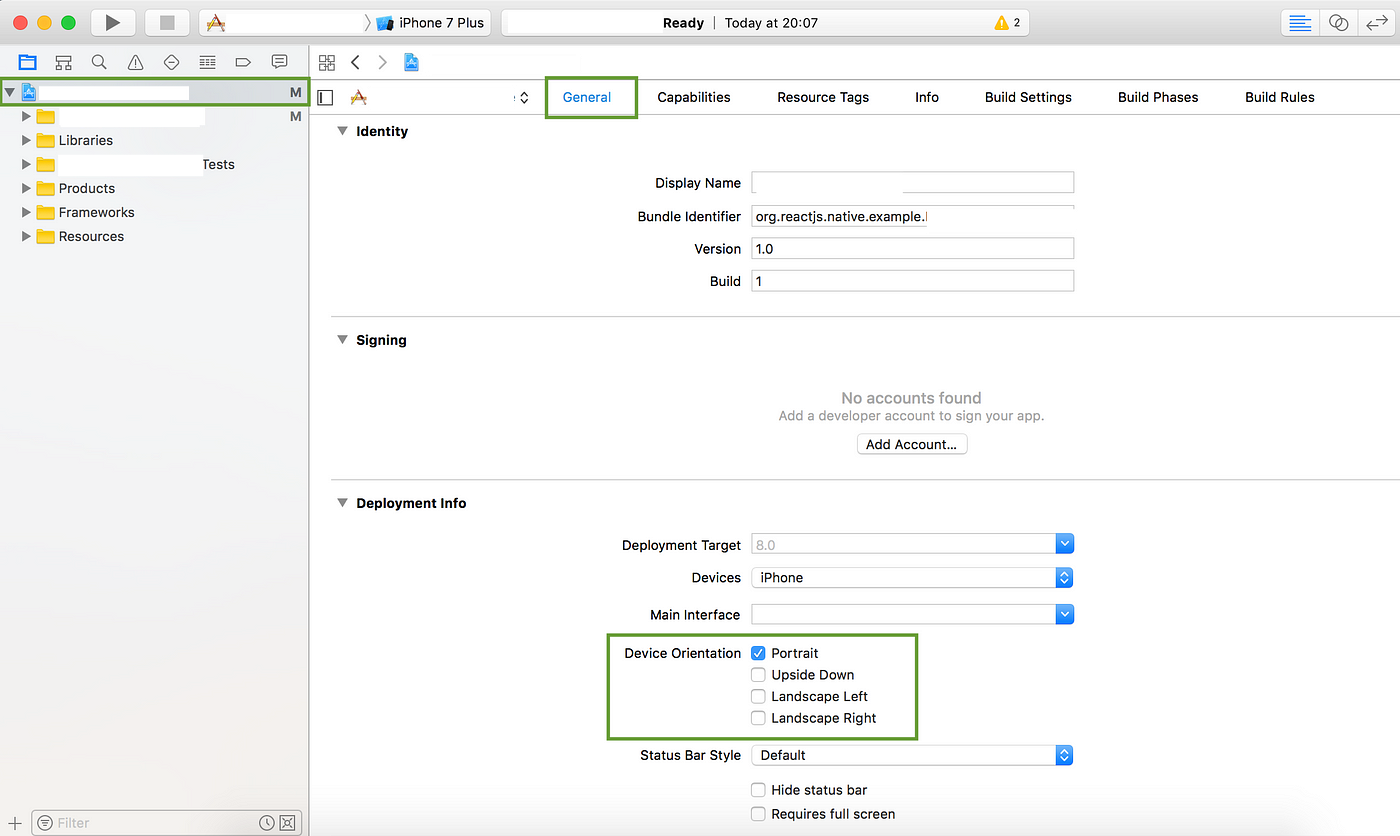
Image 3: iOS project opened in Xcode with highlighted the sections that need to be changed/configured
And you are set! Rebuild your project to verify that the changes are configured. And of course don’t forget to commit the code changes that were produced from this configuration setup:
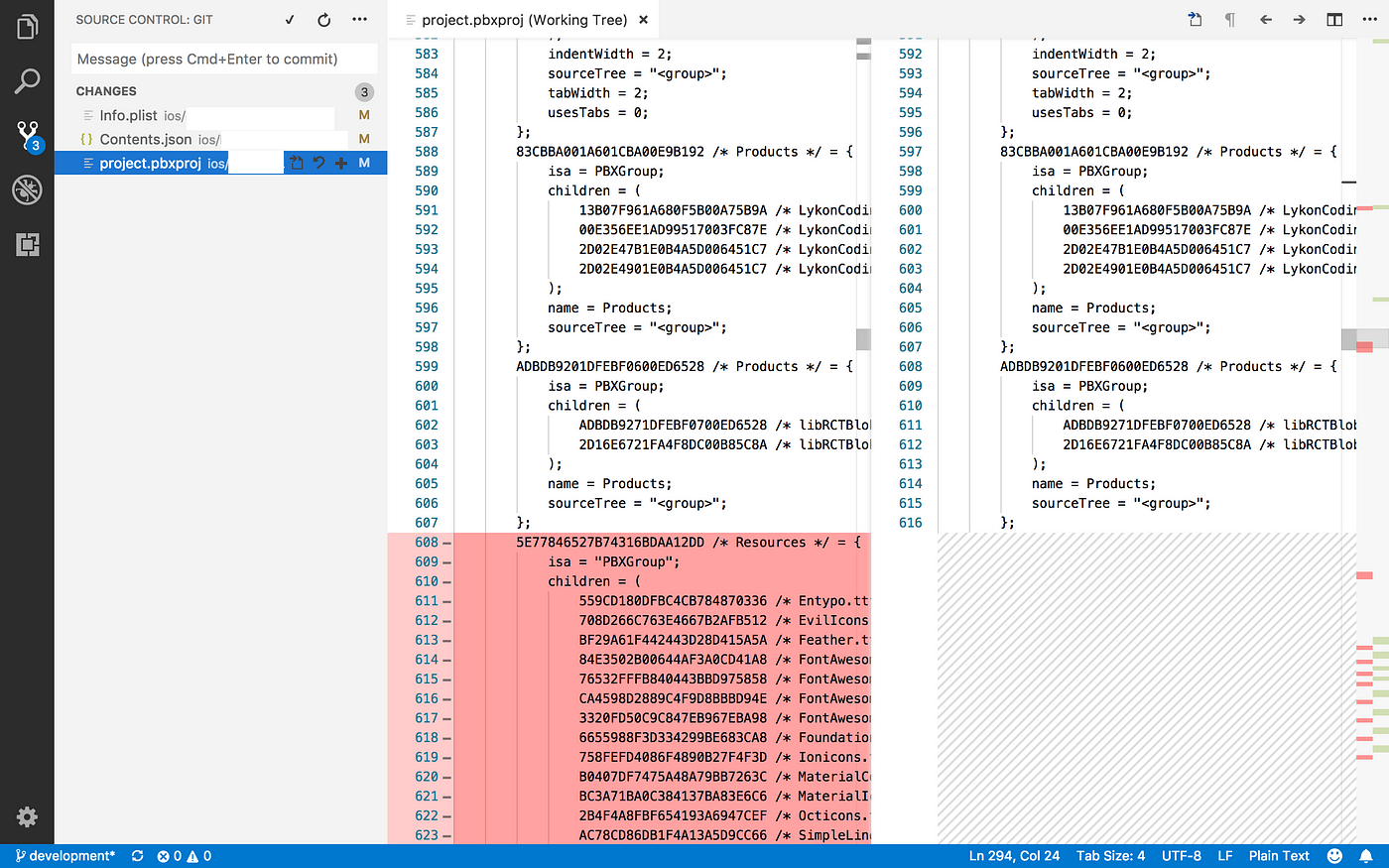
Image 4: Changes that have occured by Xcode in iOS native files
What do you think?
What do you think about this article? Offer your perspective and ideas in the comments section below.
If you enjoyed this article, feel free to hit that clap button 👏 to help others find it.
About me
Hi there, I’m Tasos; a software engineer that currently works a lot with React Native. I’m the Founder of Coded Lines where among other things we create user engaging mobile apps that help companies drive growth to their brands. Check us out or contact me here. Thanks for stopping by :)
Thanks
George Karboulonis for proof reading
메타데이터
- post_id
- 952c42cb51b1
- slug
- how-to-lock-device-orientation-for-react-native-apps-android-ios-2x02-952c42cb51b1
- url
- https://medium.com/building-with-react-native/how-to-lock-device-orientation-for-react-native-apps-android-ios-2x02-952c42cb51b1
- canonical_url
- https://medium.com/building-with-react-native/how-to-lock-device-orientation-for-react-native-apps-android-ios-2x02-952c42cb51b1
- author_url
- https://medium.com/@jeevium
- status
- ok
- fetched_at
- 2026-07-29 23:26:16