Self Hosting .Net Application using OWIN Framework
OWIN (Open Web Interface for .NET) provides an abstraction between .NET IIS server and applications.
C# CONCEPTS
Self Hosting .Net Application using OWIN Framework
OWIN (Open Web Interface for .NET) provides an abstraction between .NET IIS server and applications.
By decoupling the webserver from the application, it’s easier to create middleware for .NET development.
OWIN makes it easier to migrate applications to other hosts — for example, self-hosting in a Windows service or other processes.
The article demonstrates
- How to decouple a HelloWorld console application from IIS to self-host
- Setup exception handling and display error as HTML pages using OWIN Framework.
Prerequisites
- Create a .Net Framework console application using Visual Studio/Visual Studio Code.
- Install below NuGet packages
Install-Package Microsoft.Owin.SelfHost -Pre
Install-package Microsoft.Owin.Diagnostics –Pre
Let’s Start
Convert Console Application from IIS host to Self-host
It is easy to convert the .Net Framework console application from IIS hosting to self-hosting. With IIS hosting, IIS acts as both the HTTP server and the process that hosts the service.
With self-hosting, your application creates the process and uses the HttpListener class as the HTTP server.
Create a Startup.cs file with following code
[embed]
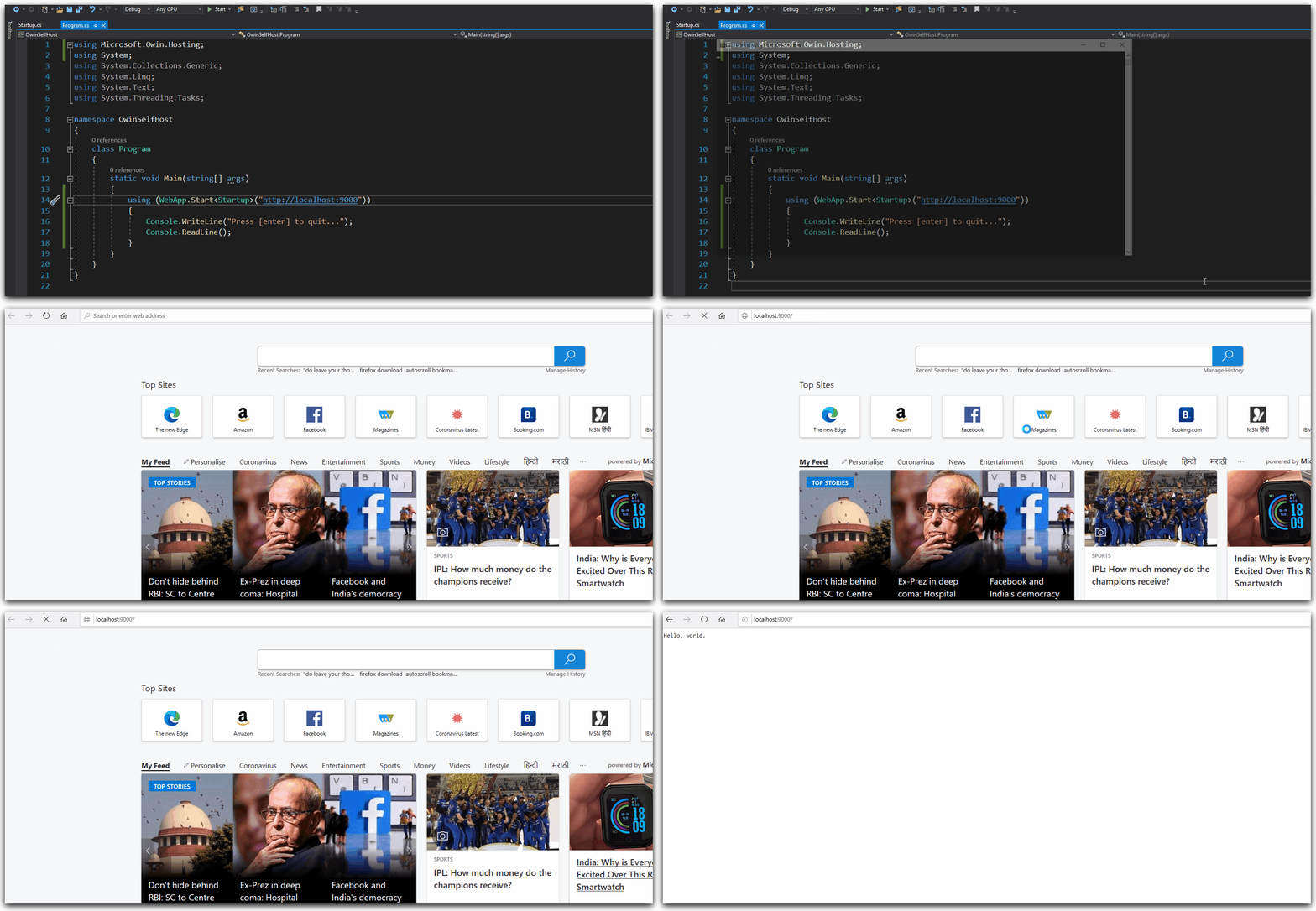
Modify the Main method as follows:
“WebApp.Start” method takes an URL as an argument where the self-hosted output will be displayed.
static void Main(string[] args)
{
    using (WebApp.Start<Startup>("http://localhost:9000"))
    {
Console.WriteLine("Press [enter] to quit...");Console.ReadLine();}
}Test Self Hosting
- Run the console application or press Ctrl + F5.
- A command prompt session will be fired, which acts as a self-host server.
- Go to the browser like Google Chrome or IE etc.
- Browse URL parameter supplied in WebApp.Start method.
Live Demo
Add Exception Handling
Microsoft.Owin.Diagnostics package contains the middleware that catches unhandled exceptions and displays an HTML page with error details.
Modify the startup.cs file as follows
[embed]
Live Demo

Benefits of OWIN
- Decouples applications from a specific web or application server like IIS.
- Runs & deploy applications on multiple more platforms with ease.
Github Repo
Contains a sample of self-hosted console application outputs “hello world” using OWIN Framework
Thank you for reading. Keep visiting and share this in your network. Please put your thoughts and feedback in the comments section.
메타데이터
- post_id
- 960c01ff8d83
- slug
- self-hosting-net-application-using-owin-framework-960c01ff8d83
- url
- https://medium.com/c-sharp-programming/self-hosting-net-application-using-owin-framework-960c01ff8d83
- canonical_url
- https://medium.com/c-sharp-programming/self-hosting-net-application-using-owin-framework-960c01ff8d83
- author_url
- https://medium.com/@singhsukhpinder
- status
- ok
- fetched_at
- 2026-07-28 21:00:23