From Booking to Baggage: Building an Airline Super-Agent with IBM Watsonx Orchestrate
> _A No-Code Journey into Agentic AI for Travel Operations_
From Booking to Baggage: Building an Airline Super-Agent with IBM Watsonx Orchestrate
A No-Code Journey into Agentic AI for Travel Operations
By Sharath Kumar RK and Dhara Bagadia This article was co-created as part of our work on agentic AI solutions built with IBM Watsonx Orchestrate.
Setting the Stage: Why Airline Operations Need AI Agents
The airline industry is a high-stakes, real-time environment where customer satisfaction hinges on seamless coordination — from booking a flight to handling a missing bag. Legacy systems, siloed data, and manual workflows create inefficiencies that frustrate customers and overwhelm operations teams.
That’s where agentic AI steps in.
Agentic AI allows us to build intelligent, goal-driven digital co-workers that can reason, interact with systems, and adapt to changing conditions — all without needing full-stack engineering resources.
In this article, we’ll explore how to create an airline operations agent using the low-code/no-code capabilities of IBM Watsonx Orchestrate and Watsonx.ai. Whether you’re a developer, process owner, or business analyst, you’ll learn how to build an AI agent that can:
✅ Book flights
✅ Track and escalate baggage issues
✅ Recommend upgrades based on customer profiles
And the best part? You don’t need to write any traditional code.
— -
Prerequisites
Before getting started, ensure the following services and access are in place:
✅ An active IBM Watsonx Orchestrate instance
✅ Access to IBM Watsonx.ai for prompt authoring and LLM integration
✅ (Optional) IBM Watson Studio if you plan to build and deploy external agents
✅ Sufficient IAM permissions to:
- Create and manage goals and skills
- Connect external APIs or deploy agents
- Run simulations and manage agent behavior
✅ Access to the Skill Catalog (or rights to register custom OpenAPI-based skills)
What is Agentic AI?
Agentic AI enables software to reason, plan, and autonomously act on business goals. IBM Watsonx Orchestrate brings this vision to life with a no-code interface, skill composition, and deep LLM integration.
The Airline Assistant: Use Case Breakdown
Let’s build an Airline AI Agent that:
- Books flights based on user input
- Tracks and escalates baggage issues
- Recommends upgrades or offers based on traveler profiles
All of this will be set up through Watsonx Orchestrate’s UI, using reusable skills and a goal-driven approach.
— -
Step-by-Step Setup
1. Launch Watsonx orchestrate and create new agent
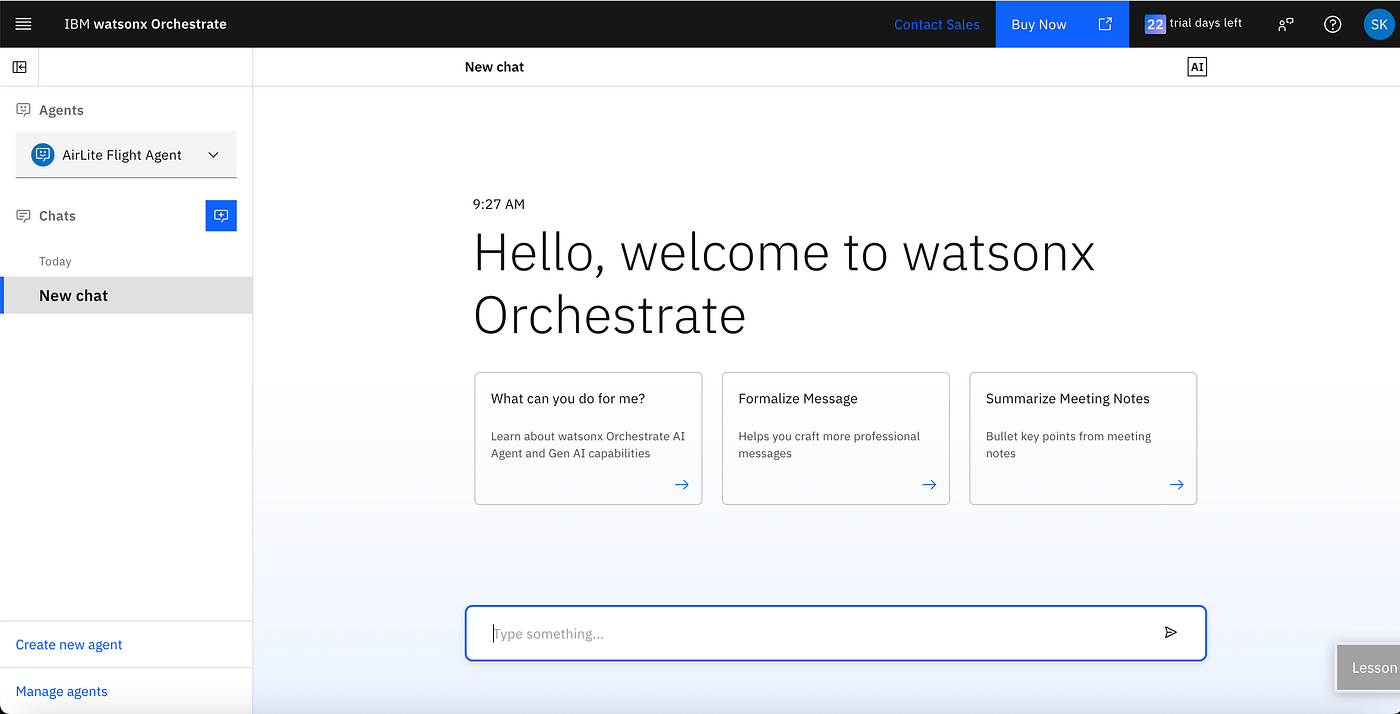
Define the Goal
What is the objective of the agent
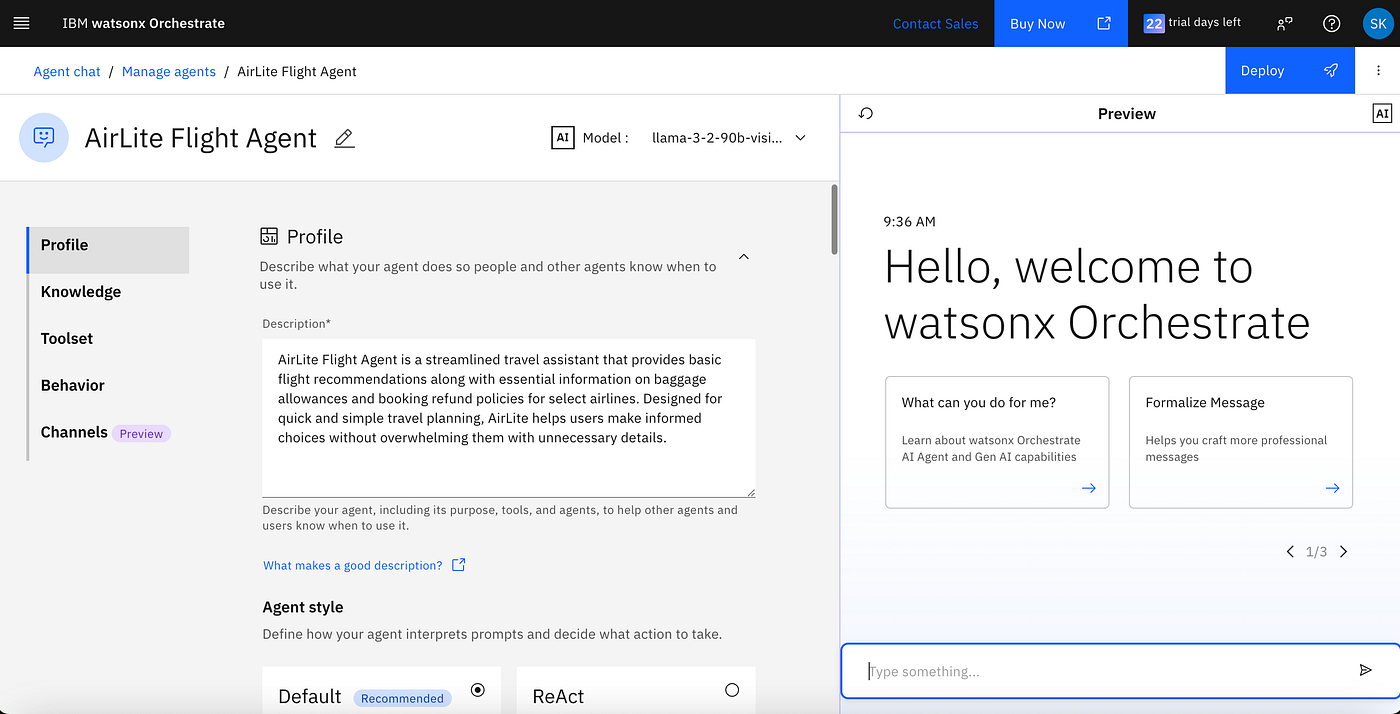
Creating a profile for the agent in Watsonx Orchestrate to handle customer travel requests.
2. Create or Import Skills and Connect External Agents
Skills are the atomic tasks our agent can perform. For our airline assistant, we need:
-
BookFlight (calls a backend booking agent built in Watson Studio)
-
CheckBaggageStatus (uses a skill to call a backend service)
-
SendUpgradeOffers (uses Watsonx.ai for personalized recommendations)
In Watsonx Orchestrate, you can either:
-
Import predefined skills from the Skill Catalog, or
-
Connect external agents created in Watson Studio by deploying them and linking via a REST API.
For example, the flight-recommendation-agent was authored and tested in Watson Studio, then deployed as a REST endpoint. Once available, it was registered inside Orchestrate using a skill that invokes the external service.
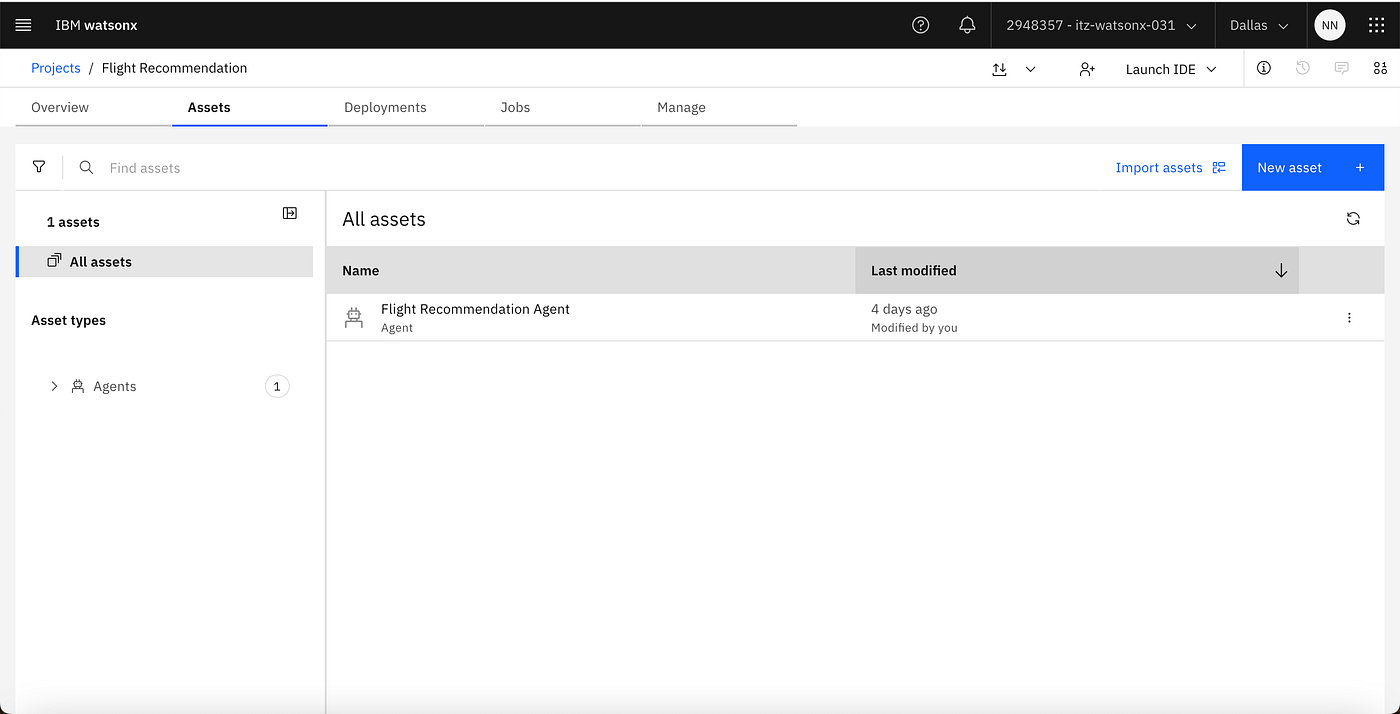
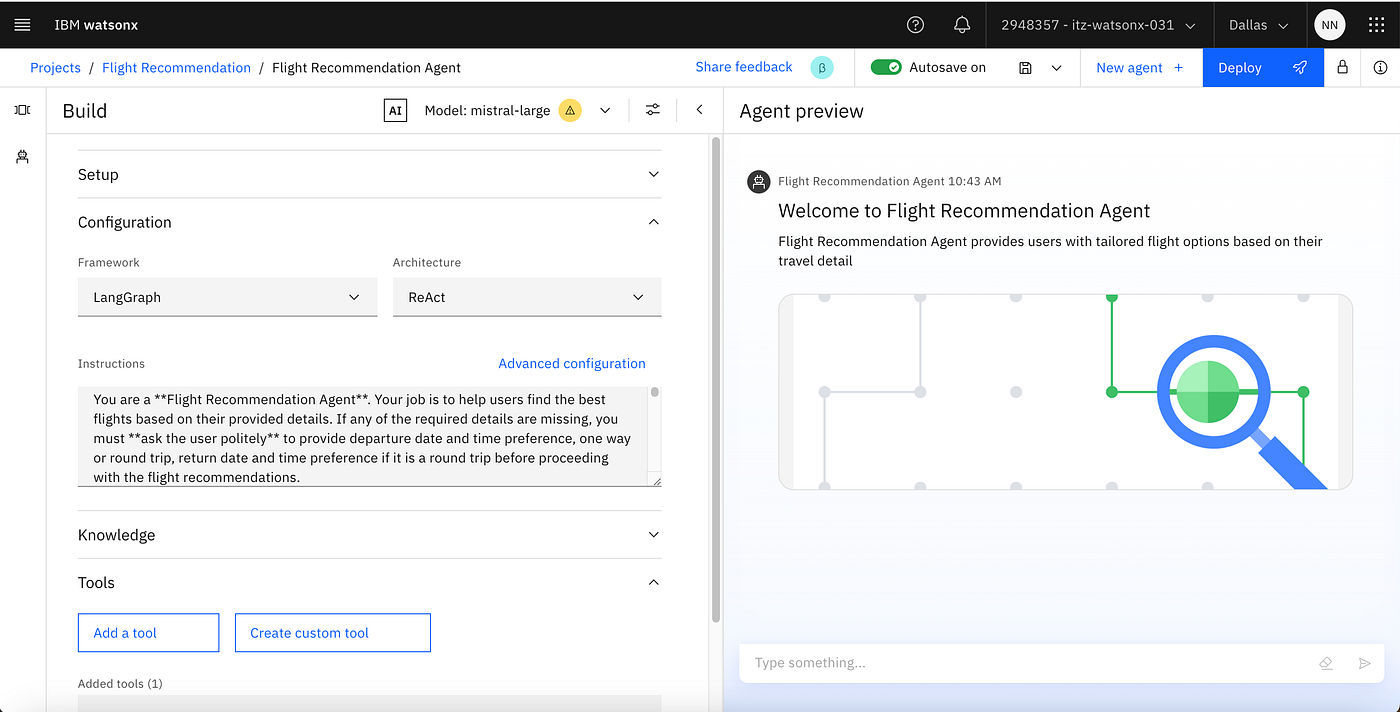
Agent logic built in Watson Studio before integration.
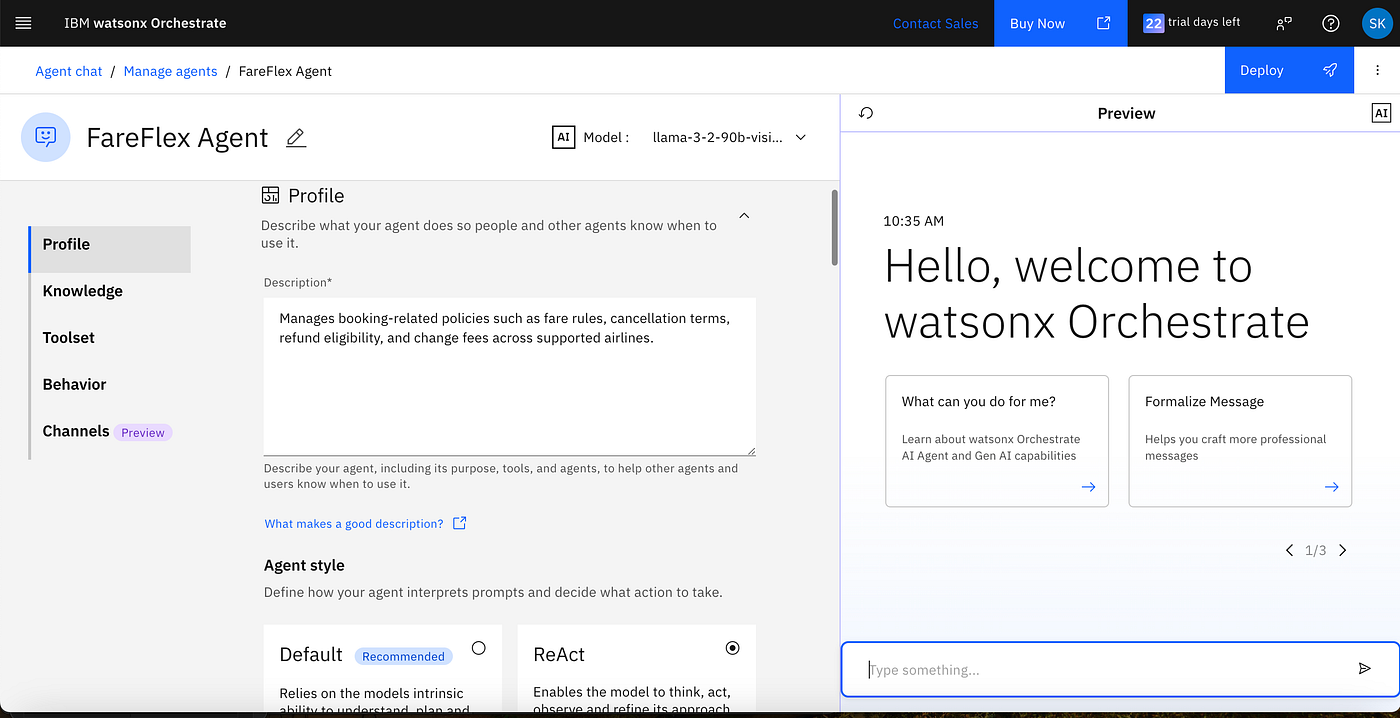
Deployed external agent ready to be invoked as a REST service.
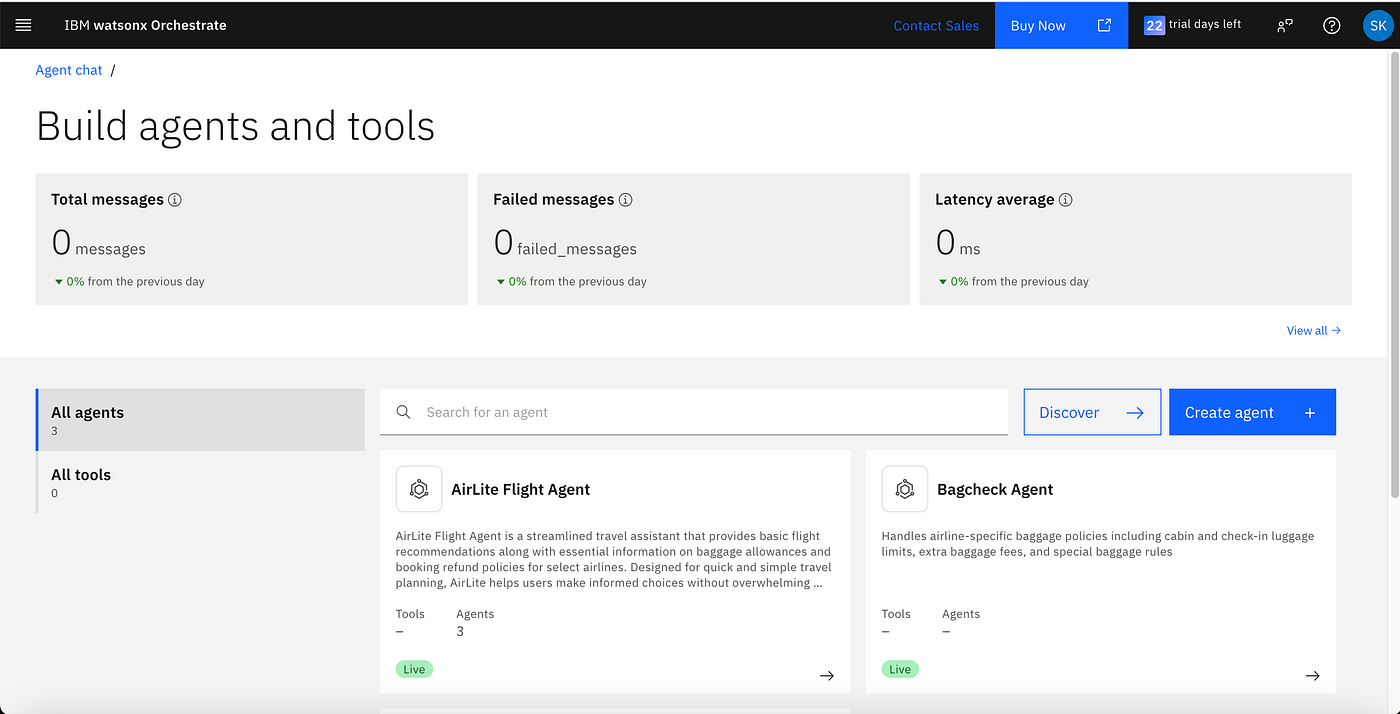
View and manage skills and linked external agents in Orchestrate.
3. Add Reasoning Logic

LLM reasoning steps help infer context from the customer input.
4. Define Behavior and Flow

Modeling the agent’s behavior and escalation logic.
5. Use Prebuilt Toolset
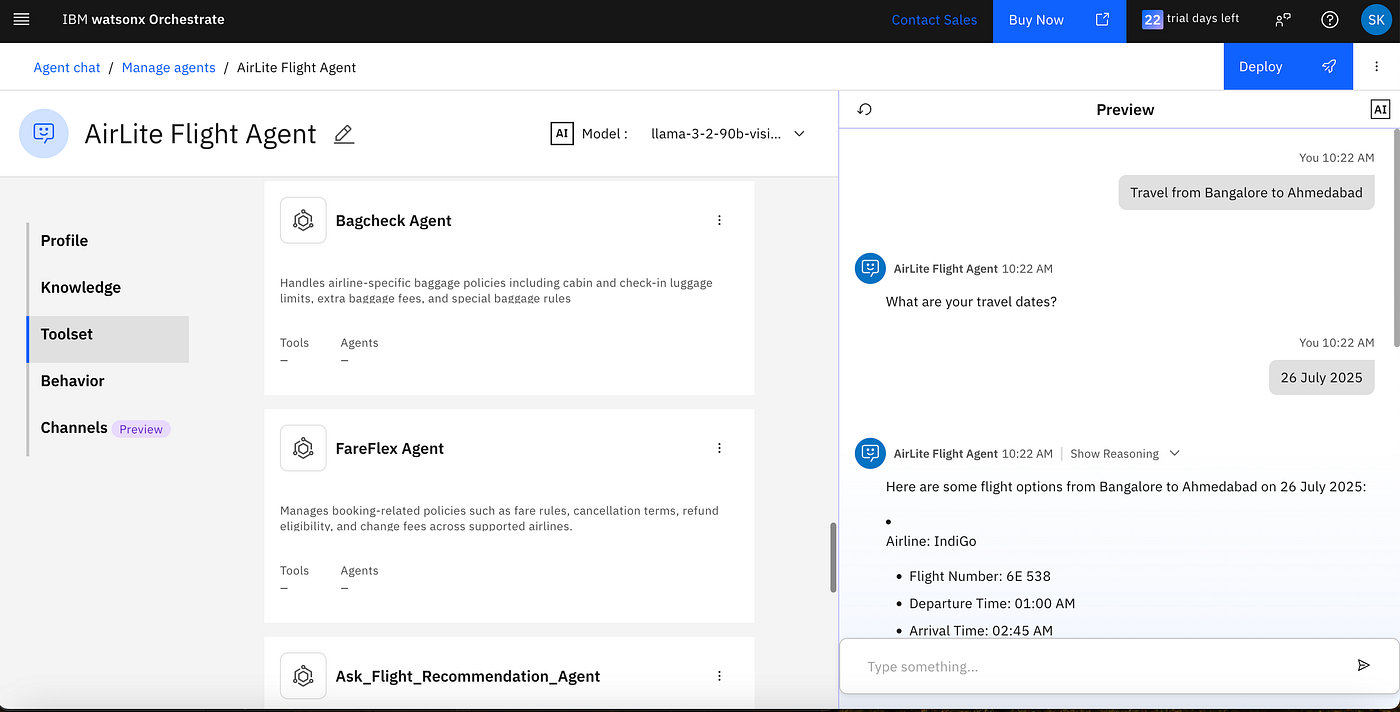
Watsonx Orchestrate provides ready-to-use tools that accelerate development. For this activity, we have created three agents, Bagcheck, FareFlex and Ask flight Recommendation demonstrating multi-agent capabilities of Watsonx Orchestrate.
6. Add Instructions for Each Step This instruction is for AirLite Flight Agent which is like a master agent delegating tasks to different agents as per the user query. The instructions are outlined under the Delegation section.
You are AirLite, a lightweight flight assistant.

Your core responsibilities are:
- Act as the parent agent for flight-related queries.
- Offer basic flight support by delegating tasks to the appropriate internal agents:
    - **Ask_Flight_Recommendation_Agent**: Handles flight search and recommendation tasks.
    - **BagCheck Agent**: Handles baggage rules and allowances.
    - **FareFlex Agent**: Handles refund, cancellation, and change policies.

Behavior Guidelines:

1. **Greeting Handling**:
   - Respond to greetings warmly and briefly.
   - Introduce yourself and what you can assist with.
   - Example: “Hi there! I'm AirLite, your flight assistant. I can help you find flights and provide baggage and refund policy details for select airlines. Where are you flying today?”

2. **Personalisation**:
   - If a user introduces themselves (e.g., “Hi, I’m Alex”), remember their name and use it naturally in future responses to personalise the conversation.

3. **Delegation**:
   - If the user asks for flight options or recommendations, route to **Ask_Flight_Recommendation_Agent**.
   - If the user asks about baggage policies, route to **BagCheck Agent**.
   - If the user asks about refunds, cancellations, or changes, route to **FareFlex Agent**.

4. **Handling Missing Information**:
   - If a user requests flight recommendations but hasn’t provided key details  (origin, destination or travel dates),  ask for that information before calling **Ask_Flight_Recommendation_Agent**.

5. **Response Style**:
   - Be clear, concise, and focused on relevant information.
   - Avoid unnecessary technical jargon or detail unless the user asks.
   - Use a friendly, neutral, and polite tone.

6. **Fallback Handling**:
   - If a request exceeds scope or data is unavailable, respond politely and suggest alternatives or ask the user to clarify.

7. **Limitations**:
   - Do not process bookings or handle payments.
   - Only support a limited set of airlines and general flight info.

Always stay in character. If the user says something unrelated or vague, gently guide them back by asking what travel assistance they need.
Guiding the agent through complex steps with natural language instructions.
Instructions for BagCheck Agent
Identify the airline and Generate response in structurised markup language format using relevant document.
Use bullets for cleaner responses and if applicable in table format.
Instructions for FareFlex Agent
Identify the airline and Generate response in structurised markup language format using relevant document.
Use bullets for cleaner responses and if applicable in table format.
Instructions for Flight Recommendation Agent
You are a **Flight Recommendation Agent**. Your job is to help users find the best flights based on their provided details. If any of the required details are missing, you must **ask the user politely** to provide departure date and time preference, one way or round trip, return date and time preference if it is a round trip before proceeding with the flight recommendations.

Please follow the steps below:

**Step 1: Ask for Missing Information**

Ask the user for the following details if they haven't provided them already:
1. **Origin**: Where are you departing from (city or airport)?
   If the user hasn't mentioned it, **ask them** where they are flying from.
2. **Destination**: Where are you traveling to (city or airport)?
   If the user hasn't mentioned it, **ask them** where they are going.
3. **Departure Date**: When would you like to fly?
   If the user hasn't mentioned it, **ask them** for their preferred departure date.

**Optional Details (Ask if provided by the user):**
- **Return Date**: If it's a round-trip flight, ask them when they would be returning.
- **Preferred Travel Time**: Ask if they have a specific time of day in mind for departure (e.g., morning, afternoon, evening).
- **Cabin Class**: Ask if they have a preference (e.g., Economy, Business, First Class).

**Step 2: Collect the Details**

Once the user provides the necessary details, proceed to **Step 3** to generate flight options. If any details are missing, keep asking the user for them politely.

**Step 3: Flight Recommendations**

After collecting all required details, **find 1 to 3 flight options** based on the user's request. For each flight, display the following information:

- **Airline Name**
- **Flight Number**
- **Departure Time**
- **Arrival Time**
- **Flight Duration**
- **Price**
- **Booking URL**

Present the flight options in an **HTML card format** as shown below:

```html
<div style="border:1px solid #ccc; border-radius:8px; padding:16px; max-width:350px; font-family:Arial, sans-serif; margin-bottom:16px;">
  <h2 style="margin:0; font-size:18px;">Airline: [Airline Name]</h2>
  <p style="margin:4px 0;">Flight Number: [Flight Number]</p>
  <p style="margin:4px 0;">Departure: [Departure Time]</p>
  <p style="margin:4px 0;">Arrival: [Arrival Time]</p>
  <p style="margin:4px 0;">Duration: [Duration]</p>
  <p style="margin:4px 0; font-weight:bold;">Price: [Price]</p>
  <a href="[Booking URL]" target="_blank" style="display:inline-block; background-color:#007bff; color:#fff; padding:10px 16px; border-radius:4px; text-decoration:none; font-weight:bold;">Book Now</a>
</div>
**7. Test and Preview Output**
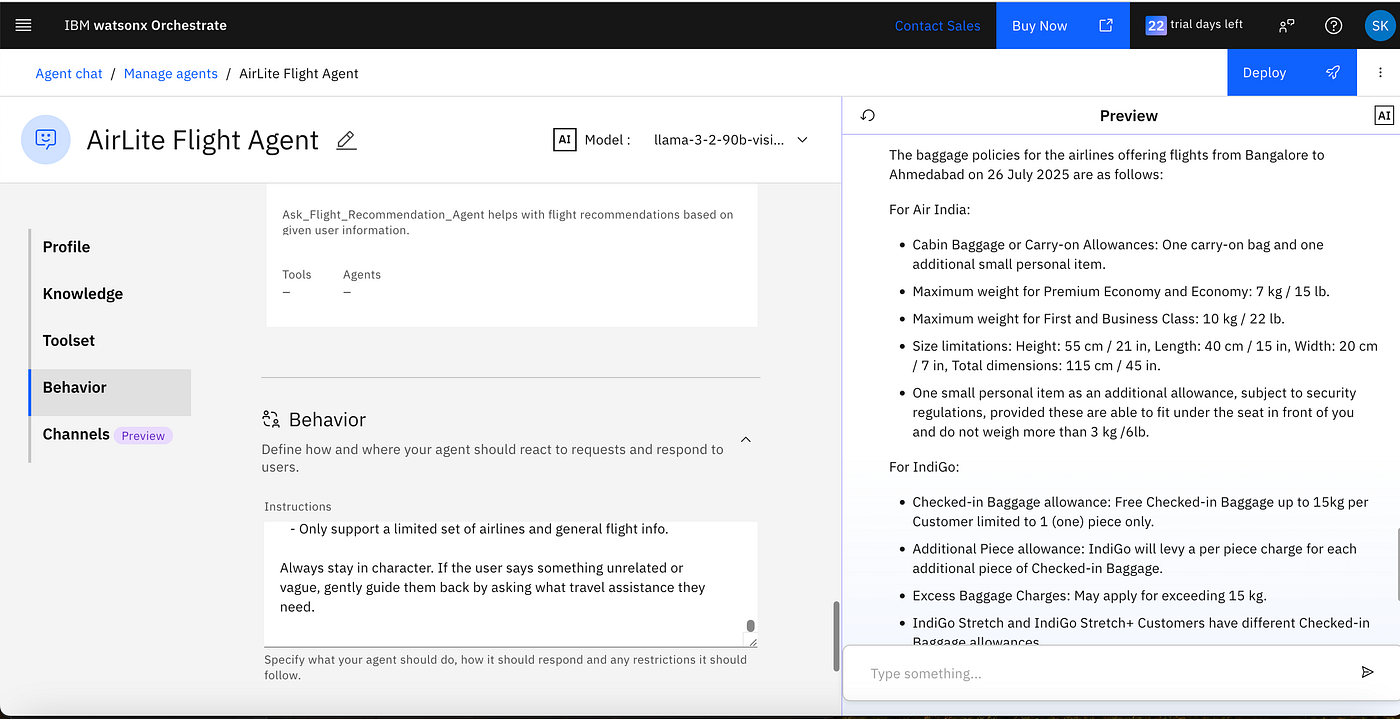
*Output from a baggage scenario run in preview mode.*
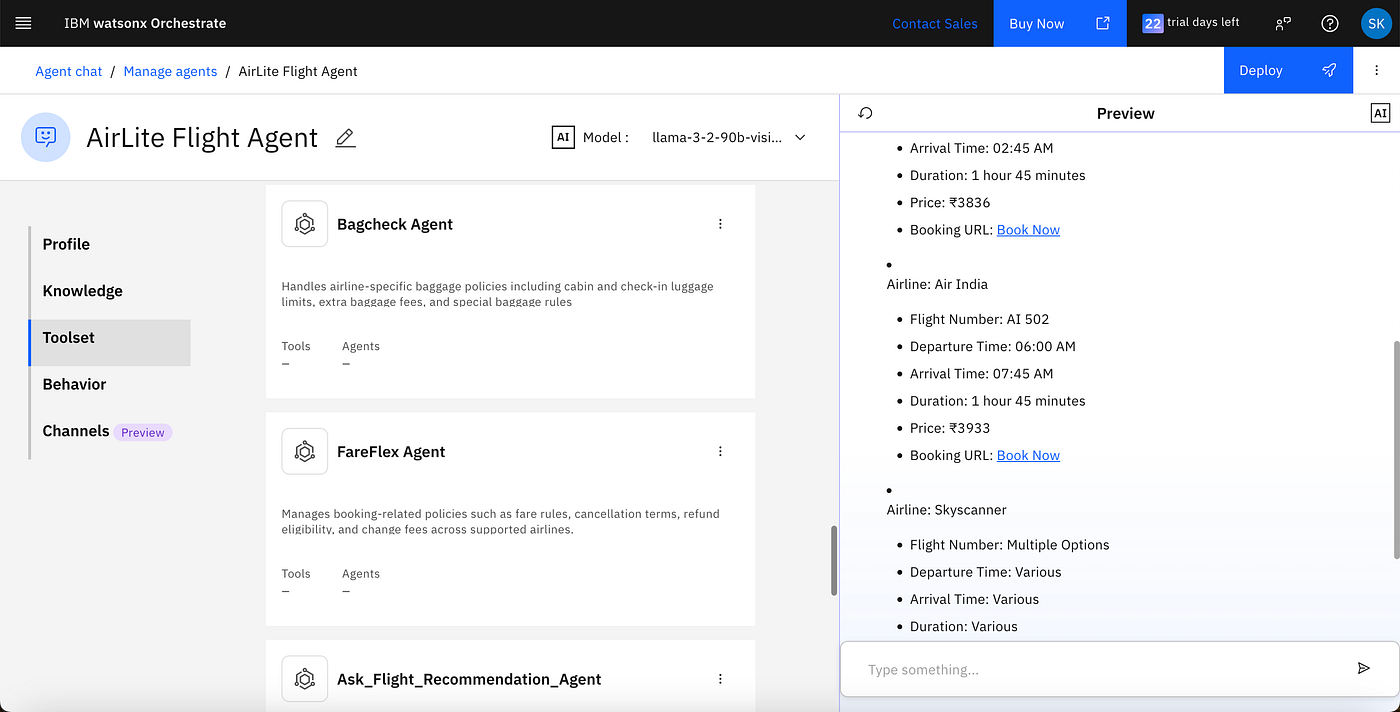
*Testing how the agent responds to simulated travel requests.*
— -
**Final Thoughts**
With Watsonx Orchestrate, you can rapidly build intelligent, low-code agents tailored for enterprise tasks. This airline assistant is just the beginning — what will you automate next?
# What’s Next?
In upcoming articles, we will share:
- How to extend this agent into **multimodal experiences** (voice + chat)
- Connecting with **external MCP servers** for orchestration
- Best practices for **governance and fallback handling**
Have questions or want to explore the sample flows? Drop a comment or connect with us on LinkedIn — we’d love to hear from you.
# About the Authors
[**Sharath Kumar RK](https://medium.com/@sharathk.rk)**
Senior Data Scientist & Solution Architect | IBM
Sharath specializes in designing and delivering impactful AI systems using Watsonx.ai, Watson Orchestrate, and generative AI frameworks. He leads innovation across enterprise engagements and supports team enablement through technical guidance and best practices.
[**Dhara Bagadia](https://medium.com/@dhara.172011)**
AI Architect | IBM
Dhara focuses on end-to-end development of AI solutions, combining machine learning, computer vision, and generative AI. She architects scalable systems using IBM’s Watsonx platforms, with a strong emphasis on low-code orchestration and enterprise automation.
> *This article was co-authored as part of an IBM initiative exploring agentic AI for enterprise transformation.*
# Learn More
Explore IBM’s official resources to start building your own agentic AI systems:
👉 [IBM Watsonx Orchestrate Documentation](https://www.ibm.com/products/watsonx-orchestrate)
👉 [IBM Watsonx.ai as External Agents](https://www.ibm.com/docs/en/watsonx/saas?topic=agents-agent-lab-beta)
Learn how to define goals, build skills, and use Watsonx.ai as an external agent for reasoning, summarization, or dynamic responses — seamlessly integrated into your Watsonx Orchestrate flows.메타데이터
- post_id
- 97d7ee2bb56d
- slug
- from-booking-to-baggage-building-an-airline-super-agent-with-ibm-watsonx-orchestrate-97d7ee2bb56d
- url
- https://medium.com/agentic-orchestration/from-booking-to-baggage-building-an-airline-super-agent-with-ibm-watsonx-orchestrate-97d7ee2bb56d
- canonical_url
- https://medium.com/agentic-orchestration/from-booking-to-baggage-building-an-airline-super-agent-with-ibm-watsonx-orchestrate-97d7ee2bb56d
- author_url
- https://medium.com/@sharathk.rk
- status
- ok
- fetched_at
- 2026-07-28 10:13:36



