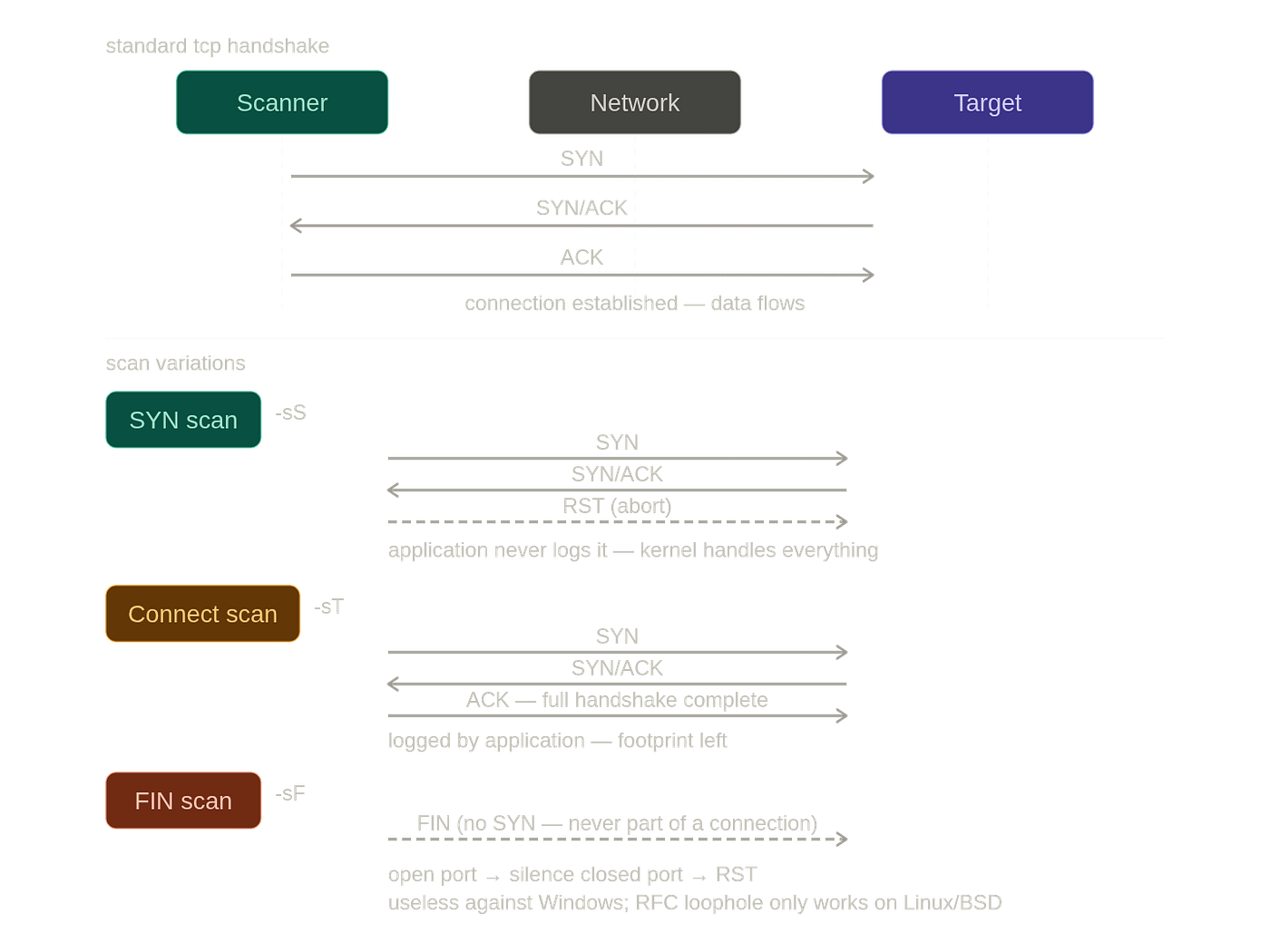
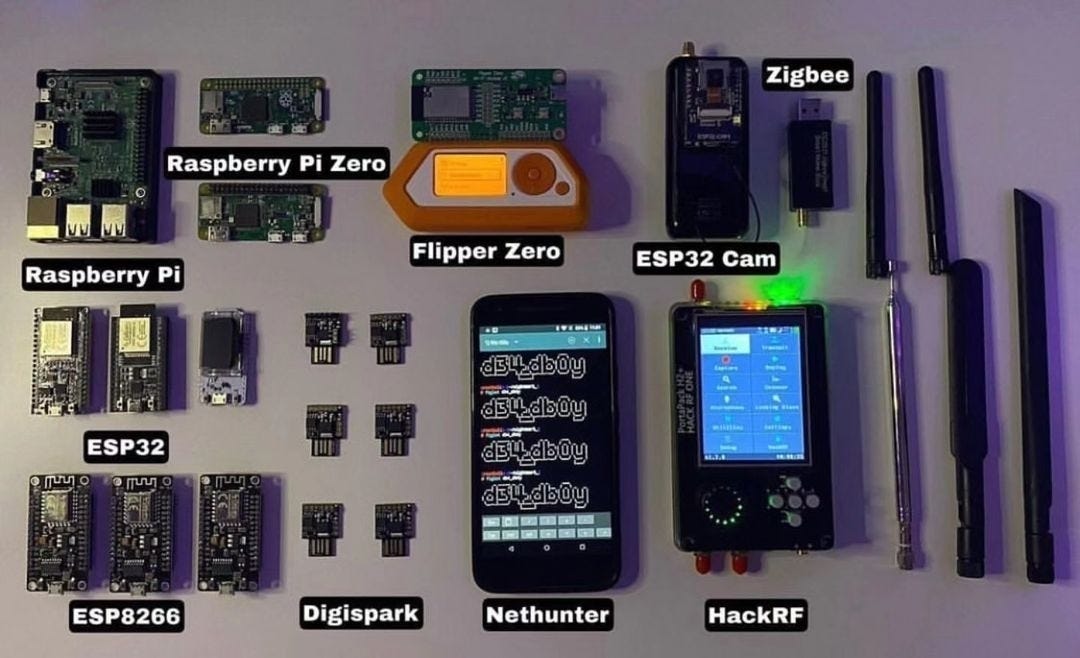
Nmap Through the Lens of Networking — Part 2
OS Detection, NSE, Timing, Evasion, and How Experienced Practitioners Actually Think
Nmap Through the Lens of Networking — Part 2
OS Detection, NSE, Timing, Evasion, and How Experienced Practitioners Actually Think
Part 1 covered how Nmap finds hosts and probes ports. Part 2 covers what it does with that information — and how experienced practitioners think through real assessments.
What You’ll Learn
OS Detection
- You’ll stop accepting OS results at face value.
Service Detection
- You’ll understand why port does not equal service.
NSE Platform
- You’ll know when scripts help and when they hurt.
Aggressive Mode
- You’ll use
-Aonly when it actually makes sense.
Timing
- You’ll understand why fast scans miss things.
Traceroute
- You’ll read gaps in path data as findings.
Evasion
- You’ll separate myths from what actually works.
Output Engineering
- You’ll turn scan files into queryable intelligence.
Real Assessment Thinking
- You’ll think in workflows instead of flags.
After reading this article you’ll understand how experienced practitioners reason through assessments instead of memorizing Nmap commands.
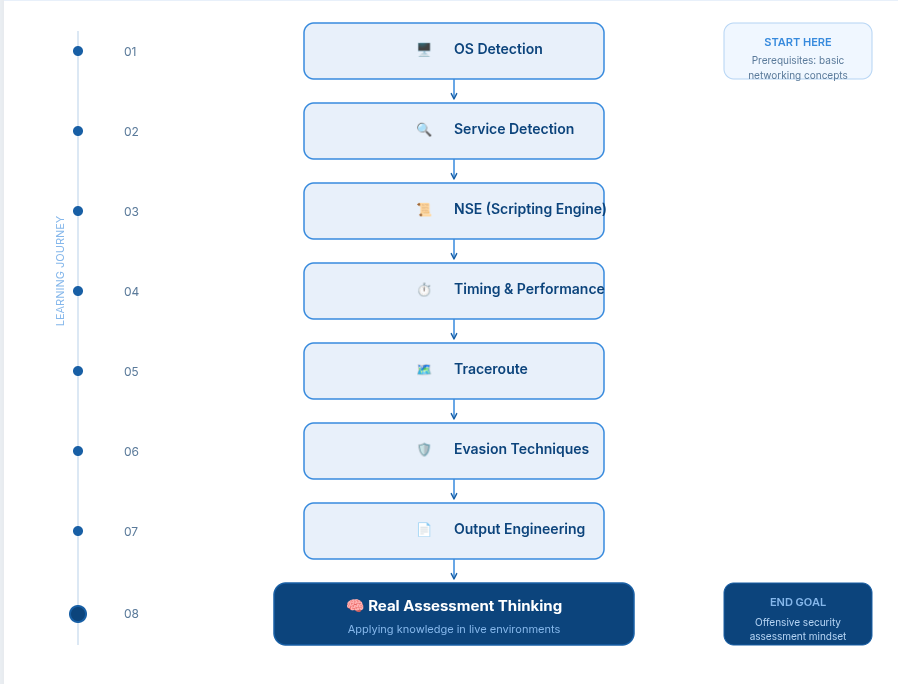
Learning Roadmap

Keep this roadmap in mind as you read.
Each section builds on the previous one.
OS Detection — How Operating Systems Accidentally Reveal Themselves
Nobody designed operating systems to be identifiable from the outside.
Every choice that makes OS fingerprinting possible was made for completely unrelated reasons — performance, protocol compliance, compatibility.
The identifiability is a side effect.
But it’s a consistent side effect.
And Nmap exploits it systematically.
Mental Model
OS Detection is recognizing a person’s accent rather than seeing their passport.
Two people can say exactly the same words, yet their accent reveals where they’re from.
Operating systems all speak TCP/IP, but each speaks it with a slightly different accent.

What Nmap Actually Measures (-O)

TCP Window Size
Different operating systems choose different default values.
Example:
- Linux: 29200
- Windows: 65535
TCP Options Order
Different implementations arrange options differently.
Initial TTL
- Linux: 64
- Windows: 128
- Cisco: 255
IP ID Generation
Can be sequential, random, or fixed.
TCP Sequence Behavior
Predictability varies significantly across operating systems.
Response to Unusual Packets
Different operating systems interpret RFC behavior differently.
None of these values were intended as fingerprints.
They are simply the accumulated result of thousands of engineering decisions made over decades by different teams.

The Modern Complications
OS detection works best when Nmap has a direct path to a host with a native network stack.
Modern infrastructure introduces layers that distort the signal.
Containers
-O gives you the host, not the container.
- A Docker container running Alpine Linux on an Ubuntu host fingerprints as Ubuntu.
- The container shares the host kernel.
- OS detection cannot see through it.
Virtual Machines
- Usually fingerprint correctly as the guest operating system.
- However, hypervisors sometimes modify network behavior in ways that reduce confidence.
Load Balancers
- Terminate TCP connections themselves.
- You’re fingerprinting the load balancer’s operating system rather than the application servers behind it.
NAT Devices
- Rewrite packets in transit.
- They sometimes alter TTL values and TCP options, distorting the fingerprint.

Use -O when:
- You want to identify the underlying operating system to guide vulnerability research or attack path selection.
Interpret carefully when:
- Containers exist.
- Virtual machines exist.
- Load balancers exist.
- Reverse proxies exist.
- NAT devices exist.
- Other abstraction layers sit between you and the actual host.
Useful Flags
--osscan-guess — Produces Nmap’s best guess even when confidence is low.
--osscan-limit— Skips hosts that do not provide enough fingerprinting information.
Remember This
Nmap fingerprints network behavior, not operating systems directly.
Every abstraction layer between Nmap and the real operating system increases uncertainty.
Common Beginner Mistake
Wrong Thinking: “Nmap says Linux 5.x, so this machine is definitely running Linux.”
Correct Thinking
- “Nmap observed Linux-like networking behavior.
- That behavior may belong to a load balancer, reverse proxy, NAT device, or the real operating system.
- Treat the result as strong evidence rather than absolute truth.”
Interview Question
Why might Nmap identify Linux when the actual application server is Windows?
Because a Linux-based load balancer or reverse proxy terminated the TCP connection.Nmap fingerprinted the network stack it interacted with rather than the backend server hidden behind it.
Service Detection — The Layer Above the Port
An open port is a beginning, not an answer.
Port 3306 being open could be MySQL.
It could also be something completely different that someone chose to run on that port.
Service detection (-sV) is what distinguishes the two.

Think of port scanning as walking through a city at night and noticing which buildings have their lights on.
You now know that someone is inside.
But you still don’t know whether it’s a bank, a hospital, a restaurant, or someone’s home.
Service detection walks to the front door, knocks politely, listens to the response, and tries to identify what is actually running there.
This is one of the biggest conceptual jumps people make when learning Nmap.
Ports do not identify services.
Responses identify services.
Mental Model
Finding an open port is finding an open door.
Service detection is asking the person behind the door who they are.
Nmap performs service detection by sending carefully crafted application-layer probes.
Instead of stopping after the TCP handshake, it continues the conversation.
The target replies.
- That reply contains subtle information.
- Headers.
- Error messages.
- Protocol syntax.
- Banner strings.
- Timing.
- Unexpected responses.
All of these become evidence.

Nmap compares those responses against its massive nmap-service-probes database.
Thousands of signatures have been collected over years.
Each probe has expected responses.
Each response has confidence levels.
The closer the response matches a known fingerprint, the higher the confidence in the detected service.
This is why service detection often works even when administrators move services onto unusual ports.
For example:
- A web server running on port 8088 still speaks HTTP.
- A database listening on 9000 still speaks MySQL.
- An SSH server moved from 22 to 50022 still performs an SSH handshake.
The port number changed.
The protocol did not.
Nmap identifies the protocol.
Remember This
Port numbers are conventions.
Protocol behavior is evidence.
Version Detection
Service detection goes one step further.
It attempts to identify software versions.
Instead of simply saying:
80/tcp open httpNmap may return:
80/tcp open http Apache httpd 2.4.57or
22/tcp open ssh OpenSSH 9.3or
443/tcp open https nginx 1.24.0That extra information dramatically changes what happens next.
Now vulnerability databases become searchable.
Known CVEs become relevant.
Exploit research becomes targeted.
Patch validation becomes possible.

Nmap accomplishes this by sending multiple protocol-specific requests and observing the replies.
Many applications expose version information directly.
Others leak it indirectly.
Some deliberately hide it.
Some modify it.
Some administrators replace it with fake values.
Experienced practitioners treat version strings as evidence rather than truth.
Version Intensity
Version detection is configurable.
The more probes Nmap sends, the more likely it is to identify unusual services correctly.
However, more probes also increase scan duration and network noise.

Low intensity performs only the most likely probes.
It is fast.
It works well in known environments.
Default intensity provides a balanced approach suitable for most assessments.
High intensity attempts many more signatures and unusual protocol interactions.
It identifies obscure services better but produces more traffic.
There is always a tradeoff between speed and certainty.
Common Beginner Mistake
Wrong thinking:
“Port 3306 is open, therefore MySQL is running.”
Correct thinking:
“Port 3306 is open. I should verify what actually responds before making assumptions.”
Real World Example
During an internal assessment, port 8080 appeared open.
Everyone assumed it was a web proxy.
Running -sV revealed something entirely different.
The port hosted a Java application’s management interface.
It required no authentication.
The resulting exposure was far more significant than anyone expected.
The port number suggested one thing.
The protocol revealed another.
Remember This
Any service can run on any port.
The response tells the truth.
The port number is merely a suggestion.

The Nmap Scripting Engine (NSE) — When Nmap Stops Being Just a Scanner
Here’s a question worth thinking about:
At what point does a port scanner stop being a port scanner?
Knowing that port 443 is open is useful.
Knowing that it’s running nginx 1.24 is even better.
But knowing that:
- the TLS certificate expired three months ago,
- the server leaks internal hostnames,
- the application exposes an administration endpoint,
- SMB signing is disabled,
- LDAP anonymous binds are enabled,
is something entirely different.
At that point, Nmap is no longer simply discovering ports.
It is performing reconnaissance.
That is exactly why the Nmap Scripting Engine (NSE) exists.

NSE transforms Nmap from a scanning tool into a reconnaissance platform.
Instead of merely identifying services, it interacts with them.
It asks questions.
It requests information.
It performs checks.
It validates assumptions.
It gathers intelligence that would otherwise require multiple independent tools.
Think of Nmap’s workflow as layers.
First, it discovers hosts.
Then it discovers ports.
Then it identifies services.
Only after that does NSE begin operating.
Every previous phase feeds information into the scripting engine.
The better the earlier phases performed, the more useful NSE becomes.
Mental Model
Port scanning discovers doors.
Service detection identifies what is behind the door.
NSE walks inside and starts looking around.

The scripting engine has access to everything Nmap already learned.
It knows:
- which ports are open,
- which services were identified,
- version information,
- protocol details,
- operating system guesses,
- scan timing,
- network information.
Scripts can use all of that information to make intelligent decisions.
This is why NSE feels so powerful.
It is not operating blindly.
It is building upon previous knowledge.
However, this also creates an important limitation.
If service detection was wrong, scripts may also be wrong.
If a service was misidentified, HTTP scripts may execute against something that is not actually HTTP.
Enumeration scripts may fail.
Vulnerability scripts may produce misleading results.
Everything depends on the quality of the earlier phases.
Remember This
NSE is only as accurate as the information provided by the earlier scan phases.
The Four Major Script Categories
NSE contains hundreds of scripts.
They generally fall into four broad categories.

Discovery
Discovery scripts collect publicly available information.
Examples include:
- page titles,
- TLS certificates,
- SNMP information,
- DNS version strings,
- supported protocols.
These scripts are generally safe to execute broadly.
Enumeration
Enumeration goes deeper.
Instead of asking whether a service exists, it asks what information that service exposes.
Examples include:
- LDAP enumeration,
- SMB share enumeration,
- user discovery,
- NFS exports,
- SMTP capabilities.
Enumeration is still relatively safe but may trigger logging and monitoring systems.
Vulnerability Detection
These scripts check whether known vulnerable conditions exist.
Examples include:
- known CVE signatures,
- default credentials,
- insecure configurations,
- weak TLS settings,
- exposed management interfaces.
These should only be executed when they are explicitly within scope.
Bruteforce
Bruteforce scripts attempt authentication.
They test usernames and passwords against services.
These scripts are intrusive.
They generate logs.
They may lock accounts.
They should only be used with explicit written authorization.

Notice the progression.
Each category becomes more intrusive than the previous one.
Experienced practitioners rarely jump directly to aggressive scripts.
Instead, they gradually increase interaction only when necessary.
Information first.
Enumeration second.
Validation third.
Authentication testing last.
Choosing The Right Scripts
Not every scan requires every script.
One of the biggest mistakes beginners make is trying to run everything.
Running every available script wastes time.
It creates unnecessary network traffic.
It generates avoidable alerts.
Good practitioners select scripts based on their objective.
If the goal is passive reconnaissance, discovery scripts are enough.
If the goal is Active Directory enumeration, LDAP and SMB scripts become valuable.
If validating a vulnerability assessment, vulnerability scripts may be appropriate.
If performing an authorized password audit, bruteforce scripts may become relevant.
Every script should answer a specific question.
If you cannot explain why you are running it, you probably should not run it.

Default Scripts (-sC)
One of the most commonly used options is:
-sCThis executes the default safe script set.
These scripts provide significant value while remaining relatively conservative.
For many assessments, -sC combined with -sV produces an excellent balance between information gathering and operational safety.
This combination is often more useful than running dozens of individual scripts manually.
Running Individual Scripts
NSE also allows extremely targeted execution.
Instead of running everything, individual scripts can be selected.
For example:
--script=http-titleretrieves web page titles.
--script=ssl-certextracts TLS certificate information.
--script=smb-enum-sharesenumerates SMB shares.
Targeted scripts produce focused intelligence while minimizing unnecessary activity.
Common Beginner Mistake
Wrong thinking:
“I’ll run every NSE script available.”
Correct thinking:
“I’ll select only the scripts that answer the questions I currently have.”
Large script sets increase scan time, network traffic, and detection probability.
Focused enumeration is usually more valuable.
Real World Example
An external assessment identified HTTPS running on port 443.
Instead of stopping after service detection, an NSE TLS certificate script was executed.
The certificate contained several internal hostnames.
Those hostnames revealed development systems that were never intended to be publicly discoverable.
The certificate became the pivot point for the remainder of the assessment.
No exploitation occurred.
The information was simply available to anyone willing to ask for it.
That is the power of NSE.
Remember This
NSE does not magically discover information.
It simply asks intelligent protocol-specific questions and interprets the answers.

Aggressive Mode (-A) — What It Actually Does
One of the most misunderstood flags in Nmap is:
-AMany beginners think it unlocks some special scanning mode.
It doesn’t.
-A is simply a convenience option that enables multiple existing features together.
It saves typing.
It does not introduce any new capability.

Internally, -A enables several independent components.
It combines:
- Operating System Detection (
-O) - Version Detection (
-sV) - Default NSE Scripts (
-sC) - Traceroute (
--traceroute)
into a single command.
Instead of enabling each individually, -A activates them together.
Think of it as a preset rather than a feature.
Mental Model
Imagine buying a camera.
You can manually configure:
- ISO
- Focus
- White Balance
- Exposure
or you can switch to Auto Mode.
Auto Mode doesn’t create new hardware.
It simply enables multiple existing settings simultaneously.
-A works exactly the same way.
Because -A bundles multiple operations, it generates significantly more traffic than a simple SYN scan.
Every additional component means additional packets.
More packets mean:
- more time,
- more logs,
- more IDS alerts,
- more opportunities to be noticed.
This is why experienced practitioners rarely begin with -A.
Instead they gather information gradually.
They enable only the components they actually need.
Running:
nmap -A targetagainst a single laboratory VM is perfectly reasonable.
Running:
nmap -A 10.0.0.0/16is usually a terrible idea.
The amount of traffic generated becomes enormous.
OS fingerprinting runs.
Version detection runs.
Default scripts execute.
Traceroute executes.
Thousands of hosts multiplied by four independent operations quickly become millions of packets.
Remember This
*-Ais a convenience shortcut.*
It is not a recommended default for every situation.
When Should You Use -A?
There are situations where it provides excellent value.
Single-host investigations.
Laboratory environments.
CTF machines.
Focused vulnerability validation.
Internal assessments with explicit authorization.
In these situations the convenience often outweighs the additional traffic.

There are also situations where -A should usually be avoided.
Large enterprise networks.
Red team engagements.
Stealth-sensitive environments.
Broad internet scanning.
Cloud environments with thousands of assets.
In these cases selective scanning is almost always superior.
Enable only the components that answer your current question.
Leave everything else disabled.
Thinking Like an Experienced Practitioner
Beginners often ask:
“What command gives me the most information?”
Experienced practitioners ask:
“What is the minimum amount of traffic required to answer my question?”
Those are fundamentally different ways of thinking.
The second mindset produces faster assessments, cleaner data, and fewer alerts.
Real World Example
Imagine a company exposing a single external web server.
You already know:
- port 80 is open,
- port 443 is open,
- the host responds normally.
You now want:
- service versions,
- TLS certificate details,
- operating system estimate.
Running -A makes sense.
The additional traffic is small relative to the value gained.
Now imagine scanning 5,000 cloud instances.
Running -A everywhere means:
- OS detection against every host,
- version detection against every service,
- default NSE scripts against every service,
- traceroute against every host.
The assessment becomes dramatically slower.
Noise increases.
Alert volume increases.
Most of the additional information is never used.
The convenience disappears.
Common Beginner Mistake
Wrong thinking:
“I always use -A because it gives me everything."
Correct thinking:
“I’ll enable only the features that answer the specific question I’m trying to solve.”
Remember This
Good practitioners don’t collect the maximum amount of data.
They collect the right amount of data.
Timing — Why Fast Scans Miss Things
One of the most overlooked concepts in networking is that time itself is part of the protocol.
Packets do not arrive instantly.
Networks have latency.
Buffers exist.
Queues exist.
Congestion exists.
Packet loss exists.
Every network behaves differently.
Nmap’s timing engine exists because of this reality.
People often think faster scanning is always better.
It isn’t.
A scan that runs too quickly can produce incorrect results.
Open ports may appear filtered.
Responses may arrive after Nmap has already moved on.
Congested links may silently drop packets.
Fast scans save time.
They also increase uncertainty.
Slow scans have their own problems.
They take longer.
Assessments become expensive.
Long-running scans become difficult to manage.
Infrastructure changes while scanning is still in progress.
Neither extreme is ideal.
The goal is balance.
Mental Model
Imagine asking questions during a crowded conference.
If you speak too quickly, people cannot answer before you’ve moved on.
If you wait five minutes between every question, the conversation never finishes.
The correct pace depends on the environment.
Nmap’s timing system solves exactly that problem.
Timing templates (-T0 through -T5) simply change how aggressively Nmap sends probes.
Lower templates prioritize stealth.
Higher templates prioritize speed.
Every increase in speed sacrifices something else.
That tradeoff cannot be eliminated.
Only managed.
Traceroute — Understanding What Exists Between You and the Target
Finding an open port tells you what is reachable.
Traceroute helps explain how it became reachable.
Those are very different questions.
Two systems may expose exactly the same ports while sitting behind completely different network architectures.
Understanding that architecture often explains scan behavior better than the scan itself.
Traceroute works by exploiting a very simple property of IP packets.
Every packet contains a value called Time To Live (TTL).
Despite its name, TTL is not measured in seconds.
It is a hop counter.
Every router that forwards a packet decreases the TTL by one.
When TTL reaches zero, the router discards the packet and sends back an ICMP Time Exceeded message.
Nmap deliberately uses this behavior to discover every router between itself and the target.
Mental Model
Imagine mailing a package that contains a note saying:
“This package may only pass through three post offices.”
If it reaches a fourth office, that office throws it away and sends you a letter explaining where it stopped.
Now imagine repeating that process while gradually increasing the limit.
Eventually every post office reveals itself.
Traceroute works almost exactly like that.
Suppose Nmap sends a packet with:
TTL = 1The first router receives it.
The router decreases TTL.
TTL becomes zero.
The router discards the packet and replies:
“I am Router 1.”
Nmap now knows the first hop.
Next it sends:
TTL = 2The first router forwards it.
The second router receives it.
TTL becomes zero.
The second router replies.
The second hop is now known.
This process repeats until the destination itself responds.
Every reply reveals another piece of the path.
Traceroute is not simply measuring distance.
It is revealing infrastructure.
Routers.
Firewalls.
Load balancers.
Transit providers.
Internal addressing.
Filtering devices.
Sometimes entire network designs become visible simply by observing packet expiration.
Many beginners panic when they see:
* * *They assume traceroute failed.
It often didn’t.
Those stars usually mean that a router intentionally chose not to respond.
The infrastructure still exists.
It simply refuses to identify itself.
Ironically, that refusal becomes useful information.
Hidden infrastructure is still infrastructure.
Remember This
Missing traceroute hops are often findings rather than failures.
What Traceroute Reveals
Path length.
Internal IP addressing.
Filtering infrastructure.
Transit providers.
Unexpected routing.
Firewalls.
Segmentation boundaries.
Cloud provider networking.
VPN termination points.
Load balancing layers.
All of these become visible without ever authenticating to the target.
That is remarkably powerful.
Suppose a traceroute looks like this:
The missing hops are not random.
They likely represent internal devices configured to suppress ICMP responses.
Instead of thinking:
“The scan failed.”
Think:
“Someone intentionally hid this infrastructure.”
That observation itself becomes intelligence.
Real World Example
An external assessment revealed an application server behind three hidden hops.
Traceroute exposed:
- ISP edge
- cloud provider gateway
- external firewall
followed by two missing responses.
Later documentation confirmed those missing hops were internal inspection appliances that intentionally suppressed ICMP.
The traceroute had already revealed their existence.
No exploitation was required.
Common Beginner Mistake
Wrong thinking:
“The stars mean nothing exists there.”
Correct thinking:
“The stars mean something exists there that chose not to answer.”
Those are completely different conclusions.
Timing Beyond Templates
Most people think timing consists only of:
-T0
-T1
-T2
-T3
-T4
-T5
That is only the surface.
Internally, Nmap continuously adjusts dozens of timing decisions based on observed network behavior.
It measures latency.
Packet loss.
Retransmissions.
Response consistency.
Congestion.
Parallelism.
Timeout calculations.
Everything influences scan behavior.
Consider a VPN connection with heavy packet loss.
Nmap sends a SYN.
The response arrives two seconds later.
If Nmap already gave up waiting after one second, the port appears filtered.
Nothing was filtered.
The response simply arrived too late.
Timing decisions directly affect scan accuracy.
Timeouts matter.
Retry counts matter.
Probe spacing matters.
Parallelism matters.
Rate limiting matters.
Host grouping matters.
All of these influence results.
They also influence detectability.
A scan that floods a network produces different evidence than one that slowly blends into ordinary traffic.
Mental Model
Imagine interviewing hundreds of people.
You can ask everyone simultaneously.
Some answers overlap.
Some disappear.
Some get lost.
Or you can ask people one at a time.
You receive cleaner answers but spend much longer waiting.
Scanning works exactly the same way.
Increasing speed always trades something away.
Sometimes it sacrifices accuracy.
Sometimes it sacrifices stealth.
Sometimes both.
Likewise, increasing stealth almost always sacrifices speed.
There is no universal best timing template.
There is only the timing strategy appropriate for the current environment.
Remember This
Timing is not about speed.
Timing is about choosing the correct balance between speed, accuracy, and stealth.
Real World Example
A scan against a satellite-connected network initially showed dozens of ports as filtered.
The security team believed a firewall blocked them.
Increasing timeout values and allowing additional retries revealed every one of those ports to be open.
The firewall had never existed.
The network was simply slow.
Timing parameters completely changed the assessment.
Common Beginner Mistake
Wrong thinking:
“-T5 is always better because it finishes faster."
Correct thinking:
“-T5 increases the chance of missing responses and generating false conclusions on unstable networks."
The fastest scan is not necessarily the most accurate scan.
Often, the opposite is true.
Evasion — Separating Hollywood Myths from Modern Reality
Every beginner eventually discovers Nmap’s evasion options.
Decoys.
Fragmentation.
MAC spoofing.
Source port spoofing.
Proxies.
Custom payloads.
At first glance they sound magical.
The reality is far less dramatic.
Most of these techniques were designed decades ago against security devices that no longer exist in modern enterprise environments.
Understanding why they were created is far more valuable than memorizing their flags.
The goal of evasion is simple:
Change the appearance of scan traffic enough that defensive systems fail to recognize it.
Historically this worked surprisingly well.
Firewalls were simple.
Intrusion detection systems relied on static signatures.
Packet reassembly was incomplete.
Fragmented packets often bypassed inspection.
Source ports influenced firewall decisions.
Modern infrastructure behaves very differently.
Stateful inspection.
Deep packet inspection.
Behavioral analytics.
Flow correlation.
Machine learning.
Centralized logging.
These technologies dramatically reduced the effectiveness of many classic evasion techniques.
Mental Model
Imagine wearing sunglasses while walking into a bank.
You technically changed your appearance.
But security cameras, facial recognition, license plate readers, and transaction records still identify you.
Most classic evasion techniques work exactly like those sunglasses.
They add noise.
They rarely provide invisibility.
Fragmentation
Fragmentation attempts to split packets into smaller pieces.
Older firewalls sometimes inspected fragments independently.
Individual fragments contained insufficient information to match signatures.
Traffic slipped through.
Modern firewalls usually reassemble fragments before inspection.
The original packet becomes visible again.
The bypass disappears.
Fragmentation still exists.
Its practical value has become extremely limited.
Decoys
Decoys attempt to confuse attribution.
Instead of sending packets from one apparent source, multiple source addresses appear involved.
The hope is that analysts cannot determine which address represents the real scanner.
Reality is different.
Only one source actually completes the conversation.
Correlation identifies the real participant surprisingly quickly.
Decoys increase analyst workload.
They rarely prevent attribution.

Source Port Spoofing
Older firewall rules sometimes trusted traffic originating from ports like:
- 53 (DNS)
- 20 (FTP Data)
- 123 (NTP)
Attackers exploited this assumption by changing source ports.
Modern stateful firewalls rarely trust packets simply because they originate from a particular port.
The packet’s state and context matter far more.
Today this technique succeeds primarily against outdated or poorly configured environments.
MAC Address Spoofing
MAC spoofing changes Layer 2 identity.
It matters only on the local network segment.
Routers remove Layer 2 headers before forwarding packets.
Across the Internet, MAC addresses disappear at the first hop.
MAC spoofing is useful for bypassing local network restrictions.
It provides no anonymity across routed networks.
Custom Payloads
Changing packet size.
Adding random data.
Padding payloads.
Altering lengths.
These techniques attempt to avoid simplistic detection signatures.
Modern IDS platforms rarely rely on such narrow matching.
Behavior across the entire connection matters far more than packet length alone.

Proxies
Nmap can send TCP Connect scans through proxies.
This changes the apparent source of the scan.
However, many scan types require direct packet manipulation that proxies cannot perform.
Proxy support therefore remains limited.
Many experienced practitioners prefer using controlled infrastructure such as VPS instances rather than generic proxy chains.
The infrastructure becomes simpler.
Results become more reliable.
IPv6 — The Exception
Ironically, one of the most effective modern “evasion” techniques is not evasion at all.
It is simply using IPv6.
Many organizations invested heavily in IPv4 security.
Firewall rules.
Monitoring.
IDS signatures.
Network segmentation.
Logging.
Then IPv6 arrived.
In many environments equivalent controls never received the same attention.
Entire services become reachable over IPv6 that remain invisible over IPv4.
Not because IPv6 bypasses security.
Because organizations forgot to secure it.

This is an important lesson.
Technology evolves.
Defensive priorities evolve.
The most effective techniques today are often not the ones discussed in twenty-year-old penetration testing books.
Understanding defensive assumptions matters more than memorizing offensive flags.
Remember This
The best evasion technique is often operational rather than technical.
Scan less.
Scan slower.
Scan only what matters.
Real World Example
An external assessment revealed that IPv4 access to a management interface was completely blocked.
The corresponding IPv6 address remained publicly accessible.
No fragmentation.
No decoys.
No spoofing.
No exotic bypass.
The organization simply forgot that IPv6 existed.
The simplest technique became the most effective.
Common Beginner Mistake
Wrong thinking:
“I’ll use fragmentation and decoys to become invisible.”
Correct thinking:
“Every additional packet increases visibility. The quietest scan is the one that never gets sent.”
Output Engineering — Turning Scan Results into Intelligence
Scanning is only half the job.
Analysis is the other half.
An assessment that produces thousands of lines of terminal output but no actionable understanding has failed.
The output format determines what questions you can ask later.

Many beginners read Nmap output directly from the terminal.
This works for small environments.
It breaks down rapidly at scale.
Ten hosts become manageable.
One thousand hosts become overwhelming.
Ten thousand hosts become impossible without structured data.
This is why output engineering matters.
Nmap supports multiple output formats.
Human-readable output.
XML.
Grepable output.
All of them describe the same scan.
Each serves a different audience.
Humans.
Scripts.
Databases.
Automation pipelines.
Reporting systems.
The scan ends.
Analysis begins.
Mental Model
Imagine conducting a census.
Writing every answer on sticky notes technically records the information.
Storing everything in a searchable database creates intelligence.
Structured output transforms observations into knowledge.

XML deserves particular attention.
It preserves structure.
Hosts.
Ports.
Services.
Versions.
Scripts.
Timing.
Operating systems.
Relationships between objects remain intact.
Databases can query this information.
Dashboards can visualize it.
Automation can process it.
Human memory cannot compete.
Many experienced practitioners save every scan using:
-oA assessmentThis generates multiple output formats simultaneously.
Human-readable output.
XML.
Grepable output.
Nothing needs to be recreated later.
The assessment remains reproducible.
Future analysis remains possible.
Resume Capability
Large scans fail.
VPNs disconnect.
Power fails.
Sessions terminate.
Nmap supports resuming interrupted scans.
This capability becomes invaluable during enterprise assessments that run for many hours or days.
Saving output is therefore not merely convenient.
It is operationally important.
Remember This
Data that cannot be searched quickly becomes data that cannot be used.
Real World Example
An assessment produced XML output from more than 30,000 hosts.
Months later a new vulnerability affecting a specific service version became public.
Instead of rescanning the organization, analysts queried existing XML results.
Affected systems were identified within minutes.
The original scan continued generating value long after it completed.
Common Beginner Mistake
Wrong thinking:
“I’ll just read the terminal output.”
Correct thinking:
“I’ll save structured output so future questions can be answered without repeating the scan.”
Real Assessment Thinking — How Experienced Practitioners Build Intelligence Instead of Running Commands
One of the biggest differences between beginners and experienced practitioners has nothing to do with technical skill.
It is how they think.
Beginners think in commands.
Experienced practitioners think in questions.
The command is only a tool.
The objective is understanding.

A beginner might ask:
“What Nmap flag should I use?”
An experienced practitioner asks:
“What information am I missing?”
Those two questions produce completely different assessments.
The first starts with the tool.
The second starts with the problem.
The tool becomes secondary.
Imagine receiving a new external target.
A beginner often runs:
nmap -A targetbecause it “does everything.”
An experienced practitioner pauses.
What do I actually need?
Is the host alive?
Which discovery method is likely to work?
Are ICMP packets filtered?
Should I use SYN discovery instead?
Should I avoid discovery entirely and use -Pn?
Every answer influences the next step.
Good assessments evolve gradually.
They are rarely one giant scan.
Mental Model
Imagine walking into an unfamiliar building.
You do not immediately open every door.
You first understand the layout.
Then identify important rooms.
Then investigate selectively.
Network assessments work exactly the same way.

Scenario 1 — External Perimeter Assessment
Suppose the only information available is a public IP address.
Nothing else is known.
Rather than immediately launching a full scan, experienced practitioners first ask:
Is host discovery reliable here?
Many organizations block ICMP entirely.
A failed ping does not imply a dead system.
Alternative discovery methods become necessary.
TCP SYN discovery.
TCP ACK discovery.
Targeted discovery against common service ports.
The objective is not speed.
The objective is confidence.
Only after confirming the host exists does deeper scanning begin.
Scenario 2 — Active Directory Environment
Enterprise Windows environments follow recognizable patterns.
Domain Controllers expose characteristic services.
LDAP.
Kerberos.
SMB.
Global Catalog.
Rather than scanning every possible port equally, practitioners prioritize ports associated with identity infrastructure.
Finding a Domain Controller early dramatically changes the assessment strategy.
Identity becomes the center of the environment.
Enumeration becomes far more valuable than blind scanning.
Scenario 3 — Cloud Infrastructure
Cloud environments behave differently.
Security groups silently discard traffic.
ICMP frequently disappears.
Discovery becomes unreliable.
Experienced practitioners often skip host discovery entirely and proceed directly to port scanning using:
-PnThe assumption becomes:
“The host probably exists.”
Waiting for ICMP wastes time.
Cloud infrastructure changes the reasoning process.
Cloud environments introduce another subtle issue.
Services frequently run on unusual ports.
Port conventions become weaker.
Version detection becomes increasingly important.
TLS certificates often reveal relationships between staging, production, and development systems.
Certificate analysis frequently produces more intelligence than port numbers themselves.
Scenario 4 — Container Platforms
Modern infrastructure rarely consists of standalone servers.
Containers.
Orchestrators.
Kubernetes.
Service meshes.
Load balancers.
Reverse proxies.
Every additional abstraction layer changes scan interpretation.
The operating system observed by Nmap may belong to the host rather than the container.
Application identity becomes more important than operating system identity.
Enumeration becomes more valuable than fingerprinting.
Understanding architecture becomes more valuable than collecting additional ports.
Scenario 5 — Firewall Investigation
Sometimes the objective is not discovering services.
Sometimes the objective is understanding policy.
How does filtering behave?
Where does filtering occur?
Which packets disappear?
Which packets generate resets?
Different scan types become diagnostic tools.
SYN scans.
ACK scans.
FIN scans.
Traceroute.
Comparing results reveals network architecture.
The differences between scan outputs become evidence.
Consistency is informative.
Inconsistency is often even more informative.
Scenario 6 — Unknown Services
An unfamiliar service appears on an unusual port.
The port number provides little value.
Version detection becomes the first step.
If identification remains uncertain, manual interaction begins.
Observe responses.
Observe timing.
Observe errors.
Observe banners.
Observe protocol negotiation.
The service reveals itself gradually.
Patience produces understanding.
Scenario 7 — Red Team Operations
Stealth changes priorities.
The objective is no longer maximum information.
The objective becomes sufficient information.
Every packet creates risk.
Every probe creates evidence.
Passive intelligence becomes more valuable than active scanning.
DNS records.
Certificate Transparency logs.
Search engines.
Historical datasets.
Public infrastructure.
Only after passive intelligence is exhausted should active scanning begin.
The fewer packets transmitted, the lower the probability of detection.
Scenario 8 — Enterprise Scale
Large environments cannot be approached one host at a time.
Millions of addresses may exist.
The assessment becomes a data engineering problem.
Discovery first.
Classification second.
Deep scanning only where necessary.
Automation becomes essential.
Output becomes structured.
Databases replace terminal windows.
Questions become SQL queries instead of shell commands.
The scan is only data collection.
The real work begins afterward.
Scenario 9 — Vulnerability Validation
Another scanner reports a vulnerability.
Experienced practitioners rarely trust it immediately.
First verify service identity.
Then verify version.
Then verify reachability.
Then validate conditions.
Only then should the vulnerability claim become part of a report.
Evidence accumulates gradually.
Confidence increases step by step.
Responsible reporting requires disciplined validation.
Remember This
Every scan result is evidence.
Evidence is not certainty.
Good practitioners build confidence by combining multiple independent observations.
The Bigger Lesson
Every capability discussed throughout this series exists because protocols leak information.
TCP leaks state.
IP leaks implementation choices.
TLS leaks organizational structure.
Applications leak identity.
Infrastructure leaks architecture.
Networks continuously reveal themselves to anyone who knows what questions to ask.
Nmap simply provides a systematic way of asking those questions.
The real skill is not remembering commands.
The real skill is understanding why the commands work.
That understanding transfers between tools.
It transfers between technologies.
It remains useful even when today’s tools eventually disappear.
Technology changes.
Protocols evolve.
Defensive products improve.
But the underlying principles remain remarkably consistent.
Learn the principles.
The tools will take care of themselves.
Final Takeaway
The next time you run Nmap, resist the temptation to ask:
“What flag should I use?”
Instead ask:
“What question am I trying to answer?”
That single change in mindset is the difference between someone who operates a scanner and someone who understands networks.
And that difference is what separates experienced practitioners from everyone else.
Closing Thoughts
If you’ve made it this far, you’ve probably noticed something important.
This article was never really about Nmap.
It was about network behavior.
Nmap doesn’t magically discover operating systems.
It doesn’t magically identify services.
It doesn’t magically find vulnerabilities.
It observes how systems respond to carefully crafted packets and then reasons about those responses.
Everything it reports is ultimately derived from protocol behavior.
That’s the mindset experienced practitioners develop.
They don’t memorize commands.
They understand why those commands work.
Once you understand the underlying networking concepts, learning new scanners becomes easy.
Masscan.
RustScan.
Naabu.
ZMap.
Commercial vulnerability scanners.
Cloud discovery platforms.
They all rely on the same protocols.
The tools change.
The packets do not.
The next time you run Nmap, don’t ask:
“Which flag should I use?”
Instead ask:
“What question am I trying to answer, and what network behavior will answer it?”
That single shift in thinking changes scanning from command execution into investigation.
And that’s the difference between running tools and understanding networks.
In the next article, we’ll leave individual scans behind and explore something much larger:
How internet-scale scanners continuously map millions of hosts, billions of ports, and entire cloud providers without a human pressing Enter for every scan.
The mindset changes again.
The scale changes.
And the engineering becomes even more fascinating.
메타데이터
- post_id
- 987ec75cfc74
- slug
- nmap-through-the-lens-of-networking-part-2-987ec75cfc74
- url
- https://meetcyber.net/nmap-through-the-lens-of-networking-part-2-987ec75cfc74
- canonical_url
- https://meetcyber.net/nmap-through-the-lens-of-networking-part-2-987ec75cfc74
- author_url
- https://medium.com/@msksec
- status
- ok
- fetched_at
- 2026-06-22 12:55:45