Who Can Actually Read Your Files? A Plain-English Guide to Cloud Encryption
iCloud, Google Drive, Dropbox, and OneDrive all encrypt your files. Here’s what that does and doesn’t protect you from.
Who Can Actually Read Your Files? A Plain-English Guide to Cloud Encryption
iCloud, Google Drive, Dropbox, and OneDrive all encrypt your files. Here’s what that does and doesn’t protect you from.
Encryption Is Not a Privacy Guarantee
Every major cloud storage provider encrypts your files. This is now a baseline expectation, not a differentiator — and it has led to a widespread misunderstanding about what ‘encrypted’ means in practice.
Encryption protects data from third parties who don’t have the encryption key. It does not protect data from the party who holds the key.
If your cloud provider encrypts your files and holds the encryption key — which is the default for every major consumer cloud provider — your files are encrypted from external attackers. They are not encrypted from your provider, from law enforcement agencies that request access from your provider, or from any entity your provider authorises.
The iCloud Case Study
iCloud is perhaps the most instructive example, because Apple has done more than most providers to make the privacy distinction legible to users — while simultaneously defaulting all 1.5 billion users to a less private configuration.
Standard iCloud: Apple encrypts your data and holds the keys. Apple can produce your data in response to government requests, has done so thousands of times per year, and reserves the right to scan for content policy violations. This is the default for every iCloud account.
iCloud Advanced Data Protection (ADP): Apple encrypts your data with keys held only on your trusted devices. Apple cannot produce your data in response to legal requests because Apple does not hold the keys. This is an opt-in setting available since December 2022 that requires manual activation.
The practical difference is significant. The user-facing difference in the app is a toggle in Settings. The fact that 1.5 billion users have never toggled it is a function of defaults, not informed choice.
iCloud ADP is the single most impactful privacy upgrade most iPhone users have never made.
Settings → [Your Name] → iCloud → Advanced Data Protection.
It takes two minutes. Apple cannot read your files after you enable it.
Provider-by-Provider Summary
Google Drive
Encryption at rest and in transit. Google holds the keys. Google scans file content for policy violations. Google complies with law enforcement data requests. Workspace Enterprise adds client-side encryption as an add-on.
Dropbox
Encryption at rest and in transit. Dropbox holds the keys. Dropbox Business Plus and Advanced add third-party key management. Standard and Professional tiers: Dropbox can read your files.
OneDrive (Microsoft)
Encryption at rest and in transit. Microsoft holds the keys. Microsoft 365 Business/Enterprise offers Customer Lockbox for access approvals. Consumer tiers: Microsoft can read your files. Microsoft scans uploaded files for policy violations.
Box
Encryption at rest and in transit. Box holds the keys by default. Box KeySafe (enterprise) allows customer-managed keys. Standard tiers: Box can read your files.
StorX
Client-side encryption before data leaves the device. No keys held by StorX. No keys held by node operators. Files are split into encrypted chunks distributed across the network. No entity in the chain can read stored files without the user’s private key.
What the File Encryption Checker Does
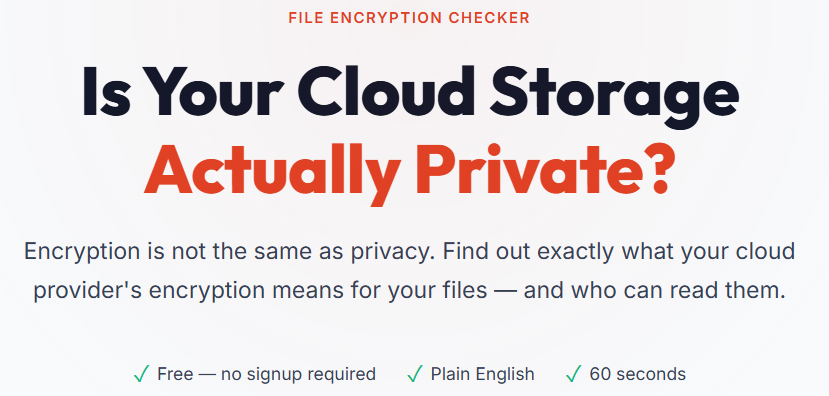
The StorX File Encryption Checker provides a plain-English assessment of each provider’s encryption model, including who holds the keys, what access the provider retains, and what a government data request would produce from your account.
The interactive iCloud section shows exactly how enabling Advanced Data Protection changes each data category’s privacy status — in real time, as you toggle the setting. It is the clearest visual demonstration of the encrypted/private distinction available in a single tool.
No data is collected. The tool is entirely informational.
Try it free: https://tools.storx.io/storx-encryption-checker.html
StorX uses client-side encryption. Your files are encrypted on your device before upload. StorX cannot read them. Node operators cannot read them. Neither can anyone who asks us to. storx.io
About StorX:
StorX is a decentralized cloud storage network that empowers users to store their data securely in the cloud. Each file uploaded on StorX is split and encrypted into multiple fragments to autonomous storage nodes operated by individual operators worldwide. Designed as a collection of independent storage networks, no particular operator has complete access to your data. StorX is faster than legacy centralized storage providers and also allows users to save substantial amounts on costs compared to a centralized cloud. StorX enables users with spare storage capacity to lease space and earn great returns in SRX tokens.
$SRX is listed on multiple tier exchanges like BingX, MEXC, LCX, Coinstore, Probit, Bitmart, Biconomy and Bitrue. To know more about StorX Network, Visit https://storx.io
Don’t forget to follow us on our social channels:
메타데이터
- post_id
- 98c60d1ea9e1
- slug
- who-can-actually-read-your-files-a-plain-english-guide-to-cloud-encryption-98c60d1ea9e1
- url
- https://medium.com/storx-network/who-can-actually-read-your-files-a-plain-english-guide-to-cloud-encryption-98c60d1ea9e1
- canonical_url
- https://medium.com/storx-network/who-can-actually-read-your-files-a-plain-english-guide-to-cloud-encryption-98c60d1ea9e1
- author_url
- https://medium.com/@storxnetwork
- status
- ok
- fetched_at
- 2026-07-10 14:10:06