How to Gain Eligibility for Office 365 GCC High
Below are quick instructions on starting the eligibility process. After you submit your eligibility application and receive the first…
How to Gain Eligibility for Office 365 GCC High

Below are quick instructions on starting the eligibility process. After you submit your eligibility application and receive the first communications from Microsoft, you will need to submit a contract to the Microsoft team that calls out ITAR, Export Controlled, CUI or DFARS 7012 as requirements.
Also, you should check out the Office 365 Licensing Guide before starting your eligibility to get an understanding of what feature sets are currently available in each tenant type respectively. Let’s get started!
Once you have the email confirming eligibility from Microsoft, just forward it to (licensing@summit7systems.com) and we can provide your Office 365 GCC High licensing quote.
Watch the video walkthrough
[embed]
OR Follow the screen shots below for tips on how to complete your eligibility application.
It is often a challenge to find the right site, the right form, and the right information to obtain Office 365 GCC High licensing. This flow walks you through the quick steps, form filling tips, and follow-up actions you should know to get through the process with as little difficulty as possible. http://info.summit7systems.com/office-365-licensing-guide-for-dod-contractors
Open
https://azure.microsoft.com/en-us/global-infrastructure/government/request/?ReqType=General
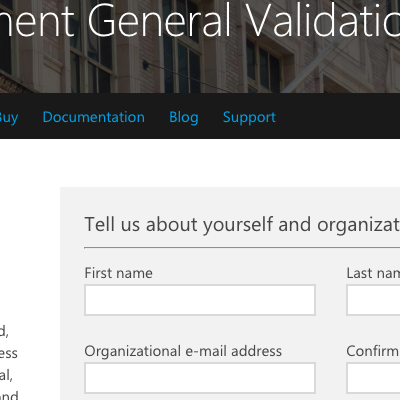
Enter the contact information for an individual who has signature authority within your organization.
Though someone within a more technical role may be completing this form, the process will go smoother by having someone from the financial, purchasing, or executive leadership groups provided here.
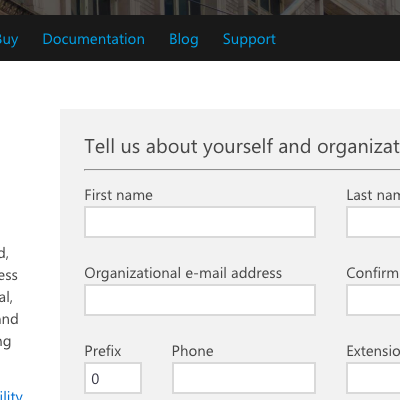
Enter a valid email.
You must use a work/professional email (non-gmail, etc). Consider using an email distro group that can receive external emails. Due to the length of time this eligibility process can take, the last thing you want is a single point of failure. If the individual moves on from your organization, the communications from Microsoft can go into the void.
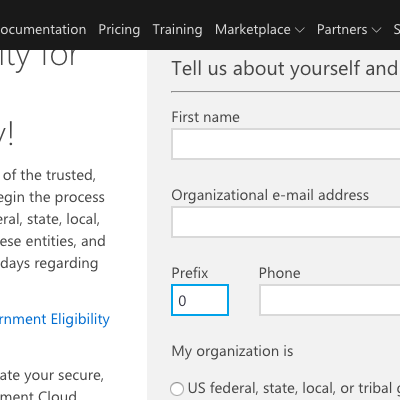
Enter ‘1’ for US if you are a US based organization.
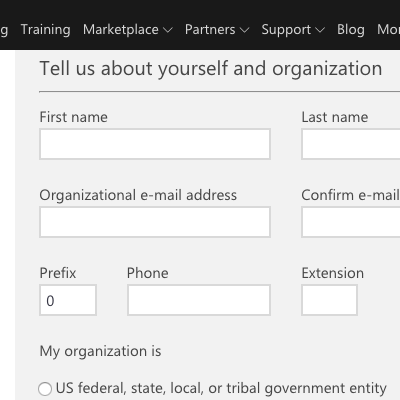
Enter a direct phone number with an established voicemail box.
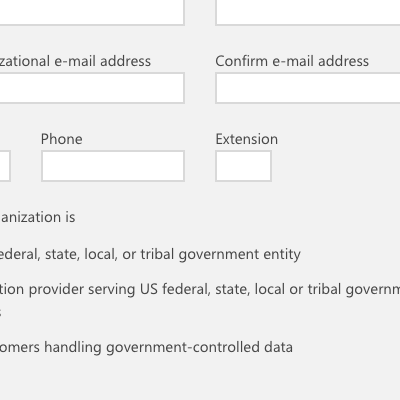
Choose rather or not you are a US Government entity, a supplier (contractor), or a customer.
Double check this section. The process will be slowed quite a bit if you get this accidentally wrong.
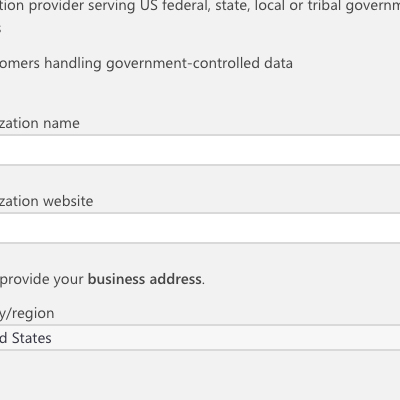
Enter your company information AND please use your billing address if different from your shipping address.
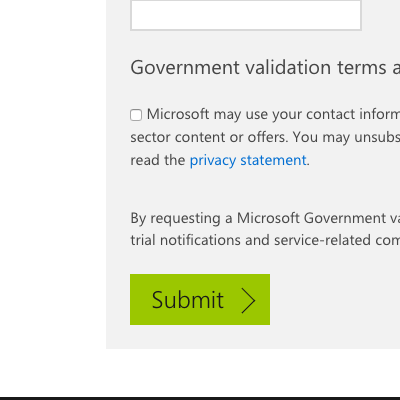
Double check your completed fields and click on ‘Submit’.
You should hear from Microsoft within 1–48 hours depending upon when you submit and how many organizations are in the cue.
Go to http://info.summit7systems.com/office-365-licensing-guide-for-dod-contractors for a guide to licensing once you get your approval. All the best!
If you do not receive any correspondence from Microsoft within 48 hours, you should reach out via the Contact Us portal on the Microsoft website or email: licensing@summit7systems.com
Original Post: http://info.summit7systems.com/blog/eligibility-for-gcc-high
메타데이터
- post_id
- 98da22eba4c8
- slug
- how-to-gain-eligibility-for-office-365-gcc-high-98da22eba4c8
- url
- https://medium.com/@summit-7/how-to-gain-eligibility-for-office-365-gcc-high-98da22eba4c8
- canonical_url
- https://medium.com/@summit-7/how-to-gain-eligibility-for-office-365-gcc-high-98da22eba4c8
- author_url
- https://medium.com/@summit-7
- status
- ok
- fetched_at
- 2026-07-30 02:13:22