CSS Selectors 101: Targeting Elements with Precision
Suppose you want to apply some style to your HTML text, and you have created a CSS file to do so, now, when you write color: red, without…
CSS Selectors 101: Targeting Elements with Precision
Suppose you want to apply some style to your HTML text, and you have created a CSS file to do so, now, when you write color: red, without selecting anything, the browser will fail to understand your requirements, and this is where selectors come in the play.
Selector Basics
CSS selectors are patterns you use to target HTML elements so you can style them with CSS, they are the answer to the question: “Which element to style?”
A CSS selector selects one or more HTML elements based on:
- Tag Name
- Class
- ID
- Attributes
- Position in the DOM
- Relationship between elements
Types of Selectors
- Universal Selector: Selects everything.
<html>
<head>
    <style>
        * {
            color: purple;
            text-align: center;
        }
    </style>
</head>
<body>
    <p>Welcome to </p>
    <h1>My page </h1>
</body>
</html>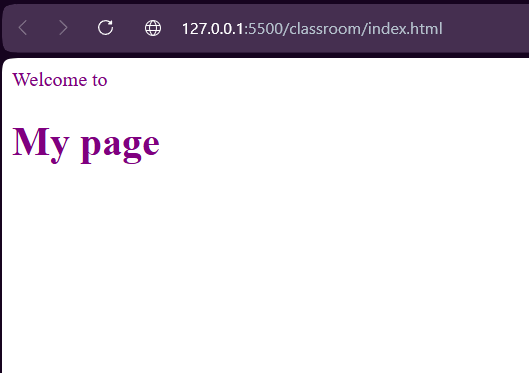
- Element(Type) Selector: Selects by tag name.
<html>
<head>
    <style>
        p {
            color: purple;
            text-align: right;
        }
    </style>
</head>
<body>
    <p>Welcome to </p>
    <h1>My page </h1>
</body>
</html>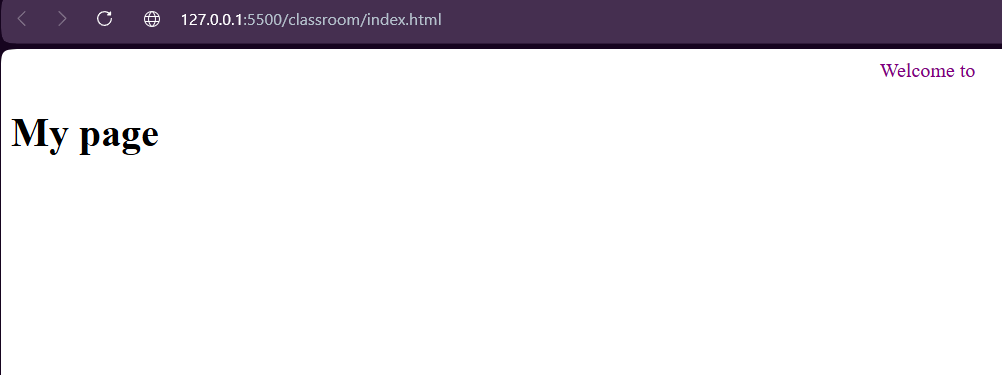
- Class Selector: Selects elements with a class.
<html>
<head>
  <style>
    .box {
      background-color: lightblue;
      padding: 20px;
      border-radius: 8px;
    }
  </style>
</head>
<body>
  <div class="box">This is styled using a CLASS selector.</div>
  <div>This one is NOT styled.</div>
</body>
</html>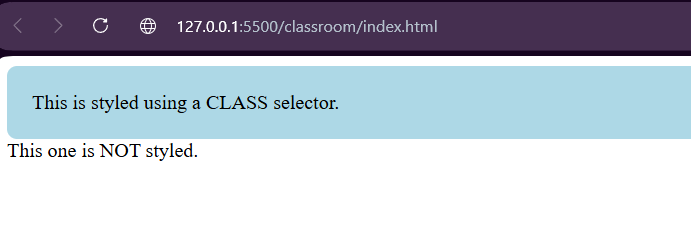
This is the most commonly used selector since it is highly reusable.
- ID Selector: Selects elements with the specific ID.
<html>
<head>
  <style>
    #title {
      color: red;
      text-align: center;
    }
  </style>
</head>
<body>

  <h1 id="title">This is styled using an ID selector</h1>
  <h1>This is not styled</h1>

</body>
</html>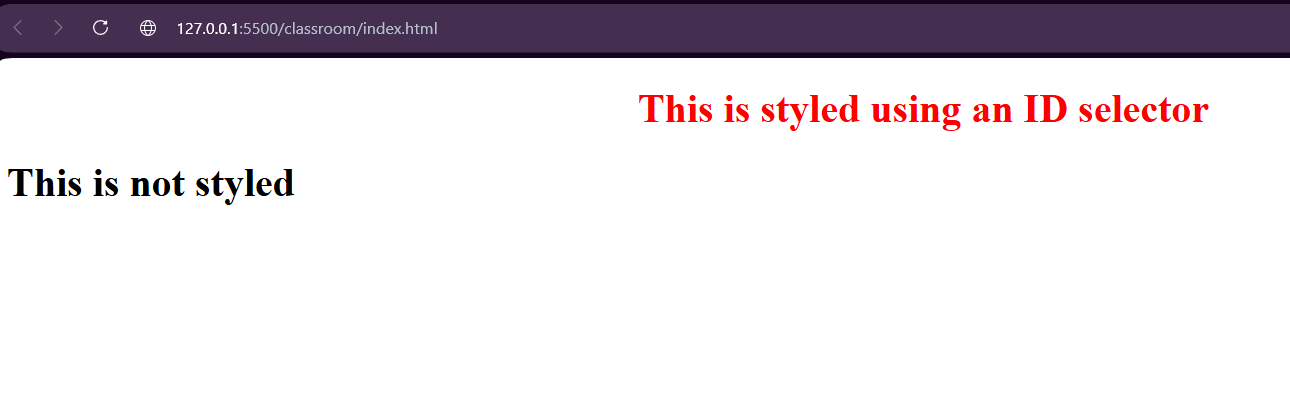
- Group Selector: Applies same style to multiple elements.
<html>
<head>
  <style>
    h1, p {
      color: green;
      font-family: Arial;
    }
  </style>
</head>
<body>

  <h1>Heading styled by GROUP selector</h1>
  <p>Paragraph styled by GROUP selector</p>
  <div>This div is not styled</div>

</body>
</html>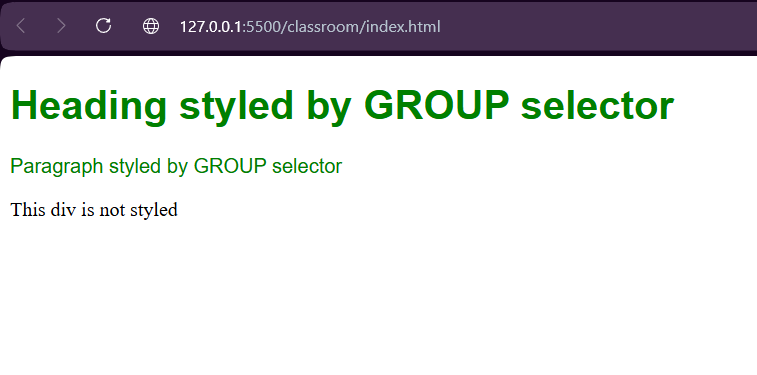
- Descendent Selector: Selects elements inside another element.
<html>
<head>
  <style>
    div p {
      color: blue;
      font-weight: bold;
    }
  </style>
</head>
<body>

  <div>
    <p>This paragraph is inside div → styled</p>
  </div>

  <p>This paragraph is outside div → not styled</p>

</body>
</html>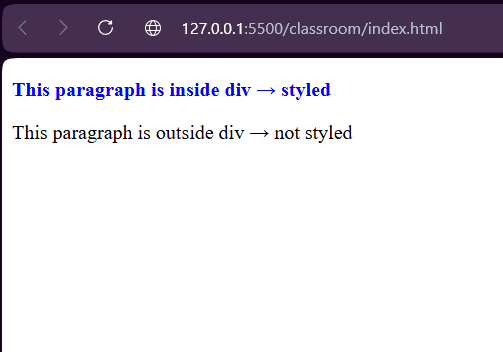
- Child Selector: Only direct children are selected.
<html>
<head>
  <style>
    div > p {
      color: blue;
      font-weight: bold;
    }
  </style>
</head>
<body>

  <div>
    <p>Direct child paragraph → styled</p>

    <section>
      <p>Nested paragraph → NOT styled</p>
    </section>
  </div>

</body>
</html>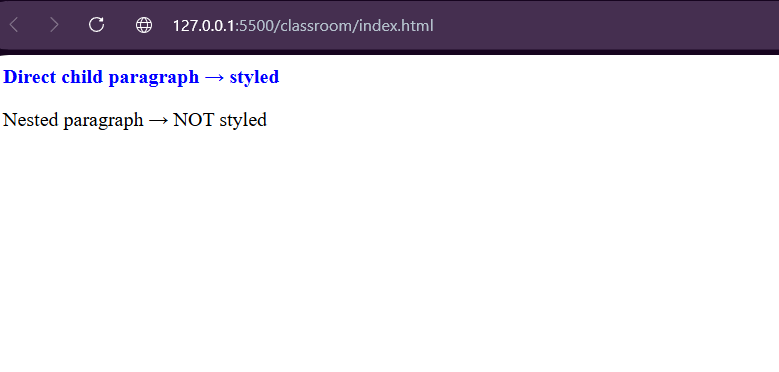
CSS Specificity
When you style a webpage, sometimes multiple CSS rules target the same element. So, which one wins? That’s where CSS specificity comes in.
CSS stands for Cascading Stylesheets. The cascade is the algorithm for solving conflicts where multiple CSS rules apply to an HTML element. It’s the reason that the text of the button styled with the above CSS will be purple.
Understanding the cascade algorithm helps you understand how the browser resolves conflicts like this. The cascade algorithm has 3 distinct stages.
i) Importance: some CSS rules are weighted more heavily than others, especially with the !important rule type.
<html>
<head>
  <style>
    p {
      color: green;
    }
    p {
      color: red !important;
    }
  </style>
</head>
<body>
  <p>This text will be RED because of !important.</p>
</body>
</html>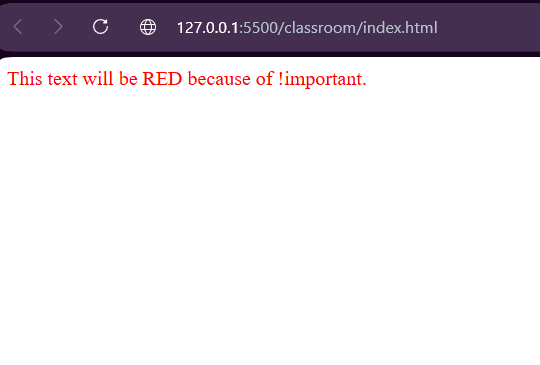
ii) Specificity: an algorithm that determines which CSS selector has the strongest match (inline > ID > class > element > universal).
<html>
<head>
  <style>
    p {
      color: green;
    }
    .text {
      color: blue;
    }
    #para {
      color: red;
    }
  </style>
</head>
<body>
  <p id="para" class="text">
    This text will be RED (ID has highest specificity).
  </p>
</body>
</html>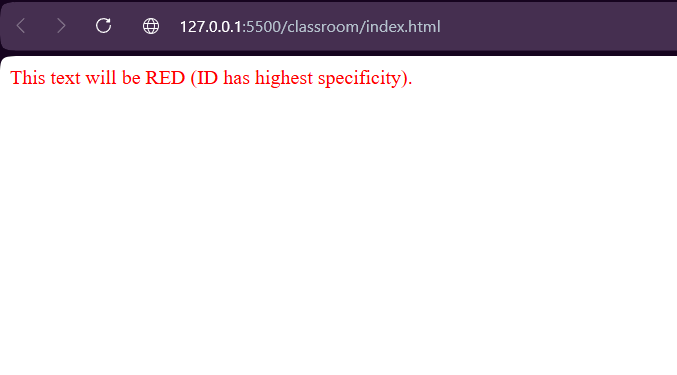
iii) Position and order of appearance: the order in which your CSS rules appear.
<html>
<head>
  <style>
    p {
      color: blue;
    }
    p {
      color: red;
    }
  </style>
</head>
<body>
  <p>This text will be RED (last rule wins).</p>
</body>
</html>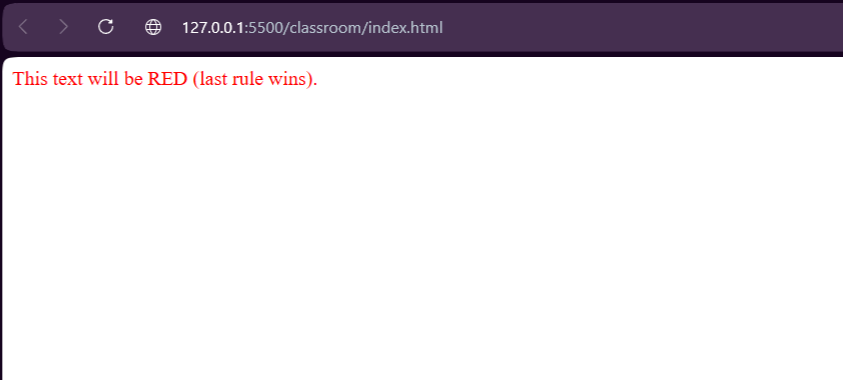
In conclusion, mastering selectors isn’t just about syntax — it’s about thinking clearly about structure, reuse, and scalability. When you choose the right selectors, your CSS becomes easier to manage, avoids conflicts, and grows smoothly as your projects get bigger.
메타데이터
- post_id
- 98df725c2dcb
- slug
- css-selectors-101-targeting-elements-with-precision-98df725c2dcb
- url
- https://medium.com/@amritbiswas612/css-selectors-101-targeting-elements-with-precision-98df725c2dcb
- canonical_url
- https://medium.com/@amritbiswas612/css-selectors-101-targeting-elements-with-precision-98df725c2dcb
- author_url
- https://medium.com/@amritbiswas612
- status
- ok
- fetched_at
- 2026-06-24 11:06:28