Outreachy Week 3: Everyone Struggles.
This article shows step by step my interactions with OCaml and Dune ecosystem so far since the start of my internship and how I was able to…
Outreachy Week 3: Everyone Struggles.
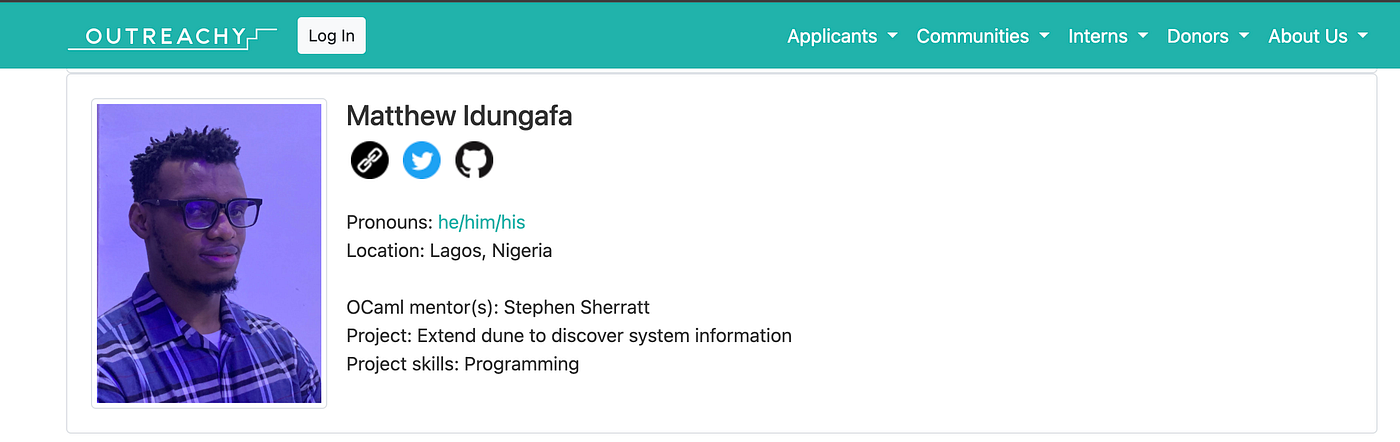
This article shows step by step my interactions with OCaml and Dune ecosystem so far since the start of my internship and how I was able to get started up to my first task.
The Core Problem
In a nutshell, the problem dune has that I will be solving is that currently, dune requires OCaml to be installed even when the project does not need to compile any OCaml.
Week One: Getting Started
The first week started with our weekly Monday call, where we sync over the previous week’s tasks and set in motion new tasks for the week. In order to help me become conversant with the environment I’ll be working with, my mentor reintroduced me to some Linux commands and methods of navigating the Linux filesystem, notably among them was how to create an executable using dune by building dune’s source codebase in bin/main.exe using the dune build command.
He also showed me how to create a temporary directory (/tmp/bin) where I can carry out my newly built executable temporarily to test my changes in the case I modify dune (dune's source codebase), also he showed me some other commands like mv, cp, cat etc. The things I learnt that day, especially the file system manipulation, constitute about 80% of what I need to carry out my internship successfully.
First Mini-task: OS Detection
The Challenge: Create a dune project that prints out the name of my operating system when the file is being built and ran. On macOS it should print the correct OS and on Linux same, then, to take a step further, I should modify dune so that it detects an operating system but prints the opposite, for instance on a macOS it should print Linux OS and vice versa (Sorry windows Users, dune wasn’t built for you guys 🥲🥲).
I went into deep research mode, wrote the first program first:
(executable
 (name main)
 (public_name os_detector)
 (libraries))
(rule
(target os_info.ml)
(action (with-stdout-to %{target}
(echo "let os = \"%{system}\""))))This is a pretty simple dune file as you can see, you can find the full codebase here: http://github.com/kemsguy7/dune-starter, you can also notice in the div where I changed the variable from ' ' to %{system} as suggested by my mentor.
Setting Up Docker Environment
The next phase was to run this in a Linux environment and also modify dune to print out the opposite OS. I got clarification from my mentor on what he meant by modifying dune and confirmed I needed to find which file in the dune’s source codebase contains the file that detects OS.
Setting up in docker was a challenge at first, because I tried using the docker file I found in dune’s codebase and prior to this, I used docker compose most of the times to start and stop my containers, for other open source communities I’ve contributed to, most of their docker commands was always bundled into a single shell script (.sh) file, so running that script will automatically bundle the files for you.
After much trial and error, I reached out to my mentor, who gave me a Dockerfile I’ll use because of the nature of the task, the initial Dockerfile he gave me:
FROM ubuntu# A dockerfile demonstrating how to set up a minimal build environment for
# dune. The idea is to run some of the commands in this file in your regular
# dev environment, or use it as a starting point for a more complete dev
# environment for working on dune.RUN apt-get update && apt-get install -y opam git# Set up a user and switch to them because we shouldn't build anything as root.
RUN useradd --create-home --shell /bin/bash user
USER user
WORKDIR /home/user# Set up the ocaml package manager
RUN opam init --disable-sandboxing --auto-setup# Clone dune's source and switch to it
RUN git clone https://github.com/ocaml/dune
WORKDIR /home/user/dune# Create a sandbox for containing the ocaml packages required to build dune
RUN opam switch create -y . 5.1.1 --no-install# Install all the opam packages required to develop dune
RUN opam install -y . --deps-only
RUN make install-ocamlformat
RUN opam install -y core_bench patdiff ppx_inline_test ppx_expect lwt# Build a minimal version of dune to build the rest of dune
RUN opam exec -- make bootstrap# Build dune and run tests
RUN opam exec -- ./dune.exe build @testWith that file, I was able to set up and build my container; every other thing went smoothly from there.

Finding the Right File to Modify
To find the correct file to modify, I used this grep command:
grep -r "system" src/dune_rules/ | grep -E "(\.ml|\.mli)"Grep(Global regular expressions) is a Linux tool that can be used to search through files easily. For a very large codebase like Dune, grep is a necessity and when used correctly, it can save a whole lot of time. This documentation comes in handy when I want to use grep.

As you can see from the pattern, I searched for the keyword “system” in files that end with .ml and .mli extensions in the dune_rules directory. The former represents OCaml files, while the latter represents documentation of the files, usually written manually by developers to explain their implementations.
I modified the expander.ml With the appropriate changes, here's a GitHub link to my modification of that file, you can see the diff and what was changed: https://github.com/kemsguy7/dune/commit/b5224d82a0c368fa7b06526bfb1b3f517586f5e4.
Testing the Modification
With that modification being done, it was time to test. I had to figure out a way to move my dune project (the test program that detects OS) into the Docker environment. My mentor suggested I use git, but I decided to get a bit creative. I had just relearned the cat command when I went back to revisit Unix commands, so it came in handy.
I created the files using this command inside the container:

From the terminal notice, I created 2 files dune and main.ml dune-project For context, these are the most important files you need to run any Dune Project. main.ml is mainly used to print output, the dune file is where most or all of the logic goes, and the dune-project file specifies metadata such as the version of dune being used etc.
The terminal output detected the output to be macOS inside Docker, Remember Docker by default is a Linux environment, so that means the modification of dune to print an opposite OS worked! 🎉
Thank you so much for reading up to this point, this article might seem long, but I decided to put all these out for would-be contributors and even existing contributors to the dune and OCaml system to learn one or two about the ecosystem. I’m also very open to any feedback as to what I should have done better or done differently.
☕ Take a Break!
Now is the time to grab some coffee, your favourite snack or take a walk. Things got more interesting after this.
INTERNSHIP TASK 1 PROPER
Having completed my mini-task above, which was to help me navigate my way around the main task of the internship, I got moved on to focus on completing the first phase of my Task 1. The plan was simple (or so I thought).

In my head I thought it all figured out, having completed the task previous week, I had some level of confidence everything was going to be a repetition of the previous week with just a few tweaks, while figuring out the dune file wasn’t an issue, I first encountered blockers with my development environment (my host pc).
Development Environment Challenges
I didn’t really understand how building a dune project really worked in Dune, so I deleted my build folder with the intention of rebuilding it again and getting the changes I added in my modified expander.ml work on my local pc (remember I only tested in Docker at this point).
My mentor would clear my doubt with an explanation:

Next Blocker: Warnings
I’ll get warnings after rebuilding the project, but my mentor said I can ignore the warnings as the build is successful.
/Library/Developer/CommandLineTools/usr/bin/make -B ./_boot/dune.exe
ocamlc -output-complete-exe -w -24 -g -o .duneboot.exe -I boot unix.cma boot/libs.ml boot/duneboot.ml
/var/folders/_m/kz66l_j17slfh5tnflpgm5vh0000gn/T/camlobj523af2.c:16764:14: warning: a function declaration without a prototype is deprecated in all versions of C and is not supported in C2x [-Wdeprecated-non-prototype]
extern value caml_get_public_method();
             ^
/var/folders/_m/kz66l_j17slfh5tnflpgm5vh0000gn/T/camlobj523af2.c:16946:14: warning: a function declaration without a prototype is deprecated in all versions of C and is not supported in C2x [-Wdeprecated-non-prototype]
extern value caml_set_oo_id();
             ^
2 warnings generated.
Then My Next Nightmare
Undefined symbols for architecture x86_64:
  "_CFArrayCreateMutable", referenced from:
      _paths_of_list in libfsevents_stubs.a(fsevents_stubs.o)
      _dune_fsevents_create in libfsevents_stubs.a(fsevents_stubs.o)
      _dune_fsevents_set_exclusion_paths in libfsevents_stubs.a(fsevents_stubs.o)
  "_CFArrayGetValueAtIndex", referenced from:
      _dune_fsevents_callback in libfsevents_stubs.a(fsevents_stubs.o)
  "_CFArraySetValueAtIndex", referenced from:
      _paths_of_list in libfsevents_stubs.a(fsevents_stubs.o)
      _dune_fsevents_create in libfsevents_stubs.a(fsevents_stubs.o)
      _dune_fsevents_set_exclusion_paths in libfsevents_stubs.a(fsevents_stubs.o)
  "_CFDictionaryGetValue", referenced from:
      _dune_fsevents_callback in libfsevents_stubs.a(fsevents_stubs.o)
  "_CFRelease", referenced from:
      _dune_fsevents_create in libfsevents_stubs.a(fsevents_stubs.o)
      _dune_fsevents_set_exclusion_paths in libfsevents_stubs.a(fsevents_stubs.o)
  "_CFStringCreateWithCString", referenced from:
      _paths_of_list in libfsevents_stubs.a(fsevents_stubs.o)
      _dune_fsevents_create in libfsevents_stubs.a(fsevents_stubs.o)
      _dune_fsevents_set_exclusion_paths in libfsevents_stubs.a(fsevents_stubs.o)
  "_CFStringGetBytes", referenced from:
      _dune_fsevents_callback in libfsevents_stubs.a(fsevents_stubs.o)
  "_CFStringGetLength", referenced from:
      _dune_fsevents_callback in libfsevents_stubs.a(fsevents_stubs.o)
  "_FSEventStreamCreate", referenced from:
      _dune_fsevents_create in libfsevents_stubs.a(fsevents_stubs.o)
  "_FSEventStreamFlushAsync", referenced from:
      _dune_fsevents_flush_async in libfsevents_stubs.a(fsevents_stubs.o)
  "_FSEventStreamFlushSync", referenced from:
      _dune_fsevents_flush_sync in libfsevents_stubs.a(fsevents_stubs.o)
  "_FSEventStreamInvalidate", referenced from:
      _dune_fsevents_stop in libfsevents_stubs.a(fsevents_stubs.o)
  "_FSEventStreamRelease", referenced from:
      _dune_fsevents_stop in libfsevents_stubs.a(fsevents_stubs.o)
  "_FSEventStreamSetDispatchQueue", referenced from:
      _dune_fsevents_start in libfsevents_stubs.a(fsevents_stubs.o)
  "_FSEventStreamSetExclusionPaths", referenced from:
      _dune_fsevents_set_exclusion_paths in libfsevents_stubs.a(fsevents_stubs.o)
  "_FSEventStreamStart", referenced from:
      _dune_fsevents_start in libfsevents_stubs.a(fsevents_stubs.o)
  "_FSEventStreamStop", referenced from:
      _dune_fsevents_stop in libfsevents_stubs.a(fsevents_stubs.o)
  "___CFConstantStringClassReference", referenced from:
      CFString in libfsevents_stubs.a(fsevents_stubs.o)
  "_kCFAllocatorDefault", referenced from:
      _paths_of_list in libfsevents_stubs.a(fsevents_stubs.o)
      _dune_fsevents_create in libfsevents_stubs.a(fsevents_stubs.o)
      _dune_fsevents_set_exclusion_paths in libfsevents_stubs.a(fsevents_stubs.o)
  "_kCFTypeArrayCallBacks", referenced from:
      _paths_of_list in libfsevents_stubs.a(fsevents_stubs.o)
      _dune_fsevents_create in libfsevents_stubs.a(fsevents_stubs.o)
      _dune_fsevents_set_exclusion_paths in libfsevents_stubs.a(fsevents_stubs.o)
ld: symbol(s) not found for architecture x86_64
clang: error: linker command failed with exit code 1 (use -v to see invocation)
File "caml_startup", line 1:
Error: Error during linking (exit code 1)
mac@Kemsguy7 dune 2 % -v
I couldn’t build dune projects again with my host PC, I’m not sure which of my experiments may have messed up my configuration, I reached out to my mentor after trying for hours, he suggested I upgrade my versions of OCaml and dune to the latest which I did, that did not resolve the issue, he later suggested I create an opam switch and test my scripts within a switch which eventually worked!
Understanding Opam Switches
An opam switch is a kind of isolated environment in OCaml where you can choose what packages and dependencies you want to install and use in the environment; it is the same thing as creating a virtual environment (for Python developers).
Here are the commands I used to create an opam switch in order:
opam switch create dune-dev 5.2.1
eval $(opam env --switch=dune-dev)
opam install base stdio dyn fiber ppx_sexp_conv sexplib0- The first creates an opam switch named dune-dev
- The second line activates the switch (similar to source env activate in Python)
- The third command installed some needed modules into that switch
🚧 CHECKPOINT
As at the time of writing and publishing this article, I haven’t been able to fix this error yet on my local, though I’m able to work using opam switches, however, I created a discussion (https://discuss.ocaml.org/t/error-while-trying-to-build-dunes-executable/16862) in the OCaml forum and would update this article when I can get a fix.
That having been done, testing the file on my local was a breeze and the program worked on my host PC.

On Mac, the program now prints Linux OS! 🐧
Back to Internship Task 1
I would go on to write my Dockerfile. The goal of my first task from the image above was to create a project that should not require an OCaml compiler to build, in an environment with ocamlcIt should build fine, but in an environment without an OCaml compiler, it should fail.
FROM ubuntu:22.04
RUN apt-get update && apt-get install -y opam
RUN opam init --disable-sandbox --auto-setup
RUN opam install dune
WORKDIR /app
COPY . .
This is just a simple Docker file that installs opam, initialises it and installs dune, then creates a working directory and copies files from the dune project directory on my host directory onto the Docker environment.
Sounds simple, right?
The Reality Check
I first decided to test in Docker so I won’t have to tamper with my local development plan. Again, I thought I had it all figured out.
My initial plan was to use an opam switch, then install dune, remove the OCaml compiler, leaving only dune available, with that I’ll be able to run the dune file in an environment without any OCaml compiler but dune alone present.
My first Docker file above couldn’t fulfil that requirement. I rewrote many versions of the Docker file in a futile attempt to get the perfect environment (dune available without ocamlc), all while keeping my mentor in the loop. Here's a link to the repository (http://github.com/kemsguy7/dune-no-ocaml), you can see the different versions of the Docker file I wrote in a file: Dockerfile.no-ocaml.
There was a big problem and a discovery: removing ocamlc (ocaml-base-compiler) also removes dune, so using an opam switch wasn't going to work.


The Breakthrough Moment
When I had exhausted all my options, I reached out to my mentor, and his feedback would change everything (my thought process and the eventual success of the task).

With these, I would go back to manipulating the file system and path.

From this terminal session, you can see how I first built the project in an environment with both dune and ocamlc available, then I later got Dune's executable file and moved it to a separate folder in my path; that way, I had only Dune available in that temporary directory in that terminal session without any OCaml compiler installed.
Breaking Down the Terminal Commands
Let me walk you through exactly what I did in that terminal session, because these commands were crucial to solving the path manipulation challenge:
Setting up the test environment:
cd dune-experiments
mkdir test-project
cd ~/dune-experiments/test-project
echo "(lang dune 3.0)" > dune-project
First, I navigated to my experiments directory and created a fresh test project. The echo "(lang dune 3.0)" > dune-project command creates the basic dune-project file that every dune project needs - this tells dune what version to use.
Creating the test dune file:
cat <<EOF > dune
(rule
 (target hello.txt)
 (action (write-file %{target} "Hello, World!")))
EOF
Here I used the cat <<EOF technique (remember I mentioned I got creative with the cat command?) to create a dune file that contains a simple rule - it just writes "Hello, World!" to a file called hello.txt. This doesn't need any OCaml compiler, just pure dune rules.
The magic PATH manipulation:
bash --norc --noprofile
export PATH=/Users/mac/dune-experiments/dune-bin:$PATH
This is where the real magic happened! The bash --norc --noprofile command starts a completely fresh shell session without loading any of my usual configurations. Then I export a custom PATH that puts my dune-bin directory first - this directory contains only the dune executable I copied there, without any OCaml compiler.
Verifying the environment:
which dune
# /Users/mac/dune-experiments/dune-bin/dune
which ocamlc
# (no output - not found!)
Perfect! The which commands confirm that Dune is available from my custom path, but ocamlc is nowhere to be found. This is exactly the environment I needed - dune available, OCaml compiler completely absent.
Testing both scenarios:
dune build hello.txt
cat _build/default/hello.txt
# Hello, World!
The first test worked perfectly! The pure dune rule that just writes a file executed successfully even without an OCaml compiler present.
Creating the OCaml-dependent test:
cat <<EOF > dune-ocaml-test
(rule
 (target config.txt)
 (action (run %{ocamlc} -config > %{target})))
EOF
Then I created a second test file that explicitly requires the OCaml compiler — it tries to run %{ocamlc} -config to generate a compiler configuration.
The moment of truth:
dune build config.txt
# Error: Program ocamlc not found in the tree or in PATH
dune build hello.txt
# (works fine)
And there you have it! The OCaml-dependent rule fails as expected (because ocamlc isn't available), but the pure dune rule still works perfectly. This terminal session proved that my path manipulation approach was working - I had successfully created an environment where dune could execute pure rules but would fail when OCaml compilation was required.
Test Files Created
These are the 2 test files I created, the first relies just on pure dune rules and the second actually needs an OCaml compiler available to run successfully. By the time I’m done with my internship’s task, the first file should actually run successfully even without an ocamlc environment (currently it fails), while the second file (that relies on an ocamlc compiler) should still fail.
File 1: Pure Dune Rules
(rule
 (target hello.txt)
 (action (write-file %{target} "Hello, World!")))
File 2: Requires OCaml Compiler
cat <<EOF > dune-ocaml-test
(rule
 (target config.txt)
 (action (run %{ocamlc} -config > %{target})))
EOF
Looking Forward
At this point, I have gotten a clear picture of what I’m to do moving forward, I also have resources on the things I need to learn and still learning to fix these issues. Thank you for reading up to this point, kindly stay tuned for updates as I’ll share my progress from time to time as I progress.
메타데이터
- post_id
- 99071035aecb
- slug
- outreachy-week-3-everyone-struggles-99071035aecb
- url
- https://medium.com/@mattidungafa/outreachy-week-3-everyone-struggles-99071035aecb
- canonical_url
- https://medium.com/@mattidungafa/outreachy-week-3-everyone-struggles-99071035aecb
- author_url
- https://medium.com/@mattidungafa
- status
- ok
- fetched_at
- 2026-07-19 08:06:33