collectAsState vs collectAsStateWithLifecycle: The Line That Costs You Battery
One import swap separates a well-behaved app from one that polls your API at 3 AM.
collectAsState vs collectAsStateWithLifecycle: The Line That Costs You Battery
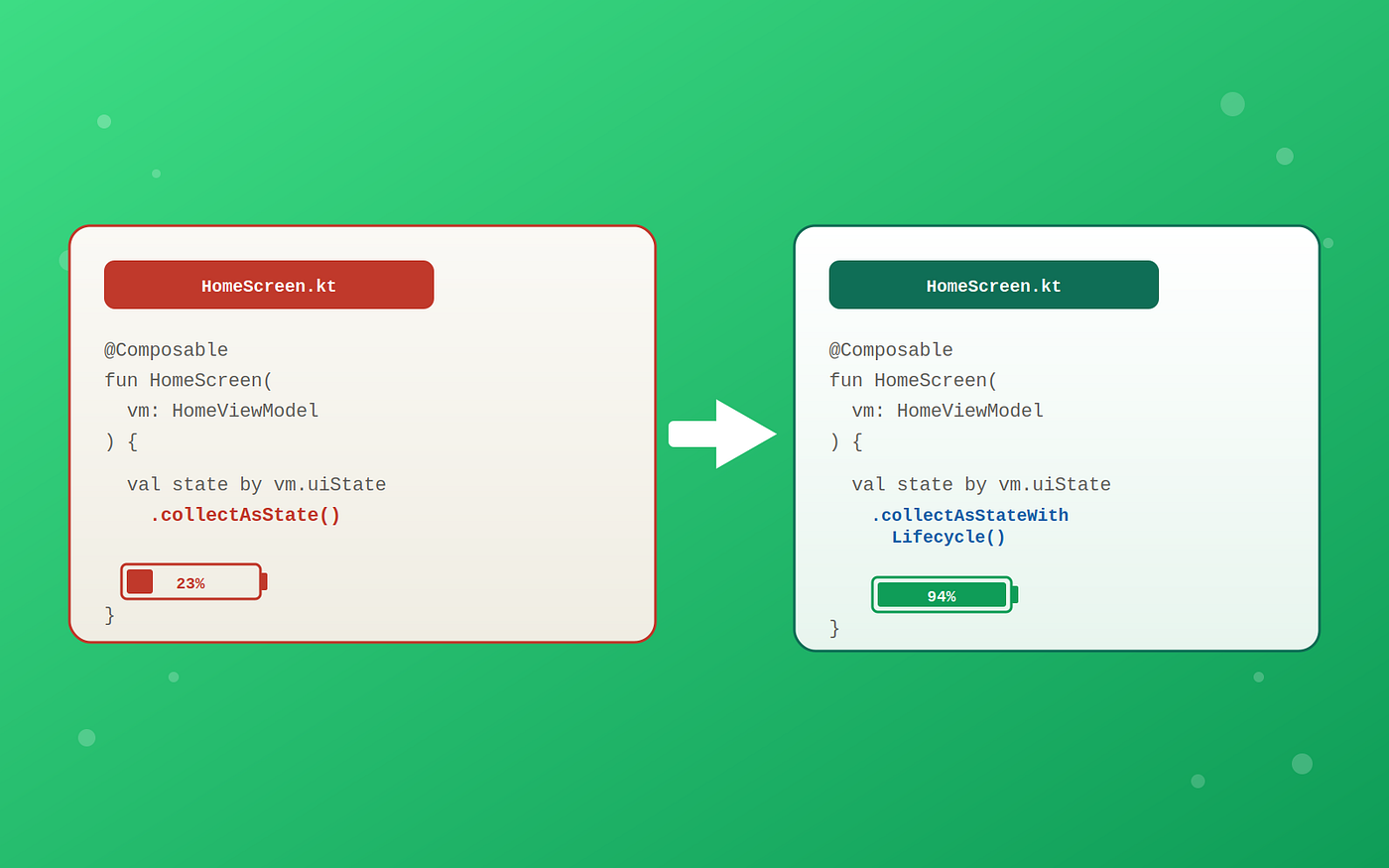
One line saves your users’ battery life.
One import swap separates a well-behaved app from one that polls your API at 3 AM.
You shipped a clean Compose screen. Tests pass, previews render, the PM signed off. Three weeks later, a support ticket mentions battery drain, and you trace it back to a single collectAsState() call that never learned when to stop.
We covered this bug briefly in “3 Compose State Bugs Your Tests Will Never Catch”, where it showed up as Bug 1. That article gave you the what and the fix. This one gives you the why, because understanding the subscription mechanism underneath changes how you think about every Flow you expose from a ViewModel.
What collectAsState Actually Does
When you call collectAsState(), Compose launches a coroutine tied to the composition’s lifecycle. That coroutine calls Flow.collect {} and feeds each emission into a Compose State object. Sounds fine, until you realize what “composition’s lifecycle” means.
@Composable
fun OrdersScreen(viewModel: OrdersViewModel = koinViewModel()) {
    // This coroutine survives as long as the composable is in the tree,
    // which includes when the Activity is in the STOPPED state (backgrounded)
    val state by viewModel.orders.collectAsState(initial = OrdersUiState.Loading)

    OrdersList(state = state)
}
A composable stays in the composition tree even when the host Activity moves to STOPPED. The composition is only disposed when the Activity is destroyed or the composable is removed from the tree entirely. So that collector keeps running while your user is browsing Instagram, eating dinner, sleeping.
Now look at the ViewModel side:
class OrdersViewModel(
    private val repository: OrderRepository
) : ViewModel() {

    val orders: StateFlow<OrdersUiState> = repository
        .observeOrders() // Room Flow, emits on every DB change
        .map { OrdersUiState.Success(it) }
        .stateIn(
            scope = viewModelScope,
            // WhileSubscribed stops the upstream 5s after the last collector leaves
            started = SharingStarted.WhileSubscribed(5_000),
            initialValue = OrdersUiState.Loading
        )
}
WhileSubscribed(5_000) is supposed to stop the upstream Flow 5 seconds after the last collector disappears. But with collectAsState(), the collector never disappears. It sits there the entire time the composable is in the tree. Your WhileSubscribed timeout becomes dead code. The Room query keeps running, the database keeps waking the CPU, and your carefully tuned sharing strategy does nothing.
What collectAsStateWithLifecycle Fixes
@Composable
fun OrdersScreen(viewModel: OrdersViewModel = koinViewModel()) {
    // Stops collecting when lifecycle drops below STARTED (default)
    // Restarts collection when lifecycle returns to STARTED
    val state by viewModel.orders.collectAsStateWithLifecycle()

    OrdersList(state = state)
}
collectAsStateWithLifecycle() hooks into the LifecycleOwner (your Activity or Fragment) and cancels collection when the lifecycle drops below a configurable minimum state, Lifecycle.State.STARTED by default. When the user backgrounds the app, the collector is removed. Five seconds later, WhileSubscribed(5_000) sees zero subscribers and shuts down the upstream. Your Room queries stop. Your network polling stops. The CPU sleeps.
When the user returns, the lifecycle hits STARTED again, a new collector attaches, and the upstream restarts with fresh data. No stale emissions, no wasted work.
Warning: You need androidx.lifecycle:lifecycle-runtime-compose:2.6.0 or higher. This function does not exist in the base Compose runtime, and missing it is a common reason teams stick with collectAsState() without realizing the alternative exists.
The WhileSubscribed Timeout Matters More Than You Think
Most tutorials show WhileSubscribed(5_000) without explaining the tradeoff. That 5-second window exists for configuration changes. When the user rotates the device, the Activity is destroyed and recreated. During that brief gap, there are zero collectors. Without the timeout, your upstream would stop and restart on every rotation, re-fetching data unnecessarily.
Five seconds is generous enough to survive a configuration change but short enough to actually stop work when the user leaves. In my experience, 5 seconds is the right default for most screens.
But there’s a second parameter most developers miss:
val orders: StateFlow<OrdersUiState> = repository
    .observeOrders()
    .map { OrdersUiState.Success(it) }
    .stateIn(
        scope = viewModelScope,
        started = SharingStarted.WhileSubscribed(
            stopTimeoutMillis = 5_000,    // wait 5s before stopping upstream
            replayExpirationMillis = 0     // keep the last value forever in the StateFlow
        ),
        initialValue = OrdersUiState.Loading
    )
replayExpirationMillis controls how long the StateFlow retains its cached value after the upstream stops. The default is Long.MAX_VALUE (keep forever). Setting it to 0 resets the StateFlow to initialValue once the upstream stops. This is useful when you want returning users to see a loading state instead of data that might be 30 minutes stale, but for most screens keeping the cached value is the better UX.
Pro tip: If you have multiple screens collecting the same shared StateFlow, each collectAsStateWithLifecycle() acts as an independent subscriber. The upstream only stops when all collectors are gone and the timeout expires. This is exactly why WhileSubscribed uses a subscriber count internally, not a single boolean.
The Real Battery Impact
A single uncancelled Room Flow observation isn’t catastrophic on its own. But production screens rarely have just one. A typical dashboard might collect from 3–4 StateFlows: user profile, notification count, recent activity, feature flags. Each one backed by a database query or network call. Multiply that by the hours your app sits backgrounded on an average user’s phone.
I’ve seen apps where switching every collectAsState() to collectAsStateWithLifecycle() dropped background CPU usage by 40% in Firebase Performance traces. The fix took less than an hour. The grep was collectAsState( across the codebase, and the replacement was mechanical.
At scale: If your app has a foreground service or uses WorkManager for periodic sync, those have their own lifecycle and won’t be affected by this change. This fix specifically targets UI-layer collection that has no business running when the UI isn’t visible.
Key Takeaways
- collectAsState() ties collection to the composition tree, which survives backgrounding. Your upstream Flows keep running when nobody is watching.
- collectAsStateWithLifecycle() ties collection to the Android lifecycle, cancelling when the UI isn’t visible and restarting when it is.
- WhileSubscribed(5_000) only works if collectors actually disappear. With collectAsState(), they don’t, making your sharing strategy useless.
- The migration is mechanical: grep for collectAsState(, replace with collectAsStateWithLifecycle(), add the lifecycle-runtime-compose dependency.
- Check your replayExpirationMillis if you care about stale data on resume. The default keeps the last value forever, which is usually what you want.
I write about Android architecture and the things that break in production. Follow to catch the next one.
메타데이터
- post_id
- 9a16e9bb4143
- slug
- collectasstate-vs-collectasstatewithlifecycle-the-line-that-costs-you-battery-9a16e9bb4143
- url
- https://medium.com/@androiddev175/collectasstate-vs-collectasstatewithlifecycle-the-line-that-costs-you-battery-9a16e9bb4143
- canonical_url
- https://medium.com/@androiddev175/collectasstate-vs-collectasstatewithlifecycle-the-line-that-costs-you-battery-9a16e9bb4143
- author_url
- https://medium.com/@androiddev175
- status
- ok
- fetched_at
- 2026-06-09 15:37:30





