Why Your Photos Still Look Flat After Editing (And How Lightroom Presets Fix It)
Every photographer reaches the same frustrating point.
Why Your Photos Still Look Flat After Editing (And How Lightroom Presets Fix It)
Every photographer reaches the same frustrating point.
You spend time editing a photo. You adjust exposure, contrast, highlights, shadows, and colors. The image looks better than the original, but somehow it still feels flat.
Meanwhile, you see photos on Instagram, Pinterest, and photography blogs that instantly grab attention. Their colors feel cinematic. Their tones look intentional. Everything appears polished.
The difference is usually not expensive gear.
The difference is consistency.
That is exactly where Lightroom presets become useful.
What Makes a Photo Feel Professional?
Most beginner edits focus on fixing problems.
They increase brightness, add saturation, and sharpen details.
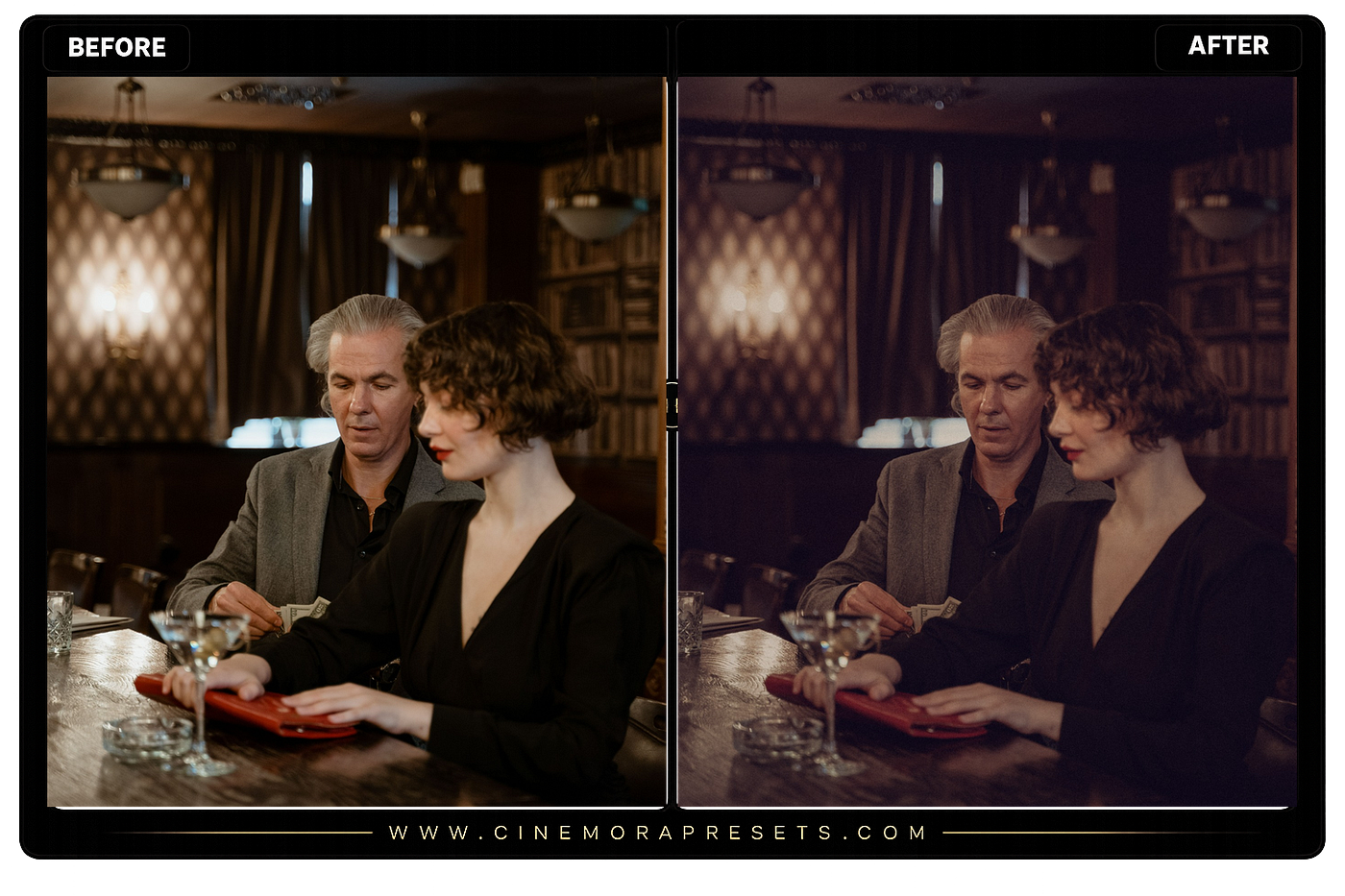
Professional edits focus on creating a mood.
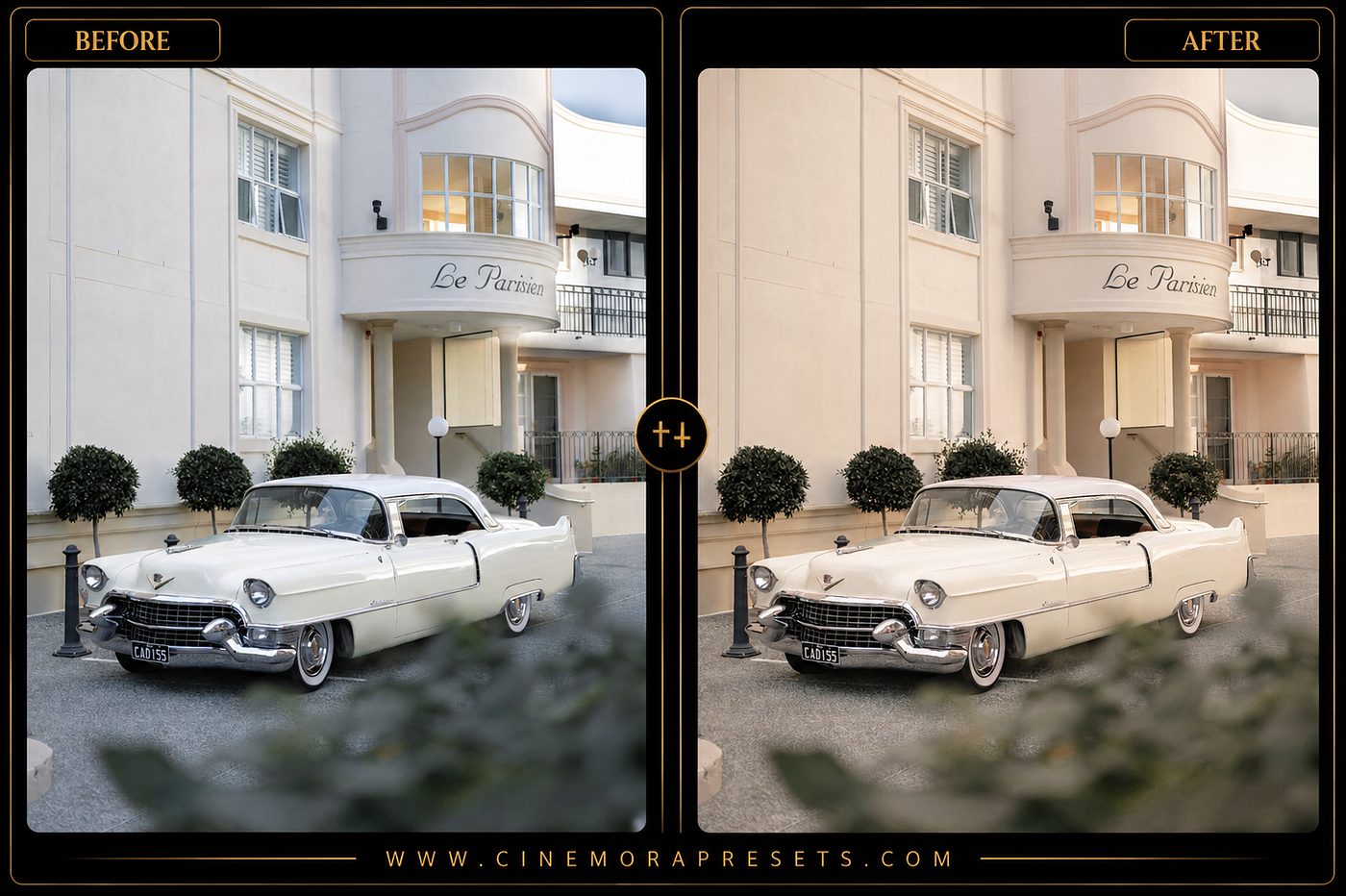
A photo with warm highlights and soft shadows creates a completely different feeling from a photo with cool tones and deep contrast.
The goal is not simply making a photo brighter.
The goal is creating a visual style.
This is why professional photographers often develop editing workflows that remain consistent across hundreds of images.
The Biggest Editing Mistake Most People Make
Many people edit every image from scratch.
One photo becomes warm.
The next becomes cool.
The third becomes highly saturated.
The fourth becomes dark and moody.
The result is an inconsistent portfolio.
When someone visits your Instagram profile or photography website, the images feel disconnected from each other.
Consistency is one of the strongest signals of professionalism.
What Lightroom Presets Actually Do
A Lightroom preset is a saved collection of editing adjustments.
Instead of moving dozens of sliders manually, you can apply a preset and instantly create a specific look.
This saves time, but the bigger advantage is consistency.
Whether you’re editing travel photos, portraits, landscapes, or social media content, presets help maintain a recognizable visual style.
Different Presets Create Different Moods
The best preset depends on the story you want your photo to tell.
For example:
- Film presets create nostalgic tones.
- Cinematic presets add dramatic contrast and color grading.
- Vintage presets produce timeless colors.
- Minimal presets create clean and modern aesthetics.
- Moody presets emphasize shadows and atmosphere.
Each style communicates something different to viewers.
Why Content Creators Use Presets
Modern creators often publish hundreds of photos every year.
Editing every image manually becomes unrealistic.
Presets allow creators to:
- Speed up editing workflows
- Maintain brand consistency
- Create recognizable visual styles
- Produce professional-looking content faster
- Improve engagement through stronger visual presentation
This is why presets have become standard tools among photographers, influencers, travel creators, and social media marketers.
Choosing the Right Preset
A common mistake is using a preset that does not match the photo.
For example:
A dark moody preset may not work well for bright beach photography.
A highly saturated travel preset may look unnatural on portraits.
The best results happen when the preset complements the scene.
Think about the mood before choosing the style.
Free Lightroom Presets Are a Great Starting Point
You do not need expensive editing packs to improve your photography.
Many high-quality presets are available for free and can dramatically improve your editing workflow.
If you’re looking for cinematic, film-inspired, aesthetic, portrait, and creative Lightroom presets, you can explore a growing collection here:
https://cinemorapresets.com/free-lightroom-presets
Final Thoughts
Great photography is not only about capturing the right moment.
It is also about presenting that moment in a way that creates emotion.
Editing consistency separates casual photography from professional-looking work.
Lightroom presets provide a simple way to achieve that consistency while saving time and improving visual quality.
Instead of spending hours adjusting sliders, you can focus on creating images that tell better stories.
메타데이터
- post_id
- 9a742cf2ba0f
- slug
- why-your-photos-still-look-flat-after-editing-and-how-lightroom-presets-fix-it-9a742cf2ba0f
- url
- https://medium.com/@skinner-dev/why-your-photos-still-look-flat-after-editing-and-how-lightroom-presets-fix-it-9a742cf2ba0f
- canonical_url
- https://medium.com/@skinner-dev/why-your-photos-still-look-flat-after-editing-and-how-lightroom-presets-fix-it-9a742cf2ba0f
- author_url
- https://medium.com/@skinner-dev
- status
- ok
- fetched_at
- 2026-06-09 15:37:30