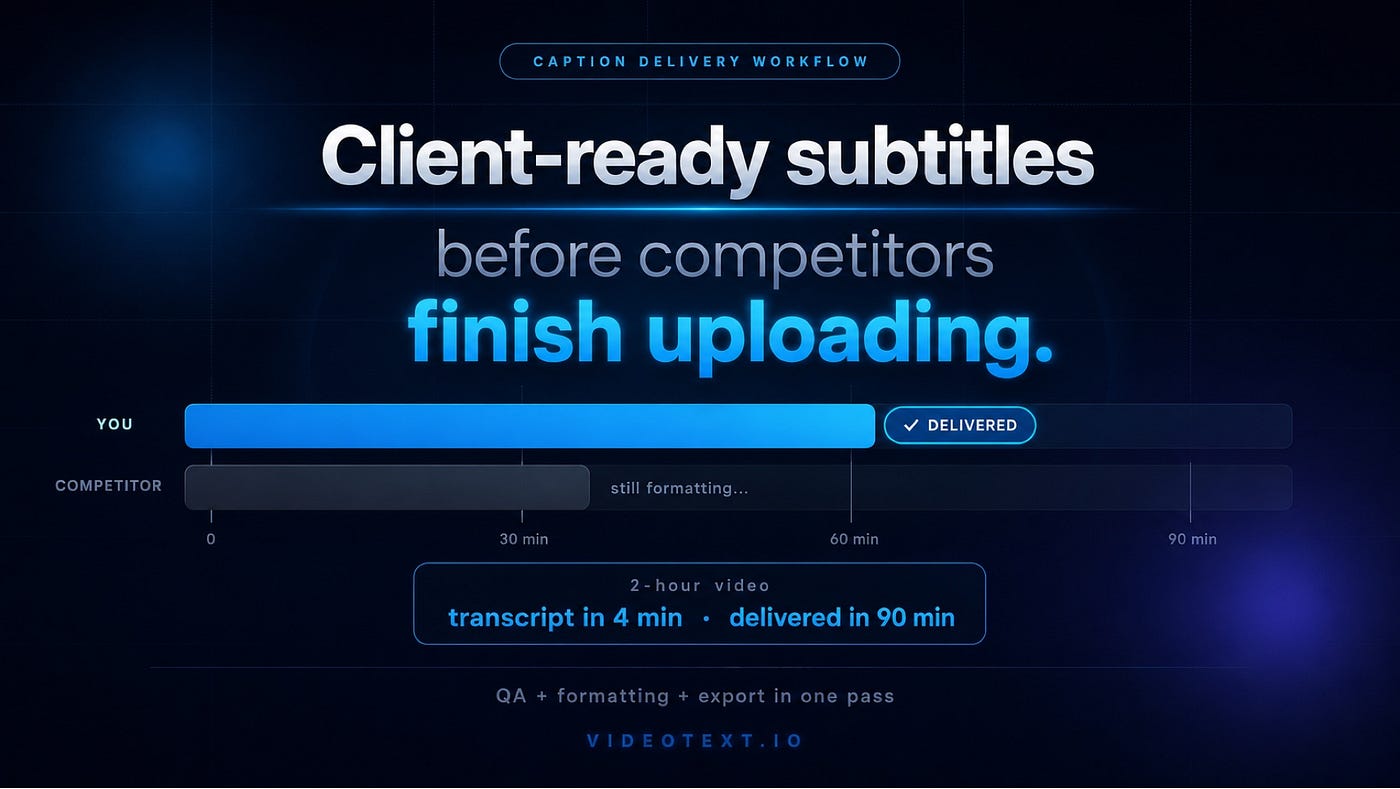
Client-Ready Subtitles Before Competitors Finish Uploading
The caption delivery market rewards speed. Here is where the time actually goes — and the workflow that changes the math.
Client-Ready Subtitles Before Competitors Finish Uploading
The caption delivery market rewards speed. Here is where the time actually goes — and the workflow that changes the math.
There is a specific moment that every freelance caption professional and transcription agency knows.
A client sends a 2-hour video at 9 AM. They need delivery-ready SRT files by end of day. You start the clock. You upload the file to your transcription tool, wait for the output, open the style guide PDF, start applying formatting rules, catch a speaker label inconsistency on segment 40, fix it, realize your number formatting has been inconsistent for the last 20 minutes, go back, fix that, start the listen pass —
And somewhere around 1 PM, you realize you are not going to finish before 2 PM, much less before end of day.
This is a workflow problem. Not a capability problem. Not a speed problem. A workflow problem — specifically, a problem with where time is going, and how much of it is going to work that should not require human attention at all.
The caption professionals who consistently deliver first — and build the reputation that comes from consistent early delivery — are not faster typists. They are not running better AI. They are running a better sequence.
Where the Time Actually Goes
The instinct is to blame transcription time. If you could transcribe faster, you could deliver faster.
This is wrong, and believing it sends you optimizing the wrong part of the workflow.
On a 2-hour video with clean-to-moderate audio, a modern AI transcription tool produces a complete transcript in 4–8 minutes. That is not the constraint. Even if you shaved it to zero, you would not change your delivery time by enough to matter.
Here is where a 2-hour caption job actually spends its time:
Upload + AI transcription → 5–8 min
Style guide formatting (manual) → 55–75 min
Listen pass (targeted) → 40–55 min
Final edit and export → 15–20 min
Total~2–2.5 hours
That is a 2-hour video taking 2 to 2.5 hours. The AI transcription is 5 minutes of it. Style guide formatting is almost an hour of it — and it comes before the listen pass, which means every hour you spend on formatting is an hour pushing the listen pass later and the delivery time later.
This is where the leverage is. Not in transcription speed. In formatting speed.
The Formatting Tax
Every caption job has what might be called a formatting tax — the time cost of getting AI output into the exact format the client or platform requires.
The tax is paid in specific installments:
Speaker label normalization. Your AI output probably used “Speaker 1:”, “speaker 1:”, and “Speaker 1 -” in the same transcript. Your client’s style guide requires exactly one format. Finding every deviation and correcting it is not creative work. It is mechanical, repetitive, and invisible to the client — they will only notice if you miss something.
Tag compliance verification. [inaudible] is different from [Inaudible] is different from [unclear]. Platform validators treat them as different strings. Human reviewers, reading for content, miss these inconsistencies at high rates because the content reads identically regardless of the case. Finding and correcting every tag requires a dedicated pass that your combined-content-and-format review almost certainly is not catching reliably.
Number formatting. Spell out one through ten. Digits for 11 and above. Except for ages, percentages, times, and measurements. Each number in the transcript requires a classification decision. A 90-minute transcript might have 200+ numbers. Applied from memory, across multiple simultaneous client style guides, number formatting is one of the most common sources of QA rejections.
Timestamp placement and format. The client wants timestamps every paragraph, or every two minutes, or at every speaker change. The AI provided timestamps at chunk boundaries. Reconciling two different timestamp systems — and verifying the format (zero-padded, bracketed, positioned correctly) throughout a 120-minute document — takes longer than it should.
Verbatim mode cleanup. Clean verbatim removes fillers. Full verbatim preserves them with specific punctuation treatment. The AI captured the audio. It did not apply your client’s verbatim specification. That is a pass through the entire document specifically checking verbatim compliance.
Every one of these tasks is mechanical. Every one is rule-based. Every one is definable as a set of precise checks. And yet, in most professional caption workflows, every one is done manually on every job, from memory, without systematic verification.
The formatting tax is the reason a 2-hour video takes 2.5 hours to deliver. It is also the reason some caption professionals consistently deliver the same 2-hour video in 90 minutes while maintaining equal or better QA pass rates.
The Workflow That Compresses the Timeline
The caption professionals who consistently win on delivery speed share a structural insight: formatting and QA are different operations, and they should not be combined.
The standard workflow combines them. The listen pass is simultaneously an accuracy check, a formatting check, and a style guide compliance check. It runs all three cognitive modes at once. It is slower than any one of them would be separately, and it is less reliable than any one of them — because attention split across three modes catches fewer errors in each than attention focused on one mode would.
The faster workflow separates them:
Step 1: Let AI transcribe. Fast, accurate on clean audio. 5–8 minutes for a 2-hour file. This part of the workflow is not the problem.
Step 2: Apply style guide formatting before the listen pass. This is the step most workflows skip. Before any human attention touches the transcript, apply the client’s formatting rules programmatically. Speaker label normalization, tag compliance, number formatting, timestamp placement — all of the mechanical formatting work, applied once, documented, and presented as a diff so you can see what changed.
Step 3: Run a targeted listen pass on the pre-formatted transcript. With formatting already applied, the listen pass focuses entirely on content: accuracy verification, proper noun checking, speaker attribution, contextual judgment calls. The cognitive load is lower because you are doing one thing instead of three. The accuracy of the pass improves. The time required decreases.
Step 4: Fix flagged segments. Export. Final edit is fast because the formatting was handled upstream. Export in whatever format the client requires — SRT, VTT, DOCX, PDF — from the same tool.
The difference between this workflow and the standard workflow is not effort. It is sequence. The work is the same. The order it happens in determines how long it takes.
What Pre-Formatted Looks Like in Practice
When you run a transcript through a guideline formatter before the listen pass, the output is not a raw AI transcript. It is a document where:
- Every speaker label is in the required format, consistently applied
- Every
[inaudible]tag is lowercase and correctly timestamped - Number formatting follows the style guide rule throughout the document
- Timestamps are placed at the required intervals in the required format
- Flagged segments — the ones where the formatter had lower confidence, or where the rule had exceptions — are surfaced in a prioritized review queue
Your listen pass now has a specific, bounded target: the flagged segments plus your own accuracy checks. Not “read through the whole thing and fix everything that looks wrong.” A structured, scoped task.
For a 2-hour file formatted against a GoTranscript or Rev preset, the practical result is a listen pass that runs against a pre-cleaned document, focused on the 15–20% of segments that genuinely need human judgment rather than the 100% that a combined pass forces you to review.
This is what the guideline formatter at VideoText does. Load the transcript. Select the preset — Rev, GoTranscript, TranscribeMe, Scribie — or upload your client’s actual style guide in PDF or DOCX format to extract the rules automatically. The tool applies the formatting, produces a side-by-side diff, surfaces the flagged segments, and gives you a validation report showing which rules were applied and where they required judgment. Export in the format the client needs.
The Delivery Time Math
Here is what the workflow change looks like in actual time:
Standard workflow — 2-hour video:
- Transcription: 6 min
- Manual formatting: 65 min
- Listen pass (combined): 50 min
- Export: 15 min
- Total: ~2.3 hours
Pre-formatted workflow — 2-hour video:
- Transcription: 6 min
- Guideline formatting: 8 min (tool runs, you review diff)
- Listen pass (targeted, flagged segments): 28 min
- Export: 8 min
- Total: ~50 minutes

The math varies by audio quality, style guide complexity, and how many segments the formatter flags for human review. The directional result is consistent: the pre-formatted workflow delivers in roughly half the total time, with the same or better QA outcomes, because the QA pass is focused instead of combined.
For a freelancer handling 30+ hours of audio per week, this is not a marginal improvement. It is the difference between a sustainable workload and one that runs until 10 PM.
For an agency managing per-client style guides across multiple simultaneous projects, the consistency improvement matters as much as the speed. Pre-formatted documents from documented rules are more consistent across reviewers than documents formatted from each reviewer’s memory. Client disputes about format inconsistency decrease. QA rejection rates decrease. Client retention improves.
Delivery Speed as a Competitive Position
There is a reason the caption professionals with the best reputations for reliability are also the ones clients call first on tight-turnaround jobs.
Early delivery is not just a convenience for the client. It is a signal. It means: this professional has the workflow to handle volume without quality declining. This professional will not be the bottleneck when our schedule slips. This professional can absorb the job we need to place today.
Clients pay for reliability more than they pay for speed in isolation. But reliability, at professional volumes, depends on workflow efficiency. A professional whose formatting step takes 65 minutes per 2-hour file cannot be reliably fast at volume. One whose formatting step takes 8 minutes can.
The competitive position — the one that gets the 9 AM email and delivers before noon — is not built on doing the same workflow faster. It is built on doing a different workflow.
The transcription is not where the time goes. The formatting is. And the formatting is the part that a guideline formatter handles before you even open the file for review.
QA + Formatting + Export in One Pass
The full delivery workflow — from raw AI transcript to client-ready SRT — should not require switching between five tools. It should not require manually referencing a PDF style guide while working in a document editor. It should not require re-doing the QA when the client updates their style guide.
It should be: upload, select the preset, review the diff, listen to the flagged segments, export.
That is what client-ready subtitles before competitors finish uploading actually looks like. Not faster typing. Not better AI. A sequence where the mechanical work is done programmatically, the judgment work is scoped and targeted, and the export is one step from done.
Start with the pre-formatted workflow →
VideoText is a professional video utilities platform for transcription, subtitle formatting, and caption QA workflows. The guideline formatter applies client-specific style rules — Rev, GoTranscript, TranscribeMe, Scribie, or a custom uploaded guide — and returns a diff-reviewed, export-ready document in SRT, VTT, DOCX, or PDF.
메타데이터
- post_id
- 9b233d3c2fcf
- slug
- client-ready-subtitles-before-competitors-finish-uploading-9b233d3c2fcf
- url
- https://medium.com/@santhosh.guntupalli09/client-ready-subtitles-before-competitors-finish-uploading-9b233d3c2fcf
- canonical_url
- https://medium.com/@santhosh.guntupalli09/client-ready-subtitles-before-competitors-finish-uploading-9b233d3c2fcf
- author_url
- https://medium.com/@santhosh.guntupalli09
- status
- ok
- fetched_at
- 2026-06-13 09:11:36




