Test Automation using Playwright on Java Maven
Sample Test Automation
Test Automation using Playwright on Java Maven

Image Credit to Engin_Aykurt
There will always be a special place for Java on my heart.
Other than I’m a Javanese (pun intended), the Java Programming Language is the first Programming Language I learned back on my college days. It is also the first Programming Language I used on my first Test Automation assignment back when I’m starting my career as a QA Engineer.
But, to be honest, I had forgotten all of my code base a very very long time ago. So, I created a new one on my GitHub repository using my current knowledge.
Here it is : https://github.com/ahmadazerichandrabhuana/javamavenplaywright
As usual, before you download / clone it, here are the requirements need to be fulfilled first.
Requirements
Requirement 1 : Install Java, setup JAVA_HOME, and setup MAVEN_HOME
For setting up JAVA_HOME manually, you can refer to my article here:
[embed]Setting up JAVA_HOME Guideline for Windows, MacOS, and Ubuntumedium.com
For setting up MAVEN_HOME manually, you can refer to my article here:
[embed]Install Maven by setting up MAVEN_HOME Guideline for Windows, MacOS, and Ubuntumedium.com
But, I’ll personally suggest to use SDKMAN! since it would be much easier for handling anything Java-related using this single tool. Check the reference for SDKMAN! on my article here:
Requirement 2 : IDE or Code Editor
Install any IDE or Code Editor you’re most comfort with. For IDE, I’ll suggest to use IntelliJ IDEA since this is a Java-based project. If you prefer to use Code Editor, I’ll suggest to use VS Code.
Requirement 3 (Optional) : Install Allure Report
Now, this one is actually not a mandatory requirement for using Playwright on Java Maven. I use Allure to show a nice-to-have report result for the test execution itself.
To install Allure, you could check the Allure Report’s Official Website. There are already instructions for Windows, MacOS, and Linux there.
Verify if the Allure Report is installed correctly by run this command :
allure --version
Run Test
On your IDE / Code Editor’s terminal, run the test using command :
mvn clean test -DtestSuites=testsuites/test.xml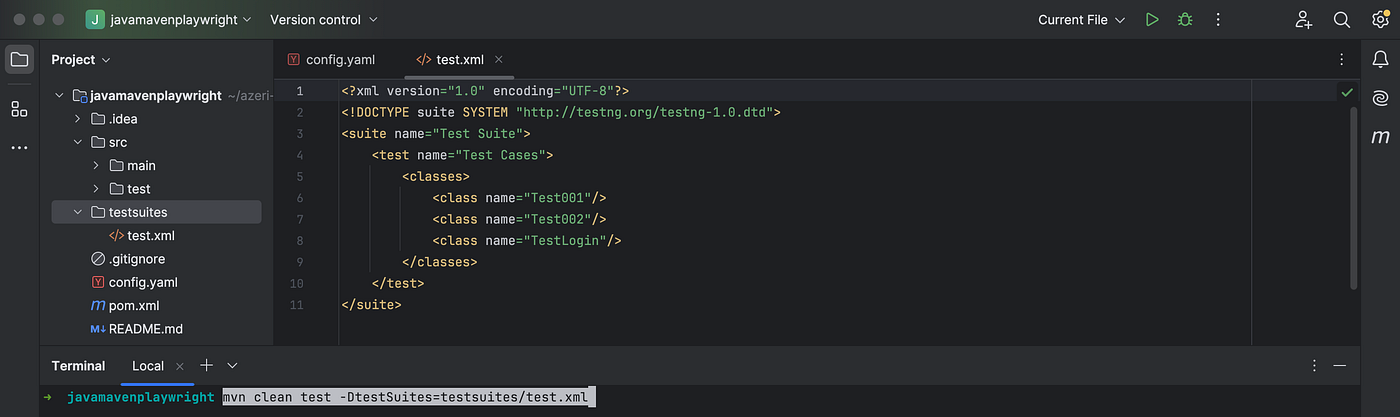
it will open the browser several times and execute test cases listed inside file **test.xml on folder `testsuites`**.
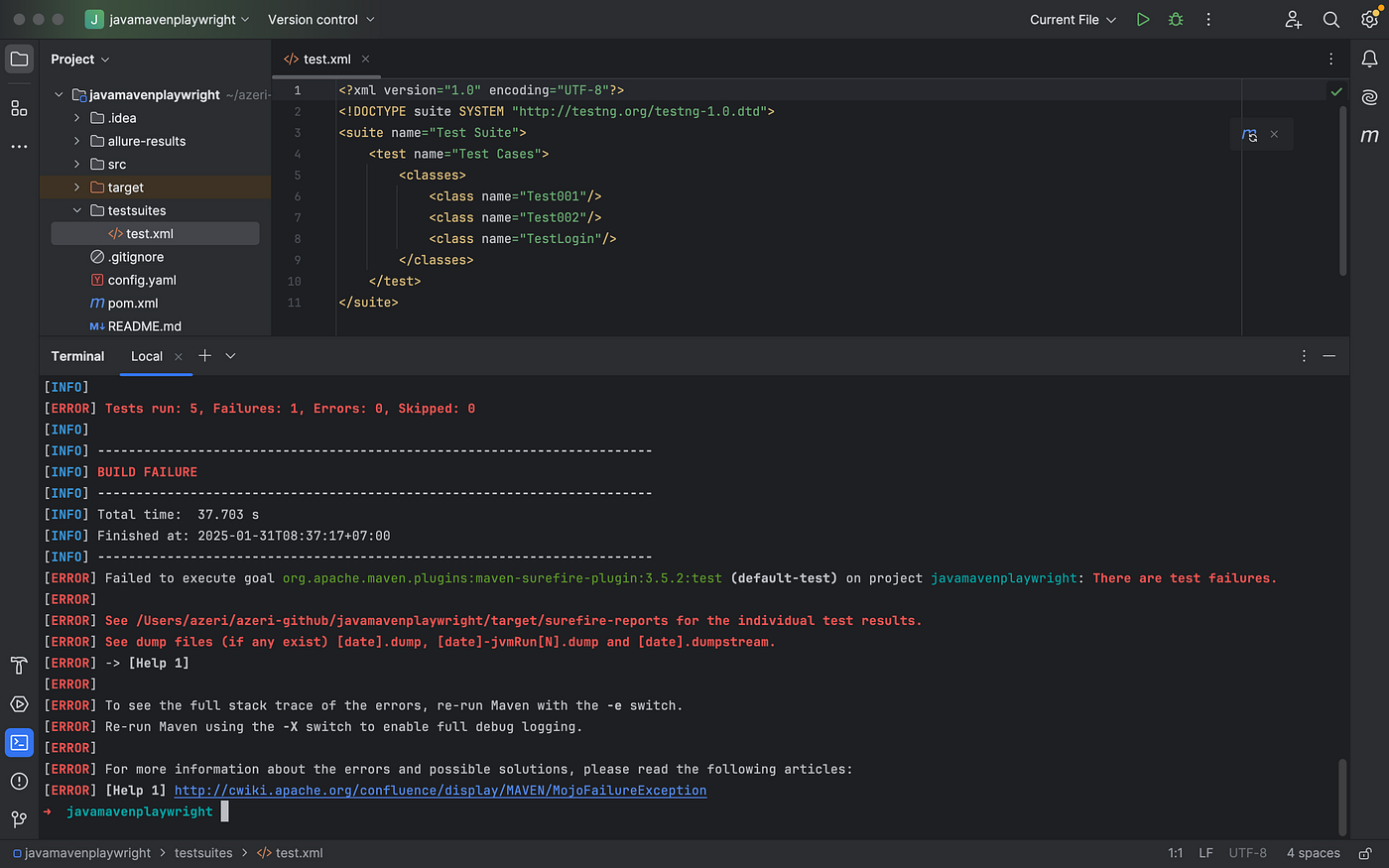
Open Report File
I use Allure Report as per mentioned on the section Requirements above. So, to open the Report File, run these command :
allure serveor this command also OK :
allure generate --clean && allure open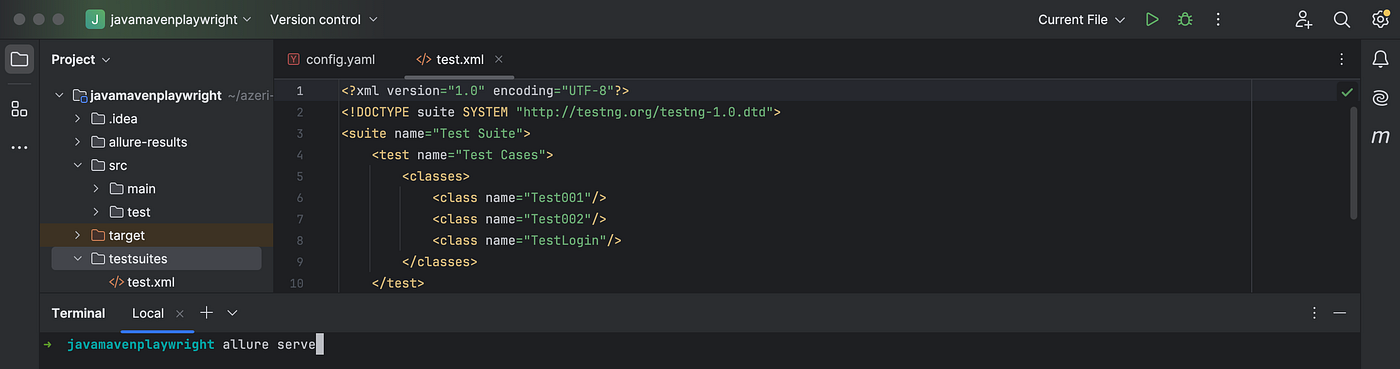
It will automatically open Allure Report on your default browser :
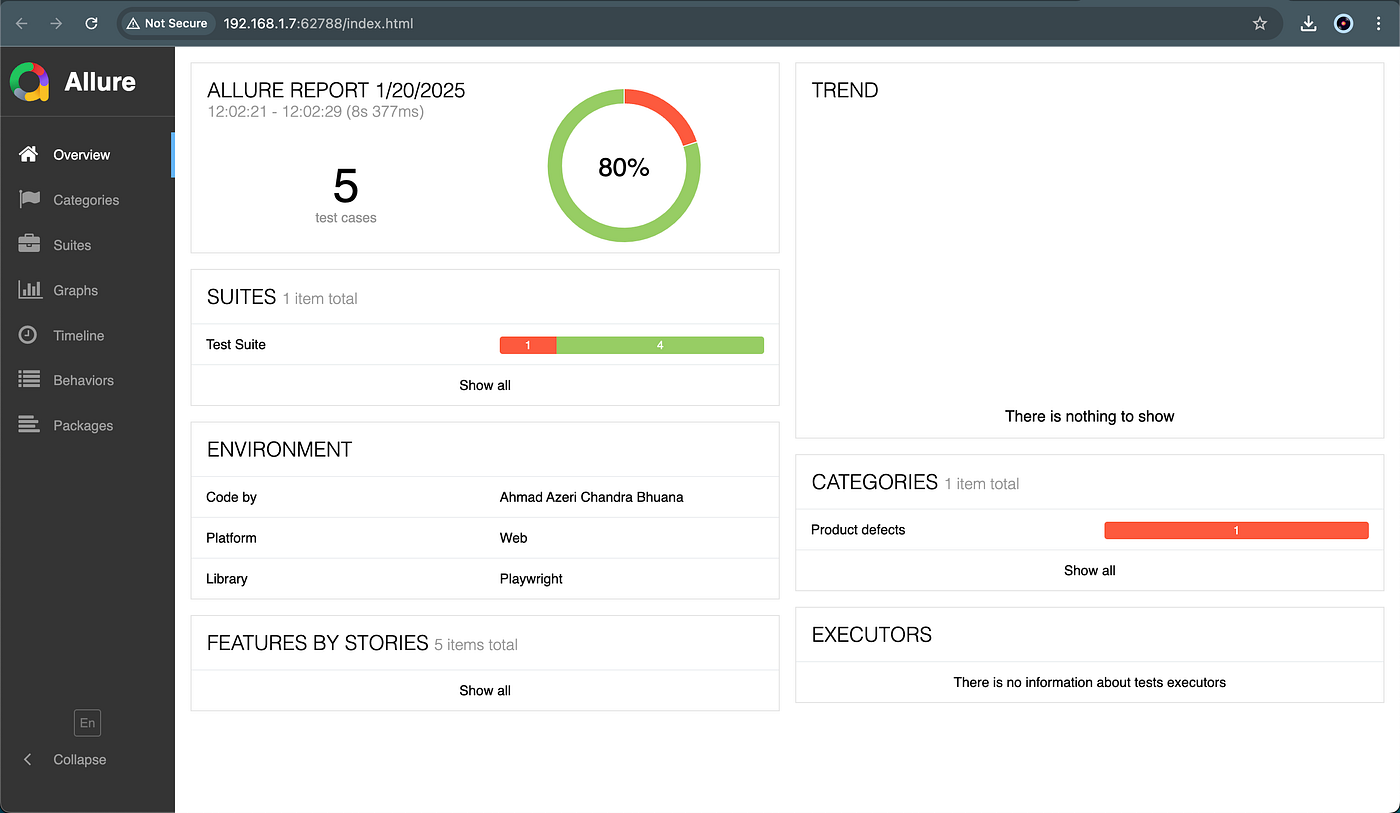
Now, in case you’re wondering, why there is 1 error on the result above. That’s because on all of my Test Automation Sample, I always put at least 1 sample error. So we can compare, how the Passed Test is being shown, and how the Failed One is being shown as well. That is intended 😉
If you want to check another Test Automation sample, feel free to browse my other articles. For example, this one is for Test Automation using Robot Framework :
[embed]Test Automation using Robot Framework with Browser Library #1 Sample Test Automationmedium.com
If you finish those article as well, you’ll notice the same Failed Test Case is also exist there, and you can continue to the next article for checking out which part of the code is causing the error 😄
I think that would be all.
Thanks for reading this far, and see you on other articles 👋
메타데이터
- post_id
- 9b2ee40ebdce
- slug
- test-automation-using-playwright-on-java-maven-9b2ee40ebdce
- url
- https://medium.com/@zorozeri/test-automation-using-playwright-on-java-maven-9b2ee40ebdce
- canonical_url
- https://medium.com/@zorozeri/test-automation-using-playwright-on-java-maven-9b2ee40ebdce
- author_url
- https://medium.com/@zorozeri
- status
- ok
- fetched_at
- 2026-07-13 06:23:13