Mqtt Platform : EMQX Broker Installation
Bu makaleyi okumadan önce mqtt servisi için giriş seviyesi mahiyetinde olan linkteki makalemi okumanızı tavsiye ederim.
Mqtt Platform : EMQX Broker Installation
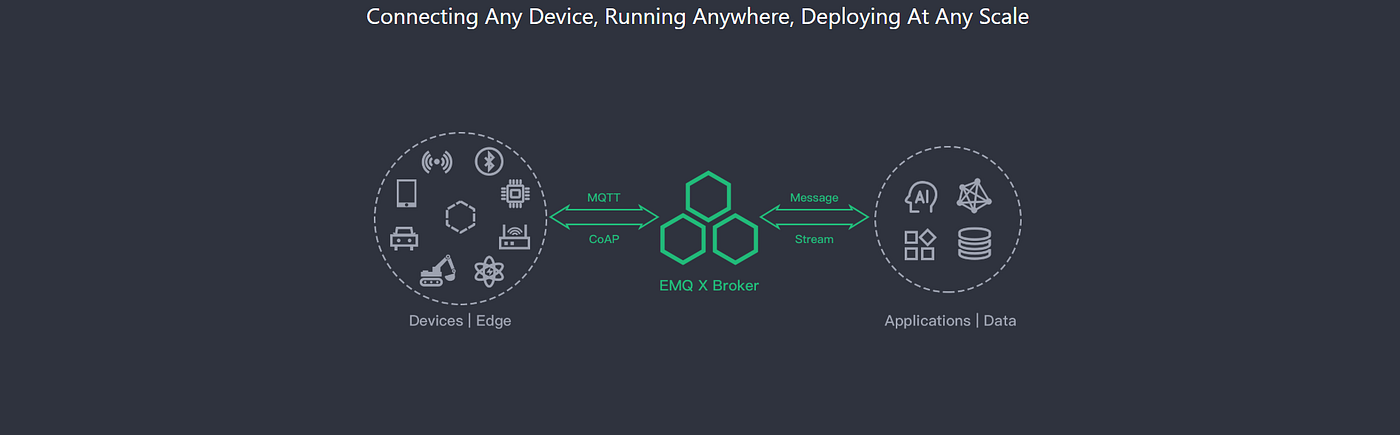
Bu makaleyi okumadan önce mqtt servisi için giriş seviyesi mahiyetinde olan linkteki makalemi okumanızı tavsiye ederim.
Bu yazıda open source mqtt uygulaması olan emq broker kurulumundan ve tunning işlemlerinden bahsedeceğim. Mqtt hakkında önbilgi almak için mqtt nedir yazımı burdan okuyabilirsiniz.
Mqtt providerı olan emq free versiyonu, emqx ise enterprise versiyonudur. Free versiyonunda herhangi bir access list ve backend fonksiyonları yok, enterprise kısımda bu özellikler geliyor.
Sunucu kurulumunun ardından,sunucu OS versiyonuna uygun olarak emqx kurulum paketini https://www.emqx.io/downloads/enterprise/v2.4.3 adresinden indiriyoruz. Biz CentOS rpm paketi ile ilerleyeceğiz.
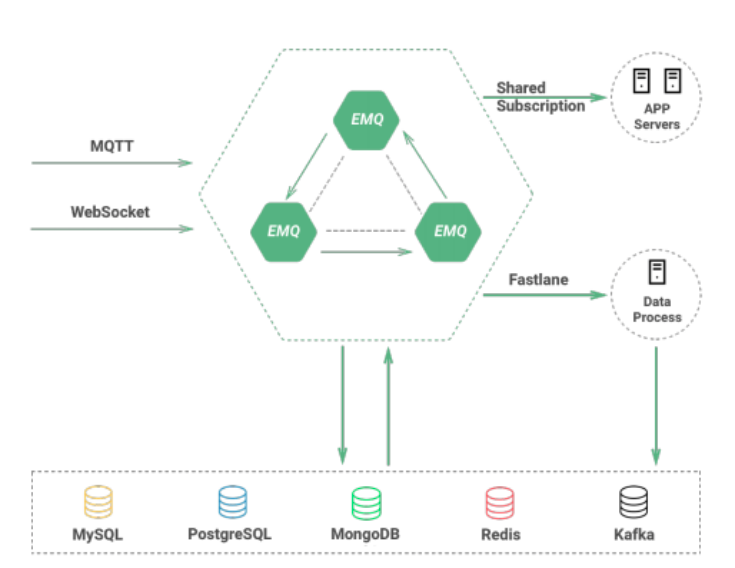
Emqx Architect
sudo wget https://www.emqx.io/downloads/broker/v2.3.4/emqttd-centos7-v2.3.4.el7.centos.x86_64.rpm — no-check-certificate
sudo rpm -ivh emqx-enterprise-centos7-v2.4.3.el7.centos.x86_64.rpm
sudo systemctl status emqx
sudo systemctl start emqx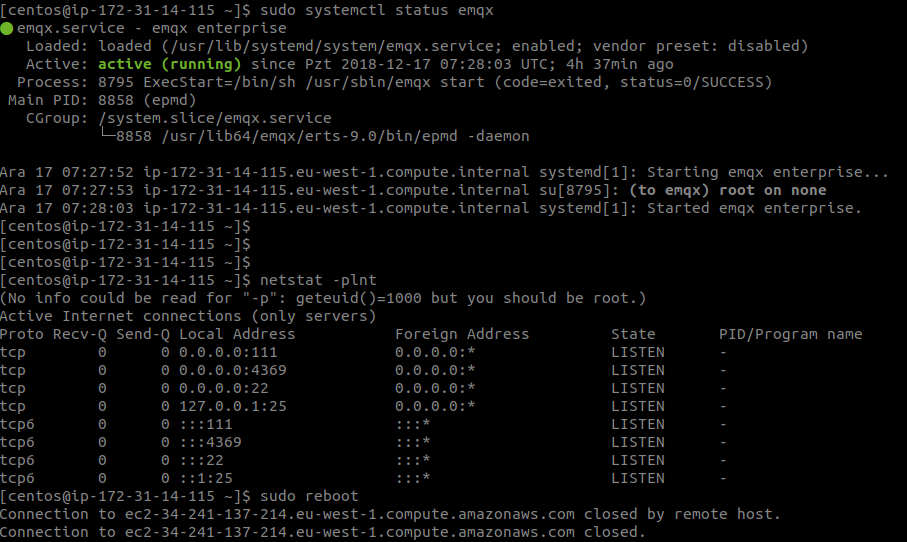
Netstat –plnt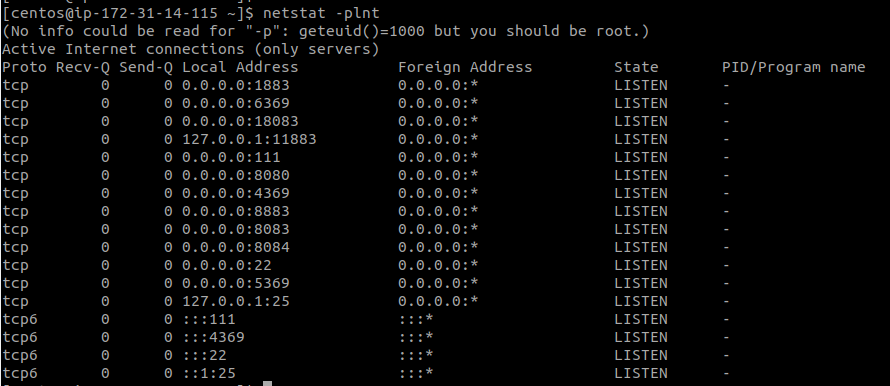
Buraya kadar olan kısımda kurulum tamamlanmış durumda, sırada broker tunning işlemleri var bu işlemler için linkteki adımlar uygulanır.
Linux Kernel Tuning
The system-wide limit on max opened file handles:
# 2 million system-widesysctl -w fs.file-max=2097152sysctl -w fs.nr_open=2097152echo 2097152 > /proc/sys/fs/nr_openThe limit on opened file handles for current session:ulimit -n 1048576/etc/sysctl.conf
Add the ‘fs.file-max’ to /etc/sysctl.conf, make the changes permanent:fs.file-max = 1048576/etc/security/limits.conf
Persist the limits on opened file handles for users in /etc/security/limits.conf:* soft nofile 1048576* hard nofile 1048576Network Tuning
Increase number of incoming connections backlog:
sysctl -w net.core.somaxconn=32768sysctl -w net.ipv4.tcp_max_syn_backlog=16384sysctl -w net.core.netdev_max_backlog=16384Local Port Range:
sysctl -w net.ipv4.ip_local_port_range=”1000 65535"Read/Write Buffer for TCP connections:
sysctl -w net.core.rmem_default=262144sysctl -w net.core.wmem_default=262144sysctl -w net.core.rmem_max=16777216sysctl -w net.core.wmem_max=16777216sysctl -w net.core.optmem_max=16777216#sysctl -w net.ipv4.tcp_mem=’16777216 16777216 16777216'sysctl -w net.ipv4.tcp_rmem=’1024 4096 16777216'sysctl -w net.ipv4.tcp_wmem=’1024 4096 16777216'Connection Tracking:
sysctl -w net.nf_conntrack_max=1000000sysctl -w net.netfilter.nf_conntrack_max=1000000sysctl -w net.netfilter.nf_conntrack_tcp_timeout_time_wait=30The TIME-WAIT Buckets Pool, Recycling and Reuse:
net.ipv4.tcp_max_tw_buckets=1048576# Enable fast recycling of TIME_WAIT sockets. Enabling this# option is not recommended for devices communicating with the# general Internet or using NAT (Network Address Translation).# Since some NAT gateways pass through IP timestamp values, one# IP can appear to have non-increasing timestamps.# net.ipv4.tcp_tw_recycle = 1# net.ipv4.tcp_tw_reuse = 1Timeout for FIN-WAIT-2 sockets:
net.ipv4.tcp_fin_timeout = 15Erlang VM Tuning
Tuning and optimize the Erlang VM in etc/emq.conf file:
## Erlang Process Limitnode.process_limit = 2097152## Sets the maximum number of simultaneously existing ports for this systemnode.max_ports = 1048576The EMQ Broker
Tune the acceptor pool, max_clients limit and sockopts for TCP listener in etc/emqttd.config:
## TCP Listenerlistener.tcp.external = 0.0.0.0:1883listener.tcp.external.acceptors = 64listener.tcp.external.max_clients = 1000000Bu aşamaya kadar broker üzerinde tunning işlemlerini tamamlandı, client üzerinden 60K connections a ulaşabilmek için client tarafında aşağıdaki tunning işlemlerinin yapılması gerekmektedir.
sysctl -w net.ipv4.ip_local_port_range=”500 65535"sysctl -w fs.file-max=1000000echo 1000000 > /proc/sys/fs/nr_openulimit -n 100000EMQX Broker Clustering
Broker kurulumlarını ve tunning işlemlerini yukarıda bahsedildiği gibi tamamladıktan sonra mimarimizde birden fazla broker kullancaksak cluster konfigürasyonunu tamamlamamız gerekecektir.
Clustering için linkteki adımları izleyebiliriz. http://emqtt.io/docs/v2/cluster.html. Cluster konfigürasyonları emqx.conf dosyası üzerinde yapılmaktadır. Cluster a dahil olacak her node üzerinde aşağıdaki adımları tamamlamamız gerekiyor.
Manuel olan “cluster discovery” alanı static e çekilir.Cluster a dahil olacak node isimleri ve IP lerini “cluster.static seeds” alanına yazmamız gerekiyor.Her node için, kendi node ismi ve IP sini “node.name” alanına yazmamız gerekiyor.Yukarıda bulunan cluster işlemlerinin ardından servisi restart edip /usr/sbin altında komut ile cluster mevcut durumunu kontrol edebilirsiniz.
./emqx_ctl cluster statusRedis Integration
Cluster ve redis entegrasyonuna dahil olacak her bir broker için brokerların “backend” dosyasında konfigürasyon yapılması gerekmektedir. İlgili redis config file aşağıdaki path altındadır.
sudo nano /etc/emqx/plugins/emqx_backend_redis.confÖncelikle bu file içerisinde “backend.redis.pool1.server” parametresine karşılık olarak redis server IP sinin yazılması gerekmektedir.
Config file sonuna aşağıdaki parametreyi ekliyoruz.
## After a client connected to the EMQ X server, it executes a redis command(multiple redis commands also supported)backend.redis.hook.client.connected.3={“action”: {“commands”: [“SET conn:${clientid} clientid”]}, “pool”: “pool1”}Yukarıdaki konfigürasyonları tamamladıktan sonra “redis backend load” işlemini yapmamız gerekiyor. Bu işlemi /usr/sbin altında yapıyoruz.
./emqx_ctl plugins load emqx_backend_redisBu load işlemini tüm brokerlarda tamamladıktan sonra broker dashboard undan redis backendinin running duruma geçtiğini görebilirsiniz.
Kaynaklar :
메타데이터
- post_id
- 9bf3d7157c8d
- slug
- mqtt-platform-emqx-broker-installation-9bf3d7157c8d
- url
- https://medium.com/devopsturkiye/mqtt-platform-emqx-broker-installation-9bf3d7157c8d
- canonical_url
- https://medium.com/devopsturkiye/mqtt-platform-emqx-broker-installation-9bf3d7157c8d
- author_url
- https://medium.com/@anilozturk
- status
- ok
- fetched_at
- 2026-07-29 01:30:10