AWS Theory | ELB: Understanding Cross-Zone Load Balancing
📌 Notice
AWS Theory | ELB: Understanding Cross-Zone Load Balancing
📌 Notice
This is a Theory blog accompanying the blog post:
🔹 Episode 6: AWS Cloud Practitioner Quiz
🔹 Episode 6: AWS Solution Architect Preparation Quiz
AI-Generated Image
🌟 Introduction
In our modern world, our traffic would be perfectly distributed across all servers. But what happens when you have two servers in one area (Availability Zone) and eight in another? Without the right settings, those two lonely servers could end up doing five times as much work as the others! Here you can feel the unbalance right? This is where cross-zone load balancing becomes a game-changer for your AWS architecture.
What is Cross-Zone Load Balancing?
To understand this, imagine your load balancer has nodes living in each Availability Zone (AZ).
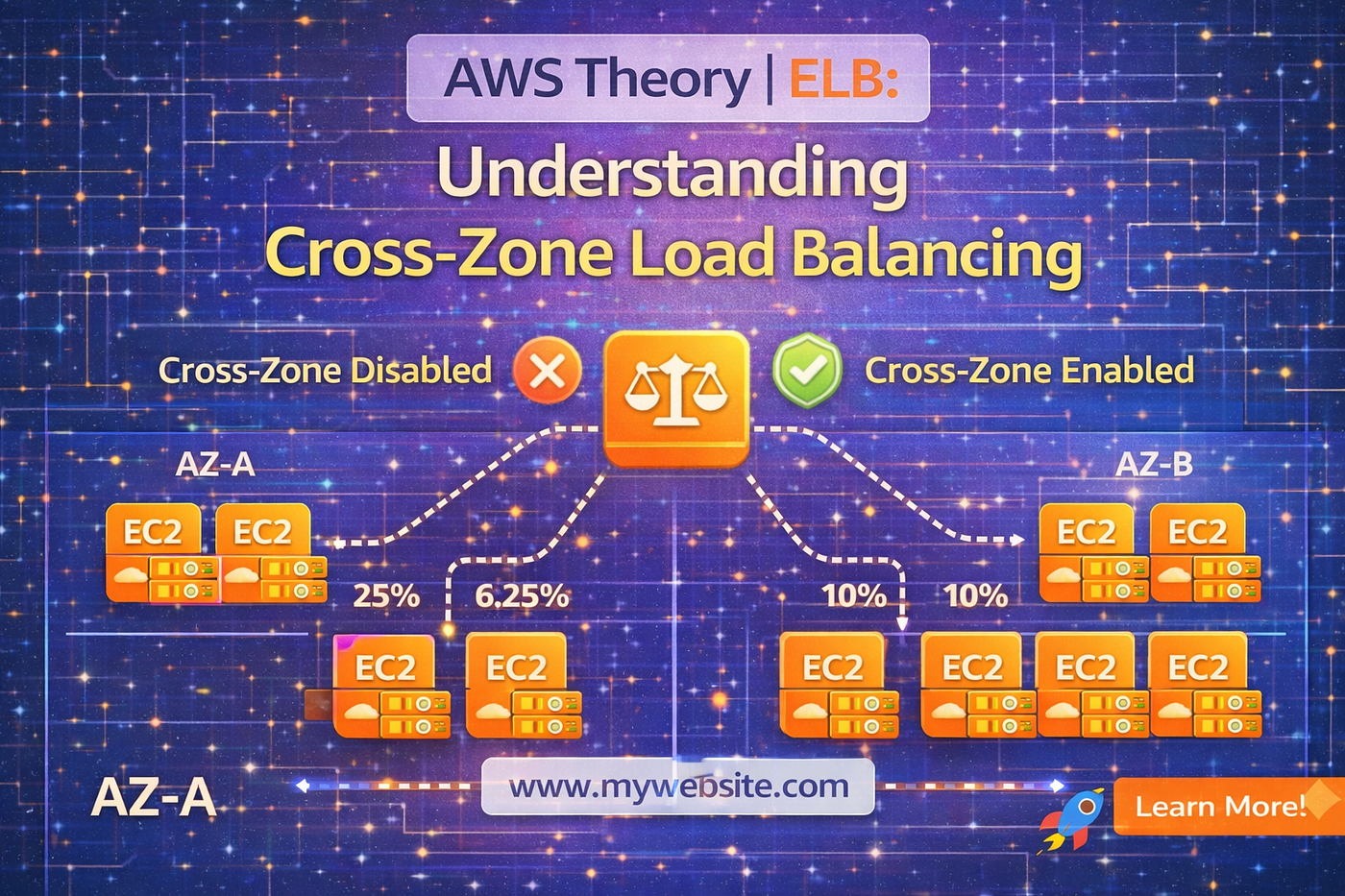
- With Cross-Zone Enabled: Each load balancer node can see all the instances in every AZ. It spreads the traffic evenly (10% to each of 10 instances).

- With Cross-Zone Disabled: Each node only talks to the instances in its own AZ. If AZ-A has 2 instances and receives 50% of the traffic, each instance gets a massive 25% load. Meanwhile, the 8 instances in AZ-B share the other 50%, getting only 6.25% each.

The Cheat Sheet: Pricing & Defaults
One of the most important things for the AWS Solutions Architect exam is knowing which load balancer does what by default and what it costs you.

Step-by-Step Hands-On: Configuring Cross-Zone
1. For Application Load Balancers (ALB)
You don’t usually turn it on for the ALB itself (it’s always on), but you can control it at the target group level.
- Go to Target Groups and select your group.
- Click the Attributes tab and hit Edit.
- Look for cross-zone load balancing. You can choose to Inherit from the load balancer or manually toggle it on or off.
2. For Network (NLB) & Gateway (GLB) Balancers
Because these are built for extreme performance and lower costs, AWS lets you choose if you want the extra “hop” between zones.
- Go to Load Balancers and select your NLB or GLB.
- Scroll down to the Attributes section.
- Click Edit. Check the box for Enable cross-zone load balancing.
- Caution: A warning will appear reminding you that this may incur regional data charges.
🧾 Conclusion
Cross-zone load balancing is your tool for even utilization. If your AZs have an uneven number of instances, turn it on to keep your servers healthy. If your AZs are perfectly balanced and you want to save every penny on data transfer (for NLB/GLB), keep it off. Always remember, for the ALB, AWS makes it easy by keeping it on and keeping it free!
To stay informed on the latest technical insights and tutorials, connect with me on Medium, LinkedIn, and Dev.to. For professional inquiries or technical discussions, please contact me via email. I welcome the opportunity to engage with fellow professionals and address any questions you may have. All blogs in this series will be optimized, fine-tuned, developed, and updated in a timely manner to reflect the latest AWS changes, exam updates, and real-world best practices.
메타데이터
- post_id
- 9d0b50acaaa7
- slug
- aws-theory-elb-understanding-cross-zone-load-balancing-9d0b50acaaa7
- url
- https://medium.com/@issackpaul95/aws-theory-elb-understanding-cross-zone-load-balancing-9d0b50acaaa7
- canonical_url
- https://medium.com/@issackpaul95/aws-theory-elb-understanding-cross-zone-load-balancing-9d0b50acaaa7
- author_url
- https://medium.com/@issackpaul95
- status
- ok
- fetched_at
- 2026-06-09 14:34:10




