What Is SysReptor? A Complete Guide for Modern Pentesters
Introduction
What Is SysReptor? A Complete Guide for Modern Pentesters
SysReptor
Introduction
In the world of penetration testing, exploiting vulnerabilities is often not the most time-consuming part — the report-writing phase usually takes the most effort. Many pentesters spend countless hours organizing evidence, documenting findings, and formatting reports to make them look professional and easy for clients to understand. In response to the growing need for efficiency, SysReptor emerged as a pentest reporting automation platform designed to speed up workflows without sacrificing quality.
SysReptor serves as a modern solution for pentesters who want to work faster, more systematically, and collaboratively. With its intuitive interface and flexible template support, this tool transforms the typically exhausting report-writing process into something much simpler. This article covers what SysReptor is, how it works, its key features, and why it’s becoming increasingly popular among security professionals.
Body Content
a. Main Explanation
SysReptor is a pentest report automation platform built to simplify the documentation process, from managing findings to generating final reports in PDF or DOCX format. Built on a modern architecture, SysReptor enables pentesters to work faster without compromising the quality, consistency, or aesthetics of their reports.
In addition to providing built-in templates, SysReptor allows users to create custom templates using Markdown or HTML. This makes the tool highly flexible — suitable for web, mobile, network, and red team pentesting, as well as various security audits. SysReptor also supports team collaboration, allowing multiple pentesters to work on the same report simultaneously.
With features like drag-and-drop evidence, severity management, automatic recommendations, and instant report generation, SysReptor can reduce report-writing time by 40–60%.
b. Example or Case Study
Imagine a security consulting firm handling five pentest projects in a single month. The team consists of three pentesters responsible for exploitation and report creation for each client.
Before using SysReptor:
- Reports were created manually using Word or Google Docs.
- Considerable time was wasted copy-pasting templates.
- Pentesters had to insert evidence screenshots one by one.
- Formatting inconsistencies occurred because each pentester used different styles.
After using SysReptor:
- All findings are stored in a reusable library.
- Pentesters simply select relevant findings for each project.
- Templates automatically follow the company’s branding and style.
- Report export takes only 1–2 minutes.
Results:
- The reporting process is cut by more than half.
- Report consistency improves significantly.
- Clients receive faster and more professional reports.
c. Data / Facts / Statistics (Optional)
Several informal surveys from the pentesting community (GitHub and Twitter/X) reveal:
- 52% of pentesters say report writing takes more time than exploitation.
- Using automation tools like SysReptor or Serpico can reduce report time by 40–60%.
- 70% of clients state that report quality influences their perception of a provider’s professionalism.
- Consistent templates can reduce miscommunication risks by 35%.
These statistics show that automated reporting is no longer just an option — it’s a necessity.
d. Steps to Install SysReptor
Below is a quick installation guide for SysReptor using the official Docker installer:
1. Install dependencies
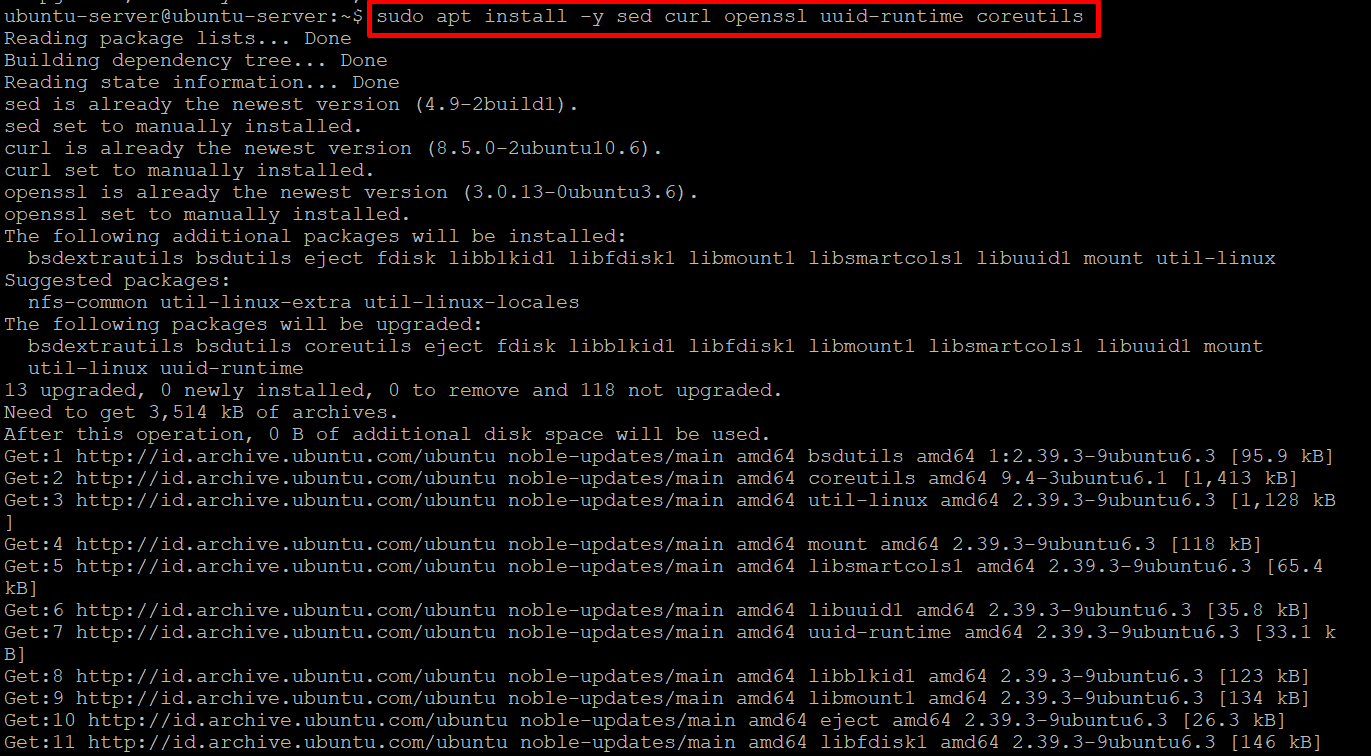
sudo apt install -y sed curl openssl uuid-runtime coreutils2. Install Docker

curl -fsSL https://get.docker.com | sudo bash3. Switch to root
sudo su4. Run the SysReptor installer

bash <(curl -s https://docs.sysreptor.com/install.sh)Then answer:
y
y
y
Port: 443
Domain: [domain].sysreptor.com
y
5. Navigate to the deployment folder
cd sysreptor/deploy/sysreptor6. Stop containers
docker compose down7. Edit docker-compose.yml

nano docker-compose.yml8. Change port binding
Replace 127.0.0.1 with 0.0.0.0, then save.
9. Start the service again

docker compose up -d10. Access the SysReptor dashboard

- Using your VM’s local IP
- Or the configured domain
Conclusion
SysReptor stands out as one of the best solutions for modern pentesters who want to save time without sacrificing report quality. With features such as findings management, flexible templates, team collaboration, and professional report export, the platform significantly accelerates a process that traditionally consumes considerable effort.
As the demand for clear, consistent, and client-friendly reports grows, SysReptor proves to be an effective tool for enhancing both productivity and professionalism. For pentesters, security consultants, and bug bounty hunters, SysReptor is more than just a supporting tool — it’s an essential investment in building a more efficient security workflow.
메타데이터
- post_id
- 9d3df209ecc5
- slug
- what-is-sysreptor-a-complete-guide-for-modern-pentesters-9d3df209ecc5
- url
- https://medium.com/@h3des/what-is-sysreptor-a-complete-guide-for-modern-pentesters-9d3df209ecc5
- canonical_url
- https://medium.com/@h3des/what-is-sysreptor-a-complete-guide-for-modern-pentesters-9d3df209ecc5
- author_url
- https://medium.com/@h3des
- status
- ok
- fetched_at
- 2026-06-10 08:17:25