Database SQL Basics: Querying Your First Relational Dataset
Introduction
Database SQL Basics: Querying Your First Relational Dataset

The official room banner for Database SQL Basics. Image Credit: TryHackMe.
Introduction
Welcome to my walkthrough of the room Database SQL Basics, the final foundational module within TryHackMe’s Software Basics track!
In our previous walkthroughs, we explored how volatile variables store data actively inside operating memory during runtime execution loops. But what happens when an application turns off? Where does the information go?
In this room, we pivot toward persistent storage mechanics. You will help a growing café business transition away from unorganized paper logs into structured database environments, leveraging SQL (Structured Query Language) to search, filter, and sort transactions within seconds.
Catch up on our previous article JavaScript: Simple Demo by clicking the banner below.

The official room banner for JavaScript: Simple Demo. Image Credit: TryHackMe.
What we will cover
- Relational Architectures: Defining tables, rows, columns, and records.
- Structured Query Syntax: Mastering the logical mechanics of
SELECT,FROM,WHERE, andORDER BY. - Data Extraction: Filtering and sorting complex transaction datasets seamlessly.
Room Information
Before executing our database queries, let’s document our structural target properties.
- Room Name: Database SQL Basics
- Path: Pre Security
- Module: Software Security
- Topic: Introduction / Walkthrough
- Difficulty: Easy
- Room Link: TryHackMe — Database SQL Basics
Task 1: Introduction
When a business is small, writing down transactions in a physical paper notebook or a basic text file works fine. However, as transactions scale into thousands of entries, extracting insights manually becomes incredibly slow and error-prone.
Databases solve this organizational crisis by storing datasets systematically inside electronic storage arrays that remain preserved even when system power is severed.
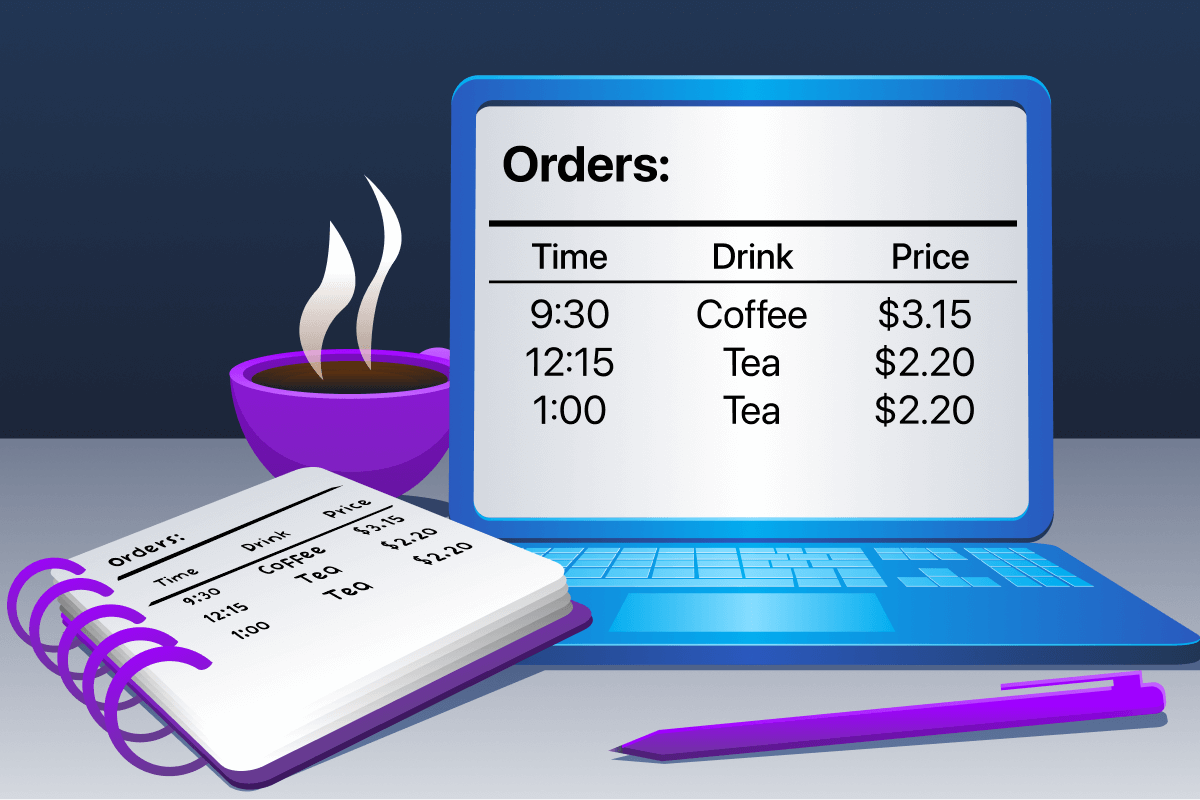
Transitioning a traditional café order notebook into a modern desktop database ledger.
Task 2: Understanding Tables, Rows, and Columns
Inside a relational database engine, data is compartmentalized cleanly into tables (similar to a standalone spreadsheet document). To interpret how a database maintains structural integrity, we break it down into three distinct components:
- Columns (Attributes): Vertical headers defining the type of data being collected (e.g., product names, integers, timestamp formats).
- Rows (Records): Horizontal entries representing one complete independent transaction or asset entry.
- Tables (Entities): The complete grid containing all collective rows and structural columns.
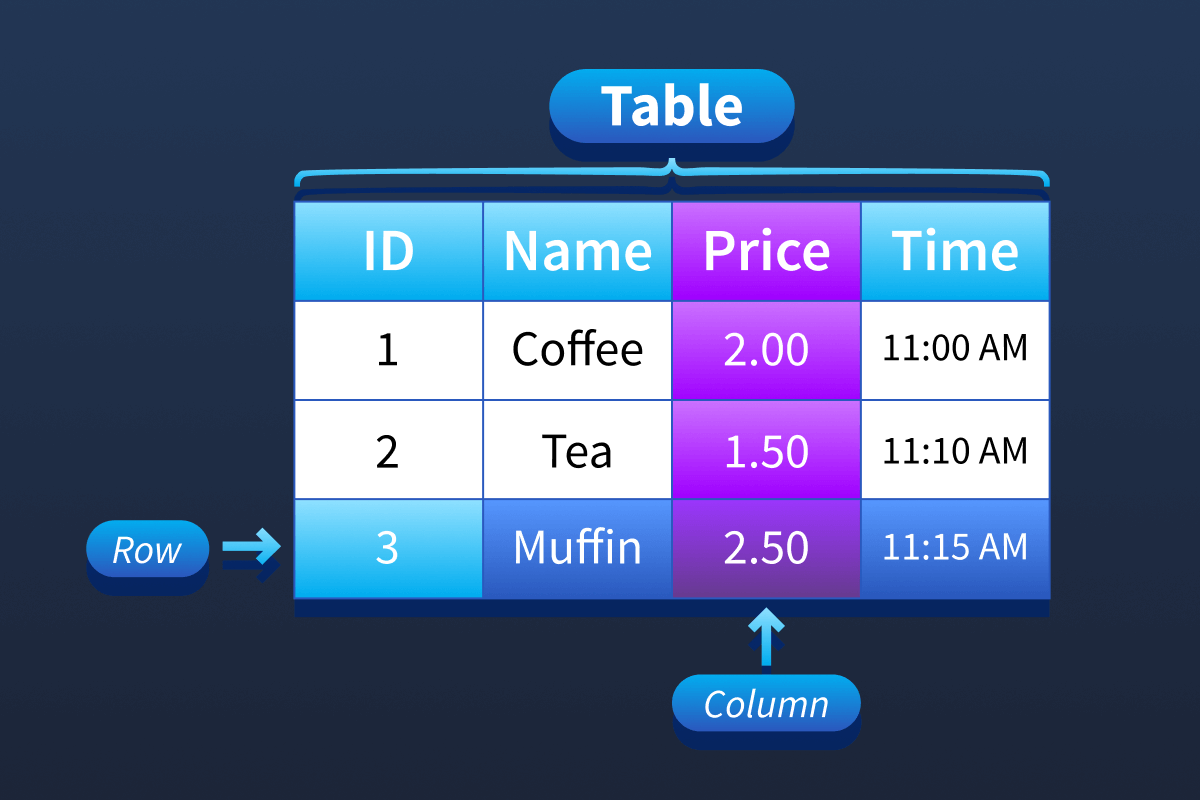
Anatomy of a relational database table featuring columns, rows, and data rows.
To extract specific records out of these tables without scanning the entire file line-by-line, we use SQL queries. A query is a precise question asked to the database engine. Queries merely filter and display information on-screen; they do not alter or damage the underlying raw data.
Questions and Answers
Inside databases, what is the term for the “spreadsheets” that store the information?
Answer:
tableTask 3: Writing Your First SQL Query
To interact with our datasets, we leverage a safe, browser-based SQL environment split-screen containing two distinct relational tables: Orders and Menu.
Step 1: Extracting All Records (SELECT *)
The asterisk * acts as a universal wildcard symbol, instructing the engine to grab every single available column. The FROM parameter specifies our targeted entity.
SELECT *
FROM Orders;
Step 2: Isolating Specific Attributes
If we only need pricing data, we explicitly declare our target columns immediately following our initialization keyword, omitting unnecessary overhead.
SELECT drink, price
FROM Orders;
Step 3: Filtering via Conditions (WHERE)
The WHERE keyword applies a comparative constraint matrix, filtering out any rows that fail to match our precise phrase criteria.
SELECT *
FROM Orders
WHERE drink = ‘Coffee’;
Step 4: Sorting Outputs (ORDER BY)
By default, the database sorts targeted numbers from lowest to highest (ascending format). Appending the DESCmodifier reverses the sorting order completely, sorting from highest to lowest.
SELECT *
FROM Orders
ORDER BY price DESC;
Step 5: Combining Structural Logic Filters
Real-world production queries combine these structural commands together to create targeted data pipelines. Note that the conditional constraint (WHERE) must always be applied before sorting parameters (ORDER BY).
SELECT *
FROM Orders
WHERE drink = ‘Coffee’
ORDER BY price DESC;
Guided Walkthrough: Running Active Terminal Queries
To verify how the backend SQL engine processes relational filters, we run our trial queries inside the split-screen web client and observe the output tables.
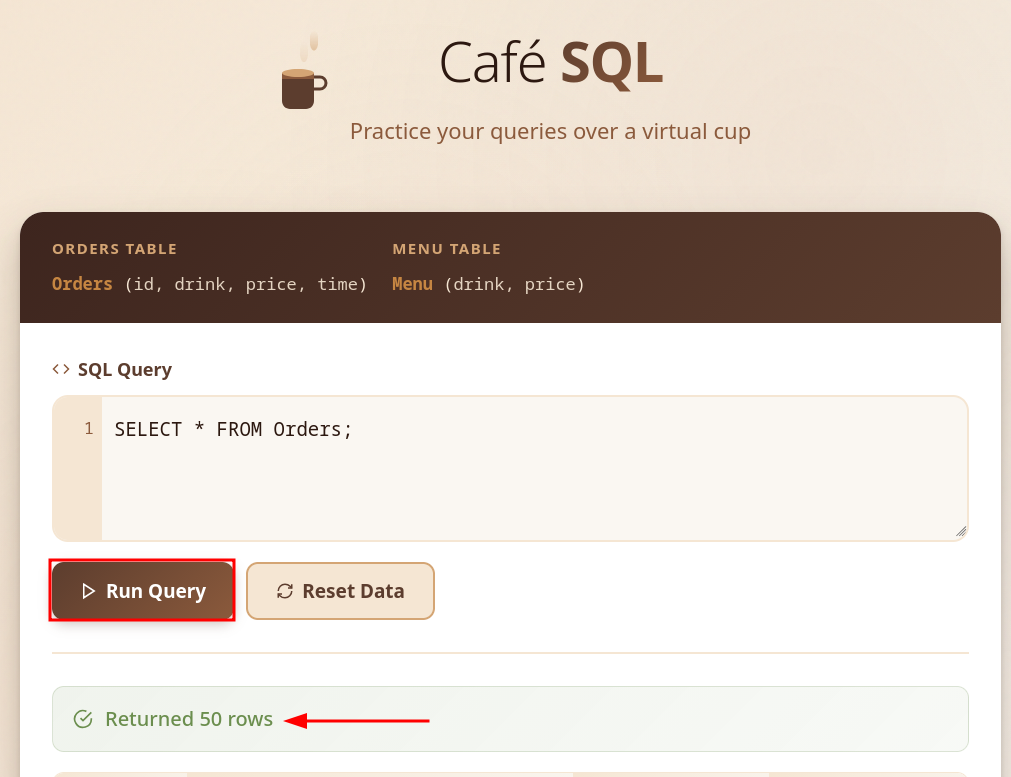
Executing a universal selection query to audit total database table row counts.
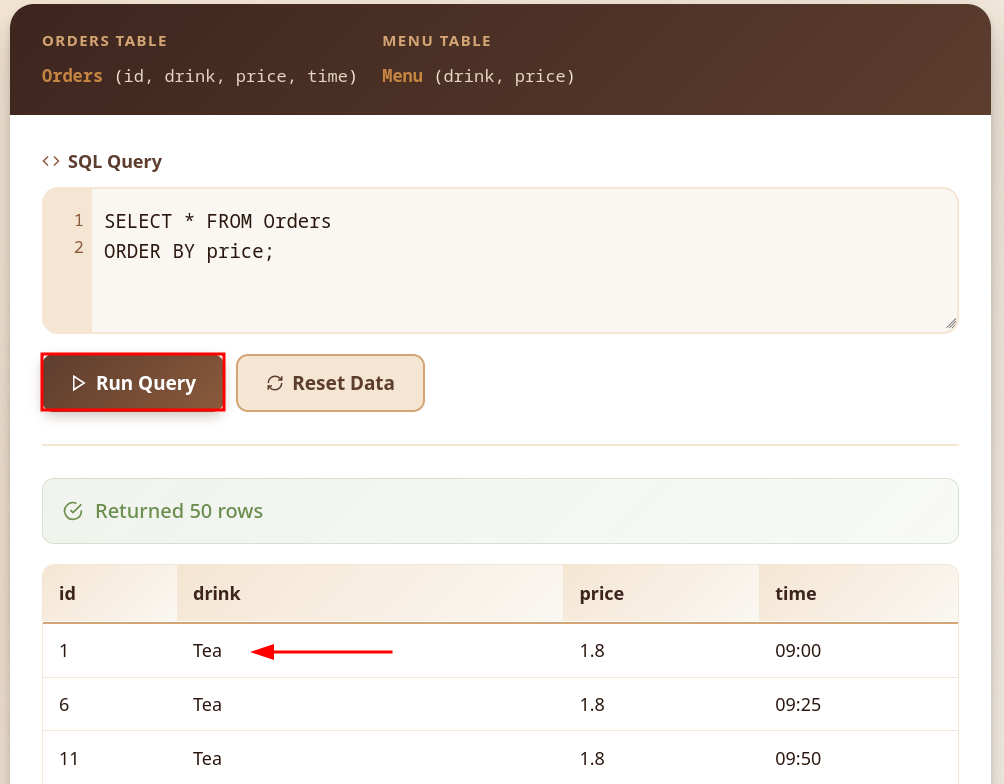
Utilizing sorting arrays to organize datasets sequentially by lowest price values.
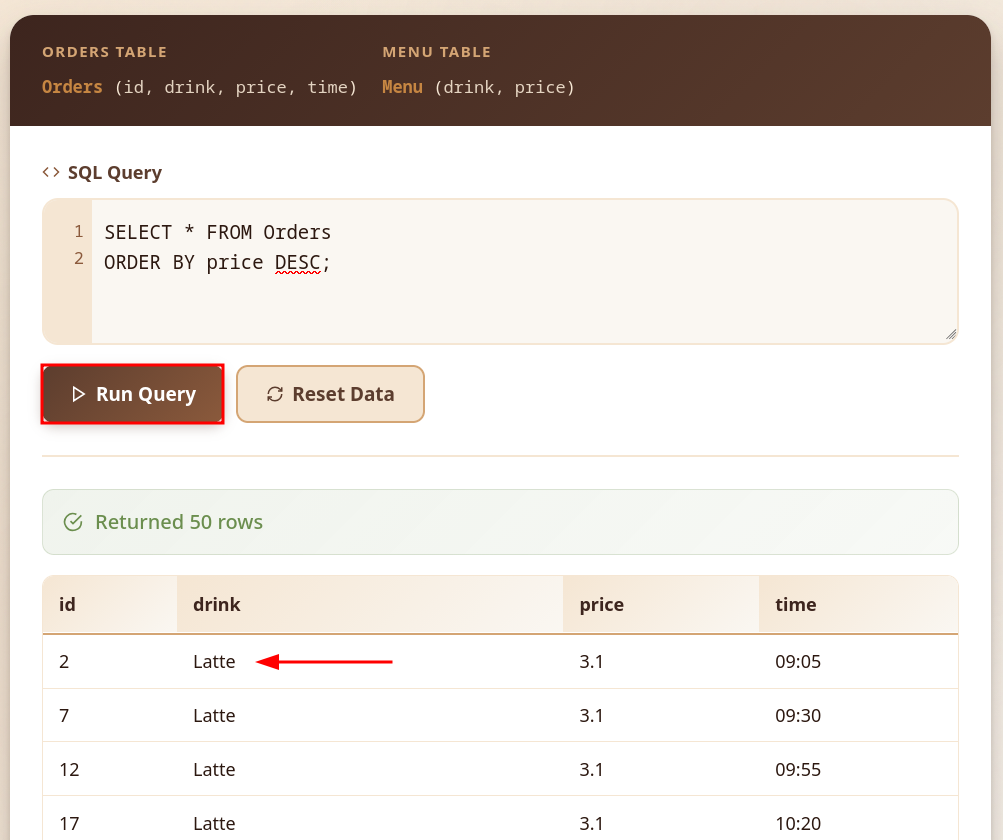
Applying descending modifiers to reverse database output orders from highest to lowest values.
Questions and Answers
When you showed all orders, how many rows were returned?
Answer:
50When you sorted orders by price from cheapest to most expensive, which drink appeared first?
Answer:
TeaWhen you sorted the menu by price from most expensive to cheapest, which drink appeared first?
Answer:
LatteSummary & Key Takeaways
Fantastic work! You have successfully mastered the primary core parameters governing structured data systems. By completing this module, you have unpacked the relationship between columns and records, executed explicit sorting queries, and safely isolated targeted data metrics.
Key lessons:
- SELECT: Declares what columns to render.
- FROM: Specifies where the target table resides.
- WHERE: Establishes row-filtering conditions.
- ORDER BY: Controls how final listings are sorted.

Database SQL Basics: Room Complete.
That is it for this module. Next up is The CIA Triad, the first room in the next module Attacks And Defenses, where we shift our focus entirely to defensive theory and operational risk assessment. Click the banner below to continue the journey!

The official room banner for The CIA Triad. Image Credit: TryHackMe.
메타데이터
- post_id
- 9dafdf7c5182
- slug
- database-sql-basics-querying-your-first-relational-dataset-9dafdf7c5182
- url
- https://medium.com/@jonathan.sanfer/database-sql-basics-querying-your-first-relational-dataset-9dafdf7c5182
- canonical_url
- https://medium.com/@jonathan.sanfer/database-sql-basics-querying-your-first-relational-dataset-9dafdf7c5182
- author_url
- https://medium.com/@jonathan.sanfer
- status
- ok
- fetched_at
- 2026-07-30 14:57:08





