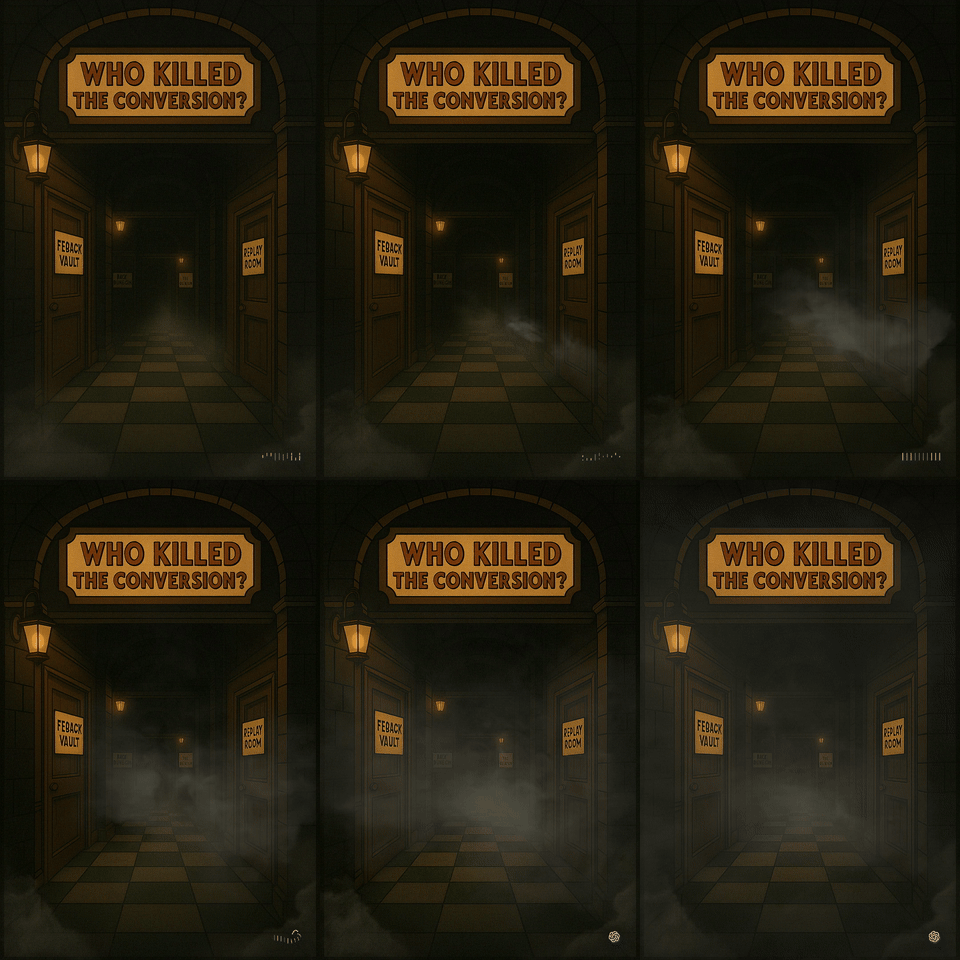
Who Killed the Conversion?
The bumpy, weird, and strangely fun process of turning UX data into a detective game (and getting away with calling it a team activity)
Who Killed the Conversion?
The bumpy, weird, and strangely fun process of turning UX data into a detective game (and getting away with calling it a team activity)
Working with data is one of my favorite parts of being a designer. I don’t love guessing. I love patterns, clues, contradictions — real signals from real users. So I often get asked to share how I use data in my work.
But let’s be honest:
Another Confluence page? Another deck? Another designer falling asleep mid-scroll?
I was also asked to come up with a design team extraversion activity. So I figured… what if I made a detective game that shows my process in a fun way, and then shared the messy, weird, creative journey behind it? That kind of counts as extraversion, right? Win-win.
That’s how Who Killed the Conversion? was born: a retro-style UX detective game where you solve a conversion crime using analytics, recordings, interviews, and your best designer instincts.
Here’s the full story of how it came together — from failed AI experiments to Figma wizardry — with some learnings, mishaps, and vintage flair along the way.
🎬 From raw signals to game logic
Once I’d decided to not make a deck, a doc, or anything that resembled homework, I started sorting through my usual data sources — the ones that actually help me make design decisions.
Not the neatly filtered feature requests, but the messier stuff:
- Raw user problems in Savio
- Full-screen session recordings (even the ones where users get lost in other parts of the product)
- Comparative analytics across flows and features
- Iterative usability testing, one thing at a time
That’s the kind of data I rely on — not to validate decisions, but to form them. So I knew that whatever I made had to capture that detective-like thinking.
I toyed with the idea of a comic (cute, but static). Thought about a video (snappy, but passive). But the more I thought about the process, the more it felt like… a game. Collecting stuff to build something bigger.
🤖 chatGPT: Co-writer, co-chaos agent
At first, I had a very different kind of game in mind. Think: Super Mario meets UX. You’d jump through a conversion funnel, dodge stakeholder opinions, collect insight coins, maybe squash a couple of misaligned KPIs along the way.
First chatGPT prompt output:
Create a side-scrolling 2D platformer game called **"Design Dash: The Data Quest"**, inspired by Super Mario.
🧑🎨 Player Character: **Alex**, a pixel-art UX designer (jumps, runs, collects gems)
👑 Sidekick: A cute **princess** (or optional **dinosaur**) who appears between levels to give advice and cheer you on
💎 Objective: Collect different **Data Gems** to solve product design problems.
🎮 Game Structure:
- Super Mario-style level progression
- Players collect 4 types of glowing **Data Gems**, each representing a form of product insight:
1. 🟦 Blue = **Raw Feedback**
2. 🟨 Yellow = **Session Recordings**
3. 🟥 Red = **Analytics**
4. 🟩 Green = **Usability Test Results**
- At the end of each level, Alex must **answer a design question** based on the gems collected. If correct, they unlock a design solution and advance.
🎯 Example Level Design:
- Level 1: **The Feature Fog Forest**
Enemies: "Feature Requests" that throw vague suggestions.
Tip: Collect Blue Gems (raw user feedback) to see the real problem.
- Level 2: **Session Swamp**
Platforms rewind and fast-forward like session recordings.
Tip: Find the full journey, not just the end-point.
- Level 3: **Chart Cliffs**
Climb platforms labeled with usage stats.
Tip: Compare data points before judging.
- Level 4: **Test Tower**
Each jump changes the UI layout - test multiple versions.
Tip: Don't rely on one test - repeat to improve!
🎨 Visual Style:
- Classic pixel-art platformer
- Colorful, lighthearted, retro video game vibe
- Collectible **glowing gems**, mushroom-style enemies with names like "AssumptionBot" or "Data Fog"
👑 Princess Sidekick:
- Gives fun design tips between levels
- Says things like:
- "Nice catch! That raw feedback gem revealed what users *really* meant!"
- "Try running one more test-iteration is magic!"
🧠 End Goal:
- Reach the final castle and build a "Data-Powered Product"
- Credits roll with tips: "Design with curiosity. Validate with data."
🔧 Tools & Stack:
- Use HTML5 Canvas + JavaScript or Phaser.js (or Unity if advanced)
- Pixel sprites for Alex, the princess/dino, enemies, and gems
- Simple game loop, collision detection, jump physics, score counterIt was fun in theory — but impossible in practice.
I tried using rosebud.ai to bring it to life, but it quickly spun out of control. The results were chaotic: levels that made no sense, characters with uncanny faces, and visuals that looked like they belonged to five different games.
That’s when I zoomed out. I know nothing about video games, how can I create one? If I wasn’t building a video game, what kind of game was I building?
It hit me: I wasn’t thinking like a gamer. I was thinking like a board gamer.
I didn’t care about fancy physics or avatars — I cared about setting the scene, letting people make choices, solving something together.
So I pivoted. Less arcade, more story. What if, instead of jumping over problems, you investigated them?
Clues = data Suspects = assumptions, design flaws, misleading analytics Detective = you
Suddenly, the “how we use data” story had stakes. It had tension, conflict, resolution. It had… vibes.
I prompted ChatGPT with rough ideas, like:
make it like a mystery game with questions and hints, like cluedo
We built characters. We mapped crime scenes. It also generated the draft flow that is close to the finished game:
[Start Screen]
    ↓
[Intro Briefing by Fog the Frog]
    ↓
[Choose Case] ───▶ [Case 1: Dead Button Society]
               │
               ├──▶ [Case 2: Form of Doom]
               │
               └──▶ [Case 3: The Click That Vanished]
    ↓
[Enter Mystery Mansion]
    ↓
[Visit Rooms in Any Order]
    ↓
[Collect Clues & Evidence]
    ↓
[Interrogate Witnesses with Sidekicks]
    ↓
[Make a Design Diagnosis]
    ↓
[Reveal UX Crime Scene Report]
    ↓
[Game End + Optional Replay]
🔪 v0: Who killed the UI?
Then came v0.dev, a tool I was more familiar with, as I have been using it to create prototypes for a while. I generated some functional UIs and playable flows. The plot was clicking. The atmosphere… not so much. I could create a playable mystery with branching decisions and narrative flow. Tried to make the UI closer to what I had in mind by building new prompts and providing example images, but it got worse. I even tried to start from scratch with clear prompting about the aesthetics, but had no luck.
It was like trying to tell a film noir story using Microsoft Access templates. Even after reaching version 20.

Trying to fix the UI in v0
🎨 Sora: Board game brain takes over
So I went full Cluedo mode:
- Retro UI
- Smoky mystery visuals
- Characters with suspicious hats
Sora (OpenAI’s video generation tool) helped me produce some great vintage visuals: old-school UI bits, foggy backgrounds, moody lighting. It gave me just enough raw material to start building the actual interface.


Some of the game assets generated by Sora
🛠️ Figma Make: The DIY game engine
Eventually, I realized:
You know what’s easier than trying to hack AI-generated UIs into an actual playable thing? Just designing the damn game myself in Figma.
I laid out a few high-fidelity screens with arrows and flows. Then I dropped them into Figma Make, using a basic prompt:
A mystery — cluedo like- game for UX.

One of the screens I designed to feed Figma make
It worked. Sort of. The first couple of screens looked promising, but I still had to go back and forth with the prompts, stitch the flow together, and sprinkle in just enough data lingo to make it educational without killing the fun. Figma make did really well in generating extra mystery cases, given a first example mystery and the titles of the new ones.
Fonts and colors got a final pass to hit the mid-century mystery vibe. (Hot tip: AI-generated beige is not always aesthetic.) I tweaked some copy to land the jokes better. And then, it was ready.
Playable. Shareable. And somehow… educational?
🔍 What I learned in the mystery mansion
Some real takeaways from this experiment:
- Constraints make better stories Turning “data in design” into a murder mystery forced me to simplify and dramatize the process — which actually made it easier to communicate.
- AI can be an idea partner, not a finisher ChatGPT helped me explore narratives fast. Sora gave me images I’d never make on my own. But they couldn’t own the craft. I still had to set the tone, stitch the UI, and balance the narrative. The edit was where the story came alive.
- Humor is a design tool A joke lands faster than a data chart. And people remember stories with surprise, not statistics.
- Don’t wait for permission to make something cool No one asked for this game. But everyone enjoyed it.
🧩 How to use this as a team activity (without awkward icebreakers)
Want to turn Who Killed the Conversion? into a team activity? Here’s how to do it without anyone being forced to say their favorite vegetable:
Play solo or in pairs
Share the Figma Make game with the team and let people play at their own pace — or in small breakout groups if you’re feeling brave.
Reflect as detectives
Ask everyone to write down one thing they do (or could do) in their workflow that mirrors the detective steps:
- Looking beyond feature requests
- Watching full user journeys
- Comparing analytics across products
- Iterating usability tests
Optional: Debrief without pressure
Host a short async thread or Slack huddle to share takeaways. Prompt:
“What’s one ‘conversion killer’ you’ve uncovered in your own work?”
Bonus: Make your own mystery
If the team’s into it, challenge them to come up with a new “case” based on a real UX problem. (Or just let me know — I might make a sequel.)
Designed for introverts. Endorsed by overthinkers.
Got questions? Want to collaborate on a sequel? Let’s chat. The Conversion Killer might strike again. 🕵️♂️💥
메타데이터
- post_id
- 9e433d6d330e
- slug
- who-killed-the-conversion-9e433d6d330e
- url
- https://medium.com/workable-design/who-killed-the-conversion-9e433d6d330e
- canonical_url
- https://medium.com/workable-design/who-killed-the-conversion-9e433d6d330e
- author_url
- https://medium.com/@marskiada
- status
- ok
- fetched_at
- 2026-06-13 07:35:29