Apify + Zapier in Hiring: Lead Generation flow
Some time ago, I was in a hiring meeting with our Chief Data Officer. At some point, the discussion moved away from open roles and into…
Apify + Zapier in Hiring: Lead Generation flow
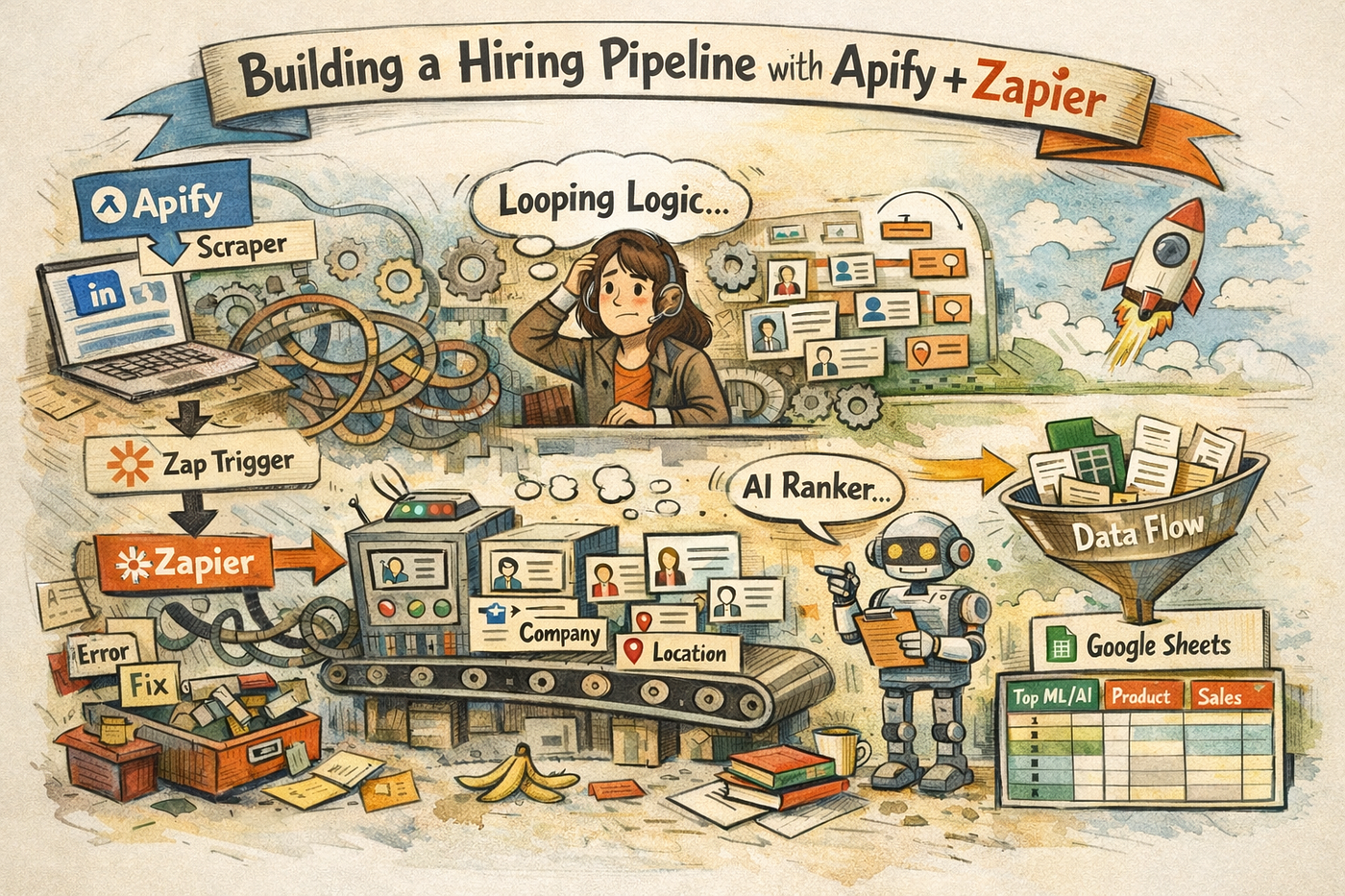
Some time ago, I was in a hiring meeting with our Chief Data Officer. At some point, the discussion moved away from open roles and into automation. He asked a simple question:
“Why aren’t you using tools like Apify in the hiring team?”
I knew those tools existed, but I assumed they were built for big companies doing massive scraping operations. Expensive. Technical. Not something a hiring team would realistically touch.
My only earlier attempt had been trying to scrape signals from X posts around 2025 to detect potential hires. I was convinced that was the place to find marketing and tech talent. Then I discovered the API had been paid for years already. I was late… very late.
I started experimenting again around December. Not with a clear system in mind. Just curiosity:
Could we detect potential hires from what they publish, not just their job titles?
That’s how this workflow started. Not as a system. As a failed scraping attempt.
The first attempt: Apify alone
Most Apify online content is growth hacking, scraping, or marketing ops. Positioning this for hiring/sourcing challenging, because no docs exists.
Apify has a marketplace called the Apify Store. Hundreds of ready-to-run scrapers (“actors”) for different platforms.

Apify LinkedIn marketplace
I picked a LinkedIn post scraper and started with keywords around Search relevance & Information retrieval.
The logic was simple, if people talk publicly about these subjects, they are probably practitioners.
The actor ran. I got data back. And… the result was unusable.
What I had:
- Author names
- Fragments of posts
It was basically manual sourcing disguised as automation. I still had to go profile by profile, exactly like LinkedIn search.
That’s where the idea of enrichment appeared.
The shift: scraping → pipeline thinking
Before answering this, the real question should be “why even think about combining Apify with Zapier in the first place?”
If you look at recruiting workflows, very few HR or talent teams were using tools like these before the recent wave of automation. And even with Zapier, most flows historically sat closer to operations or marketing, often involving technical setups or code-based logic. It wasn’t an obvious environment for hiring.
The idea came because Apify Store has many options. One of those product is called “Linkedin Profile Details Scraper”, and the definition of this product is “Extract detailed LinkedIn profile information including work experience, education history, and certifications using profile username.” which means that, if I want my first output to generate a second search, I need a tool in between to link them both. Zapier.
In hindsight, it would have saved me time if I had started with that architecture from the beginning. But at the time, I didn’t have a clear destination. And, as the cat said, direction depends on the destination.

Direction depends on the destination
I started building my first Zap with Apify as the trigger. In theory, if budget wasn’t a concern and you needed continuous extraction, the workflow could run on a schedule, for example every Friday, automatically launching an Apify run.
But I wanted control over both cost and timing. So I structured it differently: I manually triggered Apify first, and only once the run was completed would the Zap start. That way, automation followed my decision, not the other way around.
The next objective was to connect two actors. The first one collected raw LinkedIn signals, and the second one enriched them , adding location, title, headline, and any context that would help me decide whether a profile was worth reaching out to.
That’s when I hit my first real architectural concept: Looping by Zapier.

Current zap flow
The “nested loop” drama
And trust me, I couldn´t choose a better title for this.
I first felt like the monkey inside the Mercury mission to space, pressing buttons with no real idea of what was happening, trapped into a process without understanding the machinery behind the steps… Somehow, I got convinced by “who-knows” that the problem needed a nested loop because, in my head, I was working with two different datasets.
First, I had a list of LinkedIn profiles from the first Apify actor. Then, once I enriched those profiles with emails, locations, and company data, it felt like I had created a second dataset. Naturally, I assumed I now needed to loop over that enriched dataset again to process it.
So my mental model was: collect profiles → enrich them → loop again over the enriched version.
But Zapier doesn’t work like that. The Zapier language was more like: for each item, do several sequences. I just needed one loop where, for each profile: I fetch it → enrich it → wait → process it → save it.
A memo for myself, something I should do more. I though I understood what was a Loop until I got stuck for days, and ended up asking for help in Zapier’s support chat. Credit to Anshuman P. from Zapier for helping me untangle it.
The “Why this *** is still not working” question
Thanks to Anshuman´s support, the enrichment step worked perfectly when I tested it with a single LinkedIn URL. It pulled location, company, sometimes email. It felt simple and promising. So I moved to the real use case: running it on all the URLs from the first actor around two hundred profiles.
That’s when it broke… again!
The second actor suddenly stopped returning anything. No email, no location. It looked like it wasn’t running at all, but there was no clear error. Just empty outputs. That’s what made it so confusing. And I was back in that monkey moment.
What I hadn’t realized was that I had changed the input logic. Instead of sending one URL at a time through the loop, I tried a Google Spreadsheet step in between, to send the entire list of URLs at once. In my mind, that made sense, I had a dataset, so I gave it the dataset. But, once again, Zapier doesn’t work like that. Each loop iteration only processes one item. The actor expected a single URL, not a block of hundreds.
On top of that, I had mapped the URL from the original step instead of from the loop. It looked almost identical in the interface, so I thought it didn’t matter. But in Zapier it matters completely. Once you’re inside a loop, every field has to come from the loop itself.
So the actor wasn’t receiving one clean URL per iteration. It was getting the wrong structure. That’s why it worked for one profile and then for none.
In the end, nothing was actually broken. I was just thinking in batches, while Zapier was thinking one item at a time. Once I understood that, after long paintful conversations with the Customer support, everything became clear.
Recap of those 2 issues
Long story short, I had 2 main issues.
First problem:
Type: structural / architecture problem
- two loops (nested)
- async actor not waiting for output
That created:
- execution conflicts
- enrichment data not available in time
- Zap unable to run properly
This was a workflow design problem.
Second problem:
Type: data mapping problem
- loop structure was now correct
- sync setting was correct
- but the enrichment actor input was wrong
I mapped: URL from original step instead of: URL from loop step
So the loop existed, but step 3 wasn’t actually using the loop item correctly.
Result:
- actor received wrong input
- or bulk input
- or empty usable input
- returned nothing
This was a field mapping problem, not a structural one.
How I cleaned the input with an automatic AI prompt
By step 4 of the Zap workflow, I finally had a clear picture of what I wanted to achieve. This is where I added a step I called “Profile Ranker.” Using AI by Zapier (GPT), I automatically classified and ranked LinkedIn authors as the Zap looped through the scraped posts.
For each looped item, I fed the model three inputs:
- author_name
- author_headline
- author_title
Then I defined a clear set of rules directly in the prompt.
I used a ranking ladder from 1 to 9, essentially telling the model: “Look at the author’s title and headline, and assign them to the most relevant bucket.”
The highest ranks were reserved for ML/AI technical roles, followed by general software engineers, then product, sales, data/DevOps, design, and finally leadership, company accounts, or unclear profiles.
I also specified the expected output: a rank and a short justification explaining why the profile was relevant. This was my way of turning messy LinkedIn text into a clean, sortable signal.
Lead flow generation

This is also why, in part, “The Complete Google Sheets Course: Beginner to Advanced!” Udemy course turned out to be useful. Don’t be fooled by the “8 hours” label and think it’s a quick weekend sprint. Once you include the exercises, it can easily stretch into a full week or 2. Still worth it.
The Apify LinkedIn extractor sheet is the foundation of the pipeline. This is where the Zapier output lands. For every new run, we get an “Append”, which means that you won t need to create a new spreadsheet every time Apify runs. Each execution simply adds new rows at the bottom and enriches the existing dataset.
All the other sheets are built using QUERY formulas. Depending on how you define your ranks, sheet names, and column structure, a typical formula looks like this:
*=QUERY(‘Apify LinkedIn extractor ‘!A:N, “SELECT WHERE G=1”, 1)**
Each sheet represents a filtered pipeline. If tomorrow I want a product profile working on information retrieval topics, I go to the Product sheet. Same logic for Software, Design, and others.
If the output doesn’t look right, the issue usually isn’t the query. It comes from step 4 of the Zap , the AI ranking logic. That’s where the classification happens, so the prompt needs to be designed carefully.
Limitations
What would have been truly useful is extending this loop to enrichment layers for Twitter/X or Reddit. That would be massive for engineering sourcing, especially for identifying people actively contributing to technical discussions outside LinkedIn.
For now, I’ve paused the workflow there. Consider it a bottle thrown into the sea, maybe someone in the community will pick it up and push it further.
Last word
That’s the beauty of building systems like this: you don’t really understand the problem until you spend time failing and trying again.
If I had seen the finished workflow from the start, I wouldn’t have understood what was happening underneath. The learning came from things breaking, from wrong assumptions, from spending hours fixing details that looked minor but weren’t.
My Python teacher, Arun, repeats sometimes: “Don’t use ChatGPT to solve simple exercices of list or dictionary dataset. Go back to the previous exercises, and try again.”
What he really means is: get lost in the problem and keep trying until it clicks. Stop Netflix after work and put your social life on hold to do some coding if you want to reach that level one day.
That’s how the level changes.

# ADD new data in list — append
source: Apify Documentation (Zapier integration)
메타데이터
- post_id
- 9ec0dd716ae5
- slug
- apify-zapier-in-hiring-lead-generation-flow-9ec0dd716ae5
- url
- https://medium.com/@drocher/apify-zapier-in-hiring-lead-generation-flow-9ec0dd716ae5
- canonical_url
- https://medium.com/@drocher/apify-zapier-in-hiring-lead-generation-flow-9ec0dd716ae5
- author_url
- https://medium.com/@drocher
- status
- ok
- fetched_at
- 2026-07-13 06:23:13