Amazon CodeWhisperer: Generate Lambda function, CloudFormation and IAM policy
We are living in the era of 4th industrial revolution or 4IR and we are familiar with many buzzwords. One concept that is rapidly growing…
Amazon Q developer (CodeWhisperer): Generate Lambda function, CloudFormation and IAM policy
Please note: All of the features of CodeWhisperer are moving to Amazon Q Developer. Amazon Q Developer is a generative artificial intelligence (AI) powered conversational assistant that can help you understand, build, extend, and operate AWS applications. You can avail all the CodeWhisperer features mentioned below in Amazon Q Developer.
We are living in the era of 4th industrial revolution or 4IR and we are familiar with many buzzwords. One concept that is rapidly growing these days is ‘Artificial intelligence’. We will try to explore an AI tool from AWS — CodeWhisperer.
As per AWS, the CodeWhisperer is AI Coding Companion on AWS. CodeWhisperer uses different AI Models for the code generation. These AI models are trained with billions of code and is known as Large language models (LLM). Amazon CodeWhisperer generates code suggestions ranging from simple snippets to full functions in real time.
CodeWhisperer supports code generation for multiple programming languages like Java, Python, JavaScript, TypeScript, Go etc. It also supports IaC — infrastructure as Code. CodeWhisperer generates code suggestions for AWS CloudFormation with JSON, YAML and terraform with HCL (HashiCorp Configuration Language). CodeWhisperer support CDK applications with TypeScript and Python. As it is based on AI models, the accuracy and quality of the code generation for a programming language depends on the size and quality of the training data. CodeWhisperer also supports Ruby, C++, Shell, Scala etc, but the quality or accuracy may not be that great at this point of time.
Codewhisperer supports different IDEs like Visual Studio Code and JetBrains IDEs like IntelliJ. CodeWhisperer is also available for AWS Cloud9, the Lambda console, JupyterLab, and SageMaker Studio and various terminals.
In addition to the code generation, CodeWhisperer security scan is a tool that helps identify security vulnerabilities in your developers’ code.
Let us check how to create a simple application with the code companion tool CodeWhisperer. We will use CodeWhisperer for the application and Infrastructure provisioning. We will first create a lambda function and see if CodeWhisperer can generate or suggest the code for our use case. I will create a lambda function with default settings for this use case. I selected the Python runtime.
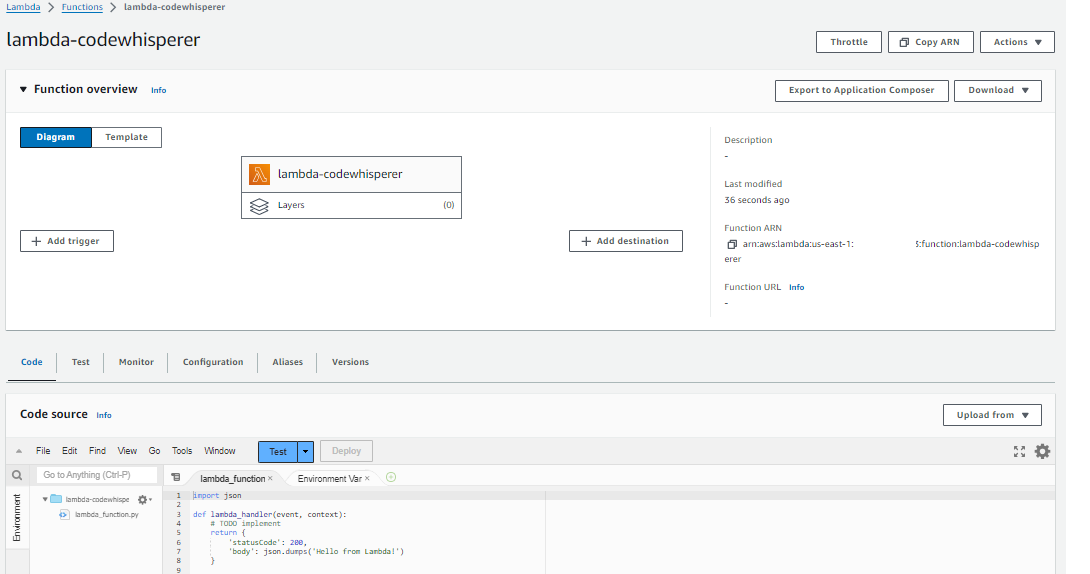
For the CodeWhisperer to work with lambda function, we need to activate the suggestions first. Go to the ‘Code’ tab in the lambda function page, select the ‘Amazon CodeWhisperer Code Suggestions’ option from the ‘Tools’ menu.
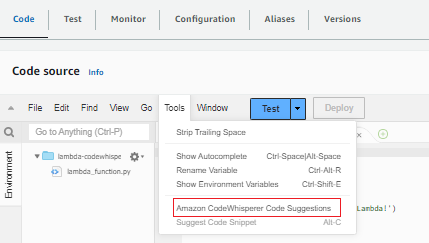
For code suggestions with CodeWhisperer, you may use the ‘Suggest Code Snippets’ option or the shortcut key ‘Alt+C’ in Windows or ‘Option+C’ in macOS.

I am planning to write a function which read a file from S3 bucket and write to a DynamoDB table.
In the code console, I entered a comment as below and pressed ‘Atl+C’ for the suggestion from CodeWhisperer. It suggested a function with a lambda handler declaration. The function declaration looks fine for me and I accepted the suggestion by pressing ‘tab’ key. You may get the same or different suggestion and if you need a different suggestion, ignore the first suggestion by ‘Esc’ or ‘backspace’ and try another one with ‘Atl+C’ or ‘Option+C’. If your input is too generic, you may need to try multiple suggestions to get the optimum one.

I still need the logic to complete my requirement. I tried further suggestion and the code snippet suggested by CodeWhisperer looks to be good for my use case.
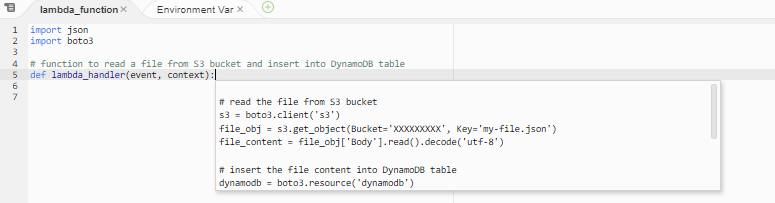
I accepted the suggestion and the logic is added to the function.

The lambda function suggested by CodeWhisperer is suitable for my requirement but I need to make some minor modifications like adding variables as below. Please note that the S3 bucket name should be globally unique.

With this, my function code ready to be tested. But I do not have the S3 bucket and DynamoDB table. I will use CodeWhisperer to create them with CloudFormation template. I am using Visual studio Code and I need to enable CodeWhisperer with it. The first step is to add the AWS Toolkit extension.
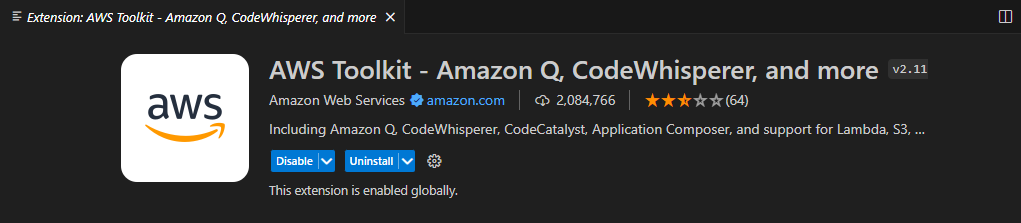
Once you have the extension installed, you would see the CodeWhisperer button at the footer. Click on it to connect to CodeWhisperer via AWS builder ID.
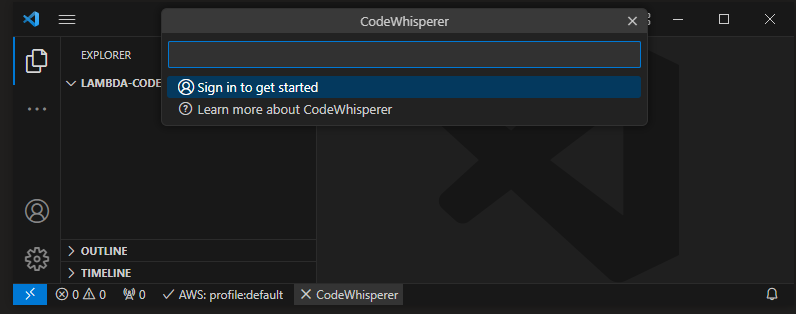
I selected the Amazon Q + CodeWhisperer option and proceeded with connecting to it.

A browser tab will open and you can use your existing builder id to sign in. If you don’t have an ID, create a new one by following the instructions shown in the page.

Once you set up your ID and logged in with builder ID, you need to grant permission for AWS Toolkit in Visual studio code.
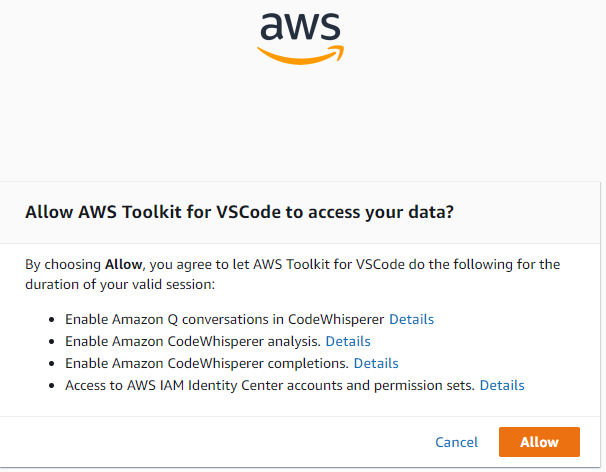
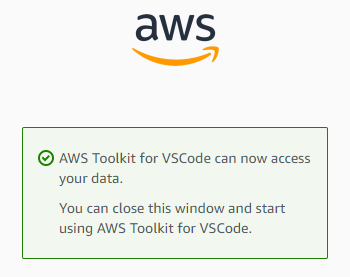
I created and empty YAML file and added a comment as below and tried a suggestion from CodeWhisperer. You can use ‘Atl+C’ or ‘Option+C’. I was not getting any suggestion and I added ‘Resources:’ to notify CodeWhisperer that I am looking for AWS resources in my template.
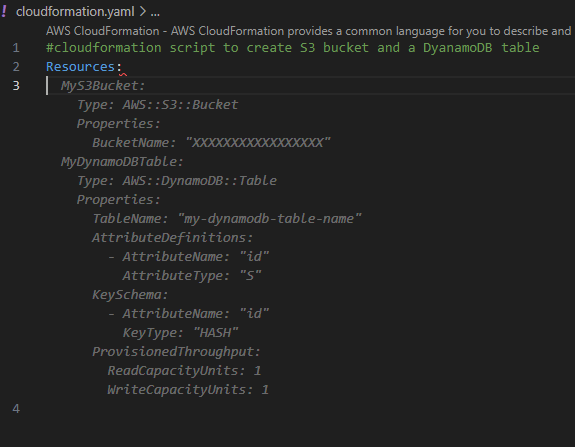
The first suggestion looks good for me and I accepted it with tab key. You may navigate through suggestions with left or right navigation keys.
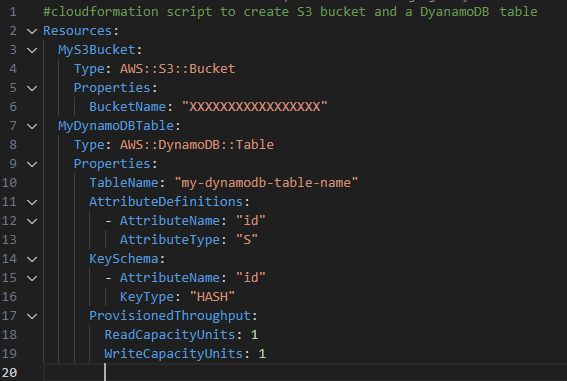
I filled the variable names and my CloudFormation template is ready.

I have my AWS profile configured in the terminal and I use the AWS CLI command to deploy the stack.
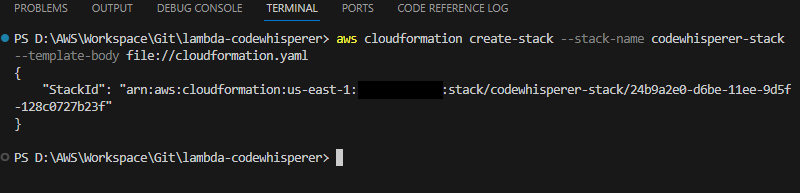
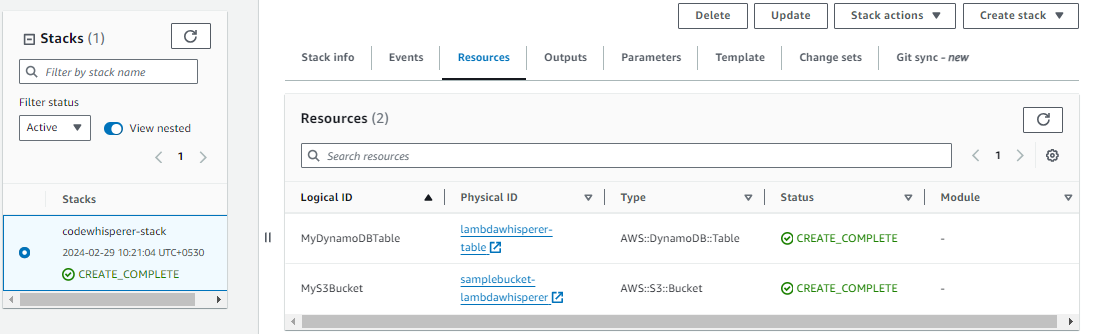
My stack is deployed and the resources are created.
Next, I need to add an IAM policy to my lambda function role. Otherwise lambda function will fail to connect to S3 and DynamoDB. I will use CodeWhisperer for creating my IAM policy. I created an empty JSON file and added below comment. CodeWhisperer suggested me a policy, but the policy is granting more permissions than needed so I did not accept it.
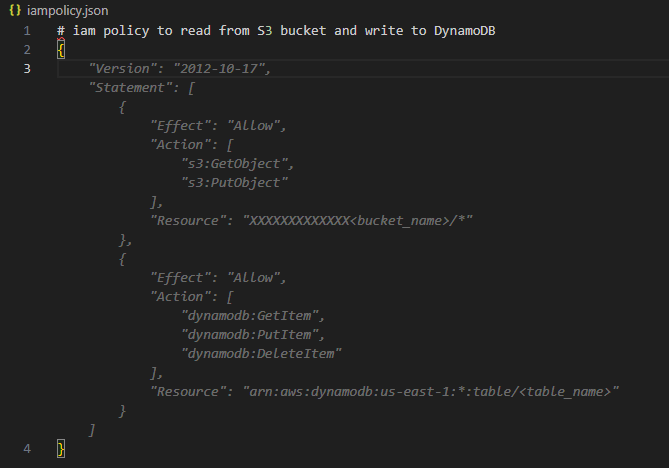
I gave more specific comment and the suggestion looks to be good this time.

I accepted it and filled the resource ARNs in the IAM policy statements. I added this policy to lambda function role in the AWS console.
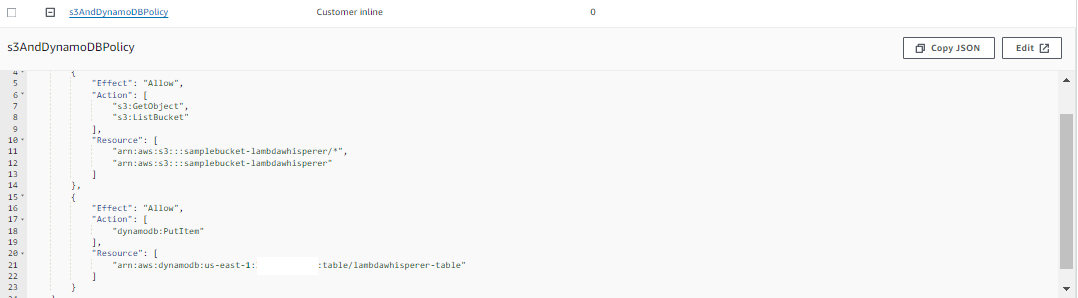
Next step is to create a sample input file and to upload to S3 bucket. This is the input file for the lambda function.
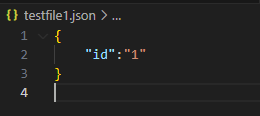
Once the file is uploaded, I tested my lambda function.

The function ran successfully and created an item in the DynamoDB table.
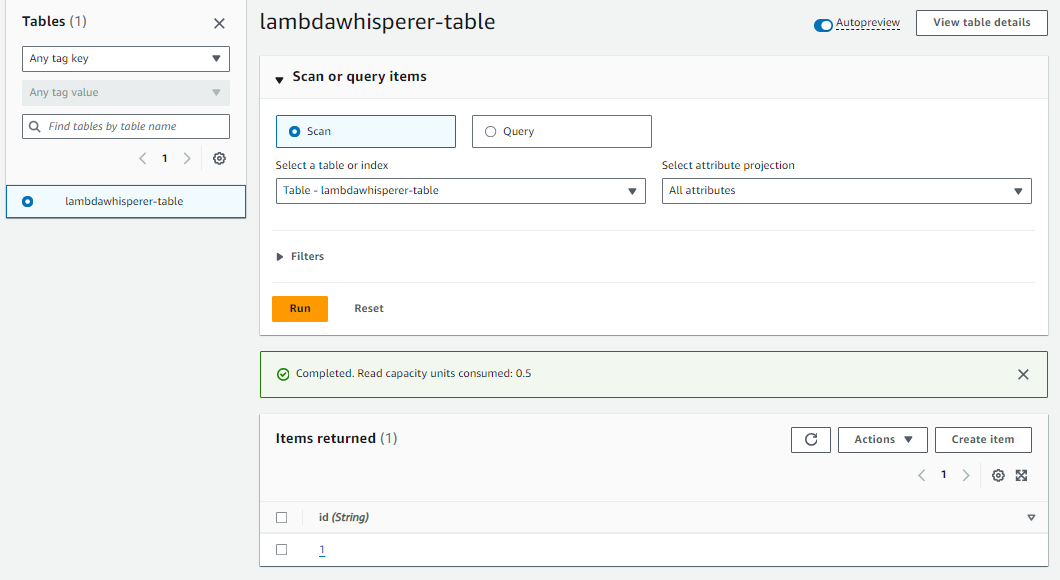
The above example shows the power of the code Companion tool CodeWhisperer. I wrote lambda function code, CloudFormation template and IAM policy with CodeWhisperer. I had to make minor changes but almost all the code was suggested by CodeWhisperer.
CodeWhisperer accelerates completion of coding tasks by reducing context-switches between the IDE and documentation or developer forums. Many developers and companies are using the CodeWhisperer for faster and efficient code generation. You may also try CodeWhisperer as the tool and builder ID is free for individual tier use, but you will be charged for the resources you provision in AWS.
In Plain English 🚀
Thank you for being a part of the **In Plain English** community! Before you go:
- Be sure to clap and follow the writer ️👏️️
- Follow us: **X | LinkedIn | YouTube | Discord | Newsletter**
- Visit our other platforms: **Stackademic | CoFeed | Venture | Cubed**
- More content at **PlainEnglish.io**
메타데이터
- post_id
- 9f0897ae3197
- slug
- amazon-codewhisperer-generate-lambda-function-cloudformation-and-iam-policy-9f0897ae3197
- url
- https://aws.plainenglish.io/amazon-codewhisperer-generate-lambda-function-cloudformation-and-iam-policy-9f0897ae3197
- canonical_url
- https://aws.plainenglish.io/amazon-codewhisperer-generate-lambda-function-cloudformation-and-iam-policy-9f0897ae3197
- author_url
- https://medium.com/@leocherian
- status
- ok
- fetched_at
- 2026-06-28 10:39:35