What Is a No-Code Website Builder? Benefits, Features, and How It Works
What Is a No-Code Website Builder?
What Is a No-Code Website Builder? Benefits, Features, and How It Works
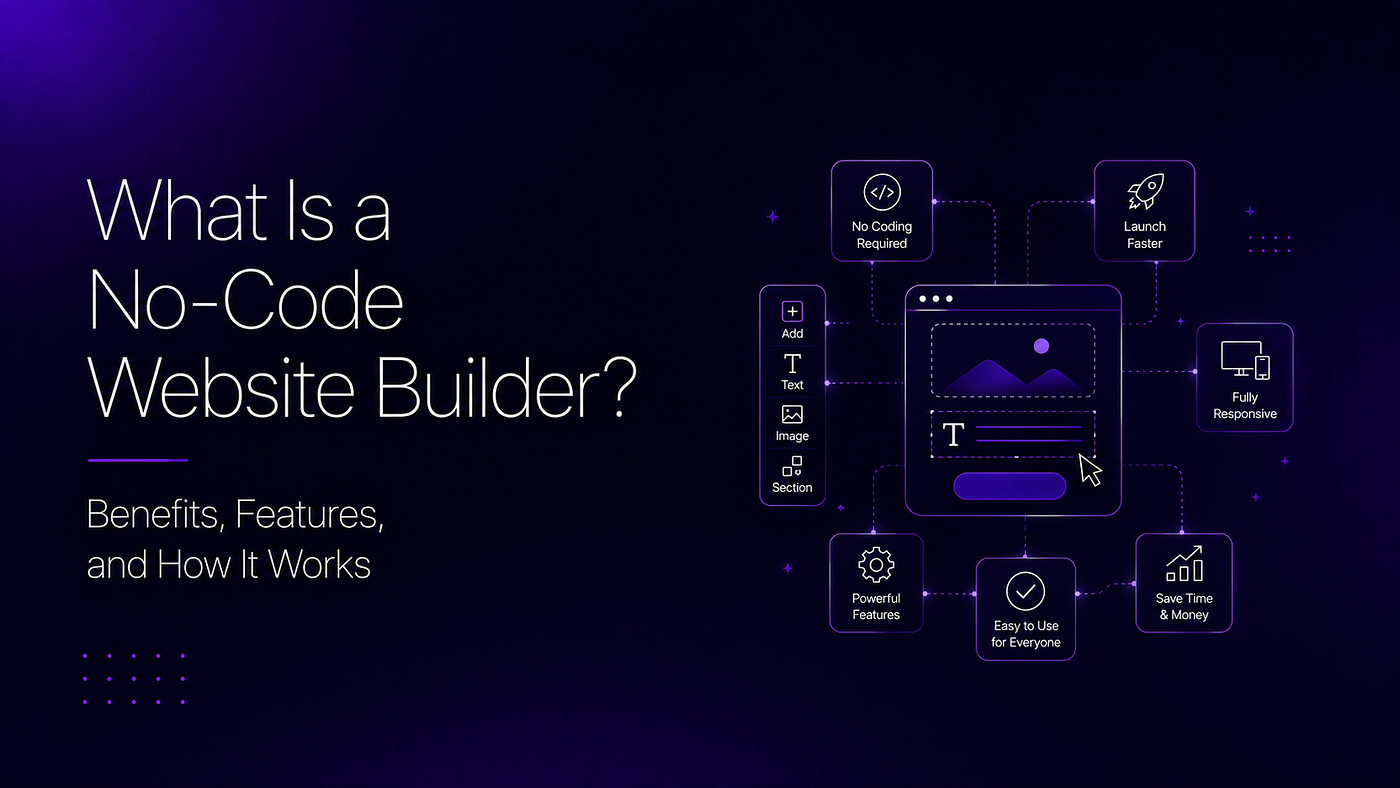
What Is a No-Code Website Builder?
A Beginner’s Guide to Building Websites Without Coding
Not long ago, creating a website usually meant learning programming languages or hiring someone who already knew them. For many entrepreneurs, freelancers, and small businesses, this made launching a website expensive and time-consuming.
Today, that’s no longer the case.
A **No Code Website Builder** allows anyone to create and manage a professional website without writing HTML, CSS, JavaScript, or any other programming language. Instead of working with code, you build your website using visual tools that make the process much easier.
Whether you’re opening a local business, launching an online store, creating a portfolio, or starting a personal brand, no-code platforms have made website creation accessible to everyone.
Even better, many modern platforms combine no-code editing with artificial intelligence. An AI Website Builder can generate your website automatically, while the no-code editor lets you customize every detail afterward.
In this guide, you’ll learn what a no-code website builder is, how it works, its biggest benefits, and the features you should look for before choosing one.
What Is a No-Code Website Builder?
A No Code Website Builder is software that lets you create websites through a visual interface instead of programming.
Every page is built by adding and arranging website elements such as:
- Headings
- Images
- Buttons
- Contact forms
- Videos
- Product listings
- Maps
- Galleries
Instead of writing code to position these elements, you simply place them where you want them to appear.
The platform handles the technical work behind the scenes.
This approach allows people with little or no technical experience to create websites that look professional and function correctly across different devices.
The goal isn’t to replace developers. It’s to make website creation faster and more accessible for people who don’t need custom-built software.
How Does a No-Code Website Builder Work?
Although every platform has its own interface, the overall process is remarkably straightforward.
Step 1: Start with a Blank Canvas or AI
Most platforms let you begin in one of two ways.
You can either:
- Start with a ready-made layout.
- Use an AI Website Generator to create an initial version of your website.
If you choose AI, the platform asks for information about your business before generating pages, content suggestions, and navigation.
If you prefer more control, you can build everything manually using the visual editor.
Step 2: Customize Your Website
After the initial setup, you can personalize your website to match your brand.
Typical edits include:
- Updating text
- Uploading your logo
- Changing colors
- Selecting fonts
- Adding images
- Creating new pages
- Editing menus
Every change is visible immediately, so you don’t need to preview code or compile files before seeing the results.
Step 3: Add Business Features
A website isn’t just about appearance.
Most no-code platforms include features that help businesses operate online.
Depending on your needs, you can add:
- Contact forms
- Appointment booking
- Online payments
- Product catalogs
- Customer testimonials
- Blog pages
- FAQ sections
- Newsletter signup forms
As your business grows, you can continue adding new functionality without rebuilding your website.
Step 4: Publish Your Website
Once everything looks the way you want, you can connect your domain and publish your website.
After launch, updates remain just as simple.
Whether you’re changing prices, publishing a new blog, or announcing a special offer, you can usually make changes yourself in just a few minutes.
Benefits of Using a No-Code Website Builder
The popularity of no-code platforms continues to grow because they solve practical problems for business owners.
Here are some of the biggest advantages.
Build Faster
Creating a website manually often involves multiple stages, from planning and design to development and testing.
A no-code platform removes much of this complexity, allowing you to focus on your content instead of technical tasks.
This means you can launch your website much sooner.
Lower Learning Curve
Programming requires time and practice.
A No Code Website Builder removes that barrier by providing visual controls that most beginners can understand quickly.
Instead of memorizing code, you simply edit your website directly.
Easier Updates
Businesses change constantly.
You may need to:
- Add a new service.
- Update prices.
- Publish an announcement.
- Replace images.
- Edit contact information.
With traditional development, these updates often require technical support.
With a no-code platform, you remain in control of your own website.
Greater Independence
Many business owners dislike waiting for developers to make small edits.
A no-code website builder gives you the freedom to make changes whenever your business needs them.
This flexibility can save both time and money over the long term.
Suitable for Different Industries
One of the biggest strengths of no-code platforms is their versatility.
They can be used to create:
- Business websites
- Online stores
- Restaurant websites
- Law firm websites
- Medical practice websites
- Real estate websites
- Personal portfolios
- Educational websites
- Event websites
- Landing pages
The same platform can support many different business models.
Essential Features to Look For
Not every no-code website builder offers the same capabilities.
Before choosing a platform, make sure it includes features that will support your business as it grows.
Responsive Design
Your website should automatically adjust to desktops, tablets, and smartphones.
A responsive website creates a better experience for visitors and supports better search visibility.
SEO Tools
A professional website should help customers find your business online.
Look for features such as:
- Custom page titles
- Meta descriptions
- SEO-friendly URLs
- Image alt text
- XML sitemaps
These tools make it easier to optimize your website for search engines.
Content Management
As your website grows, you’ll need an efficient way to manage pages and publish new content.
A good content management system keeps everything organized and easy to update.
Third-Party Integrations
Most businesses rely on additional software.
Choose a platform that can connect with tools such as:
- Payment gateways
- Email marketing platforms
- Analytics tools
- CRM systems
- Booking software
These integrations help your website become part of your overall business workflow.
Security and Reliability
A website should protect both your business and your visitors.
Look for features such as secure hosting, SSL certificates, automatic backups, and regular platform updates.
These elements help keep your website secure while reducing maintenance concerns.
Who Should Use a No-Code Website Builder?
A No Code Website Builder is designed for anyone who wants a professional website without dealing with technical complexity. It’s particularly valuable for people who want to spend more time growing their business than learning web development.
Here are some of the people who benefit the most.
Small Business Owners
Whether you run a café, salon, law firm, fitness center, or repair service, a website helps customers discover your business and contact you more easily.
A no-code platform allows you to update your services, business hours, and promotions whenever needed without depending on a developer.
Entrepreneurs Launching a New Business
When you’re starting a business, every decision affects your budget.
Instead of investing heavily in website development, entrepreneurs can launch a professional website quickly and focus their remaining resources on marketing, customer acquisition, and product development.
Freelancers and Consultants
Freelancers need a website that clearly communicates what they do and why clients should choose them.
A no-code platform makes it easy to create pages for services, testimonials, case studies, pricing, and contact information while allowing updates as your portfolio grows.
Online Sellers
Selling online requires more than listing products.
Customers also want to learn about your brand, understand your policies, and contact you if they have questions.
A no-code website builder makes it easier to manage product pages, publish announcements, and expand your online presence as your business grows.
No-Code Website Builder vs AI Website Builder
People often use these terms interchangeably, but they aren’t exactly the same.
A No Code Website Builder focuses on how you build a website.
It provides visual editing tools that allow you to create and modify pages without writing code.
An **AI Website Builder* focuses on how quickly* the website is created.
Instead of asking you to build each page yourself, AI generates the initial website using information about your business.
In many modern platforms, these technologies work together.
The AI Website Generator creates the first draft of your website, while the no-code editor allows you to personalize every section afterward.
This combination offers both speed and flexibility.
Common Myths About No-Code Website Builders
As no-code platforms have become more popular, several misconceptions have followed.
Let’s look at some of the most common ones.
Myth 1: No-Code Websites Look Unprofessional
The quality of a website depends far more on its content, branding, and user experience than on how it was built.
Many modern websites built with no-code platforms have clean layouts, responsive designs, and professional branding that visitors cannot distinguish from custom-developed websites.
Myth 2: No-Code Platforms Are Only for Beginners
While they’re easy enough for beginners, many experienced entrepreneurs, agencies, and marketing teams also use no-code tools.
The ability to launch pages quickly and make updates independently is valuable regardless of technical experience.
Myth 3: You Can’t Scale a No-Code Website
A website should evolve alongside your business.
Many no-code platforms support blogs, online stores, appointment scheduling, customer portals, and additional pages, allowing businesses to expand without rebuilding their website from scratch.
Choosing a platform that supports future growth is more important than assuming all no-code tools have the same limitations.
Myth 4: No-Code Means Less Secure
Website security depends on how the platform is managed.
Reputable no-code platforms regularly update their infrastructure, provide SSL certificates, and maintain secure hosting environments.
Keeping your website updated and following good security practices remains important regardless of how the website was created.
Mistakes to Avoid When Using a No-Code Website Builder
Even the best platform can’t compensate for poor planning.
Avoid these common mistakes when creating your website.
Focusing Only on Design
A visually appealing website is important, but visitors also need useful information.
Make sure every page clearly explains:
- What you offer
- Who it’s for
- Why customers should choose you
- How they can contact you
Good design supports good communication rather than replacing it.
Publishing Without Testing
Before launching your website, check every important page.
Verify that:
- Links work correctly.
- Contact forms submit successfully.
- Images display properly.
- Buttons lead to the correct pages.
- Mobile navigation works smoothly.
Small issues can negatively affect the user experience.
Ignoring Content Quality
Visitors come to your website for information.
Write clear, accurate, and helpful content that answers common questions instead of filling pages with unnecessary marketing language.
High-quality content also supports better search engine visibility.
Forgetting Regular Updates
Launching your website is only the beginning.
Continue improving it by:
- Publishing new blog articles.
- Updating services.
- Refreshing images.
- Adding customer testimonials.
- Improving SEO.
An active website gives visitors and search engines more reasons to return.
How to Get the Most Value from a No-Code Website Builder
A no-code platform is most effective when it’s part of a broader business strategy.
Instead of treating your website as a one-time project, think of it as a resource that supports your business every day.
Use it to:
- Educate potential customers.
- Collect inquiries.
- Share customer success stories.
- Publish helpful content.
- Build trust.
- Showcase new products or services.
If your platform also includes an AI Website Builder, you can generate new pages and content ideas more efficiently while maintaining complete control through the no-code editor.
The technology saves time, but the value comes from consistently improving the experience you provide to your visitors.
Frequently Asked Questions
What is a No Code Website Builder?
A No Code Website Builder is a platform that allows you to create, edit, and publish websites using visual tools instead of programming languages.
Do I need coding knowledge to use one?
No.
These platforms are designed for users with little or no technical experience, making website creation much more accessible.
Can I customize my website after publishing it?
Yes.
You can update content, images, pages, branding, and layouts whenever your business changes.
What’s the difference between an AI Website Builder and a No Code Website Builder?
An AI Website Builder automatically generates the initial version of your website using artificial intelligence.
A No Code Website Builder provides visual editing tools that let you customize and manage the website without writing code.
Many modern platforms combine both capabilities.
Is a no-code website good for SEO?
Yes.
A well-built no-code website can perform well in search engines when it includes quality content, proper SEO settings, fast loading pages, and a positive user experience.
Final Thoughts
Building a website no longer requires programming skills or a large development budget. A No Code Website Builder has made website creation accessible to entrepreneurs, freelancers, and businesses that want a professional online presence without unnecessary complexity.
The biggest advantage isn’t simply that you can build a website without code. It’s that you can continue improving it as your business grows.
When combined with an AI Website Builder, the process becomes even more efficient. An AI Website Generator can create the initial website in minutes, while the no-code editor gives you complete control over customization and future updates.
The best website isn’t necessarily the one built with the most complicated technology. It’s the one that clearly communicates your value, serves your customers well, and supports your business goals.
By choosing the right platform and keeping your content current, you can create a website that remains useful long after it’s published.
Key Takeaways
- A No Code Website Builder allows anyone to create and manage a website without programming.
- Many platforms combine no-code editing with AI-generated website creation.
- No-code platforms are suitable for businesses, freelancers, entrepreneurs, and online sellers.
- Regular updates, quality content, and good SEO practices are more important than how a website is built.
- The right platform should be easy to use, scalable, secure, and flexible enough to support your business as it grows.
메타데이터
- post_id
- 9f3a1395c4bf
- slug
- what-is-a-no-code-website-builder-benefits-features-and-how-it-works-9f3a1395c4bf
- url
- https://medium.com/@ctinformaticsonline/what-is-a-no-code-website-builder-benefits-features-and-how-it-works-9f3a1395c4bf
- canonical_url
- https://medium.com/@ctinformaticsonline/what-is-a-no-code-website-builder-benefits-features-and-how-it-works-9f3a1395c4bf
- author_url
- https://medium.com/@ctinformaticsonline
- status
- ok
- fetched_at
- 2026-08-02 20:53:48