Oracle OIC Troubleshooting: “User Doesn’t Have Permission” — But Permissions Weren’t the Problem
Hey Oracle enthusiasts,
Oracle OIC Troubleshooting: “User Doesn’t Have Permission” — But Permissions Weren’t the Problem
Hey Oracle enthusiasts,
If you’ve ever spent hours debugging an OIC issue only to discover the real problem was something unexpected… this story might feel very familiar.
And this is the story of one such beautiful betrayal.
Let’s check it out.
This blog might save you a few hours of debugging if you ever face the same issue.
The Requirement
I had a simple requirement in my project where calling a BIP report was part of the integration flow.
So naturally, I thought the process would be straightforward:
- Call a BIP report from OIC
- Fetch the response
- Continue the integration flow peacefully
- Go home and pretend life is under control
Very normal stuff.
I configured everything carefully:
- SOAP connection
- Report path
- Credentials
- Payload
Everything looked perfect.
And then…
Boom 💥
OIC returned an error that looked completely security-related:
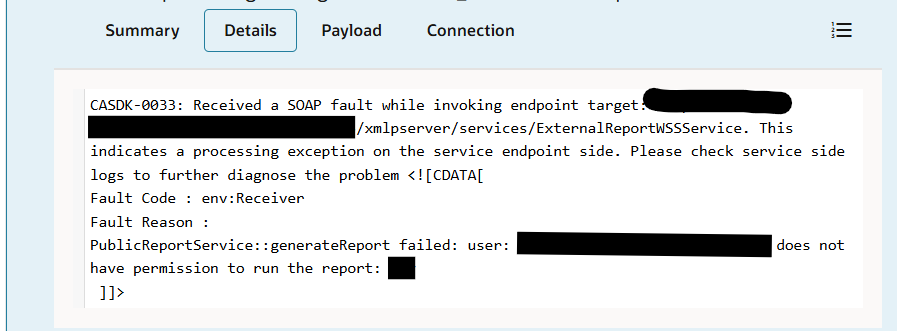
CASDK-0033: Received a SOAP fault while invoking endpoint target: https://<test>.oraclecloud.com:443/xmlpserver/services/ExternalReportWSSService. This indicates a processing exception on the service endpoint side. Please check service side logs to further diagnose the problem <![CDATA[
Fault Code : env:Receiver
Fault Reason :
PublicReportService::generateReport failed: user: <user> does not have permission to run the report: <report>
]]>“Your user doesn’t have permission to run the report.”
Naturally, the first assumption was:
“Okay… definitely a permissions issue.”
And thus began the debugging marathon.
The Confusing Part
Here’s what made the issue incredibly misleading:
- The same user could access and run the report directly in Fusion
- The report generated output successfully But from OIC, the report invocation failed with a permission error
Initial Troubleshooting
Like every Oracle developer facing a mysterious OIC error, I started checking everything security-related:
- User roles
- BI permissions
- Credentials
- SOAP connection
- Catalog access
- Report execution rights
Everything looked correct.
Yet the error message kept repeating like it had a personal grudge against me.
After spending way too much time investigating permissions and security settings, I finally looked at the report details one more time.
And that’s when the real culprit appeared.
The Real Root Cause
One character was missing in the BI Publisher report path used in OIC.
Example:-
Correct Path /Custom/Finance/Reports/IamAReportName.xdo Path Used /Custom/Finance/Reports/IamAReportNames.xdo
Yes.
A missing “s” here.
That single character caused OIC, SOAP UI to throw a completely misleading permission error.

SOAP UI
After correcting the report path, the integration worked perfectly without any additional changes.
And finally…
My heartbeat returned to normal.
Recommended Checks
If you encounter this error in OIC:
check these first:
- Test the same user directly in Fusion
- Recheck the report URL / SOAP payload carefully
- Verify folder names and report names character by character
- Copy the report path directly from the BI Catalog
- Avoid manually typing the path when possible
- Do not panic (very important step)
Key Takeaway
Moral of the story for fellow Oracle developers (especially people like me with “temporary low intelligence mode” enabled sometimes):
Sometimes, revisiting the small details can save a lot of debugging time.
And yes — reading the error carefully helps most of the time.
But unfortunately, it didn’t help me here.
Thanks for spending your valuable time reading this blog — may your integrations run smoothly, your payloads behave properly, and your production deployments stay completely drama-free
메타데이터
- post_id
- 9f529d3924fa
- slug
- oracle-oic-troubleshooting-user-doesnt-have-permission-but-permissions-weren-t-the-problem-9f529d3924fa
- url
- https://medium.com/@bhargavi_myakachevula/oracle-oic-troubleshooting-user-doesnt-have-permission-but-permissions-weren-t-the-problem-9f529d3924fa
- canonical_url
- https://medium.com/@bhargavi_myakachevula/oracle-oic-troubleshooting-user-doesnt-have-permission-but-permissions-weren-t-the-problem-9f529d3924fa
- author_url
- https://medium.com/@bhargavi_myakachevula
- status
- ok
- fetched_at
- 2026-06-20 20:29:01