12 Ways to Stop Wasting Cursor Credits — and Get Better Results
Stop Burning Cursor Credits. Here’s What Senior Engineers Do Instead.
12 Ways to Stop Wasting Cursor Credits — and Get Better Results
Stop Burning Cursor Credits. Here’s What Senior Engineers Do Instead.

Better context. Better code. Fewer tokens wasted.
Most developers think better AI results require bigger models and longer prompts. After watching hundreds of engineers use Cursor daily, I’ve found the opposite is almost always true.
You open Cursor. You type a prompt. The AI produces something close — but not quite right. So you type another prompt to fix it. Then another to fix that. Twenty minutes later, you’ve burned through credits, the conversation is a mess, and the code still isn’t what you needed.
Sound familiar?
Here’s the thing nobody tells you: the problem isn’t Cursor. The problem is how most developers give it context.
I’ve spent years working across .NET and Angular projects, watching engineering teams adopt AI coding tools. The developers getting the best results weren’t using better models or writing longer prompts. They were doing a few specific things differently — things that took maybe 30 minutes to set up and fundamentally changed the quality of every interaction after that.
This article is those things, written as plainly as I can.
Why Your Cursor Credits Are Disappearing
Before the techniques, a quick mental model that makes everything else click.
Every time Cursor sends a request to a model, it consumes tokens from four sources:
- Your prompt text
- Any attached or auto-included files
- Accumulated conversation history
- The AI’s response
When any of those sources contains information the model doesn’t actually need, you’re paying for noise. And that noise doesn’t just cost credits — it actively degrades the quality of the AI’s answers. The model tries to incorporate everything you send. Give it irrelevant context and it reasons against irrelevant context.
The goal is not to use fewer tokens. The goal is to eliminate wasted tokens. There’s a meaningful difference.
1. Use @file References Instead of Explaining Your Architecture
This is the highest-leverage single change on this list.
When you describe your codebase in prose — “my authentication service uses JWT and it’s called by the controller” — you’re asking the model to build a mental model of code it hasn’t seen. That mental model will be incomplete. It will produce suggestions with slightly wrong class names, slightly wrong method signatures, and slightly wrong assumptions about how your code is structured.
Instead, reference the files directly.
❌ What most developers write:
Refactor the login flow and make it use refresh tokens.✅ What actually works:
@file:AuthController.cs
@file:JwtService.cs
Refactor the login flow to support refresh token rotation.Constraints:
- Keep existing API contracts
- No database schema changesThe model now has your actual class names, your actual method signatures, your actual dependency patterns. Not a verbal approximation — the thing itself. Results are more accurate, hallucination drops, and you stop getting back code that uses UserService when your file is named AccountService.
Practical impact: Better answers, fewer back-and-forth corrections, lower total token consumption.
2. Start a New Conversation When the Topic Changes
This one surprises people because it feels counterintuitive — keeping everything in one thread feels more efficient.
It isn’t.
After 20–30 messages, a Cursor conversation is carrying:
- Outdated code you’ve since changed
- Decisions you reversed
- Architectural context that’s no longer accurate
- Earlier responses the model is still trying to be consistent with
A fresh conversation with focused context beats a stale long one every time. The slight overhead of re-establishing context in three @ references is always worth the quality improvement.
Rule of thumb: if the feature, file, or problem changes significantly — start a new chat.
3. Stop Sending Entire Files When You Only Need One Method
A 2,000-line file doesn’t mean the model needs 2,000 lines.
When you paste an entire file because the relevant function is somewhere in the middle, the model reads all of it. Those 1,900 surrounding lines fill the context window with material the model will try to weight. More context doesn’t mean better answers — it often means noisier answers, because there’s simply more irrelevant information to reason around.
Highlight the specific method. Use Ctrl+K on the selection, or add only the relevant code block to the chat. Smaller, focused context routinely produces more accurate, more targeted suggestions.
Exception: If the problem involves interaction between multiple methods, include the relevant sections of each — not the entire file. Surgical beats wholesale.
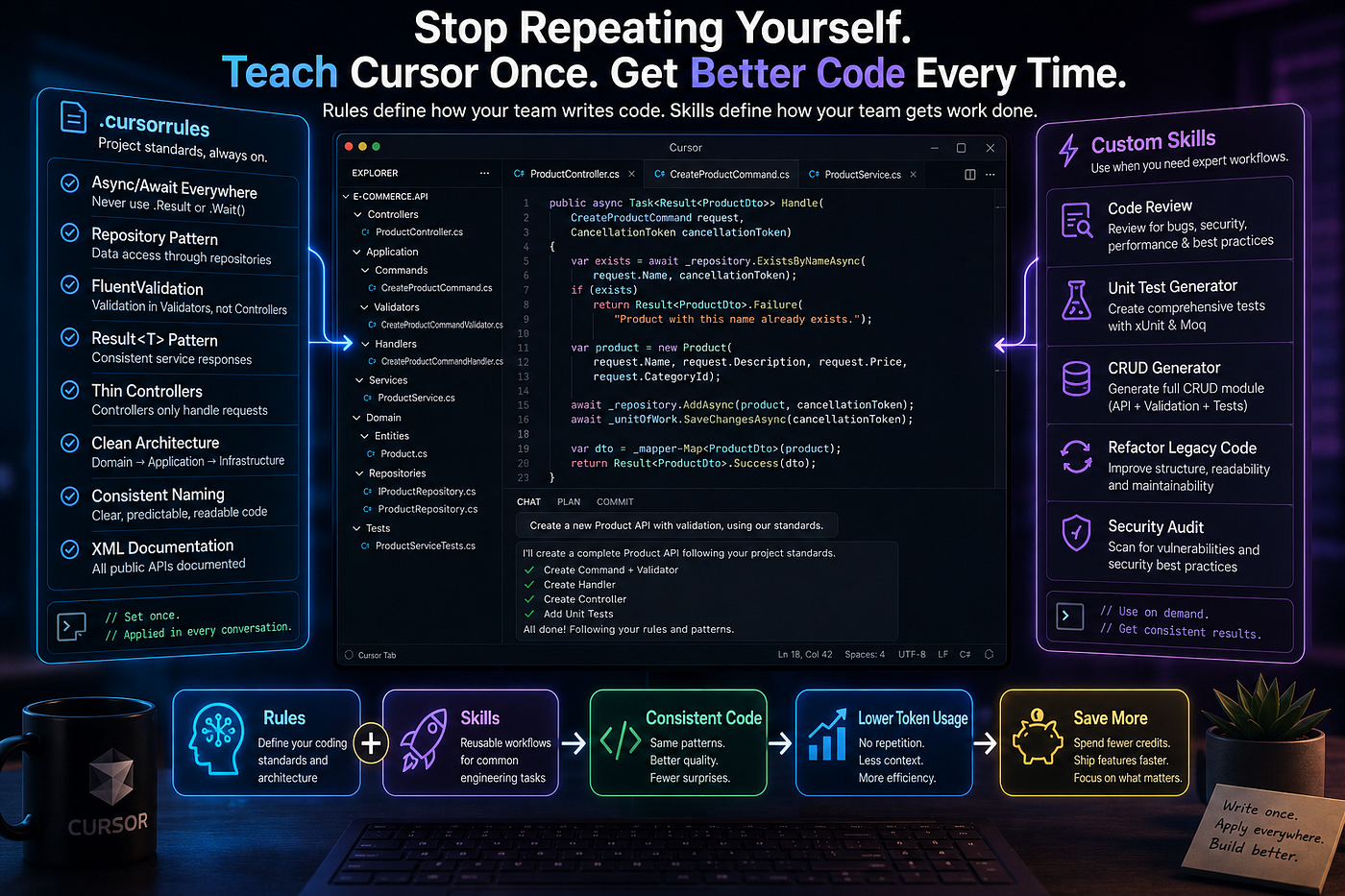
4. Write a Strong .cursorrules File. Once. And Stop Repeating Yourself.
Every time you type “use async/await” or “keep controllers thin” into a Cursor message, you’re spending tokens on a recurring cost that should be a one-time investment.
These are your team’s standing rules. They apply to every conversation. They belong in .cursorrules, committed to your repository — not re-typed into every prompt.
Here’s what a solid .cursorrules file looks like for a .NET project:
## Code Conventions- Always use async/await; never raw Promise chains
- Repository pattern for all DB access; no raw queries in controllers
- Controllers remain thin — business logic lives in the service layer
- Use FluentValidation for all input validation
- All errors use our custom AppException class; never throw strings
- Prefer conservative, idiomatic solutions over clever ones
- When suggesting refactors, show a before/after diffCommit this file. Now every developer on your team gets the same AI behavior automatically. New hires inherit it. No more drift between what one developer’s Cursor session assumes and another’s.
This is the highest-ROI change on this list for teams. The 30-minute setup cost pays back in every conversation thereafter.
5. Always Use Plan Mode Before Agent Mode for Complex Work
Jumping directly into Agent Mode on a complex, multi-file feature is one of the most expensive mistakes you can make — not in credits, but in rework.
The agent will make architectural decisions you’d have overruled. It will create files you already have. It will miss conventions your .cursorrules didn't cover. By the time you've finished reviewing, you've spent more time on correction than the feature would have cost to write manually.
❌ What triggers expensive rework:
Build inventory management.✅ What prevents it:
Plan: Create an inventory management module.Show:
- Affected files (existing and new)
- Architecture changes required
- API endpoints needed
- Dependencies to addWait for my review before executing anything.Plan Mode externalizes the model’s intent before it acts. You see the assumptions. You correct the ones that are wrong. You define the execution scope. Only then do you let it build.
The planning conversation costs tokens. But it’s an investment that prevents an order of magnitude more expensive rework downstream.
6. Add a .cursorignore File — Right Now
Your codebase index should contain only the code your team writes.
The moment it includes bin/, obj/, node_modules/, dist/, or generated migration files, two things happen: the index grows (making searches slower), and the signal-to-noise ratio drops (making answers worse). The model starts surfacing auto-generated code alongside your application code, and the quality of @codebase queries suffers noticeably.
# .cursorignorebin/
obj/
dist/
.next/
node_modules/
coverage/
*.generated.csSet this up once. Resync your index. Your @codebase queries will immediately become more accurate.
7. Store Architecture Context in Notepads
If you’re re-explaining your authentication flow, deployment model, or database design in multiple Cursor conversations — you’re paying a recurring token cost that should be a one-time investment.
Cursor’s Notepads feature lets you write context once and reference it anywhere with @notepad:architecture.
Good candidates for Notepads:
- Authentication and auth flow design
- Deployment topology
- Database design decisions and constraints
- External API integration patterns
- Team conventions that go beyond .cursorrules
Instead of spending 400 tokens reconstructing context at the start of each session, you spend 3 tokens on the reference and the model receives the full, consistent picture immediately.
8. Match Your Model to the Task
Don’t use Claude Opus to rename a variable.
The most capable models are exceptional for complex reasoning: architectural refactors, multi-file debugging, designing systems under constraint. They offer virtually no advantage for tasks that require no deep reasoning.
Task Use Variable renaming, formatting, null checks cursor-fast or small model New service, CRUD module, standard endpoint Sonnet / GPT-4o Cross-system refactor, debugging, architecture Opus / o1
Reserve premium model credits for work that genuinely requires them. This habit alone can reduce your credit consumption meaningfully — with zero sacrifice in output quality where it matters.
9. Build Features in Layers, Not All at Once
“Build a complete notification system” is one of the most reliably expensive prompts in Cursor.
The model will produce something. It will be loosely coupled to your codebase, full of assumption-driven decisions, and significantly harder to review than the same work built in parts. Any wrong assumption made in the first pass propagates through everything that follows.
The fix is to build in explicit layers, committing and reviewing between each:
# Prompt 1 — Types only
@file:types/index.ts
Create TypeScript interfaces for the notification system.
No implementation. Types and exports only.
Wait for my review before continuing.
# Prompt 2 — after reviewing Layer 1
@file:types/notifications.types.ts
Create the repository layer. Database access only. No business logic.Continue through Service → API Handlers → Tests.
Each layer is small enough for the model to hold fully in context — which means fewer assumptions and higher accuracy. Each layer’s output becomes explicit, verified context for the next.
10. Index Your Documentation with @Docs
When Cursor doesn’t have accurate, version-specific knowledge of a library you’re using, it falls back on training data that may be outdated. The model will still answer confidently. It will occasionally describe methods that don’t exist in your version, or miss patterns introduced after its training cutoff.
The fix: use Cursor’s @Docs feature to index the documentation directly.
- Point it at the official docs site for Angular, AWS, Stripe, etc.
- Index your internal API documentation
- Reference it in conversations with
@docs:angularor@docs:our-api
For teams building on internal tooling or less-documented frameworks, this is transformative. Your AI assistant actually understands your infrastructure — not a generalized approximation of it.
Result: Eliminates hallucinated API methods entirely for any library you index.
11. Recognize the Correction Spiral — and Break It Early
Every developer using Cursor has hit this pattern:
Prompt → Slightly wrong answer
Prompt → Fix the answer
Prompt → Fix the fix
Prompt → Fix the fix's fix
By the third round of corrections, you’ve spent more tokens than restarting would have cost. The conversation history is now a record of compounding errors. The model is reasoning against a context full of things you’ve explicitly said were wrong.
The correct move is to stop. Reject all pending changes. Return to your last clean commit. Start a new conversation with a more precise initial prompt.
Counterintuitive? Yes. Faster? Always.
Early signal: If you’ve written two consecutive prompts starting with “No, actually…” — stop. The history is the problem, not the next prompt.
12. Write Prompts the Way a Senior Engineer Gives Handoffs
The single most reliable predictor of output quality in Cursor is the precision of the input.
Developers who consistently get production-grade results aren’t doing anything magical. They’re providing what a senior engineer would provide when handing off a task to a capable colleague: the relevant context, the constraints, and a literal definition of done.
Here’s what that looks like in practice:
@file:OrderService.cs
@file:IOrderRepository.cs
Add caching to GetOrdersByCustomer().
Use IMemoryCache — it's already injected via the constructor.Constraints:
- Do not touch any other methods in this class
- Do not change the method signature or return type
- Cache key: "orders_{customerId}"
- TTL: 5 minutesOutput: the modified method only, as a unified diff.This prompt takes 45 seconds to write. It saves 15 minutes of review. The model spends tokens on your actual problem instead of resolving the ambiguities of a vague brief.
That’s where every real efficiency gain in Cursor comes from.
Where to Start (If You’re Feeling Overwhelmed)
Don’t try to implement all twelve at once. Here’s the sequence that produces the fastest measurable improvement:
This week:
- Write your
.cursorrulesfile — 30 minutes, pays back forever - Switch to
@filereferences for every prompt — takes seconds, works immediately - Add a
.cursorignore— 15 minutes, cleaner index instantly
This month: 4. Use Plan Mode before every complex Agent task 5. Build your Notepads with architecture context 6. Index your key libraries with @Docs
Ongoing habit: 7. Start new conversations when topics change 8. Match models to task complexity 9. Break work into layers for anything multi-file 10. Recognize and break the correction spiral early 11. Write prompts with the Senior Engineer pattern
The Real Lesson
The goal isn’t to use less AI.
The goal is to use AI more intentionally — in a way that gives the model exactly what it needs to produce exactly what you want.
When you do that consistently:
- You get better code
- You spend fewer credits
- You spend less time reviewing and correcting
- You get results that are actually predictable
The developers who figure this out stop thinking of Cursor as a tool that sometimes works and sometimes doesn’t. They start thinking of it as a capable collaborator who performs in direct proportion to the quality of the context they provide.
Give it good context. Get good code. That’s the whole thing.
📣 I’d Love Your Feedback
Was this helpful? Share your suggestions, and I’ll explore them next.
🔔 Stay Connected
Follow HGDevHub for more micro tools, automation scripts, and tech walkthroughs:
💬 Your input helps shape what comes next!
📩 Stay Tuned
More automation scripts and micro-tools coming soon. Follow HGDevHub for fresh tools that save time and spark ideas.
메타데이터
- post_id
- 9f67036ce302
- slug
- 12-ways-to-stop-wasting-cursor-credits-and-get-better-results-9f67036ce302
- url
- https://medium.com/@bmec278/12-ways-to-stop-wasting-cursor-credits-and-get-better-results-9f67036ce302
- canonical_url
- https://medium.com/@bmec278/12-ways-to-stop-wasting-cursor-credits-and-get-better-results-9f67036ce302
- author_url
- https://medium.com/@bmec278
- status
- ok
- fetched_at
- 2026-06-16 19:09:56