Turn Your Android TV Into a Stunning Family Photo Slideshow with USB Gallery
Your phone is probably filled with thousands of precious memories — family vacations, birthdays, weddings, anniversaries, graduations, and…
Turn Your Android TV Into a Stunning Family Photo Slideshow with USB Gallery
Your phone is probably filled with thousands of precious memories — family vacations, birthdays, weddings, anniversaries, graduations, and weekend adventures. But how often do you actually revisit them?
Instead of letting those photos stay hidden away, why not enjoy them on the biggest screen in your home?
With USB Gallery, you can transform your Android TV into a personal photo slideshow that showcases your favorite moments in a simple, elegant, and offline way.
Relive Your Best Memories on the Big Screen
There’s something special about viewing photos on a television. The larger display brings out details that are easy to miss on a phone or tablet, making every memory feel more immersive.
Whether you’re hosting guests or spending a quiet evening with family, displaying your favorite albums on the TV creates a warm and engaging atmosphere.
Simply connect your USB drive and start exploring your photo collection.
Perfect for Family Gatherings and Celebrations
Planning a birthday party? Celebrating an anniversary? Hosting a wedding reception?
Instead of printing hundreds of photos or creating a complicated presentation, you can load your images onto a USB drive and let USB Gallery display them as a continuous slideshow.
It’s a great way to entertain guests while sharing unforgettable moments from your life’s journey.
Great for Travel Lovers
Many travelers store years of vacation pictures on external drives.
From mountain adventures and beach holidays to international trips and road journeys, USB Gallery lets you revisit those experiences with friends and family in a comfortable living room setting.
Watching your travel memories on a large TV often feels like reliving the trip all over again.
[embed]
Customize the Slideshow Experience
Every photo collection is different, so flexibility matters.
USB Gallery allows you to:
- Start a slideshow from your current photo folder
- Adjust the time between slides
- Pause and resume playback
- Zoom into images for extra detail
- Rotate photos when needed
- Fit images appropriately to your TV screen
These simple controls help create a smooth viewing experience without requiring technical knowledge.
Ideal for Photographers and Hobbyists
If you’re a photography enthusiast, a large television can become an excellent showcase for your portfolio.
Instead of crowding around a laptop, connect your USB drive and present your work on a big screen where colors, landscapes, portraits, and compositions have more visual impact.
It’s also useful for reviewing images with family, friends, or clients.
No Internet Required
Unlike cloud-based galleries that require uploads and accounts, USB Gallery works directly with your local media stored on USB devices.
This means:
- Faster access to your photos
- No waiting for uploads
- No dependence on internet connectivity
- Greater privacy for your personal memories
Your files stay with you while remaining easy to access.
Easy Enough for Everyone
USB Gallery is designed specifically for Android TV and is easy to navigate using a standard TV remote.
Whether you’re a tech enthusiast or someone who simply wants to enjoy family pictures without dealing with complicated menus, the experience remains straightforward and intuitive.
More Than Just Photos
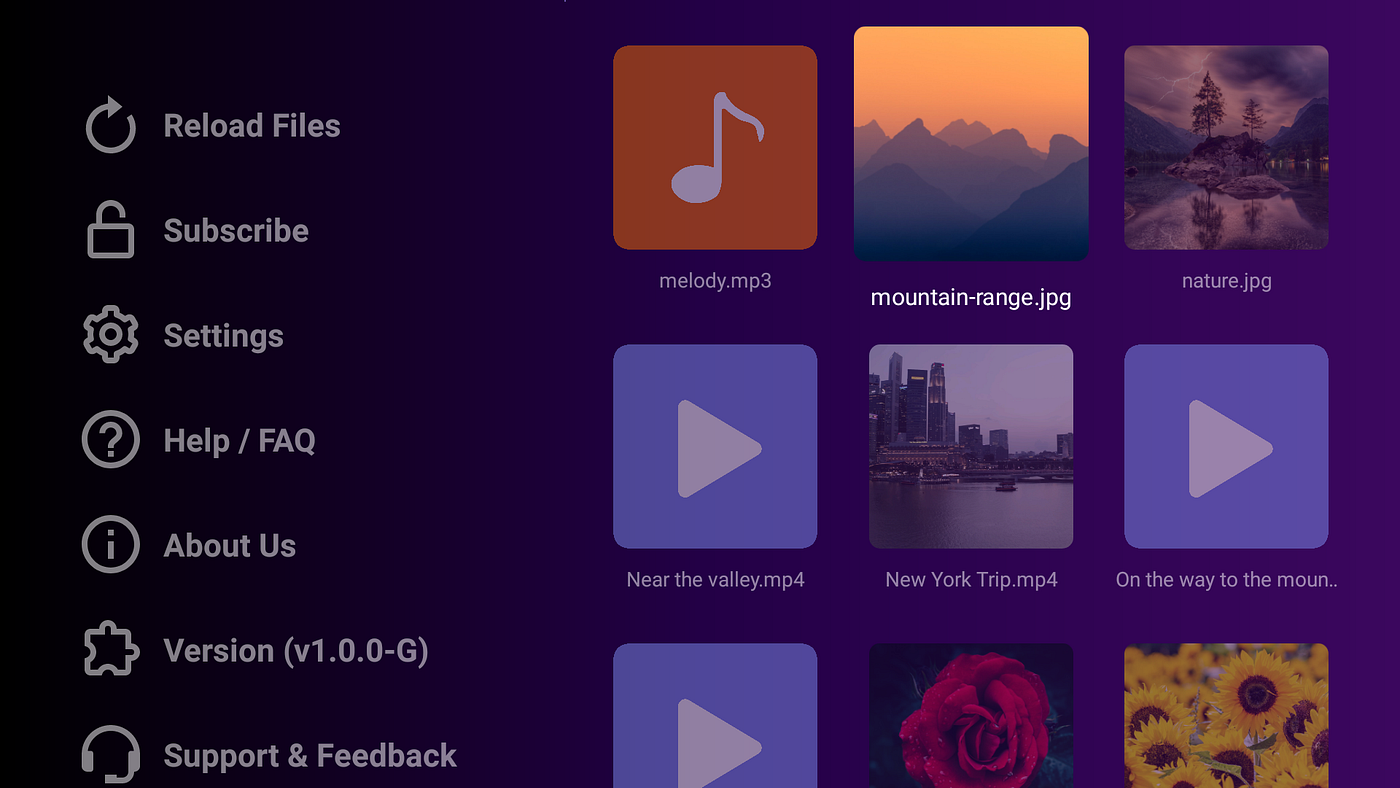
While slideshows are one of its standout features, USB Gallery also lets you browse videos and music stored on your USB drive, making it a complete local media companion for Android TV.
That means one app can help you relive family vacations through pictures, replay memorable videos, and even enjoy your favorite music collection.
Bring Your Memories Back to Life
The best photos deserve more than sitting forgotten inside folders on an old flash drive.
With USB Gallery, you can turn your Android TV into a digital family album that celebrates life’s biggest moments — whether it’s a wedding, a holiday, a birthday, or an everyday smile captured at just the right time.
Plug in your USB drive, press play, and let your memories take center stage.
Website: https://deepakpk.com/usbgallery/
Google Play Store: https://play.google.com/store/apps/details?id=com.deepakpk.usbgallery
Amazon App Store: https://www.amazon.com/dp/B0DQJXPSSD
메타데이터
- post_id
- 9fa5df64b849
- slug
- turn-your-android-tv-into-a-stunning-family-photo-slideshow-with-usb-gallery-9fa5df64b849
- url
- https://medium.com/@deepakpk/turn-your-android-tv-into-a-stunning-family-photo-slideshow-with-usb-gallery-9fa5df64b849
- canonical_url
- https://medium.com/@deepakpk/turn-your-android-tv-into-a-stunning-family-photo-slideshow-with-usb-gallery-9fa5df64b849
- author_url
- https://medium.com/@deepakpk
- status
- ok
- fetched_at
- 2026-06-20 20:29:01