Spring Boot integrates DeepLearning4j to implement digital image recognition
DeepLearning4J (DL4J) is a Java-based neural network toolkit for building, training, and deploying neural networks. DL4J with Hadoop…
Spring Boot integrates DeepLearning4j to implement digital image recognition
1. What is DeepLearning4j?
DeepLearning4J (DL4J) is a Java-based neural network toolkit for building, training, and deploying neural networks. DL4J with Hadoop andSparkIntegrated, with support for distributed CPUs and GPUs, designed for commercial environments, not research tool purposes.SkymindIt is a commercial support organization for DL4J. Deeplearning4j has advanced technology that aims for plug-and-play, with more presets to use, avoiding redundant configurations, and enabling rapid prototyping even by non-enterprises. DL4J can also be customized at scale. DL4J is licensed under the Apache 2.0 license, and all derivative works based on it are derivative works
Features of Deeplearning4j
Deeplearning4j includes a distributed, multi-threaded deep learning framework, as well as a common single-threaded deep learning framework. The training process takes place in clusters, which means that Deeplearning4j can process large amounts of data quickly. Neural networks can be trained in parallel by [Iterative Simplification], and can be used in parallel with Java, Scala and Clojure All compatible. Deeplearning4j’s ability to function as a module component in the open stack makes it the first of its kind toMicroservices architectureA deep learning framework.
Deeplearning4j
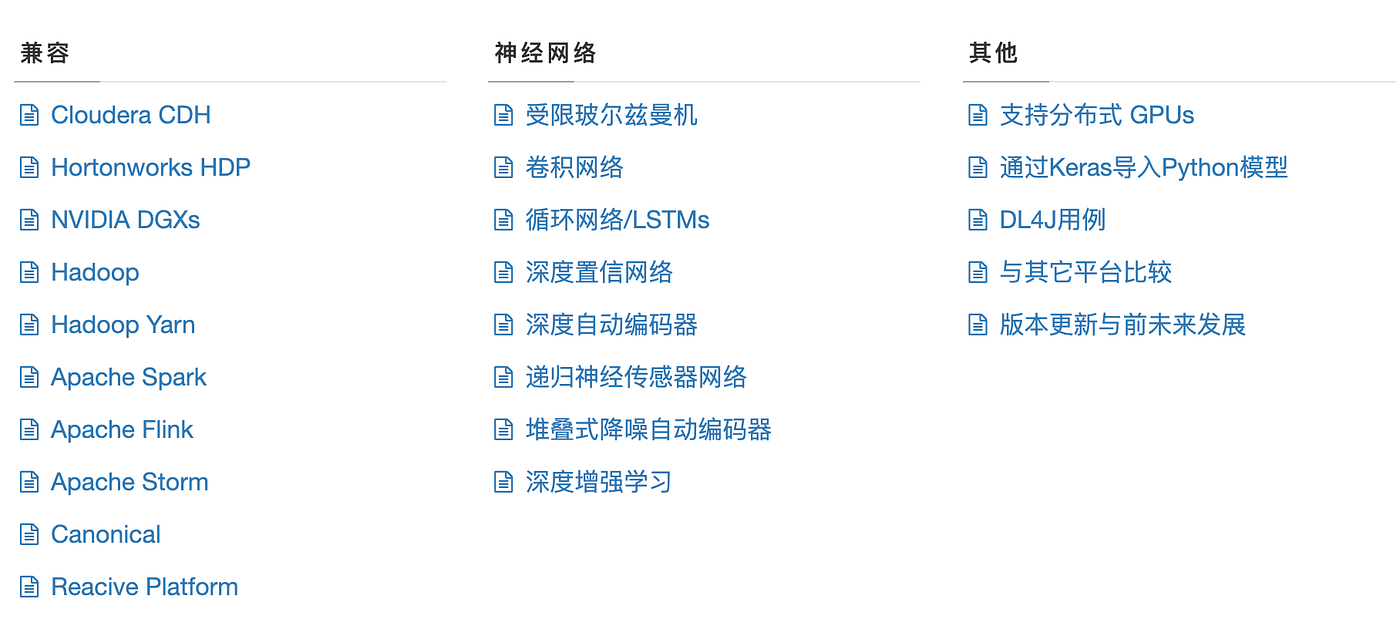
Deep neural networks are possibleUnprecedented accuracy。 For an introduction to neural networks, see OverviewPage. In short, Deeplearning4j allows you to design deep neural networks from a variety of shallow networks, each of which is called a layer in English. This flexibility allows users to integrate constrained Boltzmann machines, other autoencoders, convolutional networks, or recursive networks as needed within a distributed, production-grade, and ability to work with Spark and Hadoop on a distributed CPU or GPU basis. Here’s a look at the libraries we’ve built and where they fit into the system as a whole:

DeepLearning4J is used to design neural networks:
- Deeplearning4j (DL4J for short) is the first commercial-grade open-source distributed deep learning written for Java and Scala
- DL4J integrates with Hadoop and Spark and is designed for business environment, not research tool purposes.
- GPU and CPU are supported
- Certified by Cloudera, Hortonwork, NVIDIA, Intel, IBM, etc., to run on Spark, Flink, Hadoop
- Supports parallel iteration of algorithm architectures
- DeepLearning4J is available in JavaDocHerefetch
- The Github repository for the DeepLearning4J example can be found hereHere。 A brief summary of the relevant examples can be found hereHere。
- Open Source Tools ASF 2.0 License:github.com/deeplearning4j/deeplearning4j
2. Train the model
Training and test dataset downloads
https://raw.githubusercontent.com/zq2599/blog_download_files/master/files/mnist_png.tar.gz
Introduction to MNIST
- MNIST is a classic computer vision dataset from the National Institute of Standards and Technology (NIST), which contains a variety of handwritten digital images, including 60,000 in the training set and 10,000 in the test set.
- MNIST is based on the handwriting of 250 different people, 50 percent of whom are high school students, 50 percent of whom are staff of the Census Bureau, and the test set is the same percentage of handwritten numeric data
- MNIST Official Website: http://yann.lecun.com/exdb/mnist/
Introduction to the dataset
The original data downloaded from the official website of MNIST is not an image file, and it needs to be parsed according to the format instructions given by the official before it can be converted into a picture, these things are obviously not the topic of this article, so we can directly use the dataset prepared for us by DL4J (the download address will be given later), the dataset is an independent picture, and the name of the directory where these pictures are located is the specific number of the picture
Model training
Introduction to LeNet-5

LeNet-5 Structure:
- Input layer
The image size is 32×32×1, where 1 is represented as a black and white image with only one channel.
- Convolutional layer
The filter size is 5×5, the filter depth (number) is 6, the padding is 0, and the convolution step size s=1=1, the output matrix size is 28×28×6, where 6 represents the number of filters.
- Pooling layer
average pooling, filter size 2×2 (ie.) f=2=2), step size s=2=2, no padding, and the output matrix size is 14×14×6.
- Convolutional layer
The filter size is 5×5, the number of filters is 16, the padding is 0, and the convolution step size s=1=1, the output matrix size is 10×10×16, where 16 represents the number of filters.
- Pooling layer
average pooling, filter size 2×2 (ie.) f=2=2), step size s=2=2, no padding, and the output matrix size is 5×5×16. Note that at the end of this layer, you need to flatten the matrix of 5×5×16 into a 400-dimensional vector.
- Fully Connected Layer (FC)
The number of neurons is 120.
- Fully Connected Layer (FC)
The number of neurons is 84.
- Fully connected layer, output layer
The current version of the LeNet-5 output layer generally uses the softmax activation function, which is not softmax used in the LeNet-5 paper, but it is not commonly used now. The number of neurons in this layer is 10, representing 0~9 ten numeric categories. (Figure 1 actually draws a box that represents a fully connected layer, and uses it directly.) ^y^ Represents the output layer. )
/*******************************************************************************
 * Copyright (c) 2020 Konduit K.K.
 * Copyright (c) 2015-2019 Skymind, Inc.
 *
 * This program and the accompanying materials are made available under the
 * terms of the Apache License, Version 2.0 which is available at
 * https://www.apache.org/licenses/LICENSE-2.0.
 *
 * Unless required by applicable law or agreed to in writing, software
 * distributed under the License is distributed on an "AS IS" BASIS, WITHOUT
 * WARRANTIES OR CONDITIONS OF ANY KIND, either express or implied. See the
 * License for the specific language governing permissions and limitations
 * under the License.
 *
 * SPDX-License-Identifier: Apache-2.0
 ******************************************************************************/package com.et.dl4j.model;
import lombok.extern.slf4j.Slf4j;
import org.datavec.api.io.labels.ParentPathLabelGenerator;
import org.datavec.api.split.FileSplit;
import org.datavec.image.loader.NativeImageLoader;
import org.datavec.image.recordreader.ImageRecordReader;
import org.deeplearning4j.datasets.datavec.RecordReaderDataSetIterator;
import org.deeplearning4j.nn.conf.MultiLayerConfiguration;
import org.deeplearning4j.nn.conf.NeuralNetConfiguration;
import org.deeplearning4j.nn.conf.inputs.InputType;
import org.deeplearning4j.nn.conf.layers.ConvolutionLayer;
import org.deeplearning4j.nn.conf.layers.DenseLayer;
import org.deeplearning4j.nn.conf.layers.OutputLayer;
import org.deeplearning4j.nn.conf.layers.SubsamplingLayer;
import org.deeplearning4j.nn.multilayer.MultiLayerNetwork;
import org.deeplearning4j.nn.weights.WeightInit;
import org.deeplearning4j.optimize.listeners.ScoreIterationListener;
import org.deeplearning4j.util.ModelSerializer;
import org.nd4j.evaluation.classification.Evaluation;
import org.nd4j.linalg.activations.Activation;
import org.nd4j.linalg.dataset.api.iterator.DataSetIterator;
import org.nd4j.linalg.dataset.api.preprocessor.DataNormalization;
import org.nd4j.linalg.dataset.api.preprocessor.ImagePreProcessingScaler;
import org.nd4j.linalg.learning.config.Nesterovs;
import org.nd4j.linalg.lossfunctions.LossFunctions;
import org.nd4j.linalg.schedule.MapSchedule;
import org.nd4j.linalg.schedule.ScheduleType;
import java.io.File;
import java.util.HashMap;
import java.util.Map;
import java.util.Random;
/**
 * Implementation of LeNet-5 for handwritten digits image classification on MNIST dataset (99% accuracy)
 * <a href="http://yann.lecun.com/exdb/publis/pdf/lecun-01a.pdf">[LeCun et al., 1998. Gradient based learning applied to document recognition]</a>
 * Some minor changes are made to the architecture like using ReLU and identity activation instead of
 * sigmoid/tanh, max pooling instead of avg pooling and softmax output layer.
 * <p>
 * This example will download 15 Mb of data on the first run.
 *
 * @author hanlon
 * @author agibsonccc
 * @author fvaleri
 * @author dariuszzbyrad
 */
@Slf4j
public class LeNetMNISTReLu {
   //dataset github:https://raw.githubusercontent.com/zq2599/blog_download_files/master/files/mnist_png.tar.gz
//    private static final String BASE_PATH = System.getProperty("java.io.tmpdir") + "/mnist";
    private static final String BASE_PATH = "/Users/liuhaihua/Downloads";
    public static void main(String[] args) throws Exception {
        int height = 28;
        int width = 28;
        int channels = 1;
        int outputNum = 10;
        int batchSize = 54;
        int nEpochs = 1;
        int seed = 1234;

        Random randNumGen = new Random(seed);
        if (!new File(BASE_PATH + "/mnist_png").exists()) {
            return;
        }
        ParentPathLabelGenerator labelMaker = new ParentPathLabelGenerator();
        DataNormalization imageScaler = new ImagePreProcessingScaler();

        File trainData = new File(BASE_PATH + "/mnist_png/training");
        FileSplit trainSplit = new FileSplit(trainData, NativeImageLoader.ALLOWED_FORMATS, randNumGen);
        ImageRecordReader trainRR = new ImageRecordReader(height, width, channels, labelMaker);
        trainRR.initialize(trainSplit);
        DataSetIterator trainIter = new RecordReaderDataSetIterator(trainRR, batchSize, 1, outputNum);
        imageScaler.fit(trainIter);
        trainIter.setPreProcessor(imageScaler);

        File testData = new File(BASE_PATH + "/mnist_png/testing");
        FileSplit testSplit = new FileSplit(testData, NativeImageLoader.ALLOWED_FORMATS, randNumGen);
        ImageRecordReader testRR = new ImageRecordReader(height, width, channels, labelMaker);
        testRR.initialize(testSplit);
        DataSetIterator testIter = new RecordReaderDataSetIterator(testRR, batchSize, 1, outputNum);
        testIter.setPreProcessor(imageScaler); // same normalization for better results
        Map<Integer, Double> learningRateSchedule = new HashMap<>();
        learningRateSchedule.put(0, 0.06);
        learningRateSchedule.put(200, 0.05);
        learningRateSchedule.put(600, 0.028);
        learningRateSchedule.put(800, 0.0060);
        learningRateSchedule.put(1000, 0.001);
        MultiLayerConfiguration conf = new NeuralNetConfiguration.Builder()
            .seed(seed)
            .l2(0.0005)
            .updater(new Nesterovs(new MapSchedule(ScheduleType.ITERATION, learningRateSchedule)))
            .weightInit(WeightInit.XAVIER)
            .list()
            .layer(new ConvolutionLayer.Builder(5, 5)
                .nIn(channels)
                .stride(1, 1)
                .nOut(20)
                .activation(Activation.IDENTITY)
                .build())
            .layer(new SubsamplingLayer.Builder(SubsamplingLayer.PoolingType.MAX)
                .kernelSize(2, 2)
                .stride(2, 2)
                .build())
            .layer(new ConvolutionLayer.Builder(5, 5)
                .stride(1, 1) // nIn need not specified in later layers
                .nOut(50)
                .activation(Activation.IDENTITY)
                .build())
            .layer(new SubsamplingLayer.Builder(SubsamplingLayer.PoolingType.MAX)
                .kernelSize(2, 2)
                .stride(2, 2)
                .build())
            .layer(new DenseLayer.Builder().activation(Activation.RELU)
                .nOut(500)
                .build())
            .layer(new OutputLayer.Builder(LossFunctions.LossFunction.NEGATIVELOGLIKELIHOOD)
                .nOut(outputNum)
                .activation(Activation.SOFTMAX)
                .build())
            .setInputType(InputType.convolutionalFlat(height, width, channels)) // InputType.convolutional for normal image
            .build();
        MultiLayerNetwork net = new MultiLayerNetwork(conf);
        net.init();
        net.setListeners(new ScoreIterationListener(10));
        long startTime = System.currentTimeMillis();
        for (int i = 0; i < nEpochs; i++) {
            net.fit(trainIter);
            Evaluation eval = net.evaluate(testIter);
            log.info(eval.stats());
            trainIter.reset();
            testIter.reset();
        }
        File ministModelPath = new File(BASE_PATH + "/minist-model.zip");
        ModelSerializer.writeModel(net, ministModelPath, true);
    }
}
Output the model file and score results

3. Write a model prediction interface
pom.xml
<?xml version="1.0" encoding="UTF-8"?>
<project xmlns="http://maven.apache.org/POM/4.0.0"
         xmlns:xsi="http://www.w3.org/2001/XMLSchema-instance"
         xsi:schemaLocation="http://maven.apache.org/POM/4.0.0 http://maven.apache.org/xsd/maven-4.0.0.xsd">
    <parent>
        <artifactId>springboot-demo</artifactId>
        <groupId>com.et</groupId>
        <version>1.0-SNAPSHOT</version>
    </parent>
    <modelVersion>4.0.0</modelVersion>
    <artifactId>Deeplearning4j</artifactId>
    <properties>
        <maven.compiler.source>8</maven.compiler.source>
        <maven.compiler.target>8</maven.compiler.target>
        <dl4j-master.version>1.0.0-beta7</dl4j-master.version>
        <nd4j.backend>nd4j-native</nd4j.backend>
    </properties>
    <dependencies>
        <dependency>
            <groupId>org.springframework.boot</groupId>
            <artifactId>spring-boot-starter-web</artifactId>
        </dependency>
        <dependency>
            <groupId>org.springframework.boot</groupId>
            <artifactId>spring-boot-autoconfigure</artifactId>
        </dependency>
        <dependency>
            <groupId>org.springframework.boot</groupId>
            <artifactId>spring-boot-starter-test</artifactId>
            <scope>test</scope>
        </dependency>
        <dependency>
            <groupId>org.projectlombok</groupId>
            <artifactId>lombok</artifactId>
            <version>1.18.20</version>
        </dependency>
        <dependency>
            <groupId>ch.qos.logback</groupId>
            <artifactId>logback-classic</artifactId>
        </dependency>
        <dependency>
            <groupId>org.deeplearning4j</groupId>
            <artifactId>deeplearning4j-core</artifactId>
            <version>${dl4j-master.version}</version>
        </dependency>
        <dependency>
            <groupId>org.nd4j</groupId>
            <artifactId>${nd4j.backend}</artifactId>
            <version>${dl4j-master.version}</version>
        </dependency>
        <!--local GPU-->
        <!--        <dependency>-->
        <!--            <groupId>org.deeplearning4j</groupId>-->
        <!--            <artifactId>deeplearning4j-cuda-9.2</artifactId>-->
        <!--            <version>${dl4j-master.version}</version>-->
        <!--        </dependency>-->
        <!--        <dependency>-->
        <!--            <groupId>org.nd4j</groupId>-->
        <!--            <artifactId>nd4j-cuda-9.2-platform</artifactId>-->
        <!--            <version>${dl4j-master.version}</version>-->
        <!--        </dependency>-->

    </dependencies>
</project>
cotroller
package com.et.dl4j.controller;
import com.et.dl4j.service.PredictService;
import org.springframework.beans.factory.annotation.Autowired;
import org.springframework.web.bind.annotation.*;
import org.springframework.web.multipart.MultipartFile;
import java.util.HashMap;
import java.util.Map;
@RestController
public class HelloWorldController {
    @RequestMapping("/hello")
    public Map<String, Object> showHelloWorld(){
        Map<String, Object> map = new HashMap<>();
        map.put("msg", "HelloWorld");
        return map;
    }
   @Autowired
    PredictService predictService;

   @PostMapping("/predict-with-black-background")
   public int predictWithBlackBackground(@RequestParam("file") MultipartFile file) throws Exception {

      return predictService.predict(file, false);
   }
   @PostMapping("/predict-with-white-background")
   public int predictWithWhiteBackground(@RequestParam("file") MultipartFile file) throws Exception {

      return predictService.predict(file, true);
   }
}
service
package com.et.dl4j.service;
import org.springframework.web.multipart.MultipartFile;

public interface PredictService {

    int predict(MultipartFile file, boolean isNeedRevert) throws Exception ;
}
package com.et.dl4j.service.impl;
import com.et.dl4j.service.PredictService;
import com.et.dl4j.util.ImageFileUtil;
import lombok.extern.slf4j.Slf4j;
import org.deeplearning4j.nn.multilayer.MultiLayerNetwork;
import org.deeplearning4j.util.ModelSerializer;
import org.nd4j.linalg.api.ndarray.INDArray;
import org.springframework.beans.factory.annotation.Value;
import org.springframework.stereotype.Service;
import org.springframework.web.multipart.MultipartFile;
import javax.annotation.PostConstruct;
import java.io.File;
@Service
@Slf4j
public class PredictServiceImpl implements PredictService {
private static final int RLT_INVALID = -1;
@Value("${predict.modelpath}")
private String modelPath;
@Value("${predict.imagefilepath}")
private String imageFilePath;
private MultiLayerNetwork net;
@PostConstruct
private void loadModel() {
log.info("load model from [{}]", modelPath);
try {
net = ModelSerializer.restoreMultiLayerNetwork(new File(modelPath));
log.info("module summary\n{}", net.summary());
} catch (Exception exception) {
log.error("loadModel error", exception);
}
}
@Override
public int predict(MultipartFile file, boolean isNeedRevert) throws Exception {
log.info("start predict, file [{}], isNeedRevert [{}]", file.getOriginalFilename(), isNeedRevert);
String rawFileName = ImageFileUtil.save(imageFilePath, file);
if (null==rawFileName) {
return RLT_INVALID;
}
String revertFileName = null;
String resizeFileName;
if (isNeedRevert) {
revertFileName = ImageFileUtil.colorRevert(imageFilePath, rawFileName);
resizeFileName = ImageFileUtil.resize(imageFilePath, revertFileName);
} else {
resizeFileName = ImageFileUtil.resize(imageFilePath, rawFileName);
}
ImageFileUtil.clear(imageFilePath, rawFileName, revertFileName);
INDArray features = ImageFileUtil.getGrayImageFeatures(imageFilePath, resizeFileName);
return net.predict(features)[0];
}
}application.properties
spring.servlet.multipart.max-request-size=1024MB
spring.servlet.multipart.max-file-size=10MB
predict.imagefilepath=/Users/liuhaihua/Downloads/images/
predict.modelpath=/Users/liuhaihua/Downloads/minist-model.zip
Utilities
package com.et.dl4j.util;
import lombok.extern.slf4j.Slf4j;
import org.datavec.api.split.FileSplit;
import org.datavec.image.loader.NativeImageLoader;
import org.datavec.image.recordreader.ImageRecordReader;
import org.deeplearning4j.datasets.datavec.RecordReaderDataSetIterator;
import org.nd4j.linalg.api.ndarray.INDArray;
import org.nd4j.linalg.dataset.api.iterator.DataSetIterator;
import org.nd4j.linalg.dataset.api.preprocessor.ImagePreProcessingScaler;
import org.springframework.web.multipart.MultipartFile;
import javax.imageio.ImageIO;
import java.awt.*;
import java.awt.image.BufferedImage;
import java.io.File;
import java.io.IOException;
import java.util.UUID;

@Slf4j
public class ImageFileUtil {

    public static final int RESIZE_WIDTH = 28;

    public static final int RESIZE_HEIGHT = 28;

    public static String save(String base, MultipartFile file) {
        if (file.isEmpty()) {
            log.error("invalid file");
            return null;
        }
        String fileName = file.getOriginalFilename();
        File dest = new File(base + fileName);
        try {
            file.transferTo(dest);
        } catch (IOException e) {
            log.error("upload fail", e);
            return null;
        }
        return fileName;
    }

    public static String resize(String base, String fileName) {
        String resizeFileName = fileName.substring(0, fileName.lastIndexOf(".")) + "-" + UUID.randomUUID() + ".png";
        log.info("start resize, from [{}] to [{}]", fileName, resizeFileName);
        try {
            BufferedImage bufferedImage = ImageIO.read(new File(base + fileName));
            Image image = bufferedImage.getScaledInstance(RESIZE_WIDTH, RESIZE_HEIGHT, Image.SCALE_SMOOTH);
            BufferedImage resizeBufferedImage = new BufferedImage(28, 28, BufferedImage.TYPE_INT_RGB);
            Graphics graphics = resizeBufferedImage.getGraphics();
            graphics.drawImage(image, 0, 0, null);
            graphics.dispose();
            ImageIO.write(resizeBufferedImage, "png", new File(base + resizeFileName));
        } catch (Exception exception) {
            log.info("resize error from [{}] to [{}], {}", fileName, resizeFileName, exception);
            resizeFileName = null;
        }
        log.info("finish resize, from [{}] to [{}]", fileName, resizeFileName);
        return resizeFileName;
    }
    /**
     *
     * @param alpha
     * @param red
     * @param green
     * @param blue
     * @return
     */
    private static int colorToRGB(int alpha, int red, int green, int blue) {
        int pixel = 0;
        pixel += alpha;
        pixel = pixel << 8;
        pixel += red;
        pixel = pixel << 8;
        pixel += green;
        pixel = pixel << 8;
        pixel += blue;
        return pixel;
    }

    public static String colorRevert(String base, String src) throws IOException {
        int color, r, g, b, pixel;
        BufferedImage srcImage = ImageIO.read(new File(base + src));
        BufferedImage destImage = new BufferedImage(srcImage.getWidth(), srcImage.getHeight(), srcImage.getType());
        for (int i=0; i<srcImage.getWidth(); i++) {
            for (int j=0; j<srcImage.getHeight(); j++) {
                color = srcImage.getRGB(i, j);
                r = (color >> 16) & 0xff;
                g = (color >> 8) & 0xff;
                b = color & 0xff;
                pixel = colorToRGB(255, 0xff - r, 0xff - g, 0xff - b);
                destImage.setRGB(i, j, pixel);
            }
        }
        String revertFileName =  src.substring(0, src.lastIndexOf(".")) + "-revert.png";
        ImageIO.write(destImage, "png", new File(base + revertFileName));
        return revertFileName;
    }
    /**
     *
     * @param base
     * @param fileName
     * @return
     * @throws Exception
     */
    public static INDArray getGrayImageFeatures(String base, String fileName) throws Exception {
        log.info("start getImageFeatures [{}]", base + fileName);
        ImageRecordReader imageRecordReader = new ImageRecordReader(RESIZE_HEIGHT, RESIZE_WIDTH, 1);
        FileSplit fileSplit = new FileSplit(new File(base + fileName),
                NativeImageLoader.ALLOWED_FORMATS);
        imageRecordReader.initialize(fileSplit);
        DataSetIterator dataSetIterator = new RecordReaderDataSetIterator(imageRecordReader, 1);
        dataSetIterator.setPreProcessor(new ImagePreProcessingScaler(0, 1));
        // features
        return dataSetIterator.next().getFeatures();
    }

    public static void clear(String base, String...fileNames) {
        for (String fileName : fileNames) {
            if (null==fileName) {
                continue;
            }
            File file = new File(base + fileName);
            if (file.exists()) {
                file.delete();
            }
        }
    }

}
DemoApplication.java
package com.et.dl4j;
import org.springframework.boot.SpringApplication;
import org.springframework.boot.autoconfigure.SpringBootApplication;
@SpringBootApplication
public class DemoApplication {
   public static void main(String[] args) {
      SpringApplication.run(DemoApplication.class, args);
   }
}
The above are just some of the key codes, all of which can be found in the repositories below
Code repositories
4. Testing
Start the Spring Boot application and upload an image for testing
- If the user enters a white-on-black image, they only need to add the Inverted color treatmentJust remove it
- Provides a dedicated interface for black-on-white imagespredict-with-white-background
- Provides a dedicated interface for white-on-black imagespredict-with-black-background

5. References
메타데이터
- post_id
- 9fb205f7ff0e
- slug
- spring-boot-integrates-deeplearning4j-to-implement-digital-image-recognition-9fb205f7ff0e
- url
- https://blog.devops.dev/spring-boot-integrates-deeplearning4j-to-implement-digital-image-recognition-9fb205f7ff0e
- canonical_url
- https://blog.devops.dev/spring-boot-integrates-deeplearning4j-to-implement-digital-image-recognition-9fb205f7ff0e
- author_url
- https://medium.com/@jxausea
- status
- ok
- fetched_at
- 2026-08-02 14:36:00