FMOD: Diegetic Multi-layer Music
Creating multi-layer, multi-emitter, sample-synchronous spatial music using FMOD.
FMOD: Diegetic Multi-layer Music
Creating multi-layer, multi-emitter, sample-synchronous spatial music using FMOD.
The Concept
Let’s first, briefly break down what I’m even referring to by “Diegetic Multi-layer Music,” or more completely, “multi-layer, multi-emitter, sample-synchronous, diegetic music.”
To begin with, diegetic music simply refers to music that exists within the narrative world of your game. For example, if there’s music playing from an old gramophone, positioned in 3D space in your game world, this could be referred to as diegetic music.
A stock image of a gramophone, for your pleasure and enjoyment.
Multi-emitter music builds on the foundation of spatially oriented, object based music (diegetic or 3D music), but now implies that the music originates from multiple sources. Rather than a gramophone in a room, imaging a speaker array in a restaurant or shopping mall. Each speaker replicates the same music output.
Tying nicely into the multi-emitter examples, sample-synchronous playback is necessary when trying to replicate a multi-emitter speaker array. When you play music back over an array of mall speakers, each speaker starts and stops at (effectively) exactly the same time. In digital spaces, our audio sources can reliably replicate the effect, only if the audio samples they’re processing stay exactly synchronized, with respect to time. Or to put it more simply, each speaker must play back the same audio signal, at the exact same rate and time.
The final piece to this puzzle is the multi-layer music. Imagine, rather than a single song playing over all of the loudspeakers in a shopping mall, all at once, you are instead trying to create a scene with live musicians. There are multiple musicians (multi-emitter), each with their own position in world-space (diegetic music), and all of whom are playing together, simultaneously (sample-synchronous), but each musician is playing a different instrument, melody, harmony, etc. Each instrument can be represented as a layer of the music.
Now, let’s break down how to actually build a music system using FMOD, that supports this sort of design idea.
Spoilers: It’s actually surprisingly straightforward, and requires zero code.
The Approach
Our first step is to create a 2D music event with a Timeline. This event won’t hold any music clips directly, but will instead, hold an event instrument for each diegetic music ‘voice’ or ‘layer.’ I’ll be calling this event “MusicBase.”
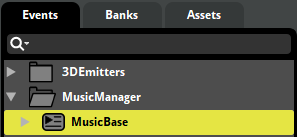
Within our new event, the first thing we’ll absolutely need to do is enable persistence. This is because our event will never be producing any sound signal directly (again, more on this later), and the FMOD audio engine will periodically try to automatically clean up any data-silent events. The Persistent checkbox prevents this. The event will ‘persist’ until we manually stop and free it. Ideal for a music manager event.

In my example, I’ll simply be looping four layers with identical start, sustain and stop behaviors, but this pattern can be extended to all sorts of organizations of music. For each layer or segment, I’ll create an Event Instrument, which is an asynchronous instrument that references a secondary event. This is key. I’ll also create some simple fades and a sustain point to keep each layer active, but these will vary wildly depending on how you’d like to organize your layers.

I now have four events nested under my MusicBase event, with the keyword #referenced next to it. Each one of these corresponds to an event instrument in my MusicBase event, and anything I place within these referenced events will try and play when the playhead in the MusicBase event is hovering over their corresponding event instrument containers.

Again, you can place any amount of complexity inside each of these referenced events, but recognize that everything placed in a single referenced event will be locked to a specific emitter location. If you want an organ to come from one location and a saxophone, from another, they will each need their own event instrument and corresponding referenced event. In my case, I’m just setting up a simple loop for each of these. The important parts are that this referenced event must also have Persistence enabled on it, and equally critically, it must have a Transceiver effect on it, pre-fader (pre-fader, because we’ll eventually be silencing this event in the mixer — more on this later).

Now, replicate this across each referenced event. Make sure the Transceiver is set to Transmit for each of these, as we’ll be using them to send a pre-fader signal from our individual layers, to a series of Receivers, which we’ll be spatializing (once again, more on this later). Additionally, make sure each referenced event is set to a different Transceiver Channel. These channels send to a Receiver with a matching channel. It’s essentially a secondary form of mixer routing.
Note: There are a maximum of 32 channels with this approach. I’ll be using 4 for this example.

We now have our 2D MusicBase event fully set up and functioning. If you play the event back, you should hear it playing as you’d expect, completely in Stereo. But we’d like to convert this to an object-based Diegetic music system. To do this, we’ll need to create a 3D event to hold a Receiver for each Transceiver we’ve set up thus far. Do this now.

As these events won’t contain any audio playback of their own (although they could, if you had some layers that you didn’t need sample-accurate synchronization for), we’ll also need to enable Persistence here. Additionally, we’ll also set up a Pre-Fader Transceiver set to Receive, and with a Channel value to match the corresponding layer we’re attempting to spatialize.

And with that, our 3D Receiver Events are fully set up as well. Now to the final key step; our mixer.
In our Mixer Hierarchy, we can simply group our 3D emitters together in a similar manner to how we’d normally group other 3D spatial emitters. Our 2D MusicBase event, however, will need it’s own group.

Select the group containing our 2D MusicBase event, and turn the fader volume all the way down. We do this because we don’t want to hear the 2D version of our music in Stereo, in game. We instead, want to only hear our 3D Diegetic Layers, spatialized in the world. Because the Transceivers are set up as Pre-Fader effects, they’ll send their signal to the 3D Receivers before being muted here on the mixer (or on the parent event, if you chose to do it there instead).

And with that, we’re fully set up and ready to test in-engine. For the following example, I’ll be using Unity, but this works pretty much identially in Unreal.
The Demonstration
Inside my Unity scene, I’ve placed a series of objects around the space, each with an emitter tied to it.

Each emitter is simply instructed to play on Start (although it could play at any time and the emitters would stay sync’d up, because we’re managing playback timing through that single MusicBase event), and assigned one of the four 3D Emitter Events.

The Mesh Renderer is purely for visualization.
Finally, I simply have a single MusicManager gameObject, also with a simple FMOD Studio Event Emitter, firing off our (silent) 2D MusicBase event.

And with that, our implementation is complete. To quickly reiterate, we have a single 2D, persistent event that has been silenced in the mixer, with several referenced events. Each referenced event is also persistent and has a pre-fader Transceiver effect that sends their audio signal to a corresponding empty, persistent 3D event. Those 3D events are then placed around the game world, and effectively act as spatialized “loudspeakers” for the individual referenced layers in our top-level 2D event.
Here’s how this sounds:
[embed]
메타데이터
- post_id
- 9fcaf7975d0a
- slug
- fmod-diegetic-multi-layer-music-9fcaf7975d0a
- url
- https://medium.com/@colinvandervort/fmod-diegetic-multi-layer-music-9fcaf7975d0a
- canonical_url
- https://medium.com/@colinvandervort/fmod-diegetic-multi-layer-music-9fcaf7975d0a
- author_url
- https://medium.com/@colinvandervort
- status
- ok
- fetched_at
- 2026-07-25 14:52:35