Build Hangman in Python — Learn Lists, Strings, Functions & Sets (Beginner Project)
Subtitle: A fun, bite-sized Python project that teaches four fundamental concepts while you build something playable in under 30 minutes.
Build Hangman in Python — Learn Lists, Strings, Functions & Sets (Beginner Project)
Subtitle: A fun, bite-sized Python project that teaches four fundamental concepts while you build something playable in under 30 minutes.
Hook: Want a hands-on way to practice Python that’s actually fun to play? Build a Hangman game. You’ll use strings for words, lists and sets for tracking guesses, and functions to keep your code tidy — all while making a small, satisfying game you can share with friends.
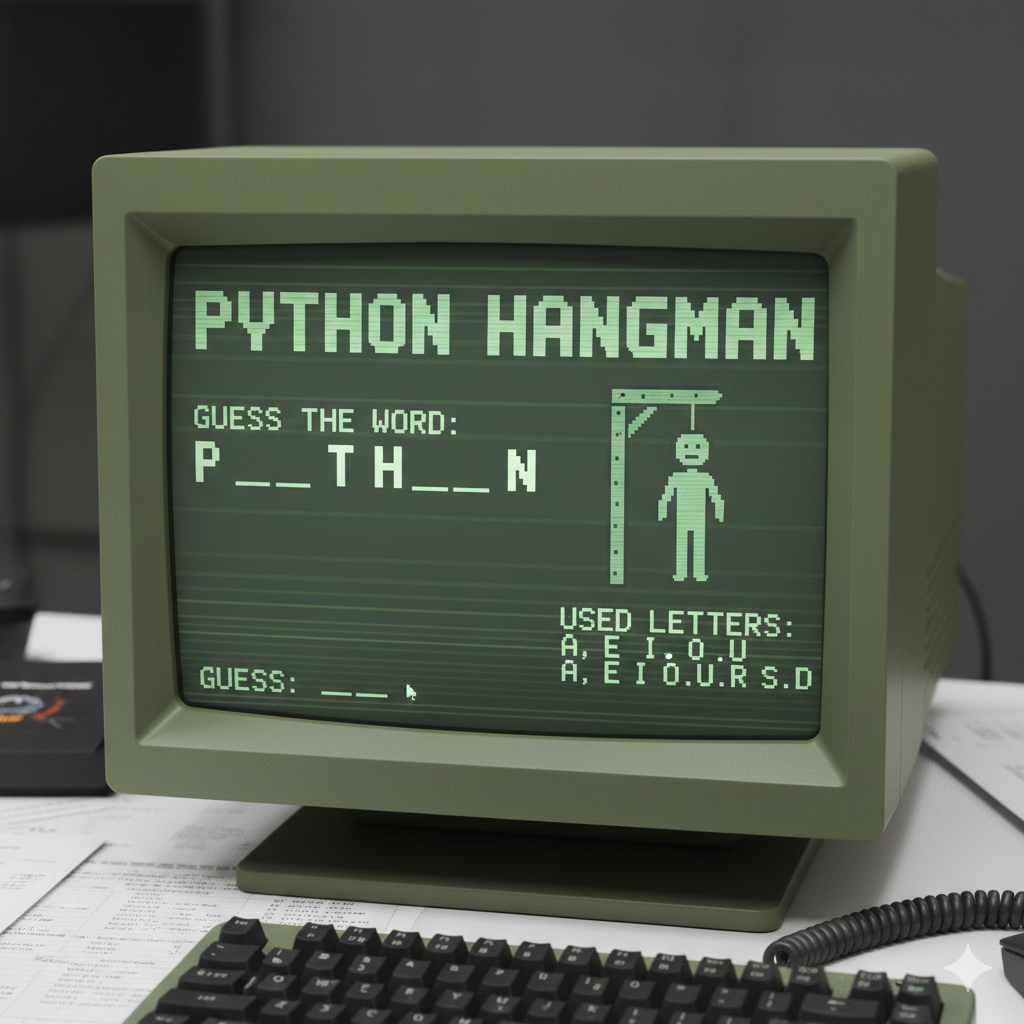
Why Hangman?
Hangman is an ideal beginner project because it’s small, interactive, and covers core programming patterns:
- input/output and validation
- state tracking (what’s been guessed)
- loops and conditionals
- modular code with functions
By the end, you’ll not only have a working game, you’ll also understand when and why to use lists vs sets, and how to structure code into reusable pieces.
The full code (copy–paste and run)
import random# Function to choose a random word
def choose_word():
words = ["python", "developer", "hangman", "function", "programming", "set", "string", "list"]
return random.choice(words)# Function to display progress
def display_progress(word, guessed_letters):
display = ""
for letter in word:
if letter in guessed_letters:
display += letter + " "
else:
display += "_ "
return display.strip()# Function to check guess
def check_guess(guess, word, guessed_letters, wrong_guesses):
if guess in word:
guessed_letters.append(guess)
print(f"✅ Good guess! '{guess}' is in the word.")
else:
wrong_guesses.append(guess)
print(f"❌ Oops! '{guess}' is not in the word.")# Function to check if game is over
def is_game_over(word, guessed_letters, wrong_guesses, max_attempts):
unique_letters = set(word)
if unique_letters.issubset(set(guessed_letters)):
print("\n🎉 Congratulations! You guessed the word:", word)
return True
elif len(wrong_guesses) >= max_attempts:
print("\n💀 Game Over! The word was:", word)
return True
return False# Main game function
def hangman():
word = choose_word()
guessed_letters = []
wrong_guesses = []
max_attempts = 6 print("🔠 Welcome to Hangman!")
print("You have", max_attempts, "wrong attempts allowed.\n") while True:
print("Word:", display_progress(word, guessed_letters))
print("Wrong guesses:", wrong_guesses)
guess = input("👉 Enter a letter: ").lower() # Validation
if len(guess) != 1 or not guess.isalpha():
print("⚠️ Please enter a single alphabet letter.\n")
continue
if guess in guessed_letters or guess in wrong_guesses:
print("⚠️ You already guessed that letter.\n")
continue # Check guess
check_guess(guess, word, guessed_letters, wrong_guesses) # Check if game is over
if is_game_over(word, guessed_letters, wrong_guesses, max_attempts):
break
print()# Run the game
hangman()How it works (plain language)
- The game picks a word (
choose_word). - The display function hides unguessed letters with
_. - When you type a letter, the game checks whether that letter exists in the word and updates either
guessed_letters(correct) orwrong_guesses(incorrect). - Win condition: you’ve guessed every unique letter (sets make this easy).
- Lose condition: you exceed the allowed number of wrong attempts.
What you learn building this
- Strings: manipulation and normalization (
lower()), iterating characters. - Lists: storing guess history and printing it in order.
- Sets: checking unique letters and fast membership.
- Functions: breaking the program into readable, testable parts.
Closing (CTA)
Ready to try it? Paste the code into a file hangman.py and run python hangman.py.
If you want, I can:
- add an ASCII hangman drawing so wrong guesses draw the figure step-by-step, or
- convert it into a Tkinter GUI or Flask web app — tell me which and I’ll give the code.
If you want, I’ll now:
- add the ASCII hangman drawing and integrate it with the current code, or
- show a slightly refactored version that uses
setsinternally and allows a full-word guess.
Which one should I do next? (No need to explain anything — I’ll just add it.)
메타데이터
- post_id
- a01ec6df7d8b
- slug
- build-hangman-in-python-learn-lists-strings-functions-sets-beginner-project-a01ec6df7d8b
- url
- https://medium.com/@kiritmehta/build-hangman-in-python-learn-lists-strings-functions-sets-beginner-project-a01ec6df7d8b
- canonical_url
- https://medium.com/@kiritmehta/build-hangman-in-python-learn-lists-strings-functions-sets-beginner-project-a01ec6df7d8b
- author_url
- https://medium.com/@kiritmehta
- status
- ok
- fetched_at
- 2026-07-20 18:44:07