Are AI Tools Sending Visitors to Your Site? Find Out in 30 Seconds
How to see your AI referral metrics in 30 seconds with this simple tool
Are AI Tools Sending Visitors to Your Site? Find Out in 30 Seconds
How to see your AI referral metrics in 30 seconds with this simple tool
Most business owners have a glaring blind spot when it comes to their web traffic. While they meticulously track Google organic searches and social media referrals, they have no idea whether AI engines like ChatGPT, Claude, or Perplexity are sending them clients.
The truth? The traffic is likely already there — it’s just hiding in plain sight.
Up to 53% of AI-referred clicks arrive in Google Analytics labeled as “Direct,” leaving absolutely no referral trail behind. Here is why that happens, and more importantly, how you can finally uncover the real numbers.
The Problem: Why You Can’t See Your AI Traffic
AI platforms have rapidly evolved into significant sources of referral traffic, especially for content-heavy websites. But there’s a technical catch: the standard Google Analytics 4 (GA4) interface was built before AI search became a dominant force.
When a user clicks a link to your site from the web version of ChatGPT, GA4 usually records it correctly as chatgpt.com / referral.
However, when that same user clicks your link from inside the ChatGPT iOS or Android app, the mobile app strips away the HTTP referrer header. Because GA4 has no idea where the visit originated, it lumps the click into the dreaded direct / (none) bucket—the exact same place it puts people who manually type your URL into their browser.
Here is how GA4 currently misreads the landscape:
- ChatGPT web (browser):
chatgpt.com / referral - ChatGPT mobile app:
direct / (none) - Perplexity web:
perplexity.ai / referral - Claude web:
claude.ai / referral - Gemini:
gemini.google.com / referral
The takeaway: If your “Direct” traffic has been mysteriously rising over the past six months while your organic Google traffic has stayed relatively flat, AI referrals are almost certainly part of that story. You just aren’t getting the attribution.
The Solution: Reveal Your AI Traffic in 30 Seconds
Instead of spending hours trying to build complex, custom GA4 explorations to parse out this data, there is a much faster way.
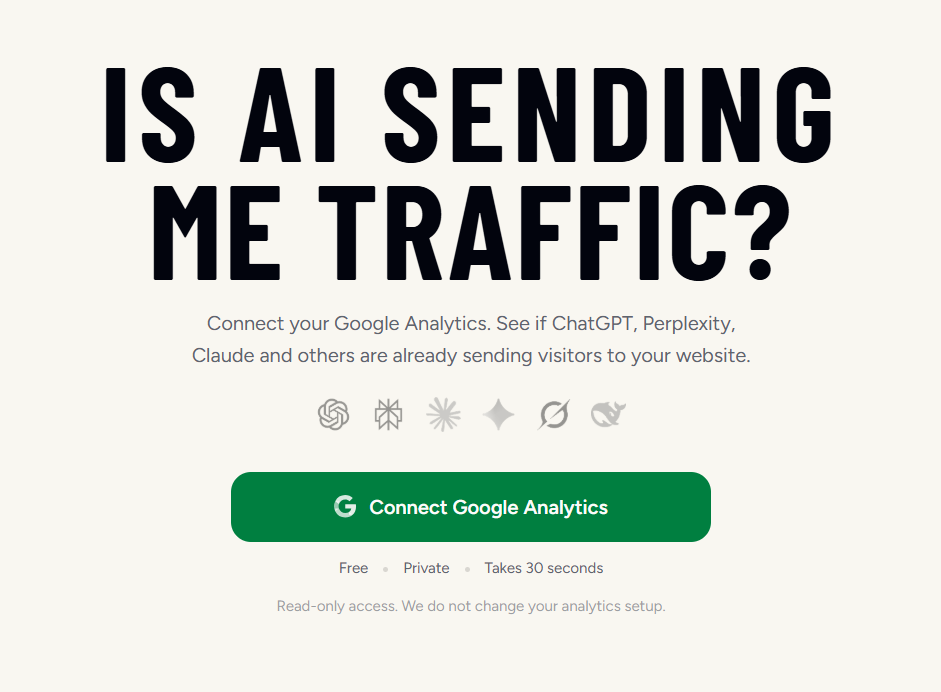
**Is AI Sending Me Traffic?* is a free tool created by [LovedByAI* ](https://www.lovedby.ai)that connects directly to your existing Google Analytics account. By analyzing patterns in your direct traffic and combining them with known AI referral domains, it gives you a clean, accurate breakdown instantly.
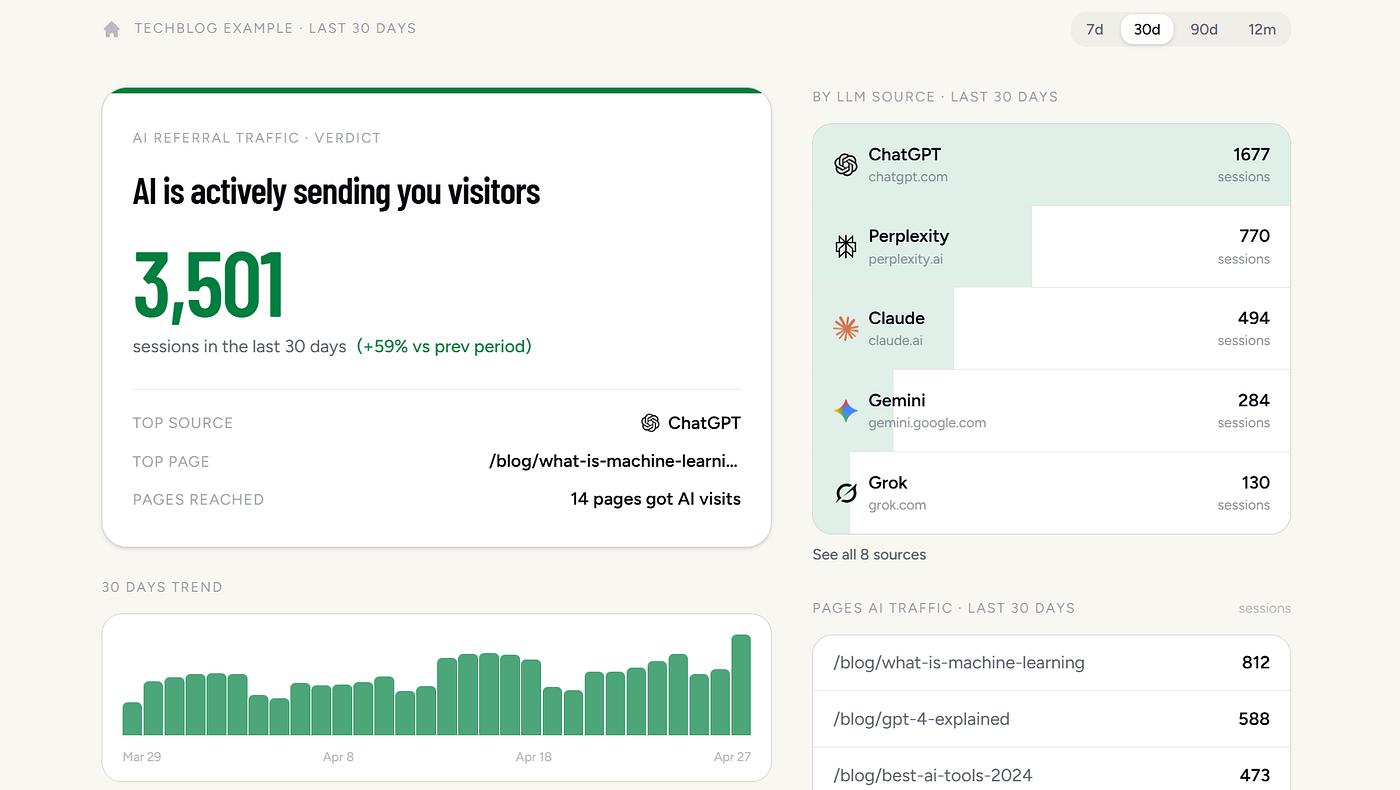
Report of the results
What the report reveals:
- Total AI sessions (viewable over 7-day, 30-day, 90-day, or 12-month windows).
- Source breakdowns (See exactly how much traffic comes from ChatGPT, Perplexity, Gemini, Grok, Copilot, etc.).
- Top landing pages (Discover which of your pages the AI engines are actively citing).
- 30-day trendlines to track your growth.
[embed]19 Seconds Demo of Is AI Sending Me Traffic
How to run your report:
- Go to isaisendingmetraffic.com
- Click Connect Google Analytics (The tool uses secure, read-only access — it won’t modify your setup or store data).
- Select your site’s GA4 property.
- Review your instant AI traffic report.
What to Do With Your Results
Checking your traffic isn’t just about satisfying your curiosity; it’s about building a strategic optimization loop. Traffic you can see is traffic you can grow.
If AI is actively sending you traffic: Congratulations, you are on the map! But remember, a handful of cited pages is just the starting point, not the ceiling. Once you know that Claude is sending 400 sessions a month to a specific blog post, you know exactly which type of content to protect, expand, and replicate. Most sites capture only a fraction of their potential because large sections of their website remain unstructured and difficult for AI engines to confidently quote.
If the tool shows ZERO AI traffic: You now have a clear signal: your site isn’t on the AI radar yet. Don’t panic, but do take action. The most common culprits for zero AI traffic include:
- Missing or broken JSON-LD structured data (AI engines rely heavily on schema to verify your business).
- Lack of specific schema types (Like
FAQPageorLocalBusiness, which are high-impact for AI citations). - Thin content that fails to directly answer the prompts AI users are actually searching for.
- Zero external citations (AI platforms cross-reference your site against authoritative directories to build trust).
To fix this, you can run a free GEO (Generative Engine Optimization) scan to identify exactly which trust signals your site is missing and get a prioritized list of fixes.
The Bottom Line
We are entering a new era of search. If you cannot see where your traffic is coming from, you cannot measure it. And if you cannot measure it, you cannot grow it. Stop guessing what the AI engines think of you, and start tracking your real performance today.
Insights in this post are based on the Generative Engine Optimization (GEO) framework developed by Jenny Beasley and the team at LovedByAI.
메타데이터
- post_id
- a07c8bc49b6f
- slug
- are-ai-tools-sending-visitors-to-your-site-find-out-in-30-seconds-a07c8bc49b6f
- url
- https://medium.com/@dean_72472/are-ai-tools-sending-visitors-to-your-site-find-out-in-30-seconds-a07c8bc49b6f
- canonical_url
- https://medium.com/@dean_72472/are-ai-tools-sending-visitors-to-your-site-find-out-in-30-seconds-a07c8bc49b6f
- author_url
- https://medium.com/@dean_72472
- status
- ok
- fetched_at
- 2026-06-24 04:09:36




