Stop Running Data Syncs Manually: Automate Incremental Pipelines with Apache SeaTunnel &…
Still spending time manually synchronizing new data every day? Combine Apache SeaTunnel with Apache DolphinScheduler to build a fully…
Stop Running Data Syncs Manually: Automate Incremental Pipelines with Apache SeaTunnel & DolphinScheduler
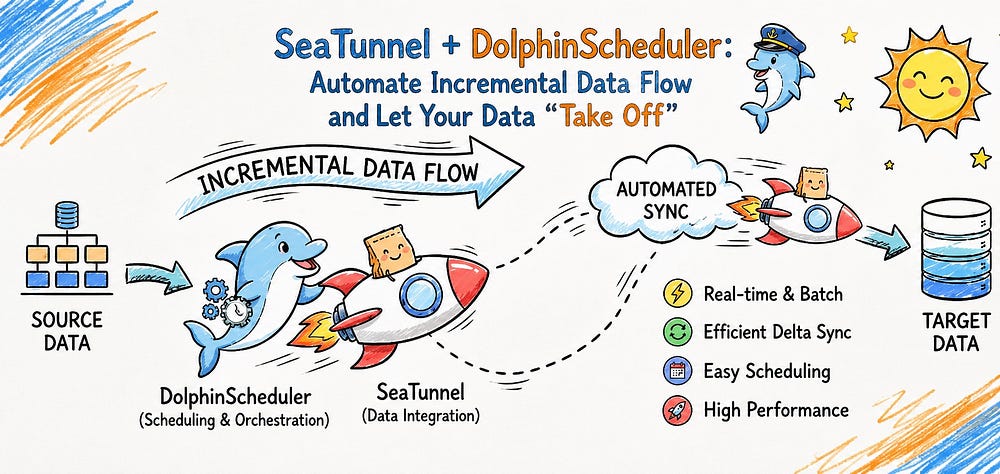
Still spending time manually synchronizing new data every day? Combine Apache SeaTunnel with Apache DolphinScheduler to build a fully automated incremental data pipeline that runs on schedule — so you can focus on building applications instead of maintaining scripts.
Is this a challenge your team faces?
Your production database grows every day, and yesterday’s newly generated data needs to be synchronized to another database or data warehouse for reporting, analytics, or downstream business applications.
Running the synchronization manually every day? That’s tedious — and it’s easy to forget.
Writing cron jobs? They work, but they quickly become difficult to maintain as your workloads grow.
Fortunately, there’s a much better approach.
In this tutorial, we’ll show you how to use Apache SeaTunnel as your data integration engine and Apache DolphinScheduler as your workflow orchestration platform. Together, they create a reliable, fully automated solution for daily incremental data synchronization.
Why Combine SeaTunnel and DolphinScheduler?
Simply put, this open-source combination automates recurring data synchronization jobs.
Imagine a common enterprise scenario.
Your business database is continuously receiving new records. Every day, those new records need to be synchronized to another database or data warehouse for dashboards, analytics, or downstream services.
There are two ways to solve this problem.
Using SeaTunnel alone
SeaTunnel can easily perform both full and incremental data synchronization. However, you’ll still need to execute the job manually every day or rely on external scheduling tools such as crontab.
Adding DolphinScheduler
Everything becomes much simpler.
Configure the workflow once, and DolphinScheduler automatically triggers your SeaTunnel job on schedule every day. It also provides centralized monitoring, execution history, retry mechanisms, and alert notifications whenever a task fails.
The biggest value of this architecture is straightforward:
It transforms repetitive data synchronization into an automated, visualized, and manageable workflow, freeing engineers from repetitive operational work.
In this article, we’ll walk through a practical example that synchronizes yesterday’s data from a MySQL table into another table automatically every day.
Prerequisites
Before building the automation pipeline, let’s prepare the environment.
Environment
The following software versions are used in this example:
- Apache DolphinScheduler 3.4.0 (Workflow Scheduler)
- Apache SeaTunnel 2.3.12 (Data Integration Engine)
- MySQL 5.7 (Source and Target Database)
Prepare Test Data
First, create a simple table in MySQL and insert a few records to simulate daily incremental data.
CREATE TABLE `paramtest` (
  `id` int(11) NOT NULL AUTO_INCREMENT,
  `name` varchar(50) CHARACTER SET utf8mb4 COLLATE utf8mb4_general_ci DEFAULT NULL,
  `rq` date DEFAULT NULL,
  PRIMARY KEY (`id`) USING BTREE
) ENGINE=InnoDB DEFAULT CHARSET=utf8mb4;

INSERT INTO `paramtest` VALUES (1, '张三', '2026-02-06');
INSERT INTO `paramtest` VALUES (2, '李四', '2026-02-05');
Our objective is simple:
Synchronize all records whose rq equals yesterday's date automatically every day.
Configuring Apache DolphinScheduler
Step 1: Install the SeaTunnel Plugin
First, DolphinScheduler needs to recognize SeaTunnel as one of its task types.
Open the following configuration file under your DolphinScheduler installation directory:
vi conf/plugins_configdolphinscheduler-task-seatunnelThen install the plugin:
bash ./bin/install-plugins.sh 3.4.0Step 2: Configure the SeaTunnel Environment Variable
Next, tell DolphinScheduler where SeaTunnel is installed.
If you’re using the Standalone Server deployment mode, configuring the environment variable is required so that DolphinScheduler can locate the SeaTunnel installation correctly.
# Required environment variable

# Add the following to your system environment
# (for example, /etc/profile)
export SEATUNNEL_HOME=/your/path/to/apache-seatunnel-2.3.12
# Reload the environment
source /etc/profile
# The following two files were also configured in this example.
# Depending on your deployment, they may or may not be required.
# ${SEATUNNEL_HOME}/bin/env/dolphinscheduler_env.sh
export SEATUNNEL_HOME={SEATUNNEL_HOME:/your/path/to/apache-seatunnel-2.3.12}
# ${SEATUNNEL_HOME}/standalone-server/conf/dolphinscheduler_env.sh
export SEATUNNEL_HOME={SEATUNNEL_HOME:/your/path/to/apache-seatunnel-2.3.12}
After completing the configuration, restart the DolphinScheduler services.
Step 3: Create the Workflow
Now it’s time to create the scheduled workflow.
In the DolphinScheduler Web UI:
- Navigate to Data Integration → Create SeaTunnel Task.
- Configure the following parameters.
Startup Script
seatunnel.shCommand Options
This is where the dynamic date parameter comes into play.
-i date=$(date -d "1 day ago" +"%Y-%m-%d")Every time the workflow executes, this Bash command automatically calculates yesterday’s date and passes it into the workflow as the variable date.
Deployment Mode
Select:
localScript
Paste the following SeaTunnel configuration.
The Core Magic: SeaTunnel Configuration
The configuration below defines both the data source and the destination.
The key is the ${date} variable, which is injected dynamically by DolphinScheduler at runtime so that only yesterday's records are queried.
env {
  parallelism = 1
  job.mode = "BATCH"
}

source {
  Jdbc {
    url = "jdbc:mysql://10.0.12.100:3306/cdc?serverTimezone=UTC"
    driver = "com.mysql.cj.jdbc.Driver"
    connection_check_timeout_sec = 100
    user = "root"
    password = "root"
    query = "select * from paramtest where rq = '${date}'"
  }
}
sink {
  Jdbc {
    url = "jdbc:mysql://10.0.12.100:3306/cdc?serverTimezone=UTC"
    driver = "com.mysql.cj.jdbc.Driver"
    user = "root"
    password = "root"
    generate_sink_sql = true
    database = cdc
    table = "paramtest2"
    primary_keys = ["id"]
  }
}
After saving the task:
- Publish the workflow.
- Configure a schedule (for example, every day at 1:00 AM).
- Enable the schedule.
Once completed, the entire synchronization process becomes fully automated.
Monitor and Manage Your Workflows
After the workflow is online, DolphinScheduler takes care of everything automatically.
Open the Workflow Instance page to view the execution history of every scheduled run.
You can easily monitor:
- Execution Status — Running, Successful, or Failed at a glance.
- Execution Logs — If a task fails, simply open the task instance, right-click it, and select View Log. You’ll quickly identify whether the problem is related to networking, SQL, or configuration, making troubleshooting significantly easier.
Final Thoughts
Data synchronization is part of every data engineer’s daily work — but it doesn’t have to be repetitive.
By combining Apache SeaTunnel with Apache DolphinScheduler, you can transform manual, error-prone synchronization tasks into reliable, fully automated workflows with built-in scheduling, monitoring, retries, and centralized management.
The result is fewer operational errors, higher productivity, and more time to focus on what really matters — building better data platforms and delivering business value.
If your team is still running incremental synchronization jobs manually, now is the perfect time to modernize your workflow with this powerful open-source combination.
Join the Community
This open-source project is actively operated and maintained with deep involvement from WhaleOps.
Learn more about WhaleOps: https://www.whaleops.io/
There are many ways to participate and contribute to the DolphinScheduler community, including:
Documents, translation, Q&A, tests, codes, articles, keynote speeches, etc.
We assume the first PR (document, code) to contribute to be simple and should be used to familiarize yourself with the submission process and community collaboration style.
So the community has compiled the following list of issues suitable for novices: https://github.com/apache/dolphinscheduler/contribute
- List of non-newbie issues:
https://github.com/apache/dolphinscheduler/issues?q=is%3Aopen+is%3Aissue+label%3A%22help+wanted%22+
- How to contribute:
- GitHub Code Repository: https://github.com/apache/dolphinscheduler
- Official Website:https://dolphinscheduler.apache.org/en-us
- Mail List:dev@dolphinscheduler@apache.org
- X.com:@DolphinSchedule
- YouTube:https://www.youtube.com/@apachedolphinscheduler
- Slack:https://join.slack.com/t/asf-dolphinscheduler/shared_invite/zt-1cmrxsio1-nJHxRJa44jfkrNL_Nsy9Qg
- Contributor Guide:https://dolphinscheduler.apache.org/en-us/community
Your Star for the project is essential; don’t hesitate to light a Star for Apache DolphinScheduler ❤️
메타데이터
- post_id
- a0bc922e5990
- slug
- stop-running-data-syncs-manually-automate-incremental-pipelines-with-apache-seatunnel-a0bc922e5990
- url
- https://towardsdev.com/stop-running-data-syncs-manually-automate-incremental-pipelines-with-apache-seatunnel-a0bc922e5990
- canonical_url
- https://towardsdev.com/stop-running-data-syncs-manually-automate-incremental-pipelines-with-apache-seatunnel-a0bc922e5990
- author_url
- https://medium.com/@ApacheDolphinScheduler
- status
- ok
- fetched_at
- 2026-07-17 22:01:38