How to Analyze a Phishing Email: A Step-by-Step Guide
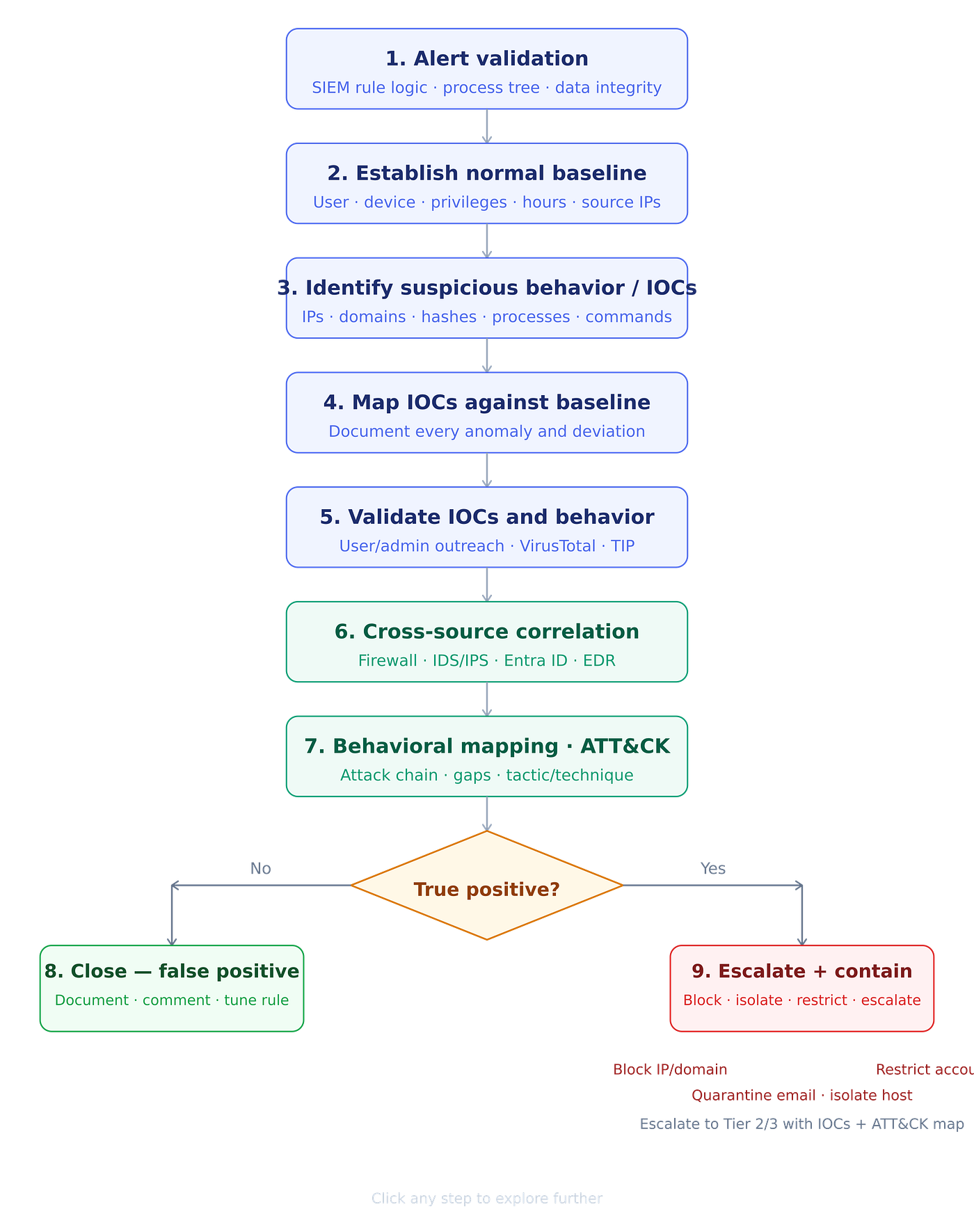
Phishing emails are one of the most common ways attackers try to break into organizations. As a SOC analyst, knowing how to properly…
How to Analyze a Phishing Email: A Step-by-Step Guide
Phishing emails are one of the most common ways attackers try to break into organizations. As a SOC analyst, knowing how to properly investigate a phishing email is one of the most important skills you can have. Here is the process I follow.
The first thing I do is ask — who received this email, and what is their role? Attackers don’t send random emails. They do their homework. An email sent to the finance team will look very different from one sent to a company executive or an IT admin. Understanding who the target is helps you figure out what the attacker was after — before you even read the email.
Step 0: Quarantine the Email First The moment you get an alert about a suspicious email, quarantine it immediately. Lock it down in the user’s inbox so it cannot be forwarded, clicked, or opened again while you investigate. Always contain first, investigate second.
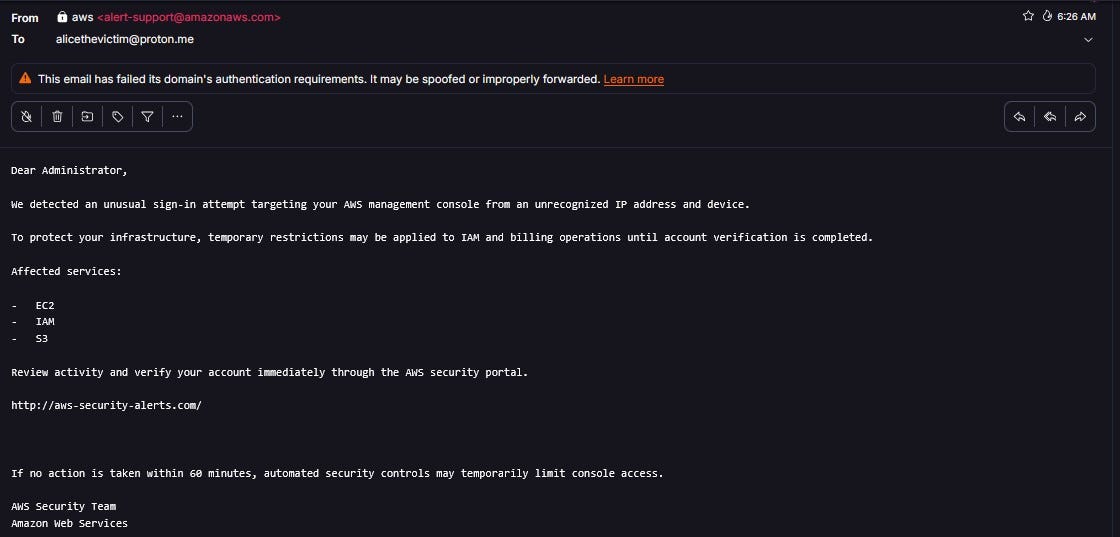
Step 1: Read the Email Content Before jumping into technical analysis, simply read the email. Ask yourself — what is this email trying to make me do?
- Urgency “Your account will be locked in 24 hours!”
- Fear “legal action will follow.”
- Fake authority Pretending to be your boss, IT team, or a trusted company.
- Suspicious links or attachments Asking you to click something or open a file.
- Too good to be true Prize winnings, unexpected refunds.
Step 2: Collect the Evidence (IOCs) Before you start analyzing, collect everything.
- The sender’s email address
- The recipient’s email address
- The reply-to address (this is often different from the sender, a big red flag)
- All links inside the email, do not click them, just copy the raw URLs
- The time and date the email was sent
- Any attachments save them only inside a safe, isolated sandbox
Step 3: Check the Email Headers These help determine whether the email was sent from a legitimate source or if it has been tampered with.
Three things to check:
- SPF — Was this email sent from a server that is actually allowed to send on behalf of that domain?
- DKIM — Was the email tampered with after it was sent?
- DMARC — Did the email pass the domain owner’s own security checks?
Step 4: Analyze IOCs Carefully analyze the collected links, attachments, domains, IP addresses, Reply-To addresses, and sender email addresses. Use internal and publicly available threat intelligence feeds to verify the authenticity and reputation of domains, IP addresses, email addresses, and attachment files. We can also perform basic malware analysis on attachment files, which helps us better understand the nature and behavior of the attachment.
Step 5: Assess Exposure Determine whether any sensitive information was disclosed or whether any systems were compromised. Check logs, network activity, and user accounts for unusual behavior. Identify who received the phishing email and determine whether any internal systems were accessed.
- Did the user click any links?
- Did they enter a password or download an attachment?
- How many people in the organization received this email?
- Is there any unusual activity in your logs — strange logins, odd network traffic, new processes running?
Step 6: Write the Report Document everything. A good report covers:
- What type of attack was this? Credential theft, malware delivery, executive impersonation?
- How serious was it? Based on who was targeted and whether anyone interacted with it.
- Full timeline from email delivery to your investigation findings.
This report creates a record for escalation, management briefings, and future detection improvements.
Step 7: Mitigation and Follow-Up
- Delete the email from every inbox in the organization.
- Block the malicious domains, IPs, and sender addresses.
- Reset passwords for any user who clicked or responded.
- Update your firewall rules, email filters, and detection signatures.
- Train the affected user — not to shame them, but to make sure it doesn’t happen again.
메타데이터
- post_id
- a0e828ff4fcd
- slug
- how-to-analyze-a-phishing-email-a-step-by-step-guide-a0e828ff4fcd
- url
- https://medium.com/@sanjeevkumar96335/how-to-analyze-a-phishing-email-a-step-by-step-guide-a0e828ff4fcd
- canonical_url
- https://medium.com/@sanjeevkumar96335/how-to-analyze-a-phishing-email-a-step-by-step-guide-a0e828ff4fcd
- author_url
- https://medium.com/@sanjeevkumar96335
- status
- ok
- fetched_at
- 2026-06-09 15:37:30