System Design Was Hard Until I Learned These 50 Concepts [2026 Edition]
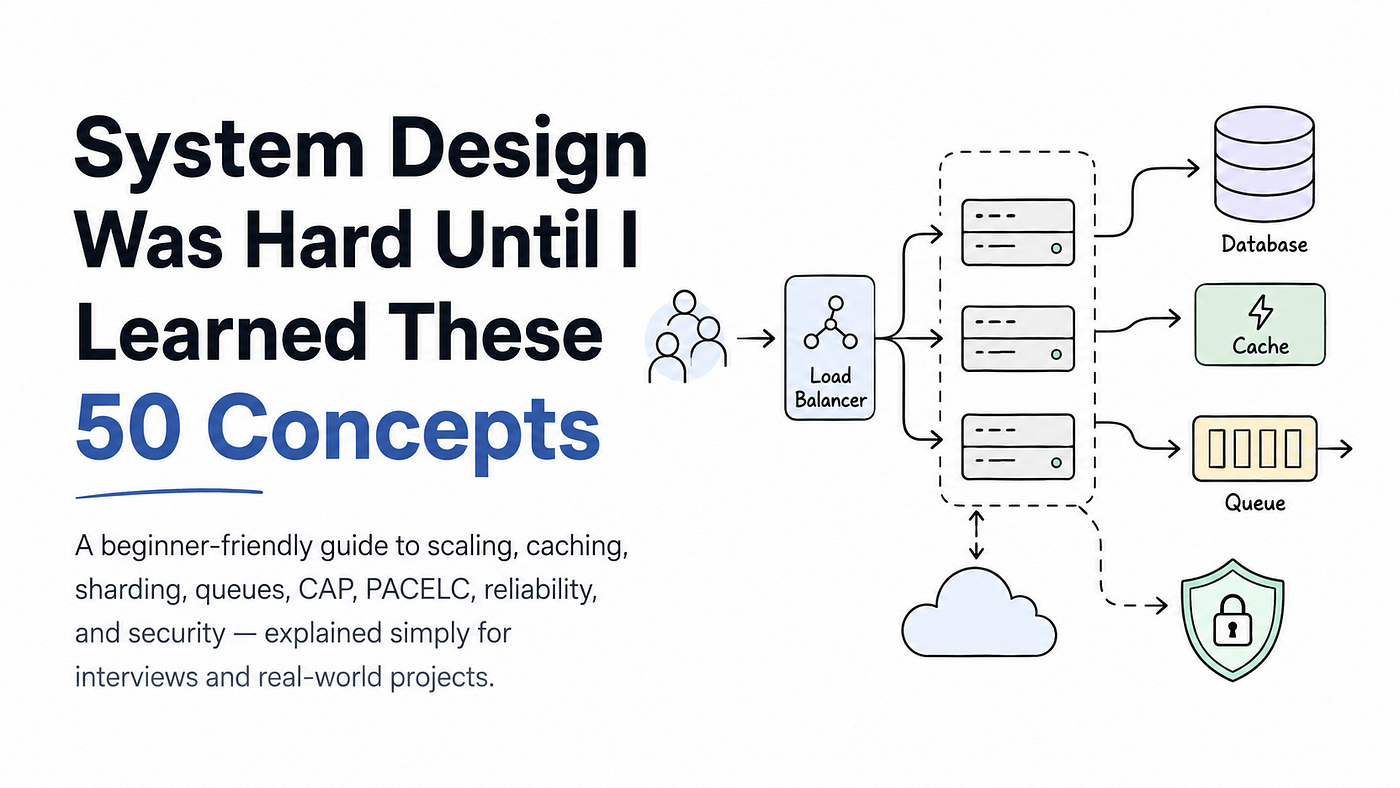
A beginner-friendly guide to scaling, caching, sharding, queues, CAP, PACELC, reliability, and security explained simply for interviews and…
System Design Was Hard Until I Learned These 50 Concepts [2026 Edition]
A beginner-friendly guide to scaling, caching, sharding, queues, CAP, PACELC, reliability, and security explained simply for interviews and real-world projects.
Hey everyone,
Nonmembers click here
When I first started learning system design, I honestly thought the hardest part would be understanding big terms like scaling, caching, sharding, load balancing, queues, CAP theorem, and all those fancy concepts.
But after spending some time with it, I realized something different. The real problem was not the concepts. The real problem was finding simple explanations in one place.
Every time I searched for one topic, I found ten more confusing words. One article explained scaling. Another explained databases. Another talked about reliability. Another jumped straight into interview-level diagrams without explaining the basics. And as a beginner, that can feel overwhelming. That is why I wanted to create this guide.
In this story, I am going to explain 50 important system design concepts in a simple and beginner-friendly way. Think of this as a one-stop reference that helps you understand how real-world systems scale, stay reliable, communicate with each other, handle traffic, manage data, and recover when things go wrong.
My goal is not to make this complicated.
My goal is to explain each concept in short, clear language with simple examples, so you can quickly understand what it means and why it matters.
If you are preparing for a system design interview, improving your backend knowledge, or just trying to understand how large applications work behind the scenes, this guide will help you build a strong foundation.
So let’s start with the basics and make system design feel a little less scary.
Let’ s start now :
Architecture Foundations
1. Vertical vs Horizontal Scaling
When your application starts getting more users, the first big question is simple:
How do we handle more traffic?
There are two common ways to do this:
vertical scaling and horizontal scaling. Vertical scaling means making one machine more powerful. For example, you add more CPU, more RAM, better storage, or upgrade the server itself. It is like saying, “Let’s make this one machine stronger.”
This approach is simple because you are still working with one server. But there is a limit. At some point, you cannot keep adding more power forever. It can also become very expensive.
Horizontal scaling means adding more machines instead of making one machine stronger. So instead of one powerful server doing everything, you have multiple servers sharing the work.

This approach is more flexible and is used by many real-world systems. But it is also harder to manage because now you need things like load balancing, stateless services, and shared storage.
A simple way to remember it:
Vertical scaling is one superhero getting stronger. Horizontal scaling is building a team of superheroes.
Both are useful, but for large systems, horizontal scaling usually becomes more important.
2. CAP Theorem
CAP Theorem is one of those system design topics that sounds scary at first, but the idea is actually simple.
It says that when a distributed system faces a network partition, it cannot give you perfect Consistency and perfect Availability at the same time.

Let’s break that down.
Consistency means every user sees the same correct data. For example, if you update your profile name, every server should show the updated name immediately. Availability means the system keeps responding, even if some data might be old for a short time. So even if one part of the system is having trouble, users can still use the app.
Now the important part is this:
When the network is working fine, systems can try to give both consistency and availability. But when the network breaks or servers cannot talk to each other properly, you have to choose what matters more.
Do you want the system to stop and wait until it can show the latest correct data?
Or do you want the system to keep working, even if some users may see slightly old data? That is the trade-off CAP Theorem talks about. A simple way to remember it:
When the network breaks, you choose between showing correct data or keeping the system available.
For example, in a banking system, consistency is usually more important because wrong balance data can be dangerous. But in a social media feed, availability may be more important because showing a post a few seconds late is usually acceptable.
3. PACELC Theorem
PACELC Theorem is like the next level of CAP Theorem. CAP talks about what happens when the network breaks. But PACELC goes one step further and says: Even when the network is working fine, you still have to make trade-offs.
The idea is simple:
If there is a Partition, choose between Availability and Consistency. Else, choose between Latency and Consistency.
That is where the name comes from:

Now let’s make it easier.
When there is a network problem, your system has to decide:
- Should it keep responding, even if the data may not be fully updated?
- Or should it wait and return only correct, consistent data?
That is the CAP part. But PACELC says the trade-off does not end there. Even when everything is working normally,
you still have another choice:
- Should the system be very fast?
- Or should it always return the most accurate and latest data?
For example, imagine a database running across multiple countries. If every read needs to check with another region before returning the result, the data may be very consistent, but the response can become slower. But if the system returns data from a nearby server, it becomes faster, even if that data is a little old for a few seconds.
That is the trade-off PACELC explains. Some systems choose speed and accept slightly stale data. Some systems choose accuracy and accept a little delay.
A simple way to remember it:
CAP explains what happens when the network breaks. PACELC explains that even when the network is fine, speed and accuracy still fight each other.
This is why some databases feel very fast but may show slightly old data, while others feel slower but keep the data more accurate.
4. Strong vs Eventual Consistency
Consistency decides how quickly all parts of your system agree on the same data. There are two common types you should understand: strong consistency and eventual consistency.

Strong consistency means once data is updated, every user sees the latest version immediately. For example, if you transfer money from one bank account to another, the balance should update correctly everywhere. You do not want one server showing the old balance and another server showing the new balance. That is why strong consistency is important in systems where accuracy matters a lot. But there is a cost. Strong consistency can be slower because the system may need to wait until all important nodes agree before showing the result.
Now let’s talk about eventual consistency. Eventual consistency means the update does not appear everywhere instantly. It spreads slowly across different servers. So for a short time, two users may see slightly different data. But after some time, all servers become consistent again. This is useful in large-scale systems where speed matters more than perfect freshness. For example, likes, views, comments count, social media feeds, notifications, or timeline updates can usually work with eventual consistency. If a like count updates after a few seconds, it is not a big problem.
A simple way to remember it:
Strong consistency means everyone sees the latest data immediately. Eventual consistency means everyone will see the latest data soon.
The important thing is not to blindly choose one. You choose based on the user experience you want. For banking, payments, and booking systems, strong consistency is usually better. For feeds, counters, analytics, and large-scale social features, eventual consistency is often enough.
5. Throughput vs Latency
Throughput and latency are two words you will hear a lot in system design. At first, they may sound similar, but they are completely different. Throughput means how much work your system can handle in a given time. For example, if your server can process 1,000 requests per second, that is its throughput. So throughput is about quantity.
Latency means how much time one request takes from start to finish. For example, if a user clicks a button and the response comes back after 200 milliseconds, that response time is latency. So latency is about speed for one user.

Now here is the tricky part. Sometimes, you can increase throughput by processing more requests in parallel. But if too many requests start waiting in a queue, the latency can increase. That means your system may handle more total work, but each user may feel the app is slower.
A simple example is a restaurant. If a restaurant takes many orders at once, its throughput is high. But if the kitchen cannot prepare food fast enough, customers will wait longer, so latency becomes high.
That is why good system design tries to balance both. You want enough throughput to handle peak traffic, but you also want low latency so users get a smooth and fast experience.
A simple way to remember it:
Throughput is how many requests your system handles. Latency is how long one request takes.
A system is not good just because it handles many requests. It should also feel fast for the user.
6. ACID vs BASE
ACID and BASE are two different ways of thinking about data reliability in a system. Both are important, but they are used for different kinds of problems.
ACID is mostly about strict and reliable transactions.
It stands for:
Atomicity, Consistency, Isolation, and Durability. In simple words, ACID makes sure that important operations happen safely and correctly. For example, imagine you are transferring money from one bank account to another. The system should not remove money from one account and then fail before adding it to the other account. Either the full transaction should happen, or nothing should happen. That is why ACID is useful for banking, payments, inventory, booking systems, and anything where mistakes can be very costly.
Now let’s talk about BASE.
BASE stands for:
Basically Available, Soft state, and Eventual consistency. BASE is more common in large distributed systems where the system needs to stay available and respond quickly. In BASE systems, data may be slightly inconsistent for a short time, but it becomes correct eventually. For example, a social media feed, view count, like count, or analytics dashboard does not always need perfect real-time accuracy. If the number updates after a few seconds, users usually do not care much.

A simple way to remember it:
ACID chooses correctness first. BASE chooses availability and speed first.
But in real-world systems, it is not always ACID or BASE. Many architectures use both. For example, an app may use ACID for payments and orders, but BASE for feeds, notifications, analytics, and counters.
The smart choice depends on one question:
What part of the system must always be correct, and what part can become correct over time?
7. Amdahl’s Law
Amdahl’s Law is a simple reminder that adding more machines does not always make a system faster. It says that the total speedup of a system is limited by the part that cannot be parallelized.

Let’s make it simple. Imagine 80% of your work can run in parallel, but 20% must always happen one step at a time. Now even if you add more servers, more workers, or more machines, that 20% sequential part will still slow everything down.
That part becomes your bottleneck. For example, imagine every request in your system must talk to one master database. You can add ten application servers, twenty workers, or more background jobs, but if all of them are waiting on the same master database, your performance will still be limited.
The database becomes the slowest point in the system. That is what Amdahl’s Law teaches us. Before adding more servers, first find the part of the system that cannot scale.
A simple way to remember it:
Your system is only as fast as its slowest unavoidable step. So in system design, the goal is not just to add more machines. The real goal is to find bottlenecks, remove unnecessary sequential work, and make more parts of the system run independently.
8. Stateful vs Stateless Architecture
Stateful and stateless architecture is a very important concept when you start learning how scalable systems are built.
A stateful service remembers something about the user between requests. For example, imagine a user logs in and the server stores that user’s session data inside its own memory. Now, when the same user sends another request, that same server already knows who the user is. This can feel simple in the beginning because the server is remembering the context for you. But there is a problem. If you add more servers, the user may not always reach the same server. One server may know the user, but another server may not. That makes load balancing and failover harder.
Now let’s talk about stateless services. A stateless service does not remember user context inside the server itself. Every request comes with enough information, or the service gets the required data from an external place like a database, cache, or session store. This means any server can handle any request. That is why stateless services are easier to scale horizontally. You can add more servers, remove servers, restart servers, or route traffic anywhere, and the system still works better.

A simple way to remember it:
Stateful means the server remembers. Stateless means the request brings the context, or the system gets it from outside.
Stateful systems can be easier to build at first, but they become harder to scale. Stateless systems may need better design, but they work much better in modern cloud architecture. That is why in most modern systems, we try to keep services stateless and store state in databases, caches, or other external storage.
9. Microservices vs Monoliths
Microservices and monoliths are two different ways to structure an application.
A monolith is one single application where many features live together. For example, login, user profiles, payments, orders, notifications, and admin features may all be inside one codebase and deployed as one unit. This makes monoliths easier to start with. You can build faster, debug easily, deploy one application, and understand the full flow without jumping between many services. But as the product grows, the monolith can become harder to manage. One small change may affect many parts of the system. Teams may block each other. Scaling one feature separately also becomes difficult.
Now let’s talk about microservices. Microservices split the application into smaller independent services. For example, you may have a user service, payment service, order service, notification service, and analytics service. Each service can be developed, deployed, and scaled separately. This helps large teams move faster because different teams can own different services. But microservices are not magic. They introduce new problems like service communication, network failures, debugging across multiple services, distributed data, and consistency issues.

So here is the tricky part:
Microservices solve team and scaling problems, but they also create system complexity.
A simple way to remember it:
A monolith is one big house with many rooms. Microservices are many small houses connected by roads.
For beginners, this is important to understand:
Monoliths are not bad. Many great systems start as monoliths because they are simple, fast, and practical in the beginning. Then, when the system grows and the pain becomes real, teams slowly move some parts into microservices. The smart approach is not “microservices from day one.”
The smart approach is:
Start simple, understand the problem, and split only when there is a real reason.
10. Serverless Architecture
Serverless architecture is a way to run code without managing servers directly. Now, it does not mean there are no servers. Servers are still there, but you do not have to create them, maintain them, scale them, or worry about the infrastructure. The cloud platform handles that part for you. In serverless, you usually write small functions that run only when something happens.

For example, a function may run when:
- A user uploads an image.
- A payment webhook arrives.
- A background task needs to process data.
- An API endpoint receives a request.
- A scheduled job needs to run every night.
The best part is that you usually pay only when your code runs. So if your function is not running, you are not paying for an always-on server. This makes serverless useful for event-driven systems, webhooks, background jobs, lightweight APIs, and apps with sudden traffic spikes.
But serverless also has trade-offs. You get less control over the environment. Long-running tasks can be difficult. Cold starts can make the first request slower. And at very high traffic, it can sometimes become more expensive than running your own servers.
A simple way to remember it:
Serverless means you focus on functions, and the cloud handles the servers.
It is great for small, independent tasks and glue code. But for heavy, long-running, or highly customized workloads, traditional servers or containers may still be a better choice.
Networking and Communication (How Systems Talk to Each Other)
11. Load Balancing
When your application starts getting more users, one server may not be enough. If all traffic goes to one server, that server can become slow or even crash. This is where load balancing helps. A load balancer sits in front of your servers and spreads incoming traffic across multiple machines. So instead of one server doing all the work, many servers share the load. This improves performance because requests are divided properly. It also improves reliability because if one server fails, the load balancer can stop sending traffic to it and send users to healthy servers instead.

Most load balancers also perform health checks. That simply means they keep checking whether a server is alive and working properly. If a server becomes unhealthy, the load balancer removes it from traffic until it recovers.
A simple way to remember it:
Load balancing is like a traffic police officer sending cars to different lanes so one lane does not get overloaded.
From a system design interview point of view, load balancing is one of the first things you should mention when talking about horizontal scaling. Because when you add more servers, you also need a smart way to distribute traffic between them.
13. Reverse Proxy vs Forward Proxy
A proxy is like a middle person between two sides.
But reverse proxy and forward proxy work in opposite directions.
A reverse proxy sits in front of your servers. When a client sends a request, the request first goes to the reverse proxy. Then the reverse proxy decides which backend server should handle it. The client does not need to know how many servers are behind it. It only sees one entry point. That is why reverse proxies are useful for hiding internal server details, routing traffic, handling TLS termination, caching, compression, and sometimes even load balancing. For example, when users visit your website, they may be talking to a reverse proxy first, not directly to your application server.
Now let’s talk about forward proxy. A forward proxy sits in front of the client. It represents the client when the client wants to access the internet or another external service. This is common in offices, schools, and corporate networks. For example, your laptop may send all internet traffic through a company proxy. That proxy can filter websites, cache responses, block unsafe content, or hide the client’s real identity.

A simple way to remember it:
Reverse proxy protects and represents servers. Forward proxy protects and represents clients.
Think of a reverse proxy as the reception desk of a company. Visitors do not directly enter every room. They first talk to reception, and reception sends them to the right place. A forward proxy is like a security gate your laptop must pass through before reaching the outside internet. Understanding this difference helps a lot when you talk about API gateways, load balancers, CDN routing, corporate proxies, and backend security.
14. API Gateway
An API Gateway is like the main entrance of a microservices system. In a microservices architecture, you may have many services behind the scenes.

For example:
User service, payment service, order service, notification service, inventory service, and more. Now imagine if the client had to directly talk to all of these services. That would become messy very quickly. This is where an API Gateway helps. An API Gateway acts as a single entry point for all API requests. The client sends the request to the gateway, and the gateway decides which service should handle it. So instead of the client calling many different services, it talks to one clean endpoint. The API Gateway can also handle common tasks like authentication, rate limiting, logging, request routing, and sometimes response formatting.
For example, before sending a request to the order service, the gateway can check whether the user is logged in. Before sending too many requests, it can apply rate limits. Before forwarding traffic, it can log what is happening. A simple way to remember it:
An API Gateway is a smart front door for your backend services. It hides the internal complexity from the client and makes communication simpler. But there is one important warning. Do not put too much business logic inside the API Gateway. If the gateway starts doing everything, it can become a bottleneck or even a mini monolith. A good API Gateway should stay focused and thin. Its job is mainly to route, protect, and manage API traffic not to become the entire application.
15. CDN (Content Delivery Network)
A CDN is one of the easiest system design concepts to understand, but it is extremely powerful in real-world applications. CDN stands for Content Delivery Network. It is a network of servers placed in different locations around the world. These servers store copies of your static files, like images, videos, CSS files, JavaScript files, fonts, and other heavy assets. Now imagine your website’s main server is in India, but a user opens your site from the United States. Without a CDN, the request may need to travel all the way to your original server.

That can increase latency. But with a CDN, the user can get those static files from a nearby CDN server instead. This makes the website load faster. A CDN also reduces pressure on your main server because your origin server does not have to serve every image, video, or script directly. The CDN handles a large part of that traffic. That improves performance, scalability, and reliability.
A simple way to remember it:
A CDN keeps local copies of your website’s heavy files closer to users. For global applications, CDNs are very important. They help your app feel fast even when users are coming from different countries. So instead of making every user travel to your main server, you bring the content closer to them.
16. DNS (Domain Name System)
DNS is like the phonebook of the internet.
When we open a website, we usually type a name like:
google.com
But computers do not understand names the way we do. They need an IP address, something like a numeric location of the server. That is where DNS helps. DNS maps human-readable domain names to IP addresses.

So when you type a website name in your browser, your device asks DNS:
“Where is this website located?”
Then DNS returns the IP address, and your browser uses that address to connect to the right server. Now here is one important thing. DNS has many layers of caching. That means once your system finds the IP address of a website, it can remember it for some time. This makes future requests faster because your device does not need to ask again every single time.
DNS can also help with simple load balancing. For example, the same domain name can return different IP addresses, so traffic can be spread across multiple servers. But DNS also has one tricky part. When you change a domain’s IP address, it may not update everywhere instantly because old DNS records can stay cached for some time.
That is why people say:
“DNS changes take time to propagate.”
A simple way to remember it:
DNS converts website names into server addresses.
Without DNS, we would need to remember IP addresses for every website, which would be almost impossible. Understanding DNS helps you understand why websites sometimes take time to update, why domain changes are not instant, and why a small DNS mistake can bring down a large system.
17. TCP vs UDP
TCP and UDP are two common protocols used to send data over the internet. Both help devices communicate, but they work in very different ways. TCP is reliable and connection-oriented. That means before sending data, TCP first creates a proper connection between the sender and receiver. Then it makes sure the data reaches correctly, in the right order, without missing pieces. If some packet is lost, TCP can retry and send it again.

That is why TCP is useful when accuracy matters. For example, web pages, APIs, emails, file downloads, and payment requests usually need TCP because missing or wrong data can create problems.
Now let’s talk about UDP. UDP is faster and lighter, but it does not guarantee delivery. It sends data without creating a strong connection first. If some packet is lost, UDP usually does not stop and retry. That sounds risky, but it is actually useful for real-time systems. For example, video calls, online games, live streaming, and voice calls often use UDP because speed matters more than perfect delivery. If one small packet is lost during a video call, it is better to continue the call than to pause everything and wait.
A simple way to remember it:
TCP is like registered mail. It confirms delivery. UDP is like a quick postcard. It sends fast, but without guarantee.
So the choice depends on what your system needs. Use TCP when correctness matters. Use UDP when speed matters more than perfect accuracy.
18. HTTP/2 and HTTP/3 (QUIC)
HTTP is the protocol that helps browsers and servers talk to each other. When you open a website, your browser sends HTTP requests to get HTML, CSS, JavaScript, images, videos, and other files. But as websites became heavier, older HTTP versions started showing limits. That is where HTTP/2 and HTTP/3 help.
HTTP/2 improved performance by introducing multiplexing.
In simple words, multiplexing allows multiple requests to travel over a single connection at the same time. Before this, browsers often had to open multiple connections to download different files. That created extra overhead. With HTTP/2, many requests can share one TCP connection, which reduces waiting and improves speed. HTTP/2 also brought features like header compression, which reduces repeated data in requests, and server push, where the server can send resources before the browser asks for them.
Now let’s talk about HTTP/3. HTTP/3 runs on QUIC, and QUIC is built on top of UDP. This helps reduce connection setup time and improves performance on unreliable networks, like mobile networks or unstable Wi-Fi. One big advantage of HTTP/3 is that if one packet has a problem, it does not block everything in the same way TCP-based communication can. That means the experience can feel faster and smoother in poor network conditions.

A simple way to remember it:
HTTP/2 makes one connection work smarter. HTTP/3 makes connections faster and better for modern networks.
For engineers, the main idea is simple:
Modern HTTP versions try to reduce latency, avoid unnecessary connection setup, and make better use of network connections. So when you hear HTTP/2 or HTTP/3, think about faster page loads, fewer delays, and better performance for real-world users.
19. gRPC vs REST
REST and gRPC are two common ways services talk to each other. Both are useful, but they are designed with different priorities.
REST is the more familiar one. It usually works over HTTP and uses JSON data. In REST, APIs are often built around resources like:
/users
/orders
/products
This makes REST simple and easy to understand. The data is human-readable, which means you can open the response and usually understand what is happening. That is why REST is widely used for public APIs, web apps, mobile apps, and third-party integrations.
Now let’s talk about gRPC.
gRPC is built for high-performance communication between services. It uses HTTP/2 and sends data in a binary format using Protocol Buffers, also called protobuf. This makes the messages smaller and faster compared to normal JSON. gRPC also supports strong typing, streaming, and bidirectional communication, which means both client and server can send data continuously. This is very useful in microservices where services need to talk to each other quickly and reliably.

A simple way to remember it:
REST is simple and readable. gRPC is fast and contract-based.
In real-world systems, REST is often used for external clients because it is easier to test, debug, and integrate. gRPC is often used inside microservices because performance and strict contracts matter more there.
So the choice is simple:
Use REST when readability, simplicity, and compatibility matter. Use gRPC when speed, strong typing, and service-to-service contracts matter.
20. WebSocket and Server-Sent Events
Normal HTTP works well for request and response. The client asks for something, and the server sends back a response. But some applications need real-time updates. For example, chats, live notifications, online games, dashboards, stock prices, or live scores. In these cases, plain HTTP can feel limited because the client has to keep asking the server again and again:
“Any new update?”
That is where WebSocket and Server-Sent Events, also called SSE, help. WebSocket creates a two-way connection between the client and the server. This means the client can send messages to the server, and the server can also send messages back to the client anytime.
Both sides can talk freely. That is why WebSockets are great for chat apps, multiplayer games, live collaboration tools, and real-time dashboards. Now let’s talk about SSE. Server-Sent Events allow the server to push updates to the client over a one-way connection.
Here, the server can send events to the client, but the client does not use the same connection to send messages back. This makes SSE simpler than WebSockets. SSE works well when the client mostly needs to receive updates, like live score updates, news feeds, notifications, or progress updates.
A simple way to remember it:
WebSocket is a two-way conversation. SSE is the server sending live updates one way.
Use WebSockets when both client and server need to talk in real time. Use SSE when the server only needs to push updates to the client. Both are useful because they solve real-time communication problems that normal request-response HTTP does not handle smoothly.
21. Long Polling
Long polling is another way to create real-time-like updates using normal HTTP. In regular HTTP, the client sends a request, the server responds, and the connection closes. But in long polling, the server does not respond immediately. Instead, the client sends a request, and the server keeps that request open until there is new data or until a timeout happens. Once the server finally sends a response, the client immediately sends another request and waits again. This creates a loop. So the client is always waiting for fresh updates, but without using WebSockets or any special real-time protocol. For example, imagine a notification system.

The client asks the server:
“Any new notification?”
If there is nothing new, the server does not reply instantly. It waits. When a new notification arrives, the server sends it back. Then the client asks again.
A simple way to remember it:
Long polling is like asking, “Anything new?” and then waiting quietly until the server has an answer.
Long polling is easier to implement than WebSockets and works well through many proxies and firewalls. But it is less efficient because the client keeps opening new HTTP requests again and again. So it can work for simple real-time updates, but for heavy real-time apps like chats, games, or live collaboration, WebSockets are usually a better choice.
22. Gossip Protocol
Gossip Protocol is a way for nodes in a distributed system to share information with each other. The idea is very simple. Instead of one central server telling everyone what is happening, each node talks to a few random nodes from time to time. Then those nodes talk to other nodes. Slowly, the information spreads across the whole system. That is why it is called a gossip protocol. It works just like gossip in a group of people.

One person tells two people. Those two people tell a few more people. After some time, almost everyone knows the same thing.
In distributed systems, this is useful for sharing information like:
- Which nodes are alive.
- Which nodes are unhealthy.
- Which nodes joined the cluster.
- Which nodes left the cluster.
- What configuration has changed.
The best part is that gossip protocol does not depend on one central authority. So even if some nodes fail, the system can still continue sharing information. But there is one important thing to remember. Gossip protocol is usually eventually consistent. That means every node may not know the latest information immediately, but after some time, most nodes will have the same view.
A simple way to remember it:
Gossip Protocol spreads information node by node, like gossip spreading in a group. It is very useful in large distributed systems where nodes keep joining, leaving, failing, and recovering. Instead of depending on one leader for everything, the system spreads knowledge slowly but reliably across the cluster.
Database and Storage Internals
How Systems Store Data
23. Sharding (Data Partitioning)
Sharding is a way to split a large database into smaller parts. Each part is called a shard. Instead of storing all data on one big database machine, we divide the data across multiple machines. This helps the system handle more storage and more traffic. For example, imagine you have millions of users. If all user data is stored in one database, that database can become too large and too slow. With sharding, you can split users across different database servers.

- One shard may store users from ID 1 to 1 million.
- Another shard may store users from ID 1 million to 2 million.
- Another shard may store the next group, and so on.
There are different ways to shard data.
Range-based sharding splits data by range, like user IDs or dates.
Hash-based sharding uses a hash function to decide which shard should store the data.
Directory-based sharding uses a lookup table that tells the system where each piece of data lives.
The main goal of sharding is simple:
Do not let one database become the limit of your whole system. But sharding also has a tricky part. You need to choose a good shard key. A shard key decides how data is divided. If you choose a bad shard key, one shard may get too much traffic while others stay mostly free. This is called a hot shard or hot spot. For example, if most users are writing data to the same shard, that shard becomes overloaded.
Another challenge is resharding.
As your system grows, you may need to move data between shards. This can be complex because you are moving real production data while the system is still running.
A simple way to remember it:
Sharding means splitting one huge database into smaller databases so the system can scale better. It is powerful, but once you shard, database operations become more complex.
24. Replication Patterns
Replication means keeping copies of the same data on multiple machines. Instead of depending on one database node, the system stores duplicate copies on other nodes too.
This helps with two big things:
Performance and availability. If many users are reading data, read traffic can be shared across replicas. And if one node fails, another copy of the data may still be available. There are two common replication patterns you should understand: master-slave and master-master. In master-slave replication, also called primary-replica replication, one main node handles writes.
This main node is called the master or primary. Other nodes are replicas. They copy data from the primary and usually serve read requests. For example, when a user updates their profile, the write goes to the primary database. Then that change is copied to the replica databases.
This improves read performance because many users can read from replicas instead of putting all pressure on the primary. But there is a small problem. Replication takes time. So sometimes a replica may be slightly behind the primary. This is called replication lag. Now let’s talk about master-master replication, also called multi-primary replication. In this pattern, multiple nodes can accept writes. This can improve availability because the system does not depend on only one write node. But it also makes consistency harder.
For example, what happens if two users update the same data on two different master nodes at the same time?
The system must detect and resolve that conflict. That is why master-master replication is powerful, but more complex.
A simple way to remember it:
Master-slave means one node writes, others copy and read. Master-master means many nodes can write, but conflicts become harder.
In interviews, replication usually leads to two important questions:
- What happens when the primary node fails?
- And what happens when replicas are behind?
So always think about failover, replication lag, consistency, and how your system handles stale reads.
25. Consistent Hashing
Consistent hashing is a smart way to distribute data across multiple nodes. It is commonly used in distributed caches and databases.
The main problem it solves is simple:
What happens when you add or remove a server?
In normal hashing, if the number of servers changes, many keys may suddenly move to different servers. That can create a lot of data movement and system pressure. Consistent hashing avoids this problem. It places both keys and nodes on a logical circle called a hash ring. Each key belongs to the next node it finds while moving around the ring. So if a new node is added, only a small portion of keys move to that new node. If a node is removed, only the keys that belonged to that node need to move to the next available node. The whole system does not get reshuffled.
This makes consistent hashing very useful for systems like distributed caches, databases, CDN routing, and storage systems.
A simple way to remember it:
Consistent hashing spreads data across nodes without scrambling everything when the cluster changes.
It helps your system scale smoothly because adding or removing nodes does not require moving all the data again.
26. Database Indexing
Database indexing is one of the most important ideas behind fast queries. Without an index, a database may need to scan a large amount of data to find what you are looking for. That can become slow as the table grows. An index helps the database find data faster by organizing it in a more searchable way.
Think of it like the index page of a book. Instead of reading every page to find one topic, you check the index and jump directly to the right page.
Databases use different types of index structures. Two common ones are B Trees and LSM Trees.
B Trees keep data sorted in a balanced tree structure. They are very good for range queries. For example, if you want all users between age 20 and 30, a B Tree index can help the database find that range efficiently. That is why B Trees are commonly used in relational databases.
Now let’s talk about LSM Trees. LSM Trees are designed to make writes very fast. They first collect writes in memory and later flush them to disk in batches. This is useful for write-heavy systems where a lot of data is constantly being inserted or updated. But there is a tradeoff. Because data may exist in multiple places before everything is compacted, reads can become more complex.
A simple way to remember it:
B Trees are great for sorted lookups and range queries. LSM Trees are great for heavy write workloads.
But indexing also has a cost. Every time you insert, update, or delete data, the database may also need to update the index. So if you create too many indexes, your read queries may become faster, but your writes can become slower.
That is the key lesson:
Indexes speed up reads, but they are not free.
Good database design is about choosing the right indexes for the queries your system actually needs.
27. Write Ahead Logging (WAL)
Write Ahead Logging, or WAL, is a technique databases use to protect your data from crashes.
The idea is simple:
Before the database changes the actual data, it first writes the change into a log. That log is called the write ahead log.
So the database is basically saying:
“Let me write down what I am about to do before I actually do it.”
This becomes very important when something goes wrong. Imagine a transaction is running and the system crashes in the middle. Without WAL, the database may end up in a half-updated state.
Some changes may be written. Some changes may be missing. And the data can become inconsistent or corrupted.
But with WAL, the database can look at the log after restarting. If a transaction was completed, the database can replay it. If a transaction was incomplete, the database can safely roll it back. That is how WAL helps maintain durability and atomicity. Durability means once data is committed, it should not be lost. Atomicity means a transaction should happen fully or not happen at all. WAL is also useful for replication. A database can send its log stream to replica nodes, and those replicas can apply the same changes to stay updated.
A simple way to remember it:
WAL is like writing instructions in a notebook before changing the real database.
If the system crashes, the database can read the notebook and recover safely. That is why WAL is so important. It prevents your data from being left in a broken, half-written state.
28. Normalization vs Denormalization
Normalization and denormalization are two different ways to organize data in a database. Both are useful, but they solve different problems.
Normalization means splitting data into separate tables to avoid duplication. For example, instead of storing the same user details again and again with every post, you store user details in one Users table and posts in another Posts table. Then you connect them using something like user_id. This keeps data clean. If the user changes their name, you only update it in one place. That helps avoid update problems, duplicate data, and inconsistent values. This is why normalization is common in relational databases.
Now let’s talk about denormalization.
Denormalization means intentionally duplicating some data to make reads faster. For example, instead of joining the Users table every time you show a post, you may store the user’s name directly with the post. So when the feed loads, the system can read everything quickly without doing extra joins. This is very useful in read-heavy systems like social feeds, dashboards, search pages, analytics, and large-scale APIs. But there is a tradeoff. If the user changes their name, now you may need to update that name in many places. So denormalization can improve speed, but it makes consistency harder.

A simple way to remember it:
Normalization keeps data clean by reducing duplication. Denormalization makes reads faster by allowing some duplication.
The real skill is knowing where duplication is safe. For example, duplicating a username in a feed may be acceptable. But duplicating bank balance data in many places can be dangerous. So the smart approach is not always normalization or always denormalization.
The smart approach is:
Normalize where correctness matters. Denormalize where read speed matters and consistency can be managed.
29. Polyglot Persistence
Polyglot persistence means using more than one type of database in the same system. At first, this may sound unnecessary.
Why not just use one database for everything?
But in real-world systems, different data has different needs. For example, your application may use a relational database for payments and orders because transactions need to be safe and correct. It may use a document database for flexible data like logs, product details, or user activity. It may use a key-value store like Redis for caching because it is very fast. It may use a graph database when relationships matter a lot, like friends, recommendations, or network connections. So instead of forcing every problem into one database, you choose the database that fits that specific job.
A simple way to remember it:
Polyglot persistence means using the right database for the right problem.
This approach can make your system faster, more flexible, and easier to scale in specific areas. But there is a tradeoff. More databases also mean more operational complexity. Your team now needs to understand different systems, backup strategies, monitoring, failure handling, data syncing, and security rules. So polyglot persistence is powerful, but it should not be used just to look fancy. Use it when one database is clearly not enough for all parts of your system.
The smart idea is:
Start simple, then add specialized databases only when the system really needs them.
30. Bloom Filters
A Bloom filter is a fast and space-efficient way to check whether something might exist in a set. The important word here is might. A Bloom filter does not always give a perfect yes.
Instead, it gives two possible answers:
Definitely not present or Maybe present
That may sound strange at first, but it is very useful in large systems. Let’s make it simple. When you add an item to a Bloom filter, it uses multiple hash functions to mark some positions inside a bit array. Later, when you want to check if that item exists, the Bloom filter checks those same positions. If any required bit is missing, the item is definitely not present. But if all required bits are present, the item may be present. There is a small chance that another item marked the same bits earlier. This is called a false positive.
But Bloom filters have one strong guarantee:
They do not give false negatives.
So if a Bloom filter says something is not present, you can trust that answer. This is why databases and caches use Bloom filters. For example, before doing an expensive disk lookup, the system can ask the Bloom filter:
“Does this key even have a chance to exist?”
If the answer is definitely no, the system skips the disk lookup and saves time.
A simple way to remember it:
Bloom filters are fast gatekeepers. They say either “definitely not” or “maybe.”
They are useful when you want quick checks, low memory usage, and fewer unnecessary lookups.
31. Vector Databases
Vector databases became very popular because of AI applications. But the idea is not as scary as it sounds. A vector database stores data as vectors. A vector is just a list of numbers that represents meaning. For example, a piece of text, an image, an audio clip, or a document can be converted into numbers using an embedding model. Those numbers capture the meaning of the data.
So instead of searching only by exact words, a vector database helps you search by similarity. For example, imagine you search:
“How do I reset my password?”
Even if a document does not contain the exact same words, the vector database can still find a similar document like:
“Steps to recover your account login.”
That is the power of vector search.
Traditional databases are good at exact matching. For example:
Find user where id = 123.
But vector databases are good at similarity matching.
For example:
Find documents most similar to this question.
To compare vectors, these databases use distance methods like cosine similarity or Euclidean distance. You do not need to go too deep into the math as a beginner.
The simple idea is:
The closer two vectors are, the more similar their meaning is. Vector databases are used in modern search engines, recommendation systems, AI assistants, chatbots, image search, and RAG applications.
A simple way to remember it:
Vector databases help systems search by meaning, not just by exact words.
In interviews, the basic idea is enough:
Vector databases store high-dimensional vectors and help find the nearest or most similar items quickly.
Reliability and Fault Tolerance
How Systems Survive Failures
32. Rate Limiting
Rate limiting is a way to control how many requests someone can make to your system within a certain time. That “someone” can be a user, an IP address, an API key, or even another service. For example, you may allow one user to make only 100 requests per minute. If they cross that limit, the system can slow them down, block the request, or return an error like:
Too many requests. Please try again later.

Rate limiting is important because your system has limited resources. Without it, one user, bot, bug, or loop can send too many requests and overload your servers. It also protects your system from abuse, spam, brute-force attacks, accidental traffic spikes, and badly written client code. There are different ways to apply rate limiting.
Fixed window allows a certain number of requests in a fixed time period.
Sliding window is more accurate because it checks requests over a moving time range.
Token bucket gives users tokens over time, and each request uses one token. This allows short bursts but still controls the overall rate. Rate limiting is often handled at the API Gateway, load balancer, or edge layer before the request reaches your main application.
A simple way to remember it:
Rate limiting is like a safety brake for your system. It makes sure no user or service can consume too many shared resources at once. In system design, rate limiting is a must-have when you are building public APIs, login systems, payment flows, search endpoints, or any feature that can be abused easily.
33. Circuit Breaker Pattern
The Circuit Breaker Pattern helps protect your system when another service starts failing.
In real systems, services often depend on other services. For example, your order service may call the payment service. Your payment service may call a bank API. Your user service may call an email service. Now imagine one of those services becomes slow or broken. If your system keeps calling that broken service again and again, requests will start waiting, threads will get blocked, resources will be wasted, and slowly the failure can spread to other parts of the system.
This is called a cascading failure. A circuit breaker helps stop that. It watches calls to a remote service. If too many calls fail, the circuit breaker opens. When it is open, the system stops sending new requests to the broken service for some time. Instead, it fails fast or returns a fallback response. After a cooldown period, the circuit breaker allows a few test requests. If those requests succeed, it closes again and traffic goes back to normal. If they fail, it stays open for a little longer.
A simple way to remember it:
A circuit breaker stops your system from repeatedly calling something that is already broken.
It is like an electrical circuit breaker in your house. When there is a problem, it cuts the flow to protect the whole system. But there is one tricky part. You need to tune it carefully. If it opens too quickly, it may block a service that was only having a small temporary issue. If it opens too late, the failure may already spread across the system.
So the goal is balance:
Fail fast when something is truly broken, but give the service a fair chance to recover.
34. Bulkhead Pattern
The Bulkhead Pattern is used to stop one failure from taking down the whole system. The idea comes from ships. In a ship, bulkheads are separate compartments. If one compartment starts filling with water, the water does not immediately flood the entire ship. That same idea is used in system design. Instead of letting every part of the system share the same resources, we isolate important parts from each other. For example, different features can have separate thread pools, connection pools, queues, or even separate service clusters. So if one feature gets overloaded, the other features can still keep working.
Imagine an e-commerce app. If the recommendation service suddenly receives too much traffic and becomes slow, it should not break checkout, payments, or order placement.
The recommendation system can fail, but the core buying flow should still survive. That is what bulkheads help with.
A simple way to remember it:
Bulkhead Pattern means isolating parts of a system so one failure does not sink everything.
It is very useful when you want to reduce the blast radius of a failure. In system design discussions, mentioning bulkheads shows that you are not only thinking about scaling. You are also thinking about failure isolation, resource protection, and keeping the most important parts of the system alive when something goes wrong.
35. Retry Patterns and Exponential Backoff
Retries are used when a request fails because of a temporary problem. For example, a network timeout, a slow service, a busy database, or a short overload. In these cases, retrying the request can help because the problem may disappear after a few seconds.
But here is the important part:
Retries must be done carefully. If your system keeps retrying again and again without waiting, it can make the problem worse. Imagine one service is already overloaded. Now thousands of clients start retrying immediately. Instead of helping, they send even more traffic to a struggling service. That can turn a small issue into a bigger outage. This is where exponential backoff helps. Exponential backoff means each retry waits longer than the previous one.
For example:
- First retry after 1 second.
- Second retry after 2 seconds.
- Third retry after 4 seconds.
- Fourth retry after 8 seconds.
This gives the failing service some time to recover. Good retry systems also use jitter. Jitter means adding a small random delay to each retry. This prevents all clients from retrying at the exact same time. Without jitter, many clients may retry together and create a sudden traffic spike. This is called a thundering herd problem.
A simple way to remember it:
Retries help with temporary failures, but backoff prevents retries from becoming an attack on your own system.
So the goal is not just to retry. The goal is to retry slowly, safely, and with randomness. Because retries without backoff can make outages worse instead of fixing them.
36. Idempotency
Idempotency is a small word, but it becomes very important in reliable system design. An operation is called idempotent when doing it multiple times gives the same final result as doing it once.
Let’s make it simple.
If you say:
Set user status to active
Then even if this request runs one time, two times, or ten times, the final result is still the same. The user status will be active. So this operation is idempotent.
But now imagine this operation:
Add ₹10 to account balance
If this runs once, the balance increases by ₹10. If it runs twice, the balance increases by ₹20. So this is not idempotent. This matters a lot when systems use retries. Sometimes a request fails because of a timeout.
But the tricky part is this:
The server may have already processed the request, even though the client did not receive the response. So the client retries the same request. If that operation is not idempotent, it may create duplicate actions. For example, in payments, this can cause double charging. That is why many payment APIs use idempotency keys. An idempotency key is a unique value sent with the request.
If the same request comes again with the same key, the server knows:
“I have already processed this request.”
So it returns the previous result instead of doing the same action again.
A simple way to remember it:
Idempotency makes repeated requests safe.
In interviews, always mention idempotency when you talk about retries, payment systems, order creation, message queues, or at-least-once delivery. Because in distributed systems, duplicate requests can happen. Good systems are designed to handle them safely.
37. Heartbeat
A heartbeat is a small signal that one service or node sends again and again to show that it is still alive. It works like a regular health check. For example, a server may send a heartbeat every few seconds to a coordinator or monitoring system.
That heartbeat basically says:
“I am alive. I am working.”

Now, if the monitoring system stops receiving heartbeats from that server, it may assume something is wrong.
- Maybe the server crashed.
- Maybe the network broke.
- Maybe the machine became too slow to respond.
At that point, the system can mark that node as unhealthy or down. Then it can take action, like sending traffic to another healthy node, starting a new server, or triggering failover. This is very useful in distributed systems because machines fail all the time. You need a simple way to know which nodes are alive and which ones are not.
A simple way to remember it:
Heartbeat is the system’s pulse check.
Just like doctors check a pulse to know if a person is alive, distributed systems use heartbeats to check if nodes are alive. Heartbeats are simple, but they are powerful because they help systems detect failures early and recover faster.
38. Leader Election
Leader election is the process of choosing one node as the leader in a distributed system. When many nodes are working together, sometimes one node needs to act as the coordinator. That leader may decide who does what, manage metadata, control writes, or keep the system moving in the right order. For example, imagine a distributed database with many nodes. If every node tries to make important decisions at the same time, things can become messy. So the system chooses one leader. That leader becomes responsible for coordinating certain tasks.

But there is one big challenge:
What happens if the leader fails?
A good distributed system should not stop forever. It should detect the failure and choose a new leader automatically. This is where consensus algorithms like Paxos and Raft come in. These algorithms help nodes agree on one leader, even when machines fail or networks become unreliable. You do not need to memorize all the math behind Paxos or Raft as a beginner.
The important idea is simple:
Leader election helps distributed systems choose one coordinator safely.
A simple way to remember it:
Leader election is like choosing a team captain. The team can have many members, but one person coordinates the next move. If the captain leaves, the team chooses another captain and continues. In real systems, leader election is used in metadata stores, distributed logs, databases, coordination services, and many fault-tolerant systems.
So in interviews, remember this:
Leader election is not just about choosing a leader. It is about making sure all nodes agree on the same leader and can recover when that leader fails.
39. Distributed Transactions and SAGA Pattern
A distributed transaction is a transaction that touches more than one service or database. In a small monolithic system, one database transaction can usually handle everything.
For example:
- Create order.
- Reduce inventory.
- Process payment.
- Update delivery status.
If everything is inside one database, an ACID transaction can make sure all steps succeed or all steps fail. But in microservices, things are different.
- The order service may have its own database.
- The payment service may have its own database.
- The inventory service may have its own database.
- The delivery service may have its own database.
Now one business action is spread across many services. This is where the SAGA pattern helps. A SAGA breaks one big distributed transaction into smaller local transactions. Each service performs its own step and then sends an event to continue the flow.
For example:
- Order service creates an order.
- Inventory service reserves the item.
- Payment service charges the customer.
- Delivery service starts shipment.
But what happens if payment fails after inventory was already reserved? SAGA uses compensating actions. A compensating action is like an undo step. So if payment fails, the system may cancel the order and release the reserved inventory. This is different from a normal ACID transaction because we are not locking everything at once. Instead, each service completes its part, and the system handles failure through events and compensation.
A simple way to remember it:
SAGA means breaking one big transaction into small steps, with undo actions if something goes wrong. This pattern works well with microservices and eventual consistency.
But it also adds complexity. You need to think carefully about failure handling, retries, duplicate events, partial success, and what should happen when compensation also fails.
So the main idea is:
SAGA gives microservices a practical way to handle distributed transactions, but the logic must be designed very carefully.
40. Two Phase Commit
Two Phase Commit, also called 2PC, is a protocol used to make a transaction atomic across multiple nodes. Atomic means the transaction should either complete everywhere or fail everywhere. This is useful when one operation involves more than one database or service. The process happens in two phases.
In the first phase, the coordinator asks all participating nodes:
“Are you ready to commit?”
Each participant checks whether it can safely complete the transaction. If it is ready, it replies yes. If something is wrong, it replies no. In the second phase, the coordinator makes the final decision. If every participant says yes, the coordinator tells everyone to commit. If even one participant says no, the coordinator tells everyone to roll back.
A simple way to remember it:
Phase 1 asks: Can we commit? Phase 2 says: Commit or roll back.
2PC gives strong consistency guarantees because all nodes follow the same final decision. But there is a tradeoff. If the coordinator fails at the wrong time, participants may get stuck waiting for the final decision. Also, 2PC can be expensive at scale because resources may stay locked while the transaction is waiting. That is why modern cloud systems often avoid 2PC on high-traffic paths. Instead, they use patterns like SAGA, where services complete local steps and handle failures with compensating actions.
So the simple idea is:
2PC gives stronger guarantees, but it can be slow, blocking, and hard to scale.
Caching and Messaging
How Systems Stay Fast and Handle Work in the Background
41. Caching
Caching is one of the most common ways to make a system faster. The idea is simple. Instead of doing the same work again and again, we store frequently used data in a faster place. Usually, this faster place is memory. For example, if thousands of users are requesting the same product details, the system does not need to fetch that data from the database every single time.
It can store the product details in a cache and return them quickly. This reduces latency and also reduces pressure on the backend database. Caching can happen at different layers. You can have an in-process cache inside the application. You can use an external key-value store like Redis. You can also use a CDN to cache static files like images, videos, CSS, and JavaScript closer to users. Caching works really well for read-heavy systems and expensive computations.
For example, if a report takes a lot of time to calculate, you can cache the result and reuse it for future requests. But caching is not always simple. The tricky part is stale data. If the original data changes, the cached copy may become old. Now your system has to decide when to update the cache, when to delete it, and how long the cached data should live.
This problem is called cache invalidation.
A simple way to remember it:
Caching makes systems faster by reusing data instead of fetching or computing it again.
But the real challenge is keeping cached data fresh enough without making the system too complex. That is why people often say:
Cache invalidation is one of the hardest problems in computer science.
42. Caching Strategies
Caching is useful, but the way you update the cache matters a lot. Different systems use different caching strategies depending on how fresh, fast, and safe the data needs to be.’The first common strategy is cache aside. In cache aside, the application first checks the cache. If the data is found, it returns the data quickly. If the data is not found, the application reads from the database, stores the result in the cache, and then returns it to the user. This is very common because it is simple and works well for read-heavy systems. Now let’s talk about write through. In write through, whenever data is written, it is written to both the cache and the database at the same time. This keeps the cache and database more in sync. The benefit is that users are less likely to see stale data. But the downside is that writes can become slower because every write has to update two places.

Then comes write back, also called write behind. In this strategy, the system writes to the cache first and updates the database later. This makes writes very fast. But it also adds risk.
If the cache fails before the data is written to the database, you may lose data.
A simple way to remember it:
Cache aside loads data into the cache only when needed. Write through updates cache and database together. Write back updates cache first and database later.
Each strategy has a tradeoff. Some give better performance. Some give fresher data. Some are simpler to manage. In interviews, do not just say “I will use caching.” Also explain which caching strategy you would choose and why. That shows you understand the real tradeoff behind the design.
43. Cache Eviction Policies
Cache eviction policies decide what to remove when the cache becomes full. Because cache memory is limited. You cannot store everything forever. So when new data needs to enter the cache, the system must decide which old data should be removed. This is called cache eviction.
One common policy is LRU, which means Least Recently Used. LRU removes the item that has not been used for the longest time.
The idea is simple:
If something was used recently, there is a good chance it may be used again soon. For example, if users are repeatedly opening the same product page, that product data should stay in the cache. But if some data has not been touched for a long time, it is probably safe to remove.
Another common policy is LFU, which means Least Frequently Used. LFU removes items that are used rarely. So instead of looking at recent usage, it looks at how often something is used over time. This is useful when some data is very popular again and again. For example, a trending product, viral post, or popular homepage content may be requested thousands of times, so LFU keeps it in memory.
There are also other eviction policies like FIFO, random eviction, or more advanced hybrid approaches. FIFO means first in, first out. The oldest item gets removed first.
A simple way to remember it:
LRU removes what was not used recently. LFU removes what is not used often.
The main idea is simple:
Cache space is limited, so your system should keep the most valuable data in memory.
Good eviction policies help the cache stay useful instead of filling up with old or rarely needed data.
44. Message Queues
A message queue helps two parts of a system communicate without depending on each other directly. Normally, one service may call another service and wait for the response. But with a queue, the sender simply puts a message into the queue. Then another service picks that message later and processes it. This is useful because both services do not need to be online or ready at the exact same time.

For example, imagine a user signs up for your app.
The main application does not need to send the welcome email immediately before showing success to the user.
It can simply put a message in the queue:
“Send welcome email to this user.”
Then an email worker can pick that message and send the email in the background. This makes the main request faster and keeps heavy work outside the user-facing flow. In a point-to-point queue, one message is usually consumed by one receiver. After the receiver processes the message, the message is removed from the queue. This is useful for background jobs, email sending, video processing, report generation, payment processing, and other slow tasks.
A simple way to remember it:
A message queue is like a todo list shared between services. One service adds work to the list.’ Another service picks the work and completes it. The big benefit is decoupling. The sender and receiver can scale separately, fail separately, and recover separately. That is why queues are very important in systems that need background processing, reliability, and better performance under heavy load.
45. Pub Sub
Pub Sub means Publish Subscribe. It is a messaging pattern where services do not send messages directly to each other. Instead, a publisher sends a message to a topic. Then, any service that is interested in that topic can subscribe to it and receive the message. This makes communication very flexible. For example, imagine a user places an order.
The order service can publish an event like:
OrderCreated
Now different services can react to that same event in their own way. The notification service can send an email. The analytics service can record the event. The inventory service can update stock. The logging service can store the activity. The order service does not need to know who is listening. It just publishes the event, and subscribers handle their own work. This creates loose coupling between services.
A simple way to remember it:
Pub Sub is like posting an announcement on a notice board.
The publisher posts the message. Anyone who cares about that topic can read it and act on it. Pub Sub is very useful in event-driven systems, activity feeds, notifications, analytics pipelines, and event sourcing. In interviews, Pub Sub shows that you understand how to design systems where many services can react to the same event without being tightly connected to each other.
46. Dead Letter Queues
A dead letter queue is used when a message cannot be processed successfully. In a normal queue, a worker picks a message, processes it, and then removes it from the queue. But sometimes, a message keeps failing again and again.
- Maybe the data is invalid.
- Maybe some required field is missing.
- Maybe the service has a bug.
- Maybe the message format is wrong.
If the system keeps retrying that same message forever, it can block progress and waste resources. This kind of bad message is often called a poison message. That is where a dead letter queue, or DLQ, helps. Instead of retrying forever, the system moves the failed message into a separate queue after a fixed number of attempts. This keeps the main queue clean and allows other messages to continue processing. Later, engineers can inspect the dead letter queue, understand why the message failed, fix the issue, and replay the message if needed.
A simple way to remember it:
A dead letter queue is a holding area for messages that could not be processed.
It helps your system stay reliable because one bad message should not stop the entire queue. In system design interviews, dead letter queues are a good thing to mention when you talk about retries, message queues, background jobs, and failure handling.
Observability and Security
How Systems Stay Visible and Secure
47. Distributed Tracing
Distributed tracing helps you understand what happens to one request as it moves through many services. In a simple app, one request may go to one server and one database. But in a microservices system, one request can travel through many places.
For example:
A user places an order. That request may go to the API gateway, then the order service, then the payment service, then the inventory service, then the notification service, and maybe even a message queue or database. Now imagine the request becomes slow. Without tracing, you may only see separate logs from different services. That makes debugging hard because you do not know the full journey of the request. Distributed tracing solves this by giving each request a trace ID.
As the request moves through different services, each service adds its own small part of the story. This part is called a span. A span usually tells you what happened inside that service and how long it took. So instead of looking at random errors separately, you can follow the full path of the request from start to finish.
A simple way to remember it:
Distributed tracing shows the full journey of one request across your system. It is very useful for finding slow services, failed calls, database delays, queue delays, and hidden bottlenecks. Without tracing, you only see small broken pieces. With tracing, you see the whole story.
48. SLA vs SLO vs SLI
SLA, SLO, and SLI are three important terms used when we talk about system reliability. They sound similar, but each one has a different meaning. Let’s make them simple.

SLA means Service Level Agreement. This is the promise you make to your customers.
For example:
“Our service will be available 99.9% of the time every month.”
If the company fails to meet this promise, there may be penalties, refunds, or service credits. So SLA is usually external and business-facing. Now let’s talk about SLO. SLO means Service Level Objective. This is the internal reliability goal that engineers try to meet.
For example, if the SLA says 99.9% uptime, the engineering team may set an internal SLO of 99.95%.
Why?
Because teams usually want some safety margin before they break the customer promise.
Now comes SLI. SLI means Service Level Indicator. This is the actual measured number.
For example:
- Actual uptime.
- Request success rate.
- Error rate.
- Latency.
- Availability.
So if your system had 99.93% uptime this month, that number is an SLI.
A simple way to remember it:
- SLA is the promise.
- SLO is the internal goal.
- SLI is the real measurement.
Another way to think about it:
- SLA is the contract.
- SLO is the target.
- SLI is the scoreboard.
In interviews, using these terms correctly shows that you are not only thinking about building features.
You are also thinking about reliability, user experience, and how systems are measured in production.
49. OAuth 2.0 and OIDC
OAuth 2.0 and OIDC are used a lot in modern login and security systems. At first, they look confusing because both are related to login flows, tokens, and user access. But the difference becomes easier when you understand the main idea. OAuth 2.0 is mainly about authorization.
That means it helps answer this question:
“What is this app allowed to access?”
For example, imagine you use a third-party app that wants to access your Google Calendar. You do not give that app your Google password. Instead, Google asks you for permission and then gives the app limited access. Maybe the app can read your calendar, but it cannot read your Gmail or change your password. That is OAuth 2.0. It lets users give an app limited access to their resources without sharing their actual password.
Now let’s talk about OIDC, which stands for OpenID Connect.
OIDC is built on top of OAuth 2.0, but it adds authentication.
Authentication means it helps answer this question:
“Who is this user?”
That is why OIDC is used in “Login with Google,” “Login with GitHub,” “Login with Microsoft,” and similar flows.
OAuth 2.0 helps with access. OIDC helps with identity.
A simple way to remember it:
OAuth 2.0 tells what the app can access. OIDC tells who the user is.
In both flows, an authorization server issues tokens. These tokens are then used by the client and APIs to verify access and trust the request.
So the key idea is:
Do not share passwords directly. Use trusted tokens with limited permissions.
In system design interviews, OAuth 2.0 and OIDC show that you understand secure login, delegated access, and modern authentication flows.
50. TLS/SSL Handshake
TLS/SSL is what makes communication between a client and server secure. When you open a website with https, TLS helps protect the data moving between your browser and the server. That means things like passwords, payment details, cookies, and personal data are not sent as plain readable text. They are encrypted. Before encrypted communication starts, the client and server first perform a process called the TLS handshake.
During this handshake, they agree on how they will secure the connection. The client and server decide which encryption methods to use. The server also sends its certificate so the client can verify that it is talking to the real website, not an attacker pretending to be that website.
Then they securely create shared keys. After the handshake is complete, the client and server use those keys to encrypt the actual data.
A simple way to remember it:
TLS handshake is like a secure introduction before private communication begins.
It is also the reason you see the small lock icon in your browser. Without TLS, someone on the same network could potentially read, steal, or even modify sensitive information while it is traveling between your device and the server.
So the main idea is simple:
TLS protects data in transit.
It makes sure users can communicate with websites safely, privately, and with trust.
51. Zero Trust Security
Zero Trust is a modern security approach based on one simple rule:
Never trust, always verify.
In older systems, many companies trusted anything inside their private network.
The thinking was:
“If the request is coming from inside our network, it is probably safe.”
But modern systems do not work that way anymore.
Threats can come from outside the network, but they can also come from inside.
- A machine can be compromised.
- A token can be stolen.
- A service can be misconfigured.
- An employee account can be attacked.
That is why Zero Trust does not automatically trust anything, even if it is inside the data center, VPC, or internal network.
Every request must be checked.
The system should verify who is making the request, whether they are allowed to access the resource, whether the device is trusted, and whether the connection is secure.
This usually means strong authentication, proper authorization, encrypted communication, and access based on identity and context.
A simple way to remember it:
Zero Trust means no request gets free trust just because it comes from inside the network.
Instead of trusting location, the system trusts verified identity, permissions, device health, and context.
In modern system design, Zero Trust is becoming very important because systems are more distributed now.
Services run across clouds, teams work remotely, APIs are public, and attackers can target many weak points.
So the main idea is simple:
Assume nothing is safe by default. Verify everything before allowing access.
And that’s it.
Thanks for reading this story till the end. 💖
System design can feel confusing in the beginning, but once you understand the core ideas step by step, it starts becoming much easier. You do not need to master everything in one day. Just keep learning one concept at a time, connect it with real-world examples, and slowly things will start making sense.
I hope this guide helped you understand these system design concepts in a simple and beginner-friendly way.
If this story was helpful, please consider sharing it, reposting it, and giving it a like so it can reach more learners.
Also, follow me for more beginner-friendly stories on software engineering, system design, AI, and real-world development concepts.
And if you have any suggestions, doubts, or corrections, feel free to leave a comment. I would love to learn from your feedback and improve this guide further.
Editor’s note: This story is based on my personal knowledge, learning, and experience. I have also used some AI-assisted support while preparing this guide, mainly for things like graphics, visual ideas, wording improvements, and making the explanations easier to understand. My only goal is to make system design feel simple, clear, and beginner-friendly. If you find anything that needs correction, improvement, or a better explanation, please leave a comment. I would really appreciate your feedback because it helps me learn and improve too.
메타데이터
- post_id
- a255eba1e52d
- slug
- system-design-was-hard-until-i-learned-these-50-concepts-2026-edition-a255eba1e52d
- url
- https://medium.com/lets-code-future/system-design-was-hard-until-i-learned-these-50-concepts-2026-edition-a255eba1e52d
- canonical_url
- https://medium.com/lets-code-future/system-design-was-hard-until-i-learned-these-50-concepts-2026-edition-a255eba1e52d
- author_url
- https://medium.com/@shivanimaurya811282
- status
- ok
- fetched_at
- 2026-07-09 10:05:04