🐳 What’s Inside Your Docker Container? Image Optimization and Alternatives
Imagine you have just prepared a delectable sandwich — your application — and you wish to deliver it to someone without it falling apart…
🐳 What’s Inside Your Docker Container? Image Optimization and Alternatives
Imagine you have just prepared a delectable sandwich — your application — and you wish to deliver it to someone without it falling apart. You securely wrap it in a container to ensure it remains fresh, clean, and easy to transport. This is precisely what Docker accomplishes for your application.
In straightforward terms: Docker is a utility that encapsulates your application along with all its requirements (libraries, configurations, dependencies) into a tidy, portable unit known as a “container.”
![[Image generated using ChatGPT]](https://miro.medium.com/v2/resize:fit:1256/1*R7n7Zu77hhQpSjDY8zGFBg.png)
[Image generated using ChatGPT]
Why is this remarkable?
- 🛠 Consistency — It operates uniformly across all environments: your laptop, another person’s laptop, and production servers.
- 🚀 Speed — Containers can be initiated in mere seconds.
- 📦 Isolation — Each application operates within its isolated environment, preventing any dependency conflicts.
Whether you are developing a web application, microservice, or machine learning model, Docker enables you to deploy more rapidly with fewer unexpected issues.
But What’s Inside That Container?
![[Image generated using ChatGPT]](https://miro.medium.com/v2/resize:fit:528/1*Xr8AEBXOqjShTQO21N7Ozw.png)
[Image generated using ChatGPT]
Similar to how sandwiches vary in shape and size — from light snacks to heavily filled hoagies — Docker containers are constructed from Docker images, and their quality can differ significantly.
A Docker image serves as the foundational design for your container. It includes your application and all essential components required for its functionality. The more items you add — such as extensive libraries, unnecessary tools, or temporary files — the larger and more unwieldy it becomes. Just as no one wants to carry a bulky, chaotic sandwich wrapped in multiple layers of foil, you should steer clear of an inflated Docker image that may impede your builds, deployments, or cloud infrastructure. This is where optimization is vital.
How Does Docker Build Images?

Before we explore image size, image builders, and alternatives, it’s important to understand what’s happening under the hood when you run:
docker buildDocker reads a file named Dockerfile — this is your recipe. Inside, you define,
- A base image to start from (e.g.
node:18) - Commands to run inside the image (
RUN,COPY,CMD) - Files to copy from your local machine (
COPY,ADD) - The final command to run the app (
CMD,ENTRYPOINT)
Each instruction creates a new image layer, and all layers stack on top of the base image. These layers are cached, meaning Docker can reuse them to speed up future builds — but it also means unnecessary layers can sneak in and make your image heavy. For example:
FROM node:18
WORKDIR /app
COPY . .
RUN npm install
CMD ["node", "index.js"]
That image now includes:
- The whole app folder
- All dependencies in
node_modules - Any leftover files you didn’t
.dockerignore
This is how image bloat begins.
Docker Image Size: Why It Matters
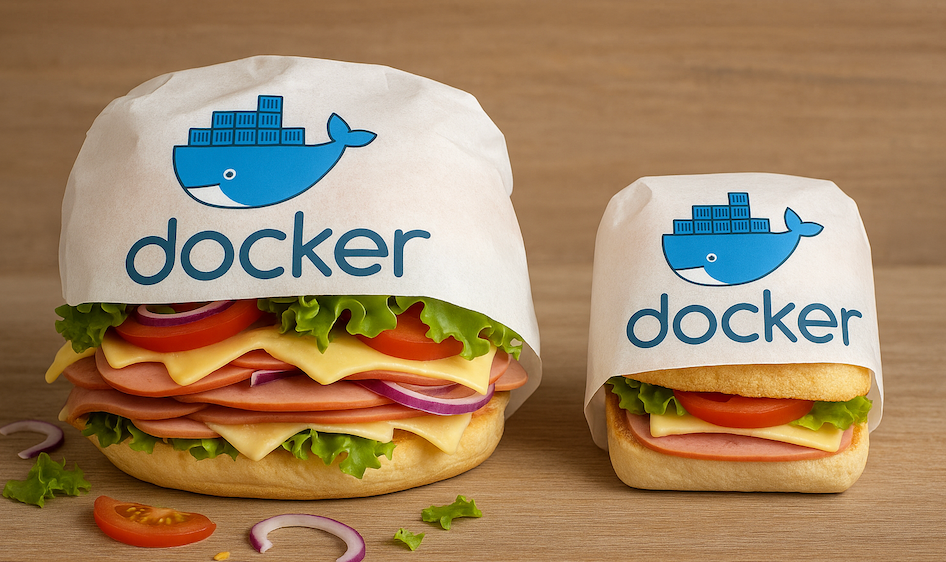
Once you’ve unwrapped your Docker container, you’ll find everything your app needs inside code, dependencies, tools, even leftover junk you might’ve forgotten about. That’s where Docker images come in: they’re the blueprint for what’s inside the container.
Nevertheless, there is a downside — similar to a sandwich overloaded with ingredients, an overly large Docker image can become difficult to manage, slow to deploy, and expensive to transport.
Challenges Associated with Large Docker Images
- ⏳ Slower Build Times: Bigger images take longer to create.
- 🚀 Slower Deployments: Moving a 1GB image as opposed to a 100MB one? This illustrates the difference between several minutes and just a few seconds.
- 💸 Higher Costs: Higher storage requirements and network bandwidth lead to increased expenses in the cloud.
- 🔐 More Vulnerabilities: The inclusion of more software expands the potential attack surface.
Want to learn how to trim the fat from your Docker images, layer by layer?
Should You Always Optimize?
Not necessarily. If you’re working on a local prototype or a short-lived script, image size might not hurt. But in a real-world team, where containers are deployed frequently and automatically — optimization becomes essential.
👉 Before we move on to the alternatives on Docker you can continue on this blog post to learn how we can optimize and reduce the build image size
Docker Image Builders (Alternatives to docker build)
Having established an understanding of how Docker constructs images through layers specified in a Dockerfile, we will now examine scenarios in which the use of **docker build** is either not feasible or undesirable — such as in Kubernetes clusters or continuous integration environments that prohibit Docker daemons.
Here are three of the most commonly utilized tools for creating container images in these situations:

Kaniko
Kaniko is a tool created by Google that constructs container images from a Dockerfile without the requirement of a Docker daemon. It operates completely in userspace, which makes it ideal for:
- Kubernetes clusters CI/CD pipelines (such as GitHub Actions, GitLab CI)
- Environments with security restrictions
How it functions:
- It reads your Dockerfile and builds each layer within a container.
- It then pushes the final image to a registry.
image: gcr.io/kaniko-project/executor:latest
script:
  - /kaniko/executor
      --context $CI_PROJECT_DIR
      --dockerfile $CI_PROJECT_DIR/Dockerfile
      --destination registry.example.com/my-app:latest
Pros:
- Runs in unprivileged environments
- Works with existing Dockerfiles
- Ideal for container-native workflows
Cons:
- Slightly slower than Docker in local environments
- Some advanced Dockerfile features (like
.dockerignoresymlink edge cases) may behave differently
Docker Alternatives (Complete Substitutes)

So far, we have examined tools that create container images independently of Docker, yet maintain a Docker-like structure. However, what if you wish to take it a step further? What if you prefer not to have Docker installed at all, neither for building nor for running?
This is where comprehensive Docker alternatives become relevant. These tools can entirely substitute the Docker engine while still accommodating OCI-compliant images and containers.

Podman
Podman is a CLI-compatible, daemonless alternative to Docker. It was developed by Red Hat and is often referred to as a “drop-in replacement” for Docker — because most Docker commands work the same way.
# Works just like Docker
podman build -t my-app .
podman run my-app
Key Differences:
- No background daemon
- Runs as rootless by default (more secure)
- Containers are managed by the system’s native process tree (e.g. visible in
ps)
Pros:
- Safer by design (no root-required daemon)
- Supports Dockerfiles and Docker CLI
- Easy to alias:
alias docker=podman
Cons:
- Some advanced Docker integrations (like Docker Compose) may need extra config
🚀 Conclusion
Docker has revolutionized the manner in which developers deploy and manage applications — ensuring consistent environments, adaptable deployments, and enhanced efficiency for development teams.
In this article, we examined:
- The definition of Docker and its role in optimizing application delivery
- The process of creating Docker images from layered instructions
- The significance of Docker image size in relation to performance, cost, and security
- Alternatives to docker build when it is not feasible (Kaniko, Buildah, Jib)
- Comprehensive alternatives to the Docker engine, such as Podman and containerd
Whether you are starting your container journey or seeking to enhance your production infrastructure, it is essential to comprehend how images are constructed — along with the tools available to you.
Remember: containers may be lightweight, but how you build them determines how fast, secure, and scalable your entire system will be.
메타데이터
- post_id
- a2bc1596aaf3
- slug
- whats-inside-your-docker-container-image-optimization-and-alternatives-a2bc1596aaf3
- url
- https://medium.com/@ege_durmaz09/whats-inside-your-docker-container-image-optimization-and-alternatives-a2bc1596aaf3
- canonical_url
- https://medium.com/@ege_durmaz09/whats-inside-your-docker-container-image-optimization-and-alternatives-a2bc1596aaf3
- author_url
- https://medium.com/@ege_durmaz09
- status
- ok
- fetched_at
- 2026-06-27 07:40:21



