Java 21 String Templates (Preview): How STR & FMT Worked — and Why They Were Withdrawn
A practical look at Java 21’s STR and FMT processors, how the preview syntax worked, and why the feature was withdrawn after Java 22.
Java 21 String Templates (Preview): How STR & FMT Worked — and Why They Were Withdrawn
A practical look at Java 21’s STR and FMT processors, how the preview syntax worked, and why the feature was withdrawn after Java 22.
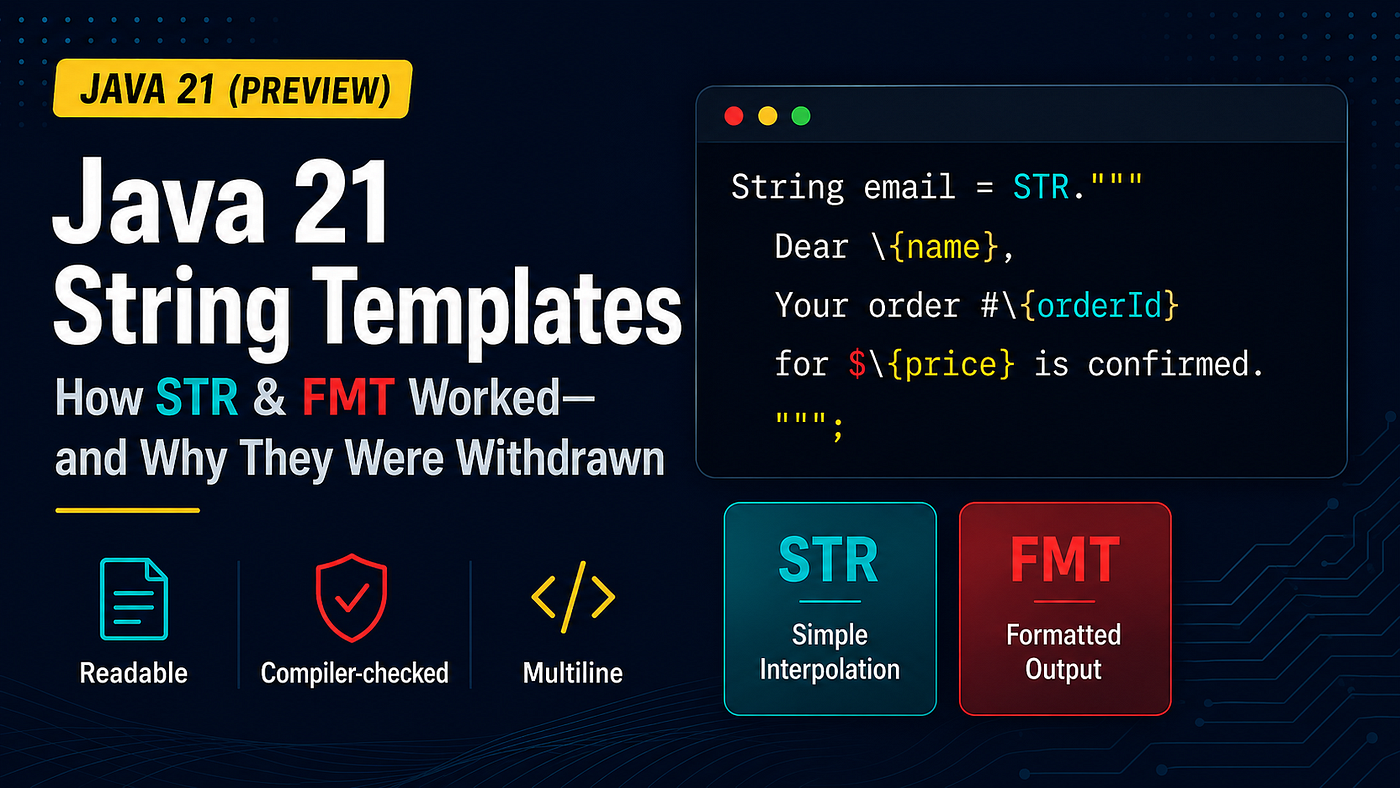
Java 21 String Templates preview: STR, FMT, readable interpolation, and the design that was later withdrawn.
TL;DR — Why It Matters
For years, Java developers have relied on string concatenation, String.format(), and StringBuilder to construct dynamic text.
Java 21 introduced String Templates as a preview feature, offering a cleaner way to keep embedded values close to the surrounding text through processors such as STR and FMT.
Why It Was Withdrawn — and Why It Still Matters
String Templates were previewed in Java 21 and Java 22, but the proposed third preview was withdrawn before Java 23. As a result, STR and FMT are unavailable in JDK 23 and later.
The goal — more readable string composition — was not the problem. OpenJDK concluded that template processors had an outsized role and that capturing a template and processing it should be separate, composable operations. Rather than standardise the existing design, it chose to rethink the feature.
The syntax may never return in this form, but the broader lessons remain useful: keep values close to their surrounding text, separate interpolation from formatting, and keep multiline content readable.
This article explains how the Java 21 preview worked, including STR, FMT, multiline templates, and practical notification examples.
Before (messy)
String email = "Dear " + name +
               ", your order #" + orderId +
               " for $" + price +
               " is confirmed.";
After (modern)
String email = STR."""
    Dear \{name},
    Your order #\{orderId} for $\{price} is confirmed.
    """;
Key Benefits:
✅ Readable — each value sits beside the text where it’s inserted ✅ Embedded expressions are normal, compiler-checked Java expressions ✅ Maintainable
🔥 The Problem String Templates Tried to Solve

Building a dynamic message with string concatenation makes the intended output difficult to see.
Imagine generating an order-confirmation email in Java. You’ve seen this before — endless + signs, escaped newlines, half-readable String.format() calls. Every minor text change becomes a mini-refactor.
Now, the same email in Java 21 is just: clean, readable, and correct.

The Java 21 way — the same email as one clean, readable STR template.
That’s it.
No concatenation. No positional placeholders to recount.
Over the next few sections, let’s look at the approaches String Templates aimed to replace — and how the preview syntax worked.
Let’s dive in.
🔥 Three Traditional Approaches and Their Trade-offs
Method 1: String Concatenation — The “Easy” Way

Approach #1: String Concatenation
Everyone starts here. Use the + operator to join strings together. Simple, right? Except there are problems with this .
- ❌ Unreadable — All those plus signs and escaped newlines bury the actual message
- ❌Error-prone — Miss a space? Your output is broken. These bugs slip through code reviews
Method 2: String.format() — The “Professional” Way

Approach #2: String.format()
Format strings with placeholders like %s, %d, %.2f. Looks more sophisticated, but there are issues as well .
- ❌ Cryptic format specifiers — What’s
%svs%dvs%.2f? You need to memorize these! - ❌ Positional arguments — The format string is separated from the values. Count wrong? Runtime exception
- ❌No compile-time checking — Wrong type? You find out when the code runs. In production
- 🚫 Refactoring nightmare — Add a field? Recount all positions
💡 Production Bug I’ll Never Forget

A Production Bug I Still Remember
Few years back, I can remember (actually can’t forget) debugging a production issue where customers started getting emails like “Dear 10.0” instead of their names.
The String.format() had the right number of placeholders (%s, %s, %.2f), but someone added a discount field and accidentally put it first in the argument list, replacing customer name’s position.
Result: Customers were greeted as “10.0” (the discount value) instead of their actual names !
The compiler said nothing. Production customers said plenty.
It took me 20 minutes of staring at the code to spot it. String Templates would have made this far less likely: each value sits inline, right beside the text where it’s used, so there’s no separate argument list to fall out of order.
Method 3: StringBuilder — The “Performance” Way

Approach #3: StringBuilder
Chain .append() calls to build strings efficiently.Modern Java optimizes many string-concatenation expressions internally. StringBuilder remains useful when text is constructed incrementally, particularly inside loops or conditional logic. Its main disadvantage in this example is readability — your code becomes a sea of .append() methods where the actual message structure is lost.
- ❌ Verbose boilerplate —
.append()noise everywhere - ⚠️ Lost readability — Can't see the final message structure
- 🚫 Hard to maintain — Add a field? Simple changes touch multiple lines
✨How Java 21 String Templates Worked
What Exactly Were String Templates?
String Templates let you embed variables and expressions directly inside string literals, keeping each expression close to the surrounding text.
No more concatenation and no %s placeholders to recount — just code that reads much closer to natural English.
Basic Syntax:
String name = "Alice";
int age = 30;

// Old way
String message = "Hello, " + name + "! You are " + age + " years old.";

// String Template way
String message2 = STR."Hello, \{name}! You are \{age} years old.";
Understanding the Components
How String Templates Work — The Three Core Pieces
1️⃣ Template Processor — decides how the template is evaluated.
• Built-in: STR, FMT
• The preview design also allowed custom processors (e.g. for SQL or JSON), but this article focuses on STR and FMT.
2️⃣ Template Literal — your actual text, with placeholders inside quotes.
• Single-line: "Hi \{name}"
• Multi-line: """Hi \{name}"""
3️⃣ Embedded Expressions — Java code inside \{...}.
• Variables: \{name}
• Method calls: \{customer.getName()}
• Arithmetic: \{price * quantity}
• Ternary operators: \{isActive ? "Yes" : "No"}
• Stream operations: \{items.stream().map(...).collect(...)}
Together, these turn your templates into composable expressions that are clean, readable, and maintainable.
How It Works (Under the Hood)
The template processor follows these steps:

Conceptually, the processor separates the fragments, evaluates the expressions, converts the values, and combines the final result.
Example Breakdown:
String name = "Alice";
int balance = 1000;
String msg = STR."Hello \{name}, balance: $\{balance}";

// Conceptually:
// 1. PARSE:     ["Hello ", name, ", balance: $", balance]
// 2. EVALUATE:  ["Hello ", "Alice", ", balance: $", 1000]
// 3. CONVERT:   ["Hello ", "Alice", ", balance: $", "1000"]
// 4. COMBINE:   "Hello Alice, balance: $1000"
Single-line vs Multi-line
Single-line — Use regular quotes "text":
String message = STR."Hello \{name}!";Multi-line — Use triple quotes """text""":
String message = STR."""
    Hello \{name}!

    Welcome back!
    """;
Other Processors: FMT
While STR is the standard processor for most cases, Java also provides FMT for formatting control.
When to Use FMT
Use FMT when you need:
- Decimal precision (e.g.,
%.2ffor 2 decimal places) - Padding/alignment (e.g.,
%10sfor 10-character padding) - Number formatting similar to
String.format()
FMT Example
double price = 1234.5;
int quantity = 7;

String formatted = FMT."Total: $%.2f\{price} (%d\{quantity} items)";
// Output: Total: $1234.50 (7 items)
Understanding FMT Syntax:
The format specifier must appear IMMEDIATELY BEFORE the embedded expression.
Pattern: %[spec]\{expression}
✅ Correct Examples:
FMT."Price: %.2f\{price}"
FMT."ID: %06d\{orderId}"
FMT."Name: %-12s\{name}"
Common Format Specifiers:
%.2f\{value}- Decimal with 2 places (1234.5 → 1234.50)%d\{count}- Integer (7 → 7)%10s\{text}- String padded to 10 characters%-8d\{num}- Left-aligned integer, 8 characters%06d\{id}- Zero-padded to 6 digits (123 → 000123)
STR vs FMT: When to Use Which?
Use STR (most cases):
STR."Total: $\{price} (\{quantity} items)"
// Output: Total: $1234.5 (7 items)- ✅ Simpler syntax
- ✅ Cleaner code
- ✅ Sufficient for most use cases
Use FMT (when you need formatting):
FMT."Total: $%.2f\{price} (%d\{quantity} items)"
// Output: Total: $1234.50 (7 items)- ⚠️ More complex syntax
- ⚠️ Only when format control is required
- ⚠️ Useful when migrating from
String.format()
STR vs FMT — Quick Rule of Thumb
✅ Use STR for most cases — cleaner and simpler.
⚙️ Use FMT only when you need precise formatting (decimal places, alignment, padding).
In short: Start with STR. Reach for FMT when formatting rules matter.
🛒 String Templates in Action: E-Commerce Order System
Now that we understand STR and FMT, let’s apply them to two practical e-commerce requirements:
- An order-confirmation email using STR
- A shipment SMS using FMT
The first example demonstrates readable multiline content, while the second shows how FMT provides precise control over numbers, padding and decimal places.
Use Case 1: Order-Confirmation Email with STR
Every e-commerce system sends order confirmations containing customer details, item information, totals and tracking links. Building this content through concatenation quickly becomes difficult to read.
Sample Data
Customer customer = new Customer("Sarah Johnson", "sarah@email.com");
Order order = new Order("ORD-1001", LocalDateTime.now());
order.addItem("Laptop Pro", 1299.99, 1);
order.addItem("Wireless Mouse", 29.99, 2);
// Total: $1,359.97
String Template Solution
Before constructing the email, generate the item details separately:
String itemDetails = order.getItems()
    .stream()
    .map(item -> {
        int quantity = item.getQty();
        String productName = item.getName();
        double itemTotal = item.getTotal();
        return STR."""
            \{quantity}x \{productName}
            Price: $\{itemTotal}\
            """;
    })
    .collect(
        Collectors.joining("\n")
    );
Now prepare the values used by the final template:
String customerName = customer.getName();
String orderId = order.getId();
LocalDateTime orderDate =
    order.getDate();
double orderTotal =
    order.getTotal();
String trackingUrl =
    generateTrackingURL(orderId);
The final email template remains short and readable:
String email = STR."""
    Dear \{customerName},
    Thank you for your order!
    Order #\{orderId}
    Date: \{orderDate}
    ITEMS:
    \{itemDetails}
    Total: $\{orderTotal}
    Track: \{trackingUrl}
    Best regards,
    The Team
    """;
Output
Dear Sarah Johnson,
Thank you for your order!
Order #ORD-1001
Date: 2024-11-06T10:30:00
ITEMS:
1x Laptop Pro
Price: $1299.99
2x Wireless Mouse
Price: $59.98
Total: $1359.97
Track: https://store.com/track/ORD-1001
Best regards,
The Team
This example demonstrates:
- Readable multiline content
- Variables embedded directly inside text
- Dynamic item-list generation
- Complex logic kept outside the main template
- A final message structure that remains visible in the code
Use Case 2: SMS Alerts with FMT Processor
SMS notifications need precise number formatting for professional appearance.
record ShipmentAlert(
    int orderId,
    String trackingNumber,
    String carrierName,
    double orderTotal
) {}
String Template with FMT:
ShipmentAlert alert = new ShipmentAlert(
    45678,
    "1Z999AA10123456784",
    "FastShip",
    156.89
);

String sms = FMT."""
    Order #%06d\{alert.orderId()} shipped!
    Total: $%.2f\{alert.orderTotal()}

    Carrier: %s\{alert.carrierName()}
    Tracking: %s\{alert.trackingNumber()}

    Track: track.me/%s\{alert.trackingNumber().substring(0, 8)}
    """;
Output:
Order #045678 shipped!
Total: $156.89

Carrier: FastShip
Tracking: 1Z999AA10123456784

Track: track.me/1Z999AA1
Format specifiers explained:
%06d\{...}- Pads to 6 digits: 45678 → 045678%.2f\{...}- 2 decimal places: $156.89 (not $156.9)%s\{...}- Inserts text as-is
📌 Quick reminder: As covered earlier, each format specifier sits immediately before its embedded expression.
Why use FMT here:
- Professional formatting: Order IDs are consistently 6 digits (045678 instead of 45678)
- Precise decimals: Prices always show cents (no $156.9 vs $156.89 inconsistency)
- Clean output: SMS messages look polished and consistent
Best Practices for Real-World Use
1. Handle Nulls Gracefully — prevent "null" strings.
String Templates convert null to the string “null” — handle this gracefully:
// ❌ Bad: Allows "null" in output
String message = STR."Hello \{user.getName()}";
// Output: "Hello null"

// ✅ Good: Handle null explicitly
String name = user.getName() != null ? user.getName() : "Guest";
String message = STR."Hello \{name}";

// ✅ Good: Use Optional
String message = STR."Hello \{Optional.ofNullable(user.getName())
    .orElse("Guest")}";
2. Extract Complex Logic — keep templates simple and readable.
Keep templates readable — move complex logic outside:
// ❌ Bad: Complex logic in template
String result = STR."Items: \{items.stream()
    .filter(i -> i.getPrice() > 100)
    .map(Item::getName)
    .collect(Collectors.joining(", "))}";

// ✅ Good: Extract to variable
String expensiveItems = items.stream()
    .filter(i -> i.getPrice() > 100)
    .map(Item::getName)
    .collect(Collectors.joining(", "));
String result = STR."Items: \{expensiveItems}";
3. Avoid Nesting — flatten or pre-build partial strings.
Don’t nest templates — flatten for clarity:
// ❌ Bad: Nested templates
String outer = STR."Result: \{STR."Value: \{inner}"}";

// ✅ Good: Single template
String result = STR."Result: Value: \{inner}";

// ✅ Good: Build separately if needed
String innerPart = STR."Value: \{inner}";
String result = STR."Result: \{innerPart}";
Source Code and Video Tutorial
All Java 21 examples used in this article are available in this GitHub repository:
https://github.com/j2eeexpert2015/java21-features-showcase
I have also created a full video version of this lesson where I explain Java 21 String Templates step by step with code examples:
[embed]
Further Learning
This article is part of my broader Java 21 learning series. If you prefer a structured course format, I also cover Java 21 features, Spring Boot demos, Virtual Threads, JMeter performance testing, monitoring, and Java 21 migration in my Udemy course:
**Java 21 Features Deep Dive: Virtual Threads & Spring Boot**
Disclosure: This is my own Udemy course. If you enroll using the course link above, I may receive instructor revenue from Udemy.
Thanks for reading! If you enjoyed this article, please clap and share it.
If you found this article valuable and would like to read more of my work, consider following me on Medium for regular updates.
메타데이터
- post_id
- a2c360853a4e
- slug
- java-21-string-templates-preview-how-str-fmt-worked-and-why-they-were-withdrawn-a2c360853a4e
- url
- https://medium.com/javarevisited/java-21-string-templates-preview-how-str-fmt-worked-and-why-they-were-withdrawn-a2c360853a4e
- canonical_url
- https://medium.com/javarevisited/java-21-string-templates-preview-how-str-fmt-worked-and-why-they-were-withdrawn-a2c360853a4e
- author_url
- https://medium.com/@mrayandutta
- status
- ok
- fetched_at
- 2026-07-10 13:01:02