Use case of Converting CSV files to delta tables in Fabric (Grandeur Properties International)
Background
Use case of Converting CSV files to delta tables in Fabric (Grandeur Properties International)
Background
Grandeur Properties International is a global luxury real estate company with offices in London, Dubai, and New York. Each office exports a nightly CSV containing active property listings, enquiries, scheduled viewings, completed viewings, and offer status. Business leadership relies on this information every morning to make high-value portfolio and investment decisions.
Before automation, analysts manually downloaded CSV files from each office and consolidated them into a master spreadsheet. As the company expanded, this manual process became increasingly time-consuming, error-prone, and difficult to scale. Leadership often made decisions using stale or inconsistent data due to delays in consolidation.
Problem Statement
The organization needed an automated data ingestion pipeline that could reliably consolidate listing data from multiple regional offices into a single governed reporting table.
The solution had to address the following business and technical challenges:
- Eliminated manual spreadsheet consolidation.
- Automatically ingest all office files without hardcoding filenames.
- Prevent duplicate property records while allowing corrected data to overwrite existing records.
- Capture an immutable ingestion timestamp for auditing purposes.
- Exclude personally identifiable information (PII) before loading data into the governed Silver layer.
- Archive processed files and remove them from the landing zone to prevent accidental reprocessing.
- Support future office expansion without requiring pipeline modifications.
- Provide a trusted and up-to-date dataset before the daily executive portfolio meeting.
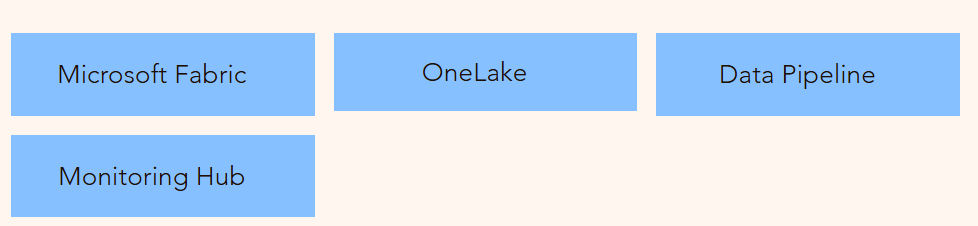
Tech Stacks Used
Solution Implemented
Step 1: Created the Landing Zone
- Created Landing and Archived folders in OneLake.
- Configured the Landing folder to receive nightly CSV files from all regional offices.
- Established a standardized file naming convention (office_*.csv) to support automated wildcard ingestion and future office onboarding.

Folders in the Lakehouse
Step 2: Built the Data Ingestion Pipeline
- Created a Microsoft Fabric Data Pipeline.
- Added a Copy Data activity as the first activity in the pipeline.
- Configured the source to read all files matching the wildcard pattern office_*.csv from the Landing folder.
- Connected the destination to the Silver Lakehouse table.

Landing folder as Source
Step 3: Configured Data Transformation
- Added a pipeline-generated ingestion_timestamp column using the @utcnow() expression to maintain an immutable audit trail.
- Excluded PII columns (agent_personal_email and internal_crm_ref) from ingestion.
- Configured the destination write mode as Upsert.
- Used property_id as the business key.
- Ensured existing property records were updated while preventing duplicate records from being created.
- Mapped only the required business columns to the Silver table.

Adding ingestion_time column

Destination as delta tables in silver Lakehouse

Column mapping to remove sensitive inforamtion
Step 4: Implemented File Lifecycle Management
- Added an Archive activity to move successfully processed files from the Landing folder to the Archived folder.
- Added a Delete activity to remove processed files from the Landing folder.
- Configured the Delete activity to execute only after the Archive activity completed successfully, ensuring files are never deleted before being archived.

source setup for copying files

destination setup for copying files

Delete Activity Configuration
Note that recursively is unchecked. If that is checked it will delete files from subfolders as well.
Step 5: Validated the Pipeline
Performed end-to-end validation by verifying:
- All source files were successfully ingested.
- Expected row counts matched the source data.
- Upsert behavior updated existing records without creating duplicates.
- ingestion_timestamp was populated for every record.
- PII columns were excluded from the Silver table.
- Successfully processed files were archived and removed from the Landing folder.
Step 6: Scheduled and Monitored the Pipeline
- Scheduled the pipeline to execute automatically every day at 6:00 AM UTC.
- Used Microsoft Fabric Pipeline Monitoring to monitor pipeline execution.
- Verified activity status, execution duration, rows processed, and pipeline failures to ensure reliable daily operation.
Lineage & Architecture of the solution

Final Outcome & Business Impact
Business Outcome:
The Microsoft Fabric pipeline successfully automated the end-to-end ingestion of nightly property listing data from multiple regional offices into a centralized Silver Lakehouse. By replacing manual spreadsheet consolidation with an orchestrated pipeline, the solution delivered a reliable, scalable, and governed data ingestion process.
Business Impact:
- Eliminated Manual Data Consolidation: Replaced repetitive manual CSV consolidation with a fully automated ingestion pipeline, reducing operational effort and minimizing human error.
- Improved Data Accuracy: Implemented Upsert logic using property_id, ensuring that corrected property information updates existing records without creating duplicates.
- Enabled Daily Decision-Making: Delivered an updated and governed Silver dataset before the daily executive portfolio meeting, enabling leadership to make timely decisions using the latest available information.
- Enhanced Data Governance: Excluded Personally Identifiable Information (PII) before loading data into the Silver layer and added an immutable ingestion_timestamp to every record for audit and traceability.
- Improved Operational Reliability: Automatically archived processed files and cleaned the landing folder after successful execution, preventing duplicate processing and maintaining an organized storage structure.
- Designed for Scalability: The wildcard-based ingestion approach allows additional offices to be onboarded simply by following the established file naming convention, without requiring pipeline modifications.
Learning & Improvements
Adding a new Office: This pipeline can handle the addition of new offices as long as they follow the naming standards of files and same table structure.
Schema Drift:
- If any office decides to add an extra column; the schema mapping will take care of it. It will be excluded and will not be populated in delta tables.
- If they delete a column that is not there in mapping, then it will not impact the pipeline but if they delete a column that is there in mapping then the pipeline will fail.
- If any office renames the column, then either we have to redesign the pipeline by adding a separate copy activity for that specific office or we can ask team to follow the exact structure.
- If we remove one column that is not used in copying from files to delta tables but is used in copy activity used to move files from landing to archived mapping, then it will fail. In this scenario you can either remove the mapping at all or recreate the mapping or restore the column. If you don’t need to filter data/remove column before copying to archive use binary format for this movement as it can move the file as it is.
Late arrival of files: This pipeline can handle the late arrival of files, but it must be re-run before next batch of files arrive.
Pipeline fails in middle: If pipeline fails; re-run it before next batch arrives as it will create problem. The pipeline structure reads all the files, and it doesn’t know which file to process first (usually read alphabetically). So, if old files stay there, pipeline might read new files first and old files later and in this scenario your tables will have old data in delta table.
Missing files: This pipeline doesn’t alert if any office misses to upload the file. If a file is missed the delta tables will have old data for that office. This can be redesigned to use a control table for checking if files for all offices exist.
Duplicate property_id: In this case the row which will occur in last for that specific file will win and you will see that data as upsert will update the earlier records with last occurrence.
메타데이터
- post_id
- a30dd45e41bf
- slug
- use-case-of-converting-csv-files-to-delta-tables-in-fabric-grandeur-properties-international-a30dd45e41bf
- url
- https://medium.com/@fakir_the_stoic/use-case-of-converting-csv-files-to-delta-tables-in-fabric-grandeur-properties-international-a30dd45e41bf
- canonical_url
- https://medium.com/@fakir_the_stoic/use-case-of-converting-csv-files-to-delta-tables-in-fabric-grandeur-properties-international-a30dd45e41bf
- author_url
- https://medium.com/@fakir_the_stoic
- status
- ok
- fetched_at
- 2026-08-18 11:50:58



