How to Build a HIPAA Compliant Personal Health App
A personal health app handles some of the most sensitive information a user can share: lab reports, prescriptions, blood pressure logs…
How to Build a HIPAA Compliant Personal Health App
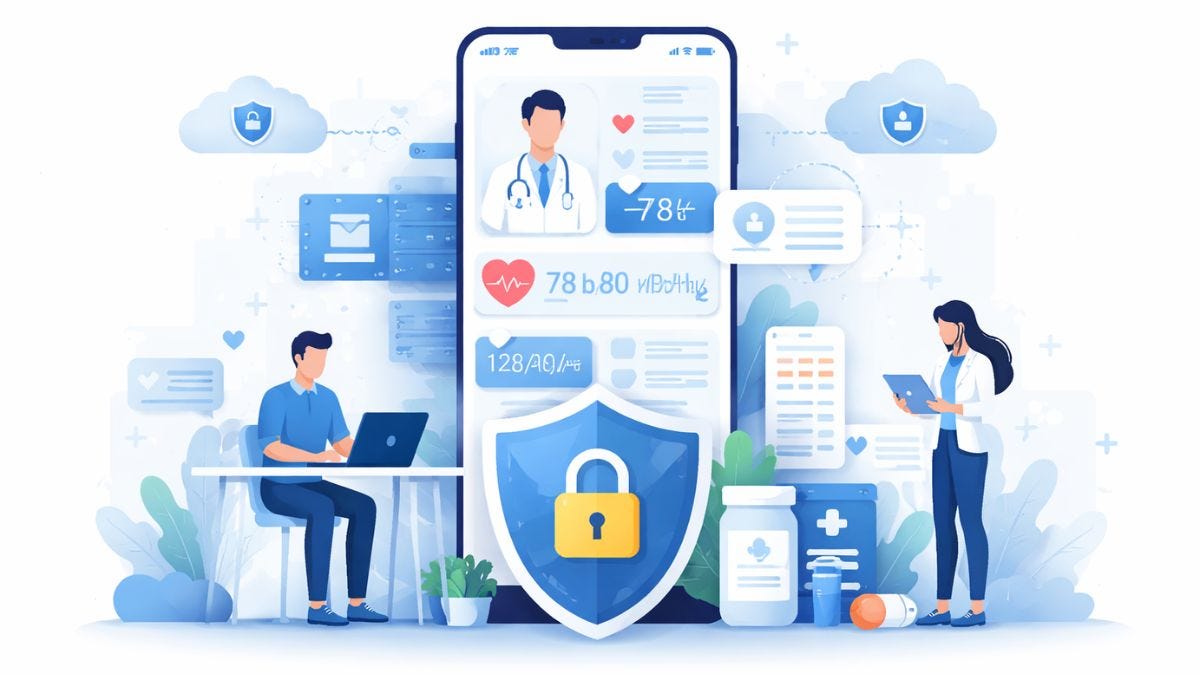
HIPAA Compliant Personal Health App
A personal health app handles some of the most sensitive information a user can share: lab reports, prescriptions, blood pressure logs, glucose readings, wearable data, doctor notes, and private conversations.
The moment your app stores, transmits, or shares protected health information (PHI) on behalf of a healthcare provider, insurer, clinic, or health-tech company, HIPAA compliance moves from a “nice to have” to a business requirement.
That’s exactly why this topic matters.
Healthcare continues to face the highest breach costs of any industry, with the **average breach reaching $7.42 million in 2025**, according to IBM.
For founders, product owners, and healthcare businesses, **building a HIPAA compliant personal health app** is not just about legal protection. It directly affects patient trust, partnerships, enterprise sales, and long-term scalability.
Why HIPAA Compliance Matters Before Development Starts
Before writing code, the first step is understanding when HIPAA actually applies.
If your app collects health information only for personal use, like a standalone wellness tracker, **HIPAA** may not always apply.
But once the app works with:
- hospitals
- clinics
- doctors
- insurance companies
- diagnostic labs
- employer wellness programs
- remote patient monitoring platforms
…it often falls under HIPAA requirements because PHI is now involved.
The **U.S. Department of Health and Human Services** clearly defines security expectations around electronic protected health information (ePHI), including access control, audit controls, integrity, and transmission security.
This is why compliance planning must begin in the discovery phase, not after launch.
Define What PHI Your App Will Handle
A strong HIPAA compliant app starts with PHI mapping.
List every data point your app collects, stores, processes, or shares.
This usually includes:
- patient names
- contact information
- age and demographics
- medical reports
- prescriptions
- symptoms
- wearable device vitals
- glucose, BP, SpO2, heart rate
- doctor recommendations
- appointment summaries
- secure chat messages
After this, map where the data moves.
Track the full PHI lifecycle:
- mobile app
- backend APIs
- cloud database
- admin dashboards
- report storage
- push notifications
- backups
- AI analysis layers
- third-party wearable APIs
This step helps prevent hidden compliance risks later.
Choose HIPAA-Ready Infrastructure
The next step is choosing the right cloud and system architecture.
A HIPAA-compliant personal health app should use cloud services that support:
- signed Business Associate Agreements (BAA)
- encrypted storage
- access logs
- disaster recovery
- isolated environments
- key management
- secure backups
AWS, Azure, and Google Cloud all provide HIPAA-eligible services when configured correctly.
Your architecture should also follow minimum necessary access, meaning users only see the data required for their role.
For example:
- patients access personal records
- doctors access assigned patients
- caregivers access consent-based data
- admins access system operations only
This role-based structure reduces compliance exposure and improves audit readiness.
Implement Core HIPAA Security Safeguards
This is where compliance becomes practical.
Encrypt Data at Rest and in Transit
All sensitive data should be encrypted:
- AES-256 for stored records
- TLS 1.2+ for data in transit
- encrypted backups
- encrypted document uploads
- encrypted cloud object storage
This includes medical PDFs, wearable sync logs, prescriptions, and AI-generated summaries.
Use Strong Authentication
Authentication should go beyond email-password logins.
Best practices include:
- multi-factor authentication
- biometric login
- device verification
- session expiration
- automatic logout
- suspicious login alerts
- IP anomaly checks
IBM’s latest report also highlights identity protection and strong authentication as key measures for reducing breach risks.
Maintain Audit Trails
Every PHI action should be traceable.
Your app must log:
- who viewed data
- who downloaded reports
- profile edits
- health summary access
- doctor note changes
- file sharing
- failed login attempts
Audit logs are one of the most important parts of HIPAA investigations and enterprise healthcare procurement.
Build Features Without Breaking Compliance
This is where many personal health apps fail.
The app may look polished, but the features themselves introduce risk.
Secure Medical Report Upload
Users should be able to upload:
- lab reports
- radiology files
- prescriptions
- discharge summaries
- insurance PDFs
These uploads must use:
- encrypted file transfer
- malware scanning
- secure object storage
- retention rules
- access permissions
- secure deletion workflows
AI Health Summaries and Report Analysis
If your app simplifies medical reports or generates health insights, avoid sending PHI into public AI tools.
Instead, use:
- private model environments
- secure inference endpoints
- PHI masking
- consent-driven AI analysis
- restricted prompt logging
- internal governance controls
This is especially important for apps like AI-powered personal health monitoring platforms, where lab reports and vitals are converted into simple health summaries.
Smart Alerts and Monitoring
Real-time alerts improve retention and patient outcomes.
Examples include:
- high glucose alerts
- abnormal BP spikes
- missed medication reminders
- low oxygen warnings
- doctor escalation triggers
- caregiver emergency alerts
These alerts should never expose PHI directly in unsafe push notification previews.
Test Compliance Before Launch
A HIPAA compliant health app is never “done” after development.
Before launch, run a full compliance and security validation checklist.
This should include:
- penetration testing
- API security testing
- cloud permission review
- backup recovery simulation
- role escalation testing
- access log validation
- BAA verification
- breach response workflow review
- vendor risk assessment
Shortcuts here usually become expensive later.
Common Mistakes That Break HIPAA Compliance
Some of the most common mistakes include:
- storing PHI in plain logs
- sending sensitive push notification previews
- weak admin access permissions
- unsecured third-party analytics
- missing audit logs
- public AI tool integrations
- non-compliant wearable APIs
- no retention and deletion policies
Avoiding these mistakes early saves months of rework.
Cost and Timeline to Build a HIPAA Compliant Personal Health App
The final cost depends on the app’s scope.
Typical cost drivers include:
- AI medical report analysis
- wearable integrations
- secure messaging
- patient dashboards
- doctor portals
- chronic disease tracking
- cloud security setup
- penetration testing
- compliance documentation
For most MVPs, the timeline often looks like this:
- planning and compliance discovery: 1–2 weeks
- architecture and cloud setup: 1–2 weeks
- app design and development: 8–12 weeks
- compliance testing and hardening: 2–3 weeks
A realistic MVP range is usually 12–16 weeks, depending on integrations.
Choosing the Right Development Partner
HIPAA compliance is not just a developer task.
It requires coordination across:
- healthcare workflows
- cloud security
- legal safeguards
- DevSecOps
- AI governance
- wearable interoperability
- post-launch monitoring
That is why healthcare businesses usually work with a specialized healthcare app development company instead of a general mobile app team.
The right partner should understand:
- HIPAA architecture
- PHI-safe AI workflows
- secure cloud deployment
- chronic care monitoring
- wearable health data sync
- audit-ready access controls
Conclusion
Building a HIPAA compliant personal health app means balancing security, usability, compliance, and product growth from day one.
From PHI mapping and encryption to AI-safe report summaries and real-time alerts, every layer of the app must protect user trust.
For businesses planning a secure personal health platform with medical report storage, AI summaries, wearable sync, and smart health alerts, working with an experienced healthcare technology partner makes the process far smoother.
**Nyusoft** helps healthcare brands build secure, scalable, and HIPAA-aligned personal health monitoring apps designed for real-world adoption and long-term compliance.
메타데이터
- post_id
- a35a59832867
- slug
- how-to-build-a-hipaa-compliant-personal-health-app-a35a59832867
- url
- https://medium.com/@seo.nyusoft/how-to-build-a-hipaa-compliant-personal-health-app-a35a59832867
- canonical_url
- https://medium.com/@seo.nyusoft/how-to-build-a-hipaa-compliant-personal-health-app-a35a59832867
- author_url
- https://medium.com/@seo.nyusoft
- status
- ok
- fetched_at
- 2026-06-09 15:37:30