Microsoft Just Gave Your AI Agents Employee Badges
Entra Agent ID is the right idea. I’ve spent years cleaning up the last time we handed out identities this carelessly.
Microsoft Just Gave Your AI Agents Employee Badges
Entra Agent ID is the right idea. I’ve spent years cleaning up the last time we handed out identities this carelessly.
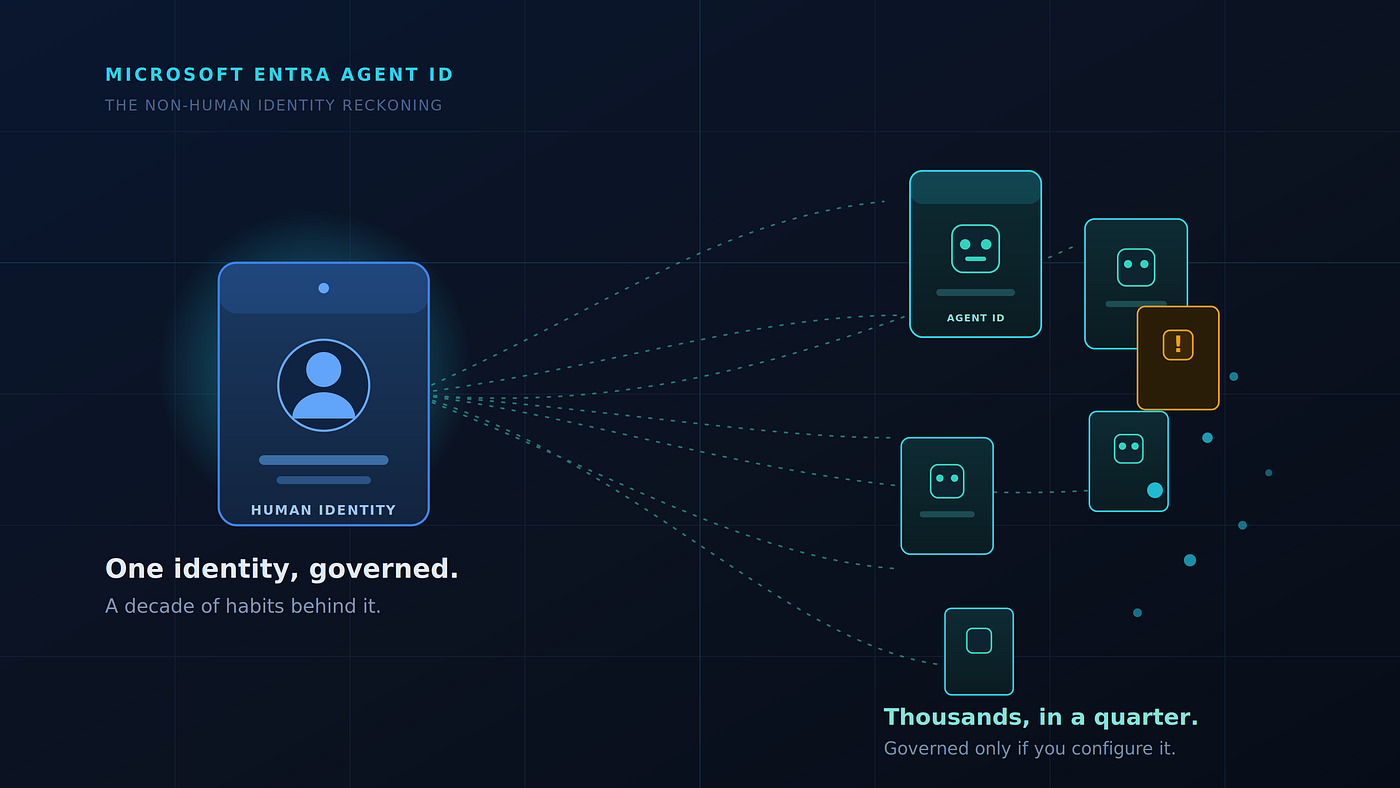
Microsoft Entra Agent ID: one governed identity becomes thousands of agent identities governed only if you configure it.
The worst breach I ever helped clean up didn’t start with a phishing email or a zero-day. It started with a service account that someone created in 2019 for a “temporary” reporting job, gave domain-wide read access, and then forgot about. No owner. No expiry. No MFA, because service accounts don’t do MFA. It sat there for four years until an attacker found it, and used it to move sideways through a regulated bank’s environment like it owned the place. Technically, it did.
I think about that account a lot right now. Because Microsoft just shipped the thing that turns one of those into thousands.
The reframe nobody is leading with
On May 1, 2026, Microsoft made Microsoft Agent 365 and the new Microsoft 365 E7 licence generally available. Underneath the launch noise sits Microsoft Entra Agent ID the piece that actually matters to anyone who runs identity for a living.
Most of the coverage I’ve read explains what the portal looks like. You filter Enterprise Applications by “Agent ID,” you see your agents, here’s a screenshot. Useful for a first look. It also misses the whole point.
Here is the point. Entra Agent ID is not a new feature bolted onto Entra. It is Microsoft formally admitting something the security community has been saying for two years: your AI agents are non-human identities, and you have been running them ungoverned.
What is Microsoft Entra Agent ID? It’s an identity and security framework that extends Microsoft Entra to AI agents, giving each agent its own first-class identity in your directory so it can authenticate, be authorized, be governed, and be protected with the same controls you already apply to users and workloads. It’s the identity layer of Microsoft Agent 365.
That definition is clean. The implications are not.
What’s genuinely new and what’s old wine
Strip the marketing and three things here are actually new, and they’re the three you should care about.
Agents get real identities, not borrowed ones. Until now, an AI agent you built in Copilot Studio or Azure AI Foundry authenticated as an app registration or a service principal you’d hand-wired. An agent identity in Entra is a special kind of service principal with no credentials of its own it acquires tokens through an agent identity blueprint, the parent template that defines what the agent is allowed to become. Parent-child. One blueprint, many agents, consistent policy. If you’ve ever managed a fleet of anything, you already feel the appeal and the danger of that pattern.
Every agent gets a sponsor. This is the quietly important one. An agent identity records a sponsor the human or group accountable for it. When that agent does something it shouldn’t at 3 a.m., there’s a name attached. Service accounts never had this. The absence of a name is exactly how my 2019 ghost account survived four years.
The Entra governance machine now points at agents. Conditional Access, Identity Protection, lifecycle management, access reviews, network controls the apparatus you’ve spent a decade building for humans now applies to agents when you configure it. That last clause is doing enormous work, and we’ll come back to it.

Anatomy of an agent identity — and where the risk concentrates.
Here’s how the three identity types actually compare once you put them side by side:

Three identities, three risk profiles. The agent column’s last two rows are the whole story.
Look at the last two rows of that final column. Created by a blueprint, often kicked off by an information worker rather than a developer. Lifespan measured in minutes. Governed if configured. That combination is the entire story.
This is the service-account problem at machine speed
I’ve audited identity estates for banks, healthcare systems, and government entities across the Gulf for years. The non-human identities are always where the bodies are buried. Over-permissioned service accounts. API keys in a config file. A service principal with Directory.ReadWrite.All because someone couldn't be bothered to scope it down and it was easier to grant everything than to debug a permissions error on a Friday.
Now take every bad habit that produced those problems and change three variables:
Scale. A developer creates service accounts one at a time, slowly, with at least some friction. An agent blueprint provisions identities programmatically. Microsoft’s own framing talks about scaling to large numbers of agents that are quickly created and destroyed. One enterprise I’d expect to onboard agents in the low thousands within a year. Your service-account sprawl took a decade. Your agent sprawl will take a quarter.
Autonomy. A service account does what its script tells it. An agent decides. It reads its context, picks a tool, and acts sometimes on a user’s behalf with that user’s delegated rights, sometimes autonomously with rights granted directly to the agent. The delegated path is the one that should keep you up at night: an over-trusting user delegates broad scopes to a helpful-looking agent, and now the agent’s blast radius is the user’s blast radius, automated and tireless.
Invisibility, removed but only if you look. The genuine win is that agents are now visible in the directory instead of hiding as anonymous app registrations. The trap is assuming visibility equals governance. Seeing 4,000 agents in a list is not the same as knowing which of them can read your finance data.
Map it to MITRE ATT&CK and there’s nothing exotic here. Valid Accounts (T1078) has been a top initial-access and persistence technique forever. Agent identities are just a new, fast-multiplying, self-driving population of valid accounts. The technique doesn’t change. The volume and velocity do.
The hard part of agentic AI was never teaching the agent to act. It’s deciding what it’s allowed to touch and proving, a year later, that it only touched that.
The governance model I’d actually run
If a client asked me to onboard Agent 365 next week, I would not start in the agent portal. I’d start with the same Zero Trust posture I’d apply to a new class of privileged user, because that’s what an autonomous agent is. Here’s the model, in the order I’d build it.

The governance model I’d actually run mapped to Zero Trust and the controls you already own.
- Treat the blueprint as a privileged template, not a convenience. The blueprint defines what every child agent can become. It is the single highest-leverage control surface you have. Lock down who can author blueprints the way you’d lock down who can create Global Admins. Review blueprint scopes before agents inherit them, not after.
- Scope to least privilege, then scope again. Default agent permissions should be embarrassingly narrow. An agent that summarizes SharePoint documents does not need
Mail.Send. Grant Microsoft Graph permissions, app roles, and Azure RBAC to the agent identity itself never let it inherit a human's full delegated scope just because delegation is easier to wire up. Assume every permission you grant will eventually be abused, and grant accordingly. - Make the sponsor model real. Entra gives you the sponsor field. Use it as a hard requirement, not an optional one. No agent reaches production without a named, accountable human or group. When an access review fires, the sponsor answers for it. When Identity Protection flags anomalous agent behaviour, the sponsor gets paged. Accountability is the control that the 2019 ghost account never had.
- Put agents inside Conditional Access. Agents can be subject to adaptive access policies the same way users are. Build policies that constrain where agents authenticate from, what they can reach, and under what risk conditions they’re blocked. An agent showing anomalous activity should be cut off automatically, not after someone notices the data exfiltration in a quarterly review.
- Govern the lifecycle, because the lifecycle is brutal. Ephemeral identities that spin up and vanish are wonderful for productivity and terrible for audit. Wire agents into entitlement management and access reviews from day one. An agent that’s been idle for 30 days is a liability, not an asset. Decommission aggressively. The half-life of an agent identity should be short by design.
- Pipe everything into your XDR and SIEM. All agent authentication and activity is logged. That log is worthless sitting in Entra. Get agent sign-ins and operations into Microsoft Defender XDR and Sentinel, build detections for the agent equivalents of impossible travel and privilege escalation, and treat a misbehaving agent as a security incident with the same urgency as a compromised user account. Because that’s what it is.
None of this is exotic. It’s the identity hygiene you already know, applied to a population that’s about to grow faster than any population you’ve ever governed.
The licensing reality, stated plainly
Let me flag the commercial dependency, because the launch messaging blurs it. Entra Agent ID capabilities ride on Microsoft Agent 365, which is available either bundled into the new Microsoft 365 E7 “Frontier Suite” at roughly $99 per user per month (E5 + Entra Suite + Microsoft 365 Copilot + Agent 365), or as a standalone Agent 365 licence at around $15 per user per month for organizations that want the governance without the full E7 commitment.
The standalone option matters. You do not have to buy the entire frontier to govern agents. For most of the regulated clients I work with, the honest answer is: stay on E5, add Agent 365 standalone where agents are actually being deployed, and revisit E7 once Copilot and agent adoption justify it. E7 only wins decisively when you genuinely use all four components and worth noting, the full Entra Suite, Identity Protection, and risk-based Conditional Access lean on Entra ID P2 / E5-grade entitlements you should confirm you already hold before you architect around them.
One more number worth sitting with: as of early 2026, only around 3% of Microsoft’s 450 million business subscribers had bought Copilot seats (NPI, March 2026). The agentic era is being licensed faster than it’s being adopted. Which means you have a narrow, unusual window most of your peers haven’t deployed agents at scale yet. Govern before the sprawl, not after. I have never once been hired to govern a non-human identity estate before it became a problem. Be the exception.
The takeaway
Microsoft did the right thing. Giving AI agents first-class identities, named sponsors, and the full weight of Entra governance is exactly how this should work, and it’s better than the anonymous-app-registration free-for-all we had a year ago.
But a control plane is not control. Entra Agent ID hands you the apparatus; it does not configure your least-privilege scopes, write your Conditional Access policies, or decommission your idle agents. The enterprises that win the next two years won’t be the ones that adopt agents fastest. They’ll be the ones that governed them like the privileged, autonomous, fast-multiplying identities they are before a forgotten one becomes someone’s incident report.
I’ve read that report before. I’d rather help you never write it.
I’m the Cloud & Cybersecurity Consultant at SKYTECH a Microsoft Solutions Partner working across the UAE, GCC, and beyond on identity security, Zero Trust, and agentic AI governance for regulated industries. If you’re planning an Agent 365 rollout and want the governance designed in from the start, that’s the conversation I have all day. More at skytechdigital.ae.
메타데이터
- post_id
- a3c969080e07
- slug
- microsoft-just-gave-your-ai-agents-employee-badges-a3c969080e07
- url
- https://medium.com/@enterprisehub/microsoft-just-gave-your-ai-agents-employee-badges-a3c969080e07
- canonical_url
- https://medium.com/@enterprisehub/microsoft-just-gave-your-ai-agents-employee-badges-a3c969080e07
- author_url
- https://medium.com/@enterprisehub
- status
- ok
- fetched_at
- 2026-06-09 15:37:30



