How to Use Google PaLM API in C#
Unlocking Google PaLM API: A Comprehensive Guide for C# Developers
How to Use Google PaLM API in C
Unlocking Google PaLM API: A Comprehensive Guide for C# Developers
Photo by Blake Connally on Unsplash
PaLM stands for Pathways Language Model. It is a large language model developed by Google AI. The PaLM model model has 540 billion parameters. This means that it has been trained on a massive dataset of text and code, and it can be used to perform a variety of tasks, such as Natural language processing, Machine learning, Generative AI.
Google PaLM API is a RESTful API that allows developers to access Google’s PaLM model. Google PaLM API is part of Google Cloud Platform. The API can be used to perform a variety of tasks, such as: Generating text, Translating languages, Answering questions, Writing different kinds of creative content.
Get Started
The Google PaLM API is currently still in its private beta phase. You will need to sign up for the waitlist initially. In my experience, it was just a matter of a few days before I received an invitation email.
The email will guide you to Google MakerSuite, which offers a user-friendly interface for kick-starting your prototype development using the PaLM API. Within MakerSuite, you can create an API key.

Welcome to MakerSuite
With the API key, We’re now ready to start coding our example.
Example
To begin with, we establish a .NET 7.0 Console Application in Visual Studio.
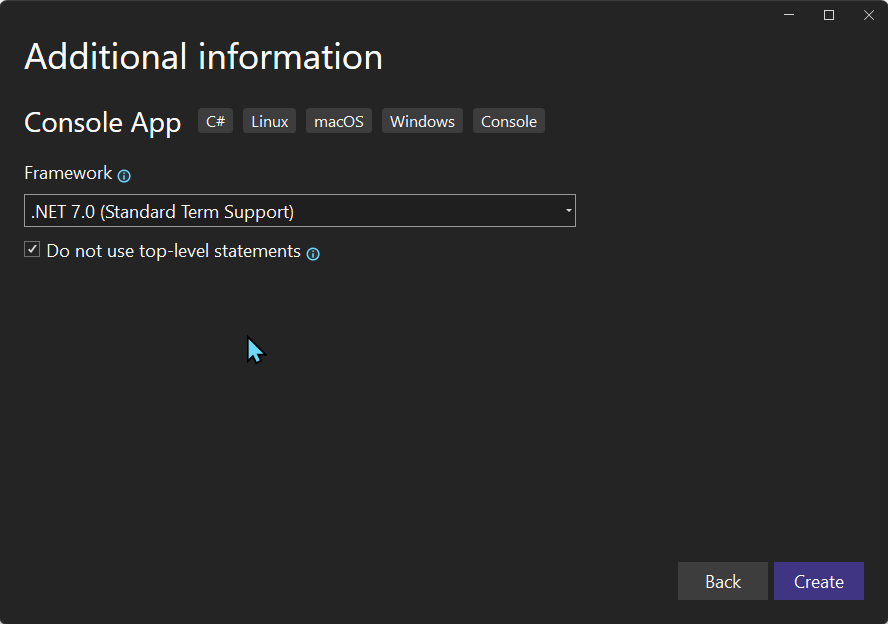
.NET 7.0 Console App
Next, we proceed to install the NuGet package.
Install-Package PaLMNow, add the references.
using Google.Ai.Generativelanguage.V1Beta2;
using Google.Api.Gax.Grpc;
using Google.Apis.Auth.OAuth2;
Next, arrange the API key
//api key
var apiKey = "your api key";
var callSettings = CallSettings.FromHeader("x-goog-api-key", apiKey);
Enumerate the models that are supported by the PaLM API.
//list models
var modelServiceClientBuilder = new ModelServiceClientBuilder()
{
    GoogleCredential = GoogleCredential.FromAccessToken(null),
    Settings = new ModelServiceSettings()
    {
         CallSettings = callSettings
    }
};

var modelServiceClient = modelServiceClientBuilder.Build();

var models = modelServiceClient.ListModels();
foreach (var model in models)
{
    Console.WriteLine(model.ModelName);
}
It produces the following models as output.
models/chat-bison-001
models/text-bison-001
models/embedding-gecko-001
Use the text API:
//text service
  var textServiceClientBuilder = new TextServiceClientBuilder()
  {
      GoogleCredential = GoogleCredential.FromAccessToken(null),
      Settings = new TextServiceSettings()
      {
          CallSettings = callSettings,
      }
  };

  var textServiceClient = textServiceClientBuilder.Build();

  var textPrompt = new TextPrompt();
  textPrompt.Text = "once upon a time, ";

  var textRequest = new GenerateTextRequest
  {
      ModelAsModelName = ModelName.FromModel("text-bison-001"),
      Prompt = textPrompt,
      Temperature = 0.5F,
      CandidateCount = 1,
  };

  GenerateTextResponse textResponse = await textServiceClient.GenerateTextAsync(textRequest);
  Console.WriteLine(textResponse.Candidates[0].Output);
It outputs
Once upon a time, there was a little girl who lived in a small village. She had a very happy life, and she loved to play with her friends. One day, she was playing in the forest when she came across a magical creature. The creature was a beautiful unicorn, and it told the girl that it could grant her one wish. The girl was so excited, and she immediately wished for a new doll. The unicorn granted her wish, and the girl was so happy. She ran home to tell her parents all about it, and they were just as happy as she was. From then on, the girl always played with her new doll, and she always cherished the memory of meeting the magical unicorn.Use the discuss(chat) API
//discuss service
var discussServiceClientBuilder = new DiscussServiceClientBuilder()
{
    GoogleCredential = GoogleCredential.FromAccessToken(null),
    Settings = new DiscussServiceSettings()
    {
        CallSettings = callSettings
    }
};

var discussServiceClient = discussServiceClientBuilder.Build();

var messagePrompt = new MessagePrompt();
messagePrompt.Context = "Imagine you are explaining this concept to a 5th grader.";
messagePrompt.Examples.Add(new Example()
{
    Input = new Message() { Content = "how our solar system works?" },
    Output = new Message() { Content = " It's like a big family of planets and other objects that live together in space. Picture the Sun as the big parent, and all the planets, moons, and asteroids as its children and their friends. Each one has a unique personality and role in this cosmic family." },
});

messagePrompt.Messages.Add(new Message()
{
    Content = "how comptuer works?"
});

GenerateMessageRequest messageRequest = new GenerateMessageRequest
{
     ModelAsModelName = ModelName.FromModel("chat-bison-001"),
     Prompt = messagePrompt,
    Temperature = 0.5F,
    CandidateCount = 1,
};

var messageResponse = await discussServiceClient.GenerateMessageAsync(messageRequest);
Console.WriteLine(messageResponse.Candidates[0].Content);
It outputs
A computer is a machine that can be programmed to carry out a set of instructions. The instructions are usually written in a programming language, which is a kind of code that tells the computer what to do. The computer then executes the instructions, one after the other, to perform a task.
...
Use the embedding API:
//embedding service
var embedText = "Large Language Models (LLMs) are a powerful, versatile type of machine learning model that enables computers to comprehend and generate natural language better than ever. ";
var embedTextRequest = new EmbedTextRequest()
{
    ModelAsModelName = ModelName.FromModel("embedding-gecko-001"),
    Text = embedText,
};

var embedTextResponse = await textServiceClient.EmbedTextAsync(embedTextRequest);
foreach(var value in embedTextResponse.Embedding.Value.ToList())
{
    Console.Write(value);
    Console.Write(" ");
}
It outputs:
-0.042281456 -0.0046045925 -0.030779177 0.055150285 -0.004855854
...
⚠️The NuGet package, PaLM, is not officially released by Google. Google hasn’t yet made the package publicly available. That being said, the PaLM package is directly compiled from the source code of Google’s official package. If you’re uncomfortable using this unofficial package, you have the option to download the source code from the here and incorporate it directly into your project.
Prompt
Once you’ve become accustomed to the API, your next step will be designing the prompts. For this aspect of prompt engineering, MakerSuite can prove to be a valuable tool.
MakerSuite is a browser-based IDE for prototyping with generative language models. MakerSuite lets you quickly try out models and experiment with different prompts.
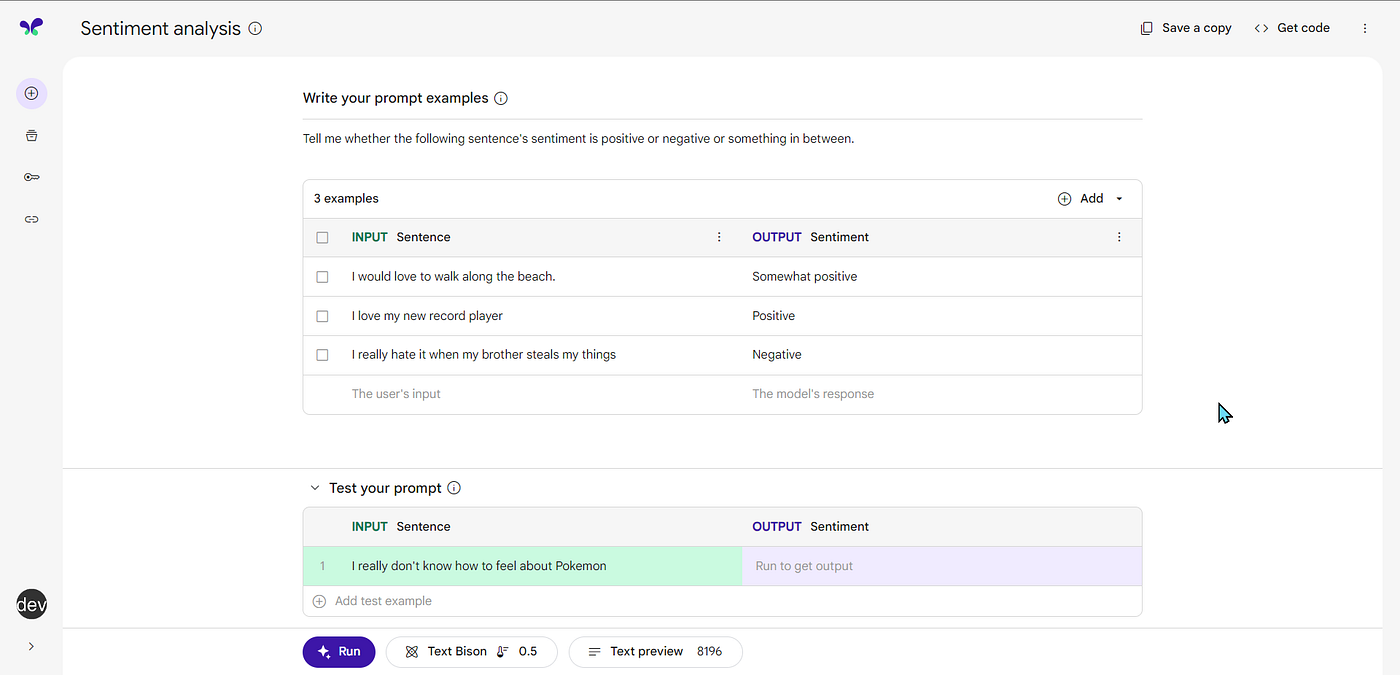
MakerSuite Prompt Gallery Tryout
MakerSuite features a prompt gallery that you can delve into, and it also allows you to create and save your own prompts. I believe it’s an excellent platform for designing your prompts and managing your prompt library.
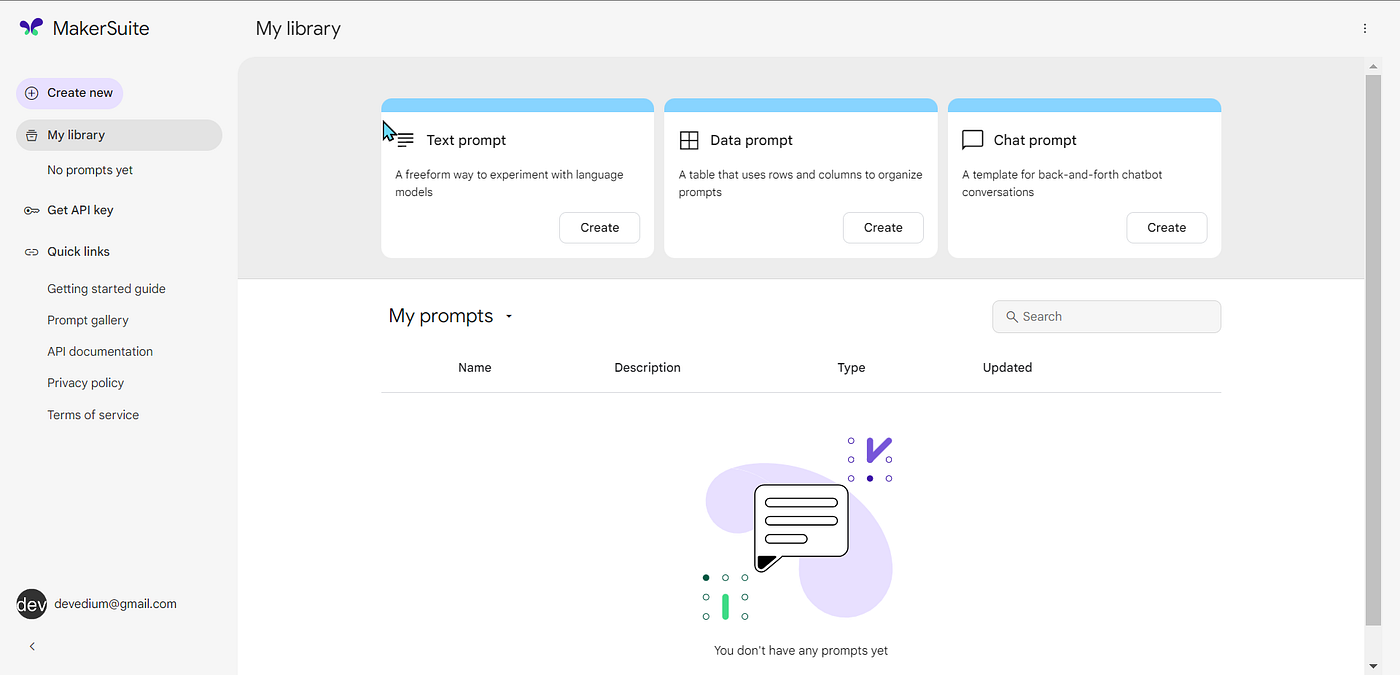
MakerSuite My library
Pricing
The Google PaLM API is currently in public preview, and pricing has not yet been finalized. However, Google has announced that there will be a generous free tier, and that pricing will be based on the number of Unicode characters processed.
The following is a summary of the current pricing plan:
- Free tier: 5,000 Unicode characters per month
- Pay-as-you-go: $0.001 per 1,000 Unicode characters
- Volume discounts: Available for monthly usage of 1 million or more Unicode characters
For example, if you process 10,000 Unicode characters in a month, you would be charged $0.01. If you process 1 million Unicode characters in a month, you would be charged $10.
Here’s the complete source code for your reference:
using Google.Ai.Generativelanguage.V1Beta2;
using Google.Api.Gax.Grpc;
using Google.Apis.Auth.OAuth2;

namespace PaLMExample
{
    internal class Program
    {
        static async Task Main(string[] args)
        {
            //api key
            var apiKey = "Your API KEY";
            var callSettings = CallSettings.FromHeader("x-goog-api-key", apiKey);

            //list models
            var modelServiceClientBuilder = new ModelServiceClientBuilder()
            {
                GoogleCredential = GoogleCredential.FromAccessToken(null),
                Settings = new ModelServiceSettings()
                {
                     CallSettings = callSettings
                }
            };

            var modelServiceClient = modelServiceClientBuilder.Build();

            var models = modelServiceClient.ListModels();
            foreach (var model in models)
            {
                Console.WriteLine(model.ModelName);
            }

            //text service
            var textServiceClientBuilder = new TextServiceClientBuilder()
            {
                GoogleCredential = GoogleCredential.FromAccessToken(null),
                Settings = new TextServiceSettings()
                {
                    CallSettings = callSettings,
                }
            };

            var textServiceClient = textServiceClientBuilder.Build();

            var textPrompt = new TextPrompt();
            textPrompt.Text = "once upon a time, ";

            var textRequest = new GenerateTextRequest
            {
                ModelAsModelName = ModelName.FromModel("text-bison-001"),
                Prompt = textPrompt,
                Temperature = 0.5F,
                CandidateCount = 1,
            };

            GenerateTextResponse textResponse = await textServiceClient.GenerateTextAsync(textRequest);
            Console.WriteLine(textResponse.Candidates[0].Output);

            //discuss service
            var discussServiceClientBuilder = new DiscussServiceClientBuilder()
            {
                GoogleCredential = GoogleCredential.FromAccessToken(null),
                Settings = new DiscussServiceSettings()
                {
                    CallSettings = callSettings
                }
            };

            var discussServiceClient = discussServiceClientBuilder.Build();

            var messagePrompt = new MessagePrompt();
            messagePrompt.Context = "Imagine you are explaining this concept to a 5th grader.";
            messagePrompt.Examples.Add(new Example()
            {
                Input = new Message() { Content = "how our solar system works?" },
                Output = new Message() { Content = " It's like a big family of planets and other objects that live together in space. Picture the Sun as the big parent, and all the planets, moons, and asteroids as its children and their friends. Each one has a unique personality and role in this cosmic family." },
            });

            messagePrompt.Messages.Add(new Message()
            {
                Content = "how comptuer works?"
            });

            GenerateMessageRequest messageRequest = new GenerateMessageRequest
            {
                 ModelAsModelName = ModelName.FromModel("chat-bison-001"),
                 Prompt = messagePrompt,
                Temperature = 0.5F,
                CandidateCount = 1,
            };

            var messageResponse = await discussServiceClient.GenerateMessageAsync(messageRequest);
            Console.WriteLine(messageResponse.Candidates[0].Content);

            //embedding service
            var embedText = "Large Language Models (LLMs) are a powerful, versatile type of machine learning model that enables computers to comprehend and generate natural language better than ever. ";
            var embedTextRequest = new EmbedTextRequest()
            {
                ModelAsModelName = ModelName.FromModel("embedding-gecko-001"),
                Text = embedText,
            };

            var embedTextResponse = await textServiceClient.EmbedTextAsync(embedTextRequest);
            foreach(var value in embedTextResponse.Embedding.Value.ToList())
            {
                Console.Write(value);
                Console.Write(" ");
            }
        }
    }
}
[embed]
메타데이터
- post_id
- a46cdd2bcfee
- slug
- how-to-use-google-palm-api-in-c-a46cdd2bcfee
- url
- https://medium.com/@devedium/how-to-use-google-palm-api-in-c-a46cdd2bcfee
- canonical_url
- https://medium.com/@devedium/how-to-use-google-palm-api-in-c-a46cdd2bcfee
- author_url
- https://medium.com/@devedium
- status
- ok
- fetched_at
- 2026-07-25 11:31:05