Stop Using Trash Tools: How to Bulk Download Kuaishou Profiles Without Login
Let’s be real for a second. Is there anything more annoying than finding a goldmine of a Kuaishou profile, deciding you want to save that…
Stop Using Trash Tools: How to Bulk Download Kuaishou Profiles Without Login
Let’s be real for a second. Is there anything more annoying than finding a goldmine of a Kuaishou profile, deciding you want to save that content for inspiration (or reposting), and then realizing you have to download every single video manually?
Actually, yes, there is something worse. It’s trying to use those ancient, ad-infested downloaders that claim to work but just send you into a spiral of pop-up hell.
I tried to grab a few clips yesterday for a project. I went to the usual suspects — the ones everyone recommends on Reddit from like three years ago — and it was a nightmare. I clicked “Download,” and three betting sites opened in new tabs. I closed them, tried again, and got a “Server Error.” I tried a third time, and it downloaded a low-res file with the watermark still on it.
I was ready to throw my laptop out the window.
If you are trying to archive content, manage a repost page, or just save videos from the Chinese internet, you know that Kuaishou (Kwai) and Douyin are notoriously hard to scrape. They have aggressive anti-scraping tech, login walls that pop up after you scroll past three videos, and watermarks that bounce around the screen.
But after wasting hours and testing about 15 different sites, I found two that actually work. They don’t ask for your credit card, they don’t force you to log in to a shady Chinese server, and most importantly, they don’t crash.
Here is how to properly use a Kuaishou Bulk Downloader without losing your mind.
The Problem: Why “Famous” Downloaders Suck Now
You probably know the names: Snaptik, SSSTik, SaveFrom.
Five years ago? Yeah, they were fine. Today? They are bloated, broken messes.
The issue is that these tools were built for the “Old Internet.” They were designed to grab a simple MP4 link from YouTube or Facebook. But apps like Kuaishou and Douyin are different beasts. They use dynamic loading, complex encryption for their video streams, and they constantly change their API to break third-party tools.
Here is what happens when you try to use Snaptik or SaveFrom for Kuaishou:
- The “Processing” Loop: You paste the link, the wheel spins for 45 seconds, and then… nothing. It just times out.
- Adware Nightmares: You click the download button, but it’s a fake button. Suddenly you’re downloading a .exe file you didn’t ask for. That is unsafe and frankly disrespectful to the user.
- Watermark Failures: Even if SSSTik manages to grab the file, half the time it fails to strip the bouncing ID watermark. If you are a creator trying to use a clean clip for an edit, that footage is useless.
- No Bulk Option: This is the big one. If a creator has 200 videos, you are pasting 200 links. Have fun with that.
These legacy tools are running on cheap servers overwhelmed by traffic, and they prioritize ad revenue over actually updating their code to handle Chinese apps. Stop using them.
The Solution: The New Wave of “Specialist” Tools
I stopped looking for “all-in-one” downloaders. They are jacks of all trades and masters of none. Instead, I started looking for niche tools built specifically for the architecture of short-video apps.
I found two distinct winners. One handles the heavy lifting (Bulk/Profiles) for Kuaishou, and the other is a speed demon for individual clips on Douyin/TikTok.
1. DLPuffin.app: The Kuaishou Specialist
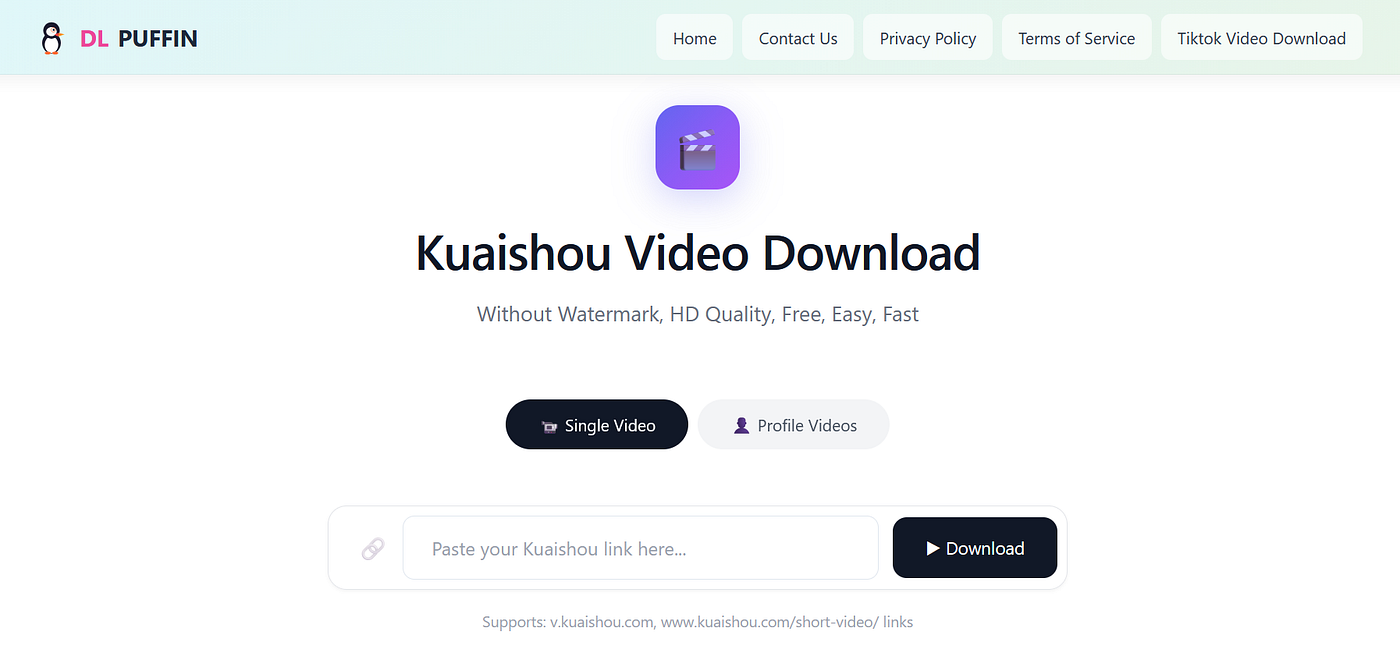
Image credit: Dlpuffin.app
This was the game-changer for me. I stumbled upon DLPuffin deep in a forum thread where people were complaining about similar issues.
Unlike the generic sites, DLPuffin seems to be built specifically to bypass the Kuaishou login wall.
Here is why it’s currently the best **Kuaishou Bulk Downloader** on the market:
- Bulk Downloading: This is the killer feature. You don’t just paste a video link; you can paste a profile link. The tool scans the profile and lets you grab multiple videos at once. If you are doing competitor research or archiving a creator, this saves you literally hours of work.
- No Login Required: Usually, if you try to view a Kuaishou profile in your browser, it blurs the screen and forces you to scan a QR code with the app after a few seconds. DLPuffin bypasses this API restriction entirely. You get the content without ever handing your data over to the app.
- HD Quality & No Watermark: It pulls the raw
.mp4file directly from the content delivery network (CDN) before the app applies the watermark overlay. You get the clean, original file.
I tested this with a profile that had about 50 videos. On a normal site, that’s an hour of work. With DLPuffin, I queued them up and walked away to get coffee. When I came back, I had a folder full of clean content.
2. TTVideoDownload.me: The Speed King (Static Site Tech)

Image credit: ttvideodownload.me
While DLPuffin is my go-to for Kuaishou bulk jobs, I use TTVideoDownloader when I need speed, specifically for Douyin and TikTok.
The tech behind this is interesting. It uses “Static Site” technology. Without getting too nerdy, most downloaders (like Snaptik) process your request on a heavy backend server which takes time and crashes when too many people use it.
TTVideoDownloader processes the request almost instantly because the site is lightweight. It’s stripped down. No heavy scripts, no trackers loading in the background.
If you need a **Douyin Downloader No Watermark**, this is the one to bookmark.
- Zero Lag: You hit enter, and the download link is there. It’s startlingly fast compared to the “processing…” wheels of death on other sites.
- Douyin Specialist: Douyin (Chinese TikTok) is notoriously hard to crack because they change their encryption weekly. This tool seems to update its scrapers daily. I haven’t had a “link invalid” error yet, which is rare for Douyin tools.
- Clean UI: No fake download buttons. No pop-ups asking to send you notifications. Just a box and a button.
Step-by-Step Guide: How to Rip Content Like a Pro
If you aren’t tech-savvy, don’t worry. You don’t need Python scripts or command-line tools. Here is exactly how I do it.
Scenario A: Downloading a Whole Profile from Kuaishou
You found a creator making amazing gadgets videos and you want to save them all.
- Get the Link: Open the Kuaishou app (or web version). Go to the creator’s profile page. Click the “Share” arrow and copy the link.
- Go to the Tool: Head over to the **Kuaishou Bulk Downloader**.
- Paste and Parse: Drop the link into the main box.
- Select Videos: It might take a few seconds to scan the profile. Once it loads, you’ll see the thumbnails. You can select “All” or just pick the ones you want.
- Download: Hit the button. Depending on your internet speed, you’ll have the batch downloaded in a few minutes.
Pro Tip: Rename your files immediately after downloading. Kuaishou file names are usually long strings of random numbers.
Scenario B: Grabbing a Viral Douyin Video (No Watermark)
You saw a trend on Douyin and want to edit it into a reaction video.
- Copy the Link: On the Douyin app, hit share and “Copy Link.”
- Go to the Tool: Open the **Douyin Downloader No Watermark**.
- Paste: Put the link in the box.
- Instant Rip: Click download. The site will strip the watermark instantly.
- Save: Click the final download button to save the MP4 to your device.
Comparison: The Old Guard vs. The New School
Still think you can stick with the old tools? Look at the difference.

It’s not even a fair fight anymore. The “Old Guard” sites are just riding on their domain authority from 2018. They aren’t maintaining the tech.
Why This Matters for Creators
Look, I get it. Some people say “just screen record it.”
Don’t do that.
Screen recording destroys the quality. You get the UI overlays, the battery icon, the time, and the compression artifacts. If you are trying to build a professional page, or you are an editor looking for high-quality assets, you need the raw file from the server.
Also, screen recording takes real-time. If you want to save a 3-minute video, you have to sit there for 3 minutes. If you want to save 10 videos, that’s half an hour of staring at your phone.
Using a bulk downloader turns a 3-hour manual job into a 5-minute background task. It allows you to focus on the creative part — editing, captioning, and strategizing — rather than the mindless administrative work of file management.
FAQ
Q: Is it illegal to download these videos?
A: If you are downloading them for personal use (offline viewing, inspiration), it is generally fine. If you plan to repost them, you must credit the original creator or get permission. Don’t claim other people’s work as your own. That’s just shady.
Q: Why does the download fail sometimes on Kuaishou links?
A: Kuaishou updates their API constantly to stop scrapers. If a link fails on DLPuffin, wait an hour and try again. They usually patch the fix pretty quickly. Also, make sure you are copying the share link and not just the browser URL, as they can sometimes differ.
Q: Can I use these tools on my phone?
A: Yes. Both DLPuffin and TTVideoDownloader work perfectly in mobile browsers (Chrome, Safari). On iOS, you might need to save the video to your “Files” app first, then move it to your Photos roll. That’s an Apple restriction, not a tool restriction.
Conclusion
Stop punishing yourself with bad tools. The internet is annoying enough without having to close 15 pop-up ads just to download a funny cat video from China.
If you are dealing with Kuaishou, use **DLPuffin**. The bulk feature alone is worth its weight in gold.
If you are dealing with Douyin or TikTok and just want speed, use **TTVideoDownloader**.
Work smarter, not harder. And please, for the love of the internet, stop clicking on fake download buttons.
메타데이터
- post_id
- a4bdec691f10
- slug
- stop-using-trash-tools-how-to-bulk-download-kuaishou-profiles-without-login-a4bdec691f10
- url
- https://medium.com/@yugantbarbate/stop-using-trash-tools-how-to-bulk-download-kuaishou-profiles-without-login-a4bdec691f10
- canonical_url
- https://medium.com/@yugantbarbate/stop-using-trash-tools-how-to-bulk-download-kuaishou-profiles-without-login-a4bdec691f10
- author_url
- https://medium.com/@yugantbarbate
- status
- ok
- fetched_at
- 2026-08-03 06:38:07