Configuring Cloud SQL PostgreSQL max_connection
If your services are on GCP and you have decided to use the PostgreSQL instances under Cloud SQL, sooner or later in your journey, there…
Configuring Cloud SQL PostgreSQL max_connection
If your services are on GCP and you have decided to use the PostgreSQL instances under Cloud SQL, sooner or later in your journey, there will be a time where you run into the issue below:
remaining connection slots are reserved for non-replication superuser connectionsThis means whatever you are doing is hogging the connection slots available on the server side and the client is not able to request more connections. The size of the connection slots is governed by the max_connection configuration option. Therefore, the most obvious first step to react to the error above is to check the value of this option, and increase it if it is too low for our purposes. This helps in most cases, but first, let’s see what possible causes exist for this error, before jumping to the solution mode.
Most of the time this issue manifests itself, because:
- client applications are requesting large connection pools
- multiple applications are reusing the same Cloud SQL instance
- application(s) has auto-scaling capabilities and has scaled to too many instances
- the
max_connectionconfiguration option is set to an unusually low value
If the cause is max_connection not being set to a sufficient value or left at its default value, the fix is simple: increase it.
Setting or Changing the max_connection Value
UI
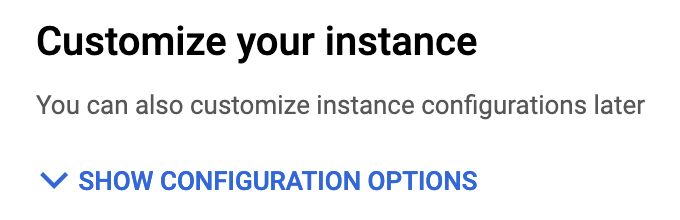
During instance creation click on “Show Configuration Options”
Scroll down to “Flags” and select add a new database flag. From the dropdown menu, select the max_connections flag and set the value.
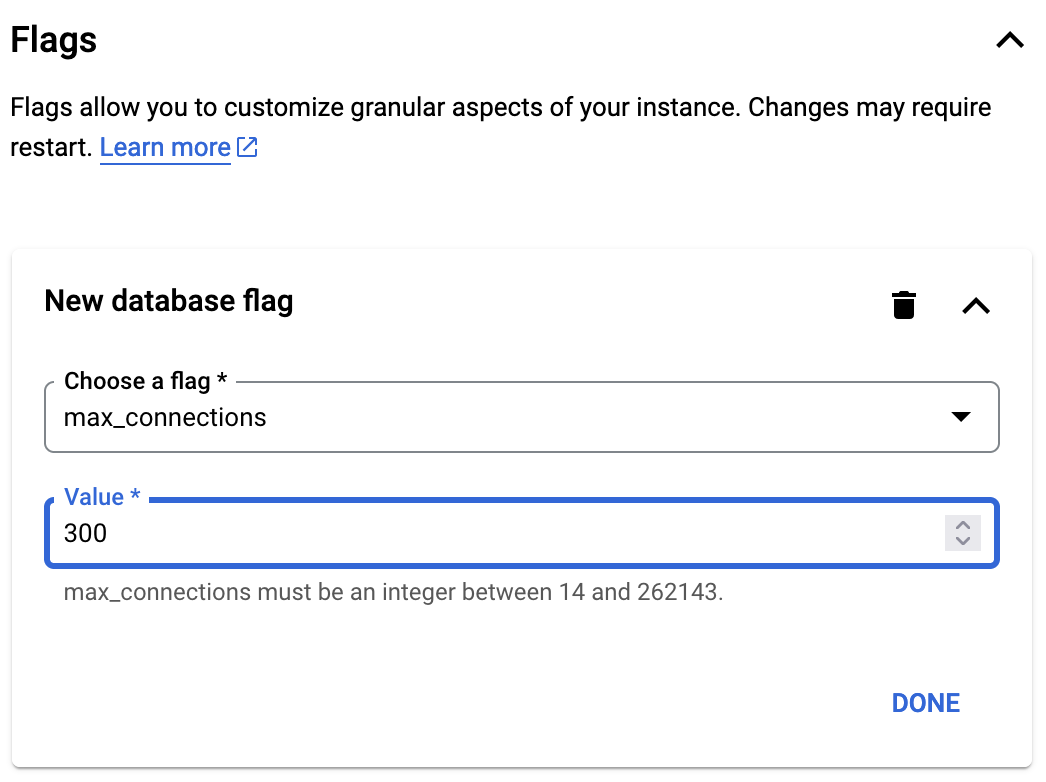
You can also change this value from the overview for existing instances. Mind you that changing this value requires a restart of the instance, meaning there will be a downtime.
Terraform
If you are managing your instance with Terraform, you should populate the optional database_flagsas described below:
locals {
  database_flags = [
    {
      name  = "max_connections"
      value = "300"
    },
  ]
}

resource "google_sql_database_instance" "main" {
  name             = "main-instance"
  database_version = "POSTGRES_15"
  region           = "europe-west3"

  settings {
    tier = "db-f1-micro"

    dynamic "database_flags" {
      for_each = local.database_flags
      content {
        name  = database_flags.value.name
        value = database_flags.value.value
      }
    }
  }
}
As mentioned in the UI section, changing this value requires a restart of the database, so be extra careful before changing and applying the flag, to not cause any unintended downtime.
This concludes this small troubleshooting write-up. Thanks for reading, any suggestions or corrections are welcome.
메타데이터
- post_id
- a5cf147374ac
- slug
- configuring-cloud-sql-postgresql-max-connection-a5cf147374ac
- url
- https://medium.com/@sddkal/configuring-cloud-sql-postgresql-max-connection-a5cf147374ac
- canonical_url
- https://medium.com/@sddkal/configuring-cloud-sql-postgresql-max-connection-a5cf147374ac
- author_url
- https://medium.com/@sddkal
- status
- ok
- fetched_at
- 2026-06-27 23:56:40