Understanding the NLP Pipeline: From Raw Text to Machine Learning Model
A simple step-by-step guide to understand how raw text is converted into machine learning input using NLP techniques
Understanding the NLP Pipeline: From Raw Text to Machine Learning Model
A simple step-by-step guide to understand how raw text is converted into machine learning input using NLP techniques

Introduction to NLP
Natural Language Processing (NLP) is a field of Artificial Intelligence that helps computers understand human language. Humans communicate using text and speech, but machines understand only numbers. NLP acts as a bridge between human language and machine understanding.
In simple terms, NLP converts human language into a format that computers can process and learn from.
🧹Why is preprocessing required?
Raw text data is usually messy and unstructured. It may contain:
- Capital letters
- Punctuation
- Emojis
- URLs
- Stopwords
- Slang and spelling mistakes
Machine learning models cannot directly understand this raw text. So, we need preprocessing to clean and organize the data before feeding it into a model.
Preprocessing helps in:
- Removing unnecessary words
- Reducing noise
- Improving model accuracy
- Converting text into numerical format
Real-world examples
Chatbots
Chatbots like customer support bots understand user messages and respond accordingly.
Example: User: “I want to book an appointment” Bot understands intent and responds with booking options.
Sentiment Analysis
Companies use sentiment analysis to understand customer reviews.
Example: “I love this product” → Positive “This product is bad” → Negative
Search Engines
Search engines process user queries and return relevant results.
Example: Search: “Best laptop under 50000” Search engine understands keywords and shows results.
Text Preprocessing Steps
Text preprocessing is an important step in NLP. It cleans and prepares the text before sending it to machine learning models.
First, we import the required libraries.
import nltk
import string
import re
from nltk.corpus import stopwords
from nltk.tokenize import word_tokenize
1. Lowercasing🔤
Lowercasing converts all text into lowercase letters.
Example
text = "I Love NLP"
print(text.lower())
Output
i love nlpWhy it is important
It treats "Apple" and "apple" as the same word and reduces duplicate entries.
2. Removal of Punctuation✂️
Punctuation marks like commas, periods, and exclamation marks do not add much meaning in NLP tasks.
Example
text = "Hello, how are you?"
clean_text = text.translate(str.maketrans('', '', string.punctuation))
print(clean_text)
Output
Hello how are youThis helps in cleaning the text.
3. Removal of Stopwords🛑
Stopwords are common words such as:
- is
- the
- and
- in
- are
These words appear frequently but do not carry much meaning.
Example
stop_words = set(stopwords.words('english'))sentence = "This is a simple NLP pipeline"
words = word_tokenize(sentence)filtered = [w for w in words if w not in stop_words]
print(filtered)Output
['This', 'simple', 'NLP', 'pipeline']Removing stopwords helps focus on important words.
4. Tokenization🧩
Tokenization splits text into smaller units called tokens.
Example
text = "NLP is very interesting"
tokens = word_tokenize(text)
print(tokens)
Output
['NLP', 'is', 'very', 'interesting']Tokenization helps machines process words individually.
5. Stemming🌳
Stemming reduces words to their root form.
Examples:
- playing → play
- running → run
- studies → studi
Example
from nltk.stem import PorterStemmerstemmer = PorterStemmer()words = ["playing", "running", "studies"]for w in words:
print(stemmer.stem(w))Stemming reduces different word forms into one base word.
6. Lemmatization🌳
Lemmatization converts words into meaningful base words.
Examples:
- running → run
- better → good
Example
from nltk.stem import WordNetLemmatizerlemmatizer = WordNetLemmatizer()print(lemmatizer.lemmatize("running", pos="v"))Lemmatization gives better results than stemming because it produces meaningful words.⚠️Text Cleaning Challenges
In real-world data, text is not always clean.
Handling emojis
Example:
I love NLP 😊We remove emojis because they create noise.
text = re.sub(r'[^\w\s]', '', "I love NLP 😊")
print(text)
Handling URLs and special characters
Example:
Visit https://example.comWe remove URLs using regex.
text = re.sub(r'http\S+', '', text)Dealing with Noisy text
Example:
heyyyy brooooo this is cooooolThis type of text needs normalization to make it clean.
Real-world data cleaning is one of the biggest challenges in NLP.
🏗️Feature Engineering (Vectorization)
After preprocessing, text must be converted into numbers because machine learning models understand only numerical data.
This process is called vectorization.
1. Bag of Words (BoW)
Bag of Words counts how many times each word appears in a sentence.
Example
from sklearn.feature_extraction.text import CountVectorizercorpus = ["I love NLP", "NLP is easy"]vectorizer = CountVectorizer()
X = vectorizer.fit_transform(corpus)print(X.toarray())✅Advantages
- Simple
- Easy to use
❌Limitations
- No context
- Sparse matrix
2. TF-IDF
TF-IDF gives importance to rare words and reduces the importance of common words.
Example
from sklearn.feature_extraction.text import TfidfVectorizervectorizer = TfidfVectorizer()
X = vectorizer.fit_transform(corpus)print(X.toarray())✅Advantages
- Better than BoW
- Reduces common word weight
❌Limitations
- Cannot understand meaning
3. Word2Vec
Word2Vec converts words into vectors based on meaning and context.
Example
from gensim.models import Word2Vecsentences = [["i","love","nlp"],["nlp","is","easy"]]model = Word2Vec(sentences, vector_size=100, min_count=1)print(model.wv["nlp"])✅Advantages
- Context-aware
- Captures meaning
❌Limitations
- Needs large data
4. Average Word2Vec
Average Word2Vec takes the average of all word vectors to represent a sentence.
✅Advantages
- Simple
- Better sentence representation
❌Limitations
- Loses word order
Comparison of Techniques
BoW vs TF-IDF
TF-IDF is better because it gives importance to meaningful words, while BoW treats all words equally.
TF-IDF vs Word2Vec
Word2Vec understands context and meaning, while TF-IDF only counts importance.
Word2Vec vs Avg Word2Vec
Word2Vec gives word vectors, while Avg Word2Vec gives sentence vectors.
Final NLP Pipeline Flow
The complete NLP pipeline works in the following order:
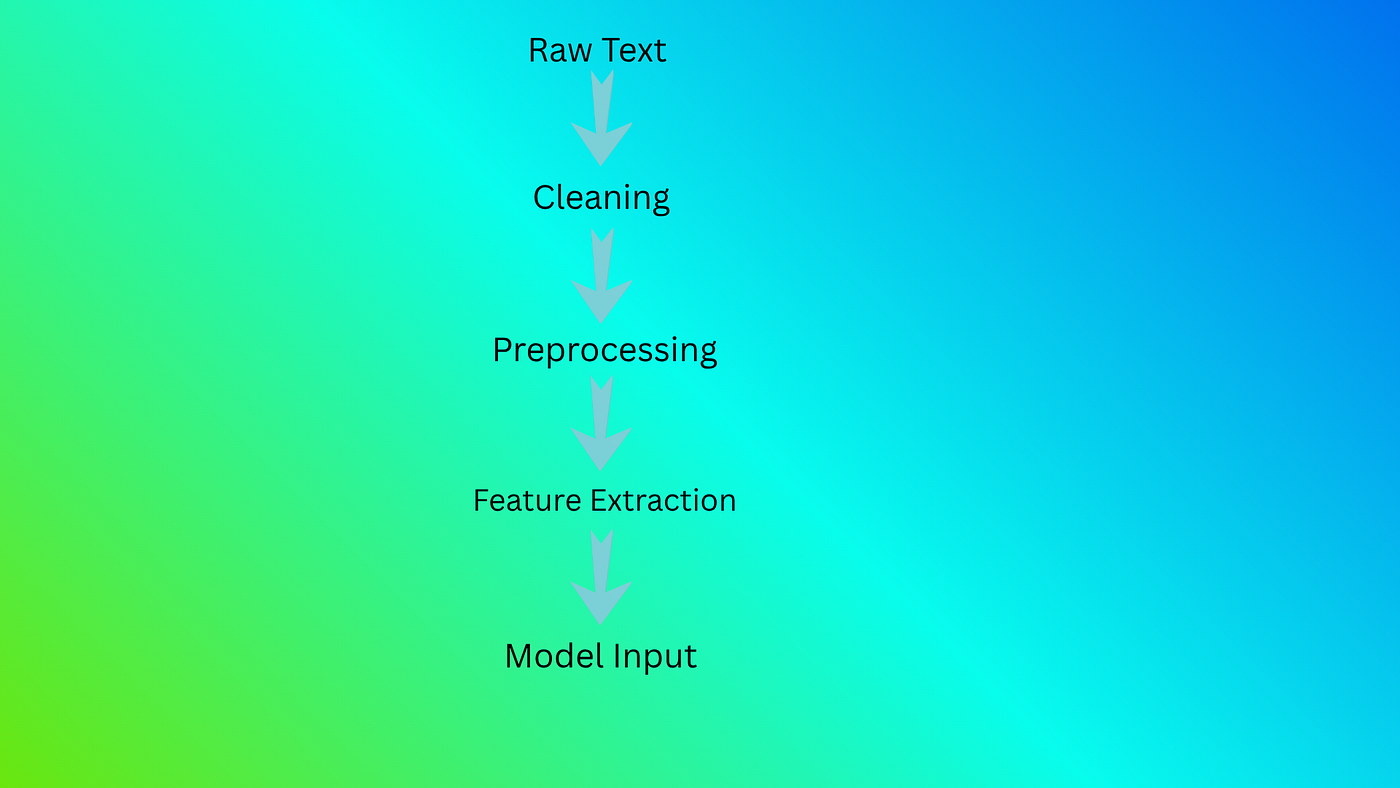
Raw Text📝 → Cleaning → Preprocessing → Feature Extraction → Model Input
Example:
I love NLP 😊After cleaning:
i love nlpAfter preprocessing:
love nlpAfter vectorization:
[0.45, 0.67, 0.12]This numerical data is given to machine learning models like Logistic Regression or Naive Bayes to make predictions.
🏁Conclusion
The NLP pipeline is an important process that converts raw text into structured numerical data. It includes cleaning, preprocessing, and feature engineering steps that help machine learning models understand language.
By using techniques like BoW, TF-IDF, and Word2Vec, we can build powerful NLP applications such as chatbots, sentiment analysis systems, and search engines.
Understanding the NLP pipeline is the first step toward building real-world NLP projects and AI applications.
메타데이터
- post_id
- a6e33466083b
- slug
- understanding-the-nlp-pipeline-from-raw-text-to-machine-learning-model-a6e33466083b
- url
- https://medium.com/@meghanadantala9/understanding-the-nlp-pipeline-from-raw-text-to-machine-learning-model-a6e33466083b
- canonical_url
- https://medium.com/@meghanadantala9/understanding-the-nlp-pipeline-from-raw-text-to-machine-learning-model-a6e33466083b
- author_url
- https://medium.com/@meghanadantala9
- status
- ok
- fetched_at
- 2026-06-20 20:29:01




