KMP From Zero: What Kotlin Multiplatform Actually Is, How It Compiles to Native Code, Project…
You’re an Android developer. You know Kotlin, Compose, Coroutines, Room, Retrofit, Hilt. You’ve built production apps. Now your company…
KMP From Zero: What Kotlin Multiplatform Actually Is, How It Compiles to Native Code, Project Structure, Gradle Setup, expect/actual, and Your First Shared Module
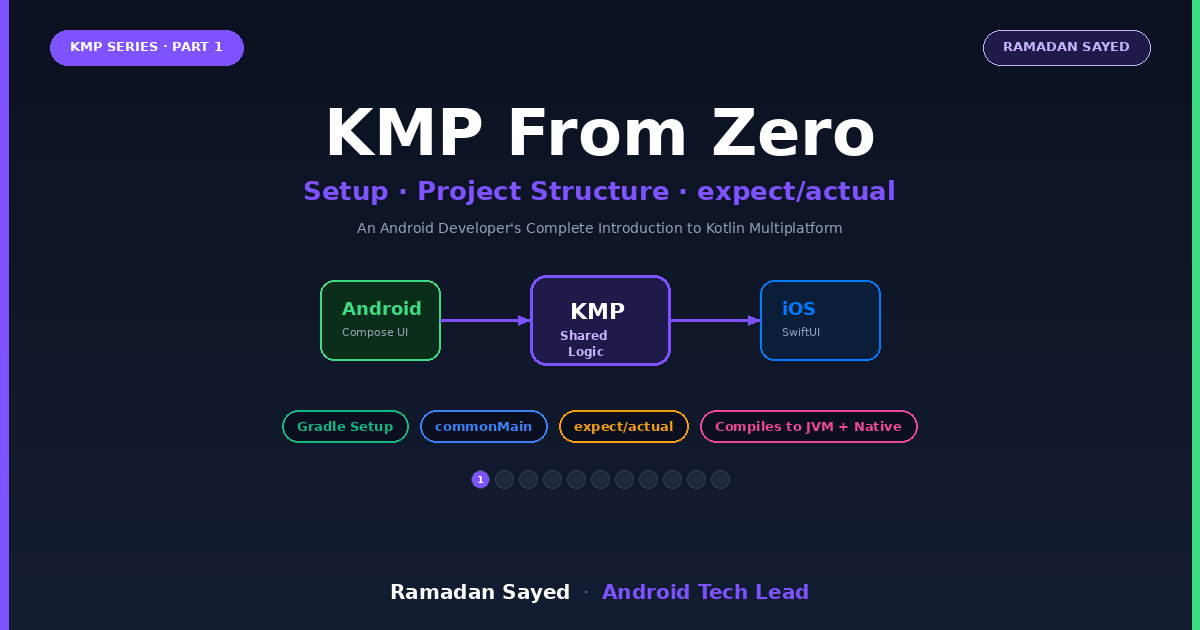
You’re an Android developer. You know Kotlin, Compose, Coroutines, Room, Retrofit, Hilt. You’ve built production apps. Now your company wants to share code with iOS. You’ve heard of KMP but have no idea where to start — what it compiles to, how it talks to Swift, what you can actually share, and what the project structure looks like.
This is Part 1 of an 8-part series that takes you from zero KMP knowledge to a production-ready shared codebase. No prior KMP experience required. Every concept is explained from the Android developer’s perspective — comparing what you already know to how KMP does it differently.
What Is Kotlin Multiplatform?
Kotlin Multiplatform (KMP) is a technology that lets you write Kotlin code once and compile it to multiple targets — JVM (Android), Native (iOS), JavaScript (Web), and more. But unlike cross-platform frameworks like Flutter or React Native, KMP does NOT replace your native UI. You keep Jetpack Compose on Android and SwiftUI on iOS. You only share the parts that don’t touch the UI.
FLUTTER / REACT NATIVE:              KOTLIN MULTIPLATFORM:
┌─────────────────────┐              ┌─────────────────────┐
│   Shared UI          │              │  Native UI           │
│   (Flutter widgets)  │              │  Android: Compose    │
│   (React components) │              │  iOS: SwiftUI        │
├─────────────────────┤              ├─────────────────────┤
│   Shared Logic       │              │  Shared Logic (KMP)  │
│   (same framework)   │              │  Models, Networking  │
│                      │              │  Database, Validation│
├─────────────────────┤              │  UseCases, Repos     │
│   Platform Bridge    │              ├─────────────────────┤
│   (method channels)  │              │  Platform APIs       │
│   (native modules)   │              │  (expect/actual)     │
└─────────────────────┘              └─────────────────────┘

Trade-off:                            Trade-off:
✅ ONE codebase for everything        ✅ Native UI (best performance)
❌ Non-native UI (looks off)          ✅ 60-80% code shared
❌ Performance gap                    ❌ Two UI codebases
❌ Platform limitations               ✅ No bridge overhead
What Can You Share?
SHAREABLE (common module — 60-80% of your code):
  ✅ Data models (data classes, sealed classes, enums)
  ✅ Business logic (use cases, validators, formatters)
  ✅ Repository interfaces AND implementations
  ✅ Networking (Ktor replaces Retrofit)
  ✅ Database (SQLDelight replaces Room)
  ✅ Serialization (kotlinx.serialization — same as Android)
  ✅ Key-value storage (DataStore is multiplatform)
  ✅ Coroutines & Flow (fully multiplatform)
  ✅ ViewModel (lifecycle-viewmodel is multiplatform)
  ✅ Date/time (kotlinx-datetime)
  ✅ DI setup (Koin is multiplatform)

PLATFORM-SPECIFIC (expect/actual):
  ❌ UI (Compose for Android, SwiftUI for iOS)
  ❌ Camera, Bluetooth, Biometrics
  ❌ Push notifications (FCM vs APNs)
  ❌ Background processing (WorkManager vs BGTaskScheduler)
  ❌ File system paths, app lifecycle hooks
How Does It Compile?
This is the key insight most developers miss. KMP doesn’t interpret or transpile. It compiles natively for each target:
Your Kotlin code in commonMain/
          │
          ├─── Kotlin/JVM compiler ──→ .class files ──→ Android APK
          │    (same compiler you already use)
          │
          └─── Kotlin/Native compiler ──→ native binary ──→ iOS framework
               (LLVM-based, compiles to ARM64)

Android:
  commonMain Kotlin → JVM bytecode → Dalvik/ART → runs on Android
  (exactly like your current Android Kotlin code)
iOS:
  commonMain Kotlin → LLVM IR → ARM64 machine code → runs on iOS
  (no VM, no interpreter - actual native binary like Swift/ObjC)
For Android: Nothing changes. Your shared module compiles to a regular .jar that your Android app imports as a Gradle dependency. It's just Kotlin.
For iOS: The shared module compiles to a .framework (like a Swift Package). Your iOS app imports it and calls Kotlin classes as if they were Swift/ObjC classes. There's no bridge, no JNI, no FFI overhead.
Project Structure
my-kmp-project/
├── shared/                           ← KMP module (the shared code)
│   ├── src/
│   │   ├── commonMain/               ← Code that runs on ALL platforms
│   │   │   └── kotlin/
│   │   │       └── com/myapp/shared/
│   │   │           ├── data/
│   │   │           │   ├── remote/   (Ktor API client)
│   │   │           │   ├── local/    (SQLDelight database)
│   │   │           │   └── repository/
│   │   │           ├── domain/
│   │   │           │   ├── model/    (shared data classes)
│   │   │           │   └── usecase/  (business logic)
│   │   │           └── util/         (formatters, validators)
│   │   │
│   │   ├── commonTest/               ← Tests for common code
│   │   │   └── kotlin/
│   │   │
│   │   ├── androidMain/              ← Android-specific implementations
│   │   │   └── kotlin/
│   │   │       └── com/myapp/shared/
│   │   │           └── Platform.android.kt
│   │   │
│   │   └── iosMain/                  ← iOS-specific implementations
│   │       └── kotlin/
│   │           └── com/myapp/shared/
│   │               └── Platform.ios.kt
│   │
│   └── build.gradle.kts              ← KMP Gradle config
│
├── androidApp/                        ← Android app (Compose UI)
│   ├── src/main/
│   │   └── kotlin/
│   │       └── com/myapp/android/
│   │           ├── ui/               (Compose screens)
│   │           ├── di/               (Hilt modules)
│   │           └── MainActivity.kt
│   └── build.gradle.kts
│
├── iosApp/                            ← iOS app (SwiftUI/UIKit)
│   ├── iosApp/
│   │   ├── ContentView.swift
│   │   ├── iOSApp.swift
│   │   └── Info.plist
│   └── iosApp.xcodeproj
│
├── build.gradle.kts                   ← Root build file
├── settings.gradle.kts
└── gradle.properties
Key insight: commonMain is where 60-80% of your code lives. androidMain and iosMain are only for the small percentage that needs platform-specific APIs.
Gradle Setup (Step by Step)
Root settings.gradle.kts
pluginManagement {
    repositories {
        google()
        mavenCentral()
        gradlePluginPortal()
    }
}

dependencyResolutionManagement {
    repositories {
        google()
        mavenCentral()
    }
}
rootProject.name = "MyKMPApp"
include(":shared")
include(":androidApp")
Shared module build.gradle.kts
plugins {
    alias(libs.plugins.kotlinMultiplatform)
    alias(libs.plugins.androidLibrary)
    alias(libs.plugins.kotlinSerialization)
}

kotlin {
    // ═══════════════════════════════════
    // TARGET: Android
    // ═══════════════════════════════════
    androidTarget {
        compilations.all {
            kotlinOptions {
                jvmTarget = "17"
            }
        }
    }

    // ═══════════════════════════════════
    // TARGET: iOS (arm64 + simulator)
    // ═══════════════════════════════════
    listOf(
        iosX64(),        // Intel Mac simulator
        iosArm64(),      // Physical iPhone
        iosSimulatorArm64() // Apple Silicon Mac simulator
    ).forEach {
        it.binaries.framework {
            baseName = "shared"
            isStatic = true  // Static framework (recommended for iOS)
        }
    }

    // ═══════════════════════════════════
    // DEPENDENCIES per source set
    // ═══════════════════════════════════
    sourceSets {
        commonMain.dependencies {
            // Networking
            implementation(libs.ktor.client.core)
            implementation(libs.ktor.client.content.negotiation)
            implementation(libs.ktor.serialization.json)

            // Serialization
            implementation(libs.kotlinx.serialization.json)

            // Coroutines
            implementation(libs.kotlinx.coroutines.core)

            // DateTime
            implementation(libs.kotlinx.datetime)

            // ViewModel (multiplatform)
            implementation(libs.lifecycle.viewmodel)
        }

        commonTest.dependencies {
            implementation(libs.kotlin.test)
            implementation(libs.kotlinx.coroutines.test)
        }

        androidMain.dependencies {
            // Android-specific Ktor engine
            implementation(libs.ktor.client.okhttp)
        }

        iosMain.dependencies {
            // iOS-specific Ktor engine
            implementation(libs.ktor.client.darwin)
        }
    }
}

android {
    namespace = "com.myapp.shared"
    compileSdk = 35
    defaultConfig {
        minSdk = 26
    }
}

android {
    namespace = "com.myapp.shared"
    compileSdk = 35
    defaultConfig {
        minSdk = 26
    }
}
Version Catalog gradle/libs.versions.toml
[versions]
kotlin = "2.1.0"
agp = "8.7.3"
ktor = "3.0.3"
coroutines = "1.9.0"
serialization = "1.7.3"
datetime = "0.6.1"
lifecycle = "2.8.4"

[libraries]
ktor-client-core = { module = "io.ktor:ktor-client-core", version.ref = "ktor" }
ktor-client-content-negotiation = { module = "io.ktor:ktor-client-content-negotiation", version.ref = "ktor" }
ktor-serialization-json = { module = "io.ktor:ktor-serialization-kotlinx-json", version.ref = "ktor" }
ktor-client-okhttp = { module = "io.ktor:ktor-client-okhttp", version.ref = "ktor" }
ktor-client-darwin = { module = "io.ktor:ktor-client-darwin", version.ref = "ktor" }
kotlinx-serialization-json = { module = "org.jetbrains.kotlinx:kotlinx-serialization-json", version.ref = "serialization" }
kotlinx-coroutines-core = { module = "org.jetbrains.kotlinx:kotlinx-coroutines-core", version.ref = "coroutines" }
kotlinx-coroutines-test = { module = "org.jetbrains.kotlinx:kotlinx-coroutines-test", version.ref = "coroutines" }
kotlinx-datetime = { module = "org.jetbrains.kotlinx:kotlinx-datetime", version.ref = "datetime" }
kotlin-test = { module = "org.jetbrains.kotlin:kotlin-test", version.ref = "kotlin" }
lifecycle-viewmodel = { module = "org.jetbrains.androidx.lifecycle:lifecycle-viewmodel", version.ref = "lifecycle" }

[plugins]
kotlinMultiplatform = { id = "org.jetbrains.kotlin.multiplatform", version.ref = "kotlin" }
kotlinSerialization = { id = "org.jetbrains.kotlin.plugin.serialization", version.ref = "kotlin" }
androidLibrary = { id = "com.android.library", version.ref = "agp" }
androidApplication = { id = "com.android.application", version.ref = "agp" }
expect/actual: The Platform Bridge
When you need platform-specific behavior in shared code, KMP uses expect/actual. Think of it like an interface (expect) and implementation (actual), but enforced at compile time.
// ═══════════════════════════════════
// commonMain — DECLARE what you need
// ═══════════════════════════════════

// "I expect each platform to provide this"
expect fun getPlatformName(): String

expect class DeviceInfo() {
    val osVersion: String
    val deviceModel: String
    val isPhysicalDevice: Boolean
}

// ═══════════════════════════════════
// androidMain — IMPLEMENT for Android
// ═══════════════════════════════════

actual fun getPlatformName(): String = "Android ${Build.VERSION.SDK_INT}"

actual class DeviceInfo {
    actual val osVersion: String = "Android ${Build.VERSION.RELEASE}"
    actual val deviceModel: String = "${Build.MANUFACTURER} ${Build.MODEL}"
    actual val isPhysicalDevice: Boolean = !Build.FINGERPRINT.contains("generic")
}

// ═══════════════════════════════════
// iosMain — IMPLEMENT for iOS
// ═══════════════════════════════════

actual fun getPlatformName(): String = "iOS ${UIDevice.currentDevice.systemVersion}"

actual class DeviceInfo {
    actual val osVersion: String = UIDevice.currentDevice.systemVersion
    actual val deviceModel: String = UIDevice.currentDevice.model
    actual val isPhysicalDevice: Boolean = TARGET_OS_SIMULATOR == 0
}
The compiler guarantees: If you declare expect in commonMain, every platform module (androidMain, iosMain) MUST provide actual. Missing an actual is a compile error, not a runtime crash.
When to Use expect/actual vs Interface
// Use expect/actual when:
// - You need a platform CONSTRUCTOR (creating platform objects)
// - Top-level functions (no class instance needed)
// - Platform-specific annotations

// Use interface + injection when:
// - You want testability (inject fakes)
// - The implementation is complex
// - You're using DI already (Koin)

// Example: Logger
// Option A: expect/actual (simple, no DI)
expect fun logDebug(tag: String, message: String)
// androidMain: actual fun logDebug(...) = Log.d(tag, message)
// iosMain: actual fun logDebug(...) = NSLog("[$tag] $message")

// Option B: Interface + Koin (testable, injectable)
interface Logger {
    fun debug(tag: String, message: String)
}
// Provide platform implementations via Koin modules
Your First Shared Code
Let’s build something real — a greeting that works on both platforms.
Step 1: Shared Data Model
// commonMain/kotlin/com/myapp/shared/domain/model/Greeting.kt

data class Greeting(
    val message: String,
    val platform: String,
    val timestamp: Long
)
This data class compiles to:
- Android: A regular Kotlin data class on JVM (exactly what you’re used to)
- iOS: A Kotlin/Native class that Swift sees as a regular class with properties
Step 2: Shared Business Logic
// commonMain/kotlin/com/myapp/shared/domain/usecase/GetGreetingUseCase.kt

class GetGreetingUseCase {

    fun execute(userName: String): Greeting {
        val platform = getPlatformName()  // expect/actual from earlier
        val timeOfDay = getTimeOfDay()

        val message = buildString {
            append("Good $timeOfDay, $userName! ")
            append("Welcome from $platform. ")
            append("Today is ${getCurrentDateFormatted()}.")
        }

        return Greeting(
            message = message,
            platform = platform,
            timestamp = Clock.System.now().toEpochMilliseconds()
        )
    }

    private fun getTimeOfDay(): String {
        val hour = Clock.System.now()
            .toLocalDateTime(TimeZone.currentSystemDefault())
            .hour

        return when {
            hour < 12 -> "morning"
            hour < 17 -> "afternoon"
            else -> "evening"
        }
    }

    private fun getCurrentDateFormatted(): String {
        return Clock.System.now()
            .toLocalDateTime(TimeZone.currentSystemDefault())
            .date
            .toString()  // "2026-03-30"
    }
}
Step 3: Use From Android
// androidApp — your regular Compose screen
@Composable
fun GreetingScreen() {
    val useCase = remember { GetGreetingUseCase() }
    val greeting = remember { useCase.execute("Ramadan") }

    Column(
        modifier = Modifier.fillMaxSize().padding(24.dp),
        verticalArrangement = Arrangement.Center
    ) {
        Text(greeting.message, style = MaterialTheme.typography.headlineSmall)
        Spacer(Modifier.height(8.dp))
        Text("Platform: ${greeting.platform}", color = Color.Gray)
    }
}
Step 4: Use From iOS (Swift)
// iosApp — SwiftUI view
import shared  // The compiled KMP framework

struct GreetingScreen: View {
    let useCase = GetGreetingUseCase()

    var body: some View {
        let greeting = useCase.execute(userName: "Ramadan")

        VStack(spacing: 8) {
            Text(greeting.message)
                .font(.title3)
            Text("Platform: \(greeting.platform)")
                .foregroundColor(.gray)
        }
        .padding(24)
    }
}Notice: The Swift code calls GetGreetingUseCase() and useCase.execute(userName:) — the same class, the same method names. KMP generates Swift-friendly APIs automatically.
How iOS Sees Your Kotlin Code
When you compile the shared module for iOS, KMP generates an Objective-C header file. Swift imports this through interop. Here’s what happens:
Kotlin data class Greeting(         →  Swift sees:
    val message: String,                class Greeting {
    val platform: String,                   let message: String
    val timestamp: Long                     let platform: String
)                                           let timestamp: Int64
                                        }

Kotlin sealed class Resource<T>     →  Swift sees:
    Success(val data: T)                class ResourceSuccess { let data: Any }
    Error(val message: String)          class ResourceError { let message: String }
    Loading                             class ResourceLoading { }

Kotlin suspend fun                  →  Swift sees:
    getUser(): User                     func getUser() async throws -> User

Kotlin Flow<T>                      →  Swift sees (with SKIE):
    observeUsers(): Flow<List<User>>    func observeUsers() -> AsyncSequence<[User]>
Key limitations to know:
- Kotlin generics have limitations in iOS interop (use SKIE library to improve)
- Kotlin
sealed classbecomes separate classes in Swift (use SKIE forenummapping) - Kotlin
suspendmaps to Swiftasync/awaitnatively (Kotlin 1.9+) - Kotlin
Flowneeds SKIE or manual wrapper for clean Swift consumption
Common Pitfalls for Android Developers
Pitfall 1: Trying to Use Android APIs in commonMain
// ❌ WON'T COMPILE in commonMain
import android.util.Log  // Android-specific!

fun logMessage(msg: String) {
    Log.d("TAG", msg)  // Can't use Android APIs in shared code
}

// ✅ Use expect/actual
expect fun logMessage(tag: String, msg: String)

// androidMain:
actual fun logMessage(tag: String, msg: String) = Log.d(tag, msg)
// iosMain:
actual fun logMessage(tag: String, msg: String) = NSLog("[$tag] $msg")
Pitfall 2: Using Java Libraries in commonMain
// ❌ java.util.Date doesn't exist on iOS
import java.util.Date
val now = Date()

// ✅ Use kotlinx-datetime (multiplatform)
import kotlinx.datetime.*
val now = Clock.System.now()
val local = now.toLocalDateTime(TimeZone.currentSystemDefault())
Pitfall 3: Thinking KMP Replaces Native UI
KMP is NOT Flutter. You don't write UI once.

Android UI: Jetpack Compose (your existing skills — unchanged)
iOS UI: SwiftUI (iOS team writes this)
Shared: Everything BELOW the UI layer

This is actually the STRENGTH:
- No compromised UI (native look and feel on both platforms)
- Android team keeps using Compose
- iOS team keeps using SwiftUI
- Both share the same models, networking, database, business logic
What’s Coming in the Series
Part 1: KMP From Zero (this article)         ✅ You are here
Part 2: Sharing Models & Business Logic       → Data classes, sealed types, validation
Part 3: Networking with Ktor                  → Replacing Retrofit, interceptors, error handling
Part 4: Database with SQLDelight              → Replacing Room, migrations, Flow
Part 5: ViewModel & State Management          → Shared ViewModels, MVI, Flow collection on iOS
Part 6: Dependency Injection with Koin        → Modules, platform binds, scoping
Part 7: Compose Multiplatform UI              → Shared UI (when it makes sense)
Part 8: Testing, CI/CD & Production           → Common tests, GitHub Actions, publishing
Conclusion
KMP lets you share 60–80% of your code between Android and iOS while keeping native UI on both platforms. It compiles to JVM bytecode for Android (exactly like your current code) and native ARM64 for iOS (no VM, no bridge). The expect/actual mechanism provides platform-specific behavior where needed, and the compiler guarantees you can't forget an implementation.
For Android developers, the learning curve is small — you already know Kotlin, coroutines, and Flow. The main shift is replacing Android-specific libraries (Retrofit → Ktor, Room → SQLDelight, SharedPreferences → DataStore) with multiplatform equivalents.
part9: https://medium.com/@ramadan123sayed/kmp-part-9-ios-interop-deep-dive-735057f0f310
Connect with Me on LinkedIn
Follow me on LinkedIn
Tags: #KotlinMultiplatform #KMP #Android #iOS #Kotlin #CrossPlatform #MobileDevelopment #SharedCode
메타데이터
- post_id
- a7b044e2b919
- slug
- kmp-from-zero-what-kotlin-multiplatform-actually-is-how-it-compiles-to-native-code-project-a7b044e2b919
- url
- https://medium.com/@ramadan123sayed/kmp-from-zero-what-kotlin-multiplatform-actually-is-how-it-compiles-to-native-code-project-a7b044e2b919
- canonical_url
- https://medium.com/@ramadan123sayed/kmp-from-zero-what-kotlin-multiplatform-actually-is-how-it-compiles-to-native-code-project-a7b044e2b919
- author_url
- https://medium.com/@ramadan123sayed
- status
- ok
- fetched_at
- 2026-06-09 15:37:30