Your Shopify Checkout Might Be Losing Customers Without You Realizing It
Getting customers to a Shopify store is not easy.
Your Shopify Checkout Might Be Losing Customers Without You Realizing It
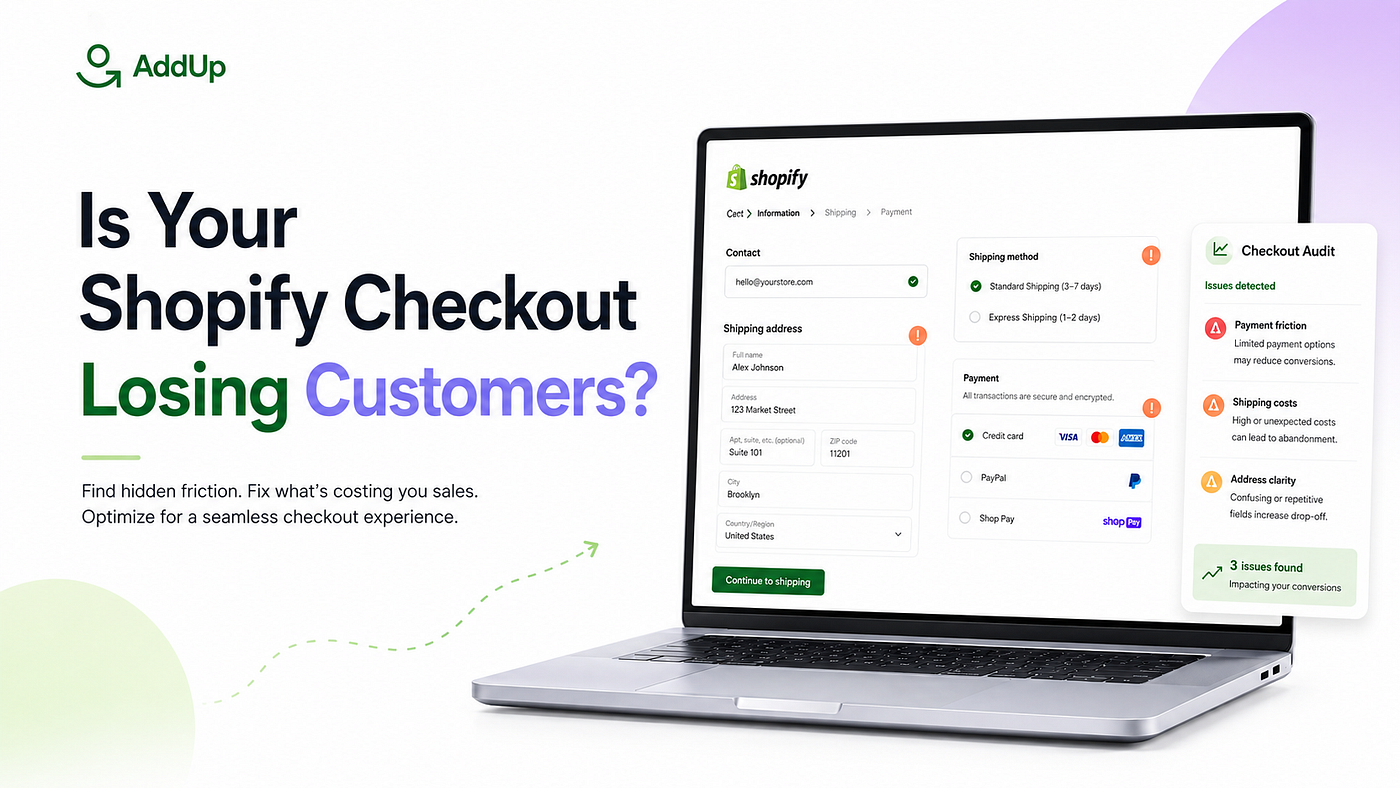
Getting customers to a Shopify store is not easy.
Brands spend time creating products, designing their storefront, running marketing campaigns, writing product descriptions, and building trust with potential buyers.
When a customer finally adds a product to the cart and reaches checkout, it feels like the difficult part is over.
But that is not always true.
Checkout is the final step between customer interest and a completed order. Even a small issue at this stage can create confusion, reduce trust, or make the customer leave without completing the purchase.
The challenge is that many checkout problems are difficult to notice.
A store may look professional. Its product pages may be well-designed. Its marketing campaigns may bring consistent traffic. Yet customers can still face unnecessary payment options, confusing shipping names, irrelevant checkout choices, or address-related issues.
These problems often remain hidden because merchants usually see the final order — not every moment of confusion that happened before it.
Checkout Is More Than a Payment Page
Many merchants view checkout as a standard Shopify page where customers enter their information and make a payment.
In reality, checkout is an important part of the overall customer experience.
Customers use it to confirm several things:
- Whether they trust the store
- Whether their preferred payment option is available
- Whether the shipping method is clear
- Whether the delivery details are correct
- Whether the final purchase feels simple and secure
When the checkout experience feels confusing, customers may hesitate.
For example, a payment method may be available even when it is not suitable for a specific order. A shipping option may use a technical name that customers do not understand. An incorrect address may be accepted without any warning.
Individually, these may look like minor issues.
Together, they can create a poor checkout experience.
The Checkout Problems Merchants Often Miss
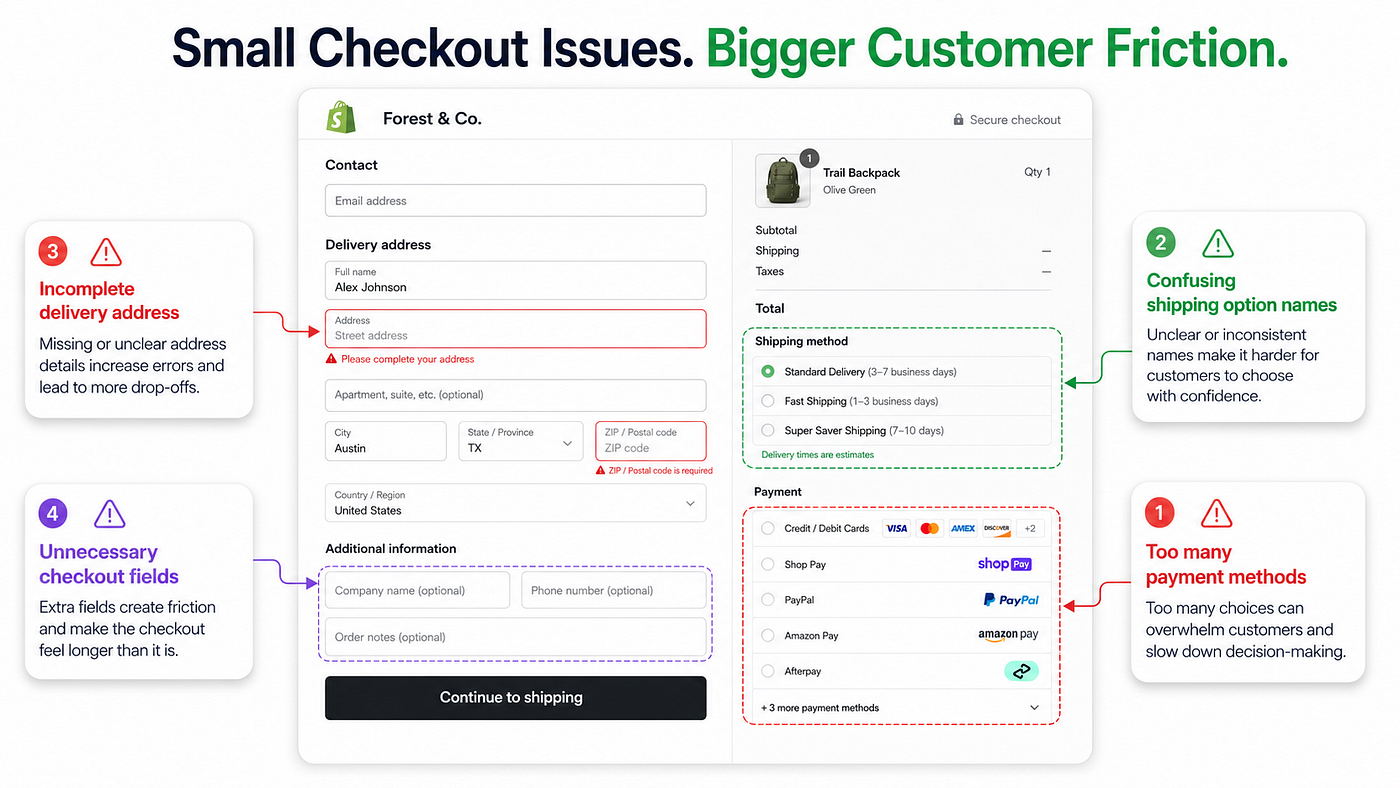
Most merchants do not intentionally create checkout friction.
It usually happens because every customer, product, and order is treated in the same way.
But not every checkout situation is the same.
A local customer may need different payment options than an international customer. A large order may require different rules than a regular purchase. A particular product may not support express shipping. Some addresses may require additional verification.
A standard checkout cannot always handle these situations effectively without additional controls.
Here are some of the common issues merchants may overlook.
Too Many Irrelevant Payment Options
Providing multiple payment methods can be helpful, but showing every method to every customer can also create confusion.
Certain payment options may only be suitable for specific locations, products, customers, or order conditions.
For example, cash on delivery may work well for some customers but may not be appropriate for every order. A local payment method may be irrelevant to an international buyer. A merchant may also want customers to see prepaid payment options before other methods.
When payment options are not organized properly, checkout can feel cluttered.
A better approach is to display payment methods according to the context of the order.
The goal is not to reduce customer choice unnecessarily. It is to make the available choices more relevant.
Confusing Shipping Method Names
Shipping options are often imported directly from carriers or configured using internal terminology.
These names may make sense to the merchant, but not always to the customer.
A customer may see options such as “Standard,” “Economy,” “Priority,” or a carrier-specific service name without clearly understanding the difference.
This can lead to hesitation during checkout.
Clear shipping labels help customers understand what they are selecting. Instead of displaying technical or unclear names, merchants can use customer-friendly descriptions that explain the delivery method more effectively.
Shipping options may also need to change depending on the cart.
A product requiring special handling may not support express delivery. A certain shipping method may only be available in selected locations. Some products may need separate delivery conditions.
Checkout should reflect these differences.
Address Errors That Create Problems After Checkout
A completed order does not always mean the checkout was successful.
Sometimes the real issue appears later.
A customer may enter an incomplete street address, an unsupported PO Box, an incorrect postal code, or unclear apartment information. The order may still be placed, but the delivery team then has to correct the problem manually.
This can lead to delays, customer support conversations, failed deliveries, and unnecessary operational work.
Address validation helps prevent these issues before the order is submitted.
Instead of contacting the customer after checkout, merchants can guide them to enter usable address information while they are still completing the purchase.
This creates a smoother experience for both the customer and the fulfilment team.
Checkout Experiences That Treat Every Customer the Same
Customers do not all arrive at checkout with the same requirements.
A returning customer may behave differently from a first-time buyer. A wholesale customer may need different information than a regular shopper. International customers may require different payment or shipping options.
Treating every customer identically can make checkout less relevant.
Conditional checkout experiences allow merchants to apply different rules based on the situation.
For example, a store may want to:
- Display a payment method only in selected regions
- Hide a shipping option for particular products
- Request additional information for certain orders
- Rename methods according to the customer’s location
- Apply a specific rule when predefined conditions are met
These adjustments make checkout feel more intentional.
Depending on Developers for Every Small Change
Checkout customization has traditionally been viewed as a technical task.
When merchants want to change the order of payment methods, update shipping labels, add a checkout field, or create a new condition, they may assume that custom development is required.
Development support is valuable for complex projects, but every checkout adjustment should not require a long technical process.
Merchants and ecommerce teams need the ability to test and manage everyday checkout improvements without depending on developers for each small update.
No-code tools make this possible.
They allow teams to create checkout rules, adjust available methods, validate information, and test improvements through a visual interface.
This does not replace development completely. It reduces the need to use development resources for tasks that can be managed more efficiently.
The Bigger Problem: Merchants Do Not Know What to Fix
Having customization tools is helpful.
However, tools alone do not solve the entire problem.
A merchant may have the ability to hide a payment method, rename a shipping option, or create checkout rules — but they may not know which change is actually needed.
This is where many checkout solutions fall short.
They provide features but leave the merchant to identify the problem independently.
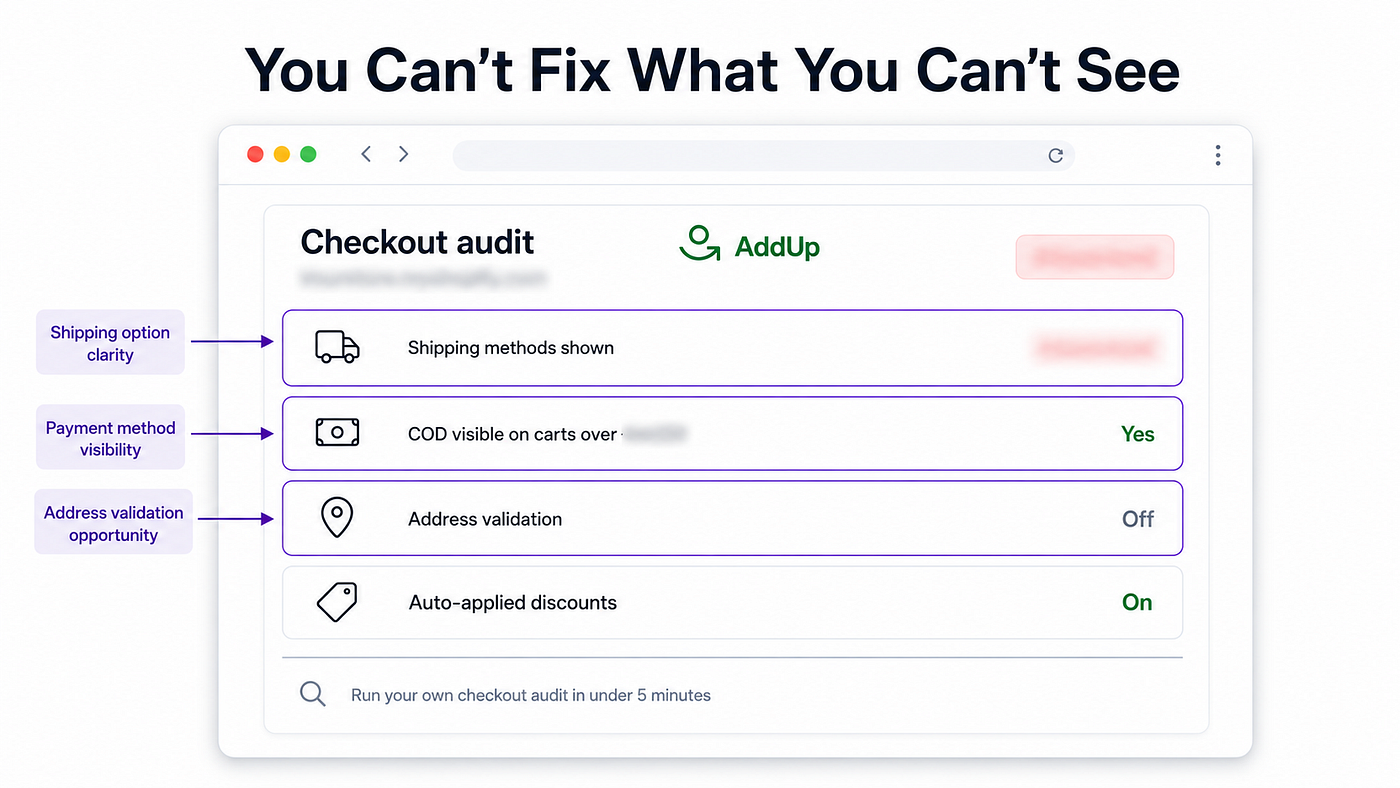
Checkout optimization should begin with visibility.
Merchants need to understand where checkout friction may exist before deciding what to customize.
This could involve reviewing payment behaviour, shipping configurations, address-related issues, customer conditions, or checkout elements that may be creating unnecessary complexity.
Once the issue is clear, the solution becomes easier to implement.
Moving From Guesswork to Informed Checkout Optimization
Checkout optimization should not be based on random changes.
Changing multiple elements without understanding the problem can make it difficult to know what actually improved the experience.
A more effective process is:
Identify the issue
Start by reviewing the checkout experience from the customer’s perspective.
Look at the payment methods, shipping options, form fields, address requirements, and any potential points of confusion.
Understand the context
Consider when the issue occurs.
Does it affect a specific product? A customer location? A payment method? A shipping condition? A particular type of order?
Apply a focused change
Create a rule or adjustment that directly addresses the issue without unnecessarily affecting every customer.
Review the experience
Test the checkout again to ensure the change makes the process clearer and more relevant.
This approach turns checkout customization into an ongoing improvement process rather than a one-time technical task.
Why We Built AddUp Checkout Customizer
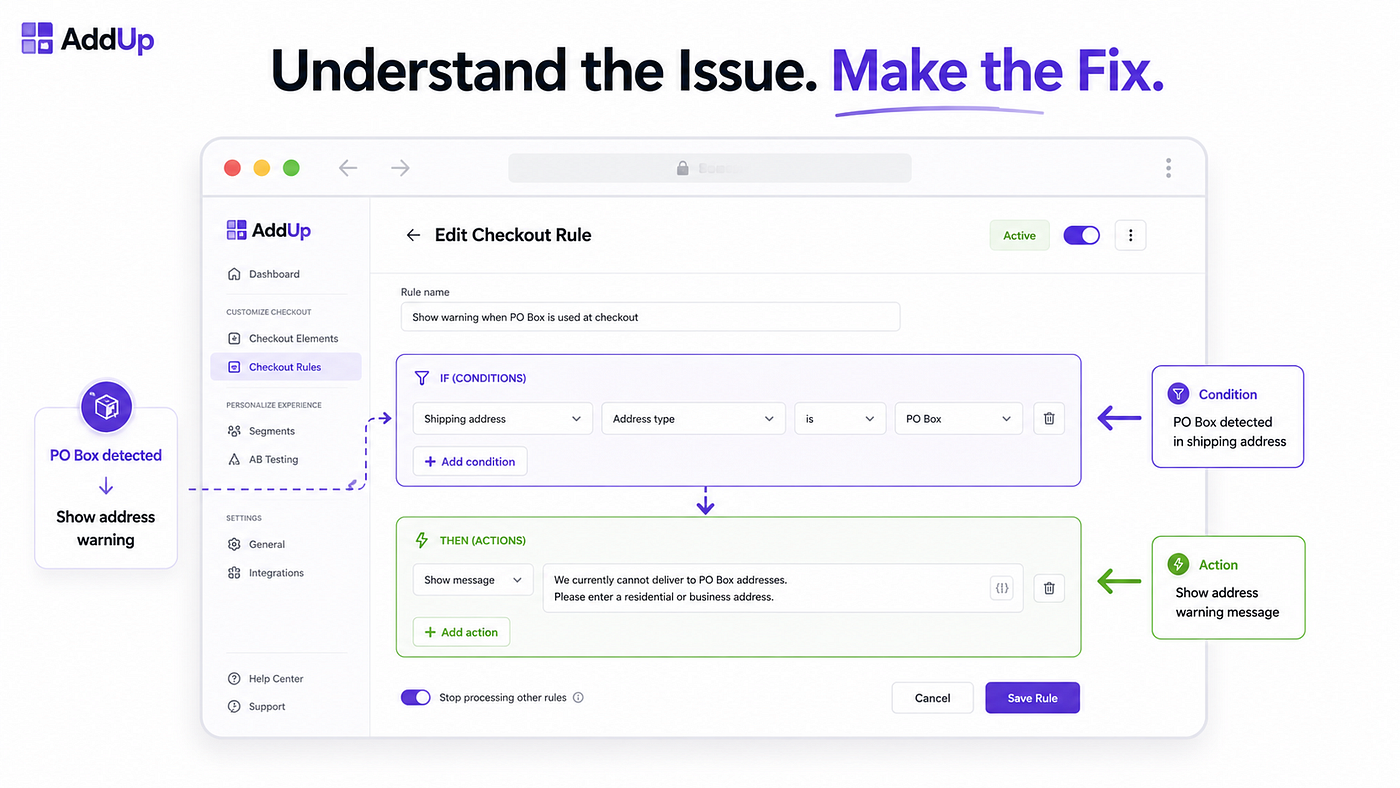
We noticed that many Shopify merchants wanted more control over checkout, but the available options often created two challenges.
Some tools offered customization features without helping merchants understand what should be improved.
Other solutions required technical knowledge or developer support for relatively straightforward changes.
AddUp Checkout Customizer was created to bridge that gap.
The idea behind AddUp is simple:
Help merchants understand potential checkout issues and make those issues easier to fix.
It gives Shopify merchants no-code tools to manage payment methods, shipping options, discounts, address details, checkout fields, and other checkout elements based on relevant conditions.
The focus is not on adding unnecessary complexity.
It is about giving merchants better visibility and practical control over one of the most important stages of the customer journey.
A Better Checkout Does Not Need to Be Complicated
Checkout optimization is not always about redesigning the entire experience.
Sometimes the most meaningful improvements are simple:
- Showing customers only the payment options that matter
- Making shipping methods easier to understand
- Preventing incorrect address information
- Removing irrelevant checkout choices
- Applying different rules for different situations
- Allowing ecommerce teams to make updates without unnecessary technical work
These changes help create a checkout experience that feels clearer, faster, and more relevant.
The first step is recognizing that checkout should not be treated as a fixed page.
It should be treated as an active part of the customer experience — one that can be reviewed, improved, and managed over time.
Your customers have already made several decisions before reaching checkout.
The checkout experience should help them complete the final one with confidence.
AddUp Checkout Customizer helps Shopify merchants identify and fix checkout issues using simple, no-code controls.
Learn more about Addup.
메타데이터
- post_id
- a7eb8d9bb0cb
- slug
- your-shopify-checkout-might-be-losing-customers-without-you-realizing-it-a7eb8d9bb0cb
- url
- https://medium.com/@wc.kajal/your-shopify-checkout-might-be-losing-customers-without-you-realizing-it-a7eb8d9bb0cb
- canonical_url
- https://medium.com/@wc.kajal/your-shopify-checkout-might-be-losing-customers-without-you-realizing-it-a7eb8d9bb0cb
- author_url
- https://medium.com/@wc.kajal
- status
- ok
- fetched_at
- 2026-08-21 01:25:16