Tech Foundations — Complete Self-Study Course Outline
A structured, prioritized, hour-by-hour roadmap for anyone starting from zero who wants to build a career in technology. Every course…
Tech Foundations — Complete Self-Study Course Outline
A structured, prioritized, hour-by-hour roadmap for anyone starting from zero who wants to build a career in technology. Every course includes prerequisites, estimated hours, why it matters to you personally, exact topics to cover, and recommended study materials.
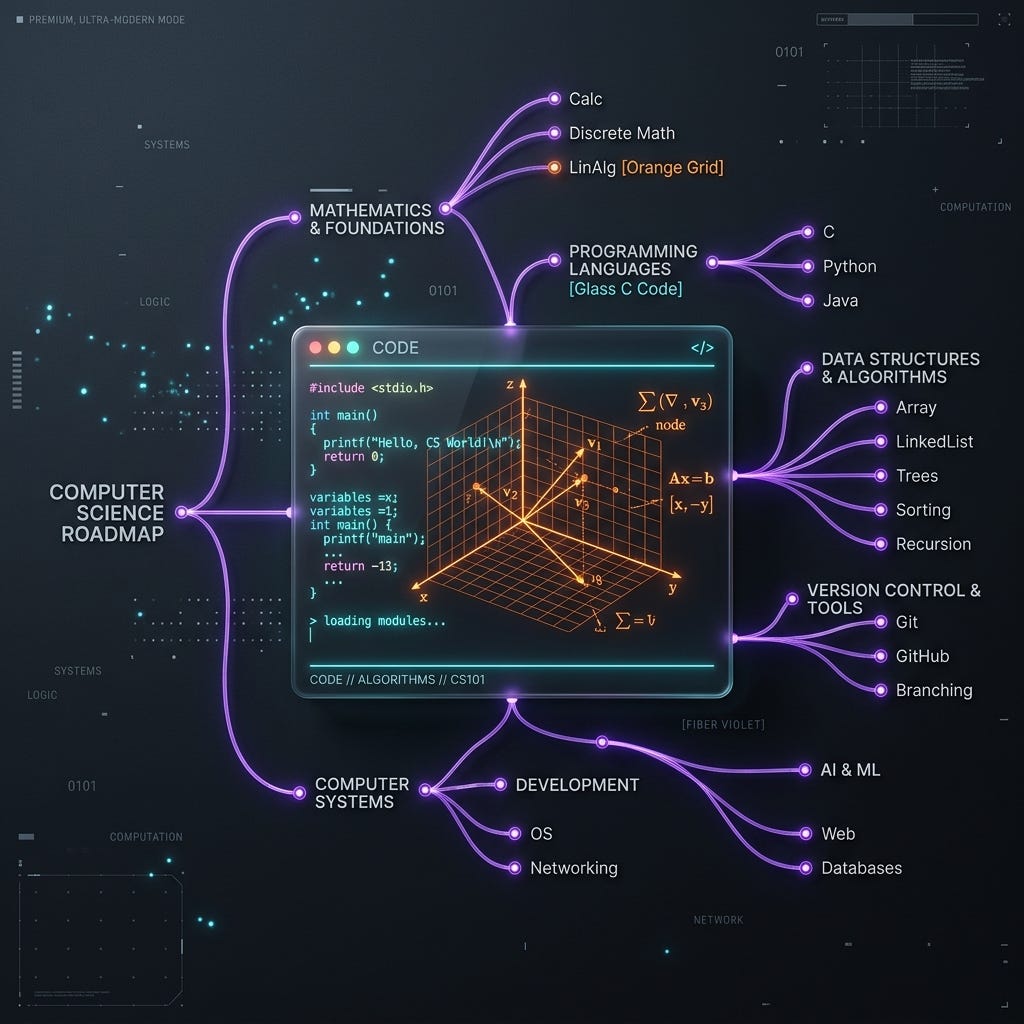
Self-Study Computer Science Roadmap Preview
Table of Contents
- How to Read This Document
- Study Advice
- Disclaimer: This Guide is a Compass, Not the Territory
- Architectural Importance of the Foundational Phases
- Chronological Curriculum Overview
- Phase 0: Setup and Environment (~4 Hours)
- Setup 1. Install Linux
- Setup 2. Set Up Git
- Setup 3. Learn Basic Terminal Commands
- Setup 4. English Communication
- Phase 1: Core Programming and Foundations (4 to 524 Hours)
- Course 1. Programming Fundamentals (C)
- Course 2. Object-Oriented Programming (C++)
- Course 3. Data Structures & Algorithms
- Course 4. HTML & CSS
- Course 5. Database Systems
- Phase 2: Core Programming Languages & DevTools (524 to 639 Hours)
- Course 6. JavaScript
- Course 7. Python
- Course 8. Git Deep Dive
- Phase 3: Applied Systems and Web Engineering (639 to 889 Hours)
- Course 9. Operating Systems
- Course 10. Computer Networks
- Course 11. Docker & Containerization
- Course 12. Web Engineering (Full-Stack Basics)
- Phase 4: Engineering Depth and Refactoring (889 to 1044 Hours)
- Course 13. Software Design & Architecture
- Course 14. Software Quality Engineering
- Course 15. Linux & Shell Scripting (Advanced)
- Course 16. Version Control & Collaboration (Advanced Git)
- Phase 5: Specialization and System Extensions (1044 to 1219 Hours)
- Course 17. Rust
- Course 18. Cybersecurity Fundamentals
- Course 19. Cloud Computing Basics
- Course 20. Office Productivity Tools
- Course 21. APIs and Advanced Integration
- Mathematics: Foundational Requirements
- Math 1. Calculus and Analytical Geometry
- Math 2. Discrete Structures
- Math 3. Linear Algebra
- Math 4. Probability and Statistics
— -
How to Read This Document
- Priority: P0 = Critical (do first), P1 = High (do next), P2 = Medium (build depth), P3 = Nice-to-Have (pick up as needed)
- Estimated Hours: Rough self-study time including practice and projects. Not passive watching — actually doing.
- Prerequisites: What you must complete before starting. No exceptions.
- Why This Matters To You: How this directly impacts your daily life, career, and ability to function in tech.
- Project: Every course ends with a hands-on project. Theory without practice is wasted time.
- Study Materials: Books, courses, and resources — all beginner-friendly and widely recommended.
Study Advice
- Pick 5 topics from the current phase. Study them in parallel, not sequentially. Your brain connects concepts better when you see them together. For example: C + Linux + Git + Calculus + English — all at once. They reinforce each other.
- Study in focused blocks. 2 hours of focused study beats 6 hours of distracted watching. Use the Pomodoro technique (25 min work, 5 min break) or 50/10 splits.
- Code every single day. Even 30 minutes. Consistency beats intensity. Missing a day means you will spend the next day re-learning what you forgot.
- Build projects immediately. Don’t wait until you “know enough.” You will never feel ready. Start building with what you know and fill gaps as they appear. A broken project teaches more than a perfect tutorial.
- Take notes by hand. Writing forces understanding. Type code, but write concepts. Use a physical notebook or a digital one (Obsidian, Notion).
- Teach what you learn. Write a blog post, explain to a friend, record a video. If you can’t explain it simply, you don’t understand it.
- Don’t get stuck on one resource. If a book isn’t clicking, switch to a video. If a video is too slow, switch to documentation. The best resource is the one you actually use.
- Use LLMs strategically. JavaScript and Python have the best LLM support. Use AI to explain concepts, debug errors, and generate starter code. But always understand what the AI outputs — never paste blindly.
- Solve problems, don’t just consume. For every hour of reading/watching, spend 2 hours coding. The ratio matters. Tutorials create an illusion of competence — only building reveals the gaps.
- Join communities. Reddit (r/learnprogramming, r/cscareerquestions), Discord servers, local meetups. Being around other learners keeps you motivated and gives you people to ask when you’re stuck.
- Track your progress. Keep a learning journal. Note what you studied, what you built, what confused you. Review it weekly to see how far you’ve come.
- Accept that confusion is normal. You will feel lost. Everyone does. The difference between people who succeed and people who quit is that the successful ones keep going while confused.
Disclaimer: This Guide is a Compass, Not the Territory
This document represents a highly structured, foundational compass to guide your self-study journey. It is a targeted to-do list of core engineering competencies, not the complete, infinite territory of modern technology. Software engineering is a vast, ever-expanding ecosystem. By mastering the core principles in this roadmap, you are not merely learning specific technologies, you are acquiring the fundamental architectural mental models that govern all computation.
Once you establish these foundations, you will be fully equipped to look beyond this guide and explore advanced horizons. You must be aware that the following fields exist and understand how your core foundations directly enable you to pick them up in days, not months:
- Embedded Systems and Microcontrollers (Arduino/ESP32): Bridging hardware and software. The low-level manual memory controls and hardware-level operations you learn in Course 1 (C) and Course 2 (C++) are the exact tools required to write code for custom physical microcontrollers, sensors, and robotics. Instead of treating hardware as a black box, you will understand directly how registers, digital pins, and serial buses operate.
- Artificial Intelligence and Machine Learning (AI/ML): Moving beyond simple API integration to building and training neural networks from scratch. The mathematical foundations you learn in Calculus (Math 1), Linear Algebra (Math 3), and Python (Course 7) are the precise requirements to understand neural network architectures, model weights, tensors, and optimization gradients from first principles, rather than treating ML as an opaque black box.
- Cloud-Native Scale and Distributed Systems (Kubernetes/Service Meshes): As individual application containers (Docker) scale, they must coordinate across global clusters. The system networks and process control theories you master in Computer Networks (Course 10) and Operating Systems (Course 9) directly translate into configuring distributed cluster orchestration, load balancers, and resilient mesh networks.
Architectural Importance of the Foundational Phases
This roadmap is divided into structured phases designed to transition a complete beginner into a systems-level engineer. To maximize your study efficiency, you must understand the realistic utility gradient of these phases:
- Phase 0 & 1 (Absolute Essentials / Infrastructure): Spanning C, C++, Data Structures & Algorithms, and Relational Database Systems. These courses represent the low-level mechanical boundaries of computing. They teach you memory models, compilation lifecycles, and data normalization. If you bypass these, you are not an engineer — you are a hobbyist who relies on heavy frameworks you do not understand.
- Phase 2 & 3 (Daily Practical Utility / Everyday Tools): Spanning JavaScript, Python, Git Deep Dive, Operating Systems, Networks, Docker, and Web Engineering. It is tempting to assume these are secondary, but in modern engineering, if you do not know Git, Docker, and basic networking, you are functionally crippled on any professional team. These are the tools you will use every single day of your technical life to write scripts, automate workflows, bind ports, and configure running services. Bypassing Phase 2 and 3 leaves you unable to deploy your software.
- Phase 4 & 5 (Career Depth and Specialization / Professional Scaling): Spanning Software Design Patterns, Quality Testing Pipelines, Advanced Linux Scripting, Rust, Cybersecurity, and Cloud Platforms. These are primarily optimized for high-compensation job readiness, enterprise-grade scalability, and professional systems protection. They separate a generic junior coder from an elite systems architect, but they are practically useless without first mastering the infrastructure of Phase 1 and the everyday utility of Phase 2 and 3.
- Parallel Integration is Required: English Communication (Setup 4), Calculus (Math 1), and Discrete Structures (Math 2) must be started in parallel at the absolute beginning of Phase 1. They represent the intellectual tools of systems engineering — discrete mathematics underpins database normalizations and algorithm analyses, while English is the non-negotiable operational layer of all modern documentation and team coordination.
- Beginner Retention Focus: Study advice and Phase 0 are positioned at the absolute top of the document. Most self-study learners fail because they lose focus or fail to configure a proper local environment. Getting your Linux environment, Git workflow, and study habits established early prevents “tutorial hell” and ensures long-term retention.
Chronological Curriculum Overview
This timeline establishes the study roadmap mapped entirely to cumulative study hours. English Communication is a continuous, parallel track that runs alongside every phase — it is listed in Phase 0 to establish its importance, but its hours are not a blocking prerequisite before starting Phase 1. Begin English study from day one and maintain it daily throughout the entire roadmap.
- Phase 0 — Setup and Environment (~4 Hours)
- Setup 1. Install Linux (~2 hours)
- Setup 2. Set Up Git (~1 hour)
- Setup 3. Learn Basic Terminal Commands (~1 hour)
- Setup 4. English Communication (ongoing parallel track — 100+ hours total, studied continuously alongside all phases)
- Phase 1 — Core Programming and Foundations (4 to 524 Hours)
- Course 1. Programming Fundamentals (C) (120 hours)
- Course 2. Object-Oriented Programming (C++) (100 hours)
- Course 3. Data Structures & Algorithms (150 hours)
- Course 4. HTML & CSS (60 hours)
- Course 5. Database Systems (90 hours)
- Parallel: Math 1 (Calculus) and Math 2 (Discrete Structures)
- Phase 2 — Core Programming Languages & DevTools (524 to 639 Hours)
- Course 6. JavaScript (50 hours)
- Course 7. Python (40 hours)
- Course 8. Git Deep Dive (25 hours)
- Parallel: Math 3 (Linear Algebra)
- Phase 3 — Applied Systems and Web Engineering (639 to 889 Hours)
- Course 9. Operating Systems (70 hours)
- Course 10. Computer Networks (60 hours)
- Course 11. Docker & Containerization (30 hours)
- Course 12. Web Engineering (Full-Stack Basics) (90 hours)
- Parallel: Math 4 (Probability & Statistics)
- Phase 4 — Engineering Depth and Refactoring (889 to 1044 Hours)
- Course 13. Software Design & Architecture (60 hours)
- Course 14. Software Quality Engineering (40 hours)
- Course 15. Linux & Shell Scripting (Advanced) (40 hours)
- Course 16. Version Control & Collaboration (Advanced Git) (15 hours)
- Phase 5 — Specialization and System Extensions (1044 to 1219 Hours)
- Course 17. Rust (60 hours)
- Course 18. Cybersecurity Fundamentals (40 hours)
- Course 19. Cloud Computing Basics (25 hours)
- Course 20. Office Productivity Tools (25 hours)
- Course 21. APIs & Advanced Integration (25 hours)
Phase 0: Setup and Environment (~4 Hours)
Get your tools, command-line operations, and technical language foundations established.
Setup 1. Install Linux
- Priority: P0 — Critical
- Estimated Hours: 2 Hours
- Prerequisites: None
Why This Matters To You
You will interact with Linux every single day in tech — whether you develop on it or not. Docker containers, CI/CD pipelines, cloud infrastructure, servers, deployment targets — everything runs Linux. The speed, simplicity, and power of Linux package managers and the command line is something Windows cannot replicate. Developing on Windows means fighting your toolchain. Developing on Linux means your toolchain works for you.
Topics to Cover
- Install Linux on your machine. Do not develop on Windows. You can dual-boot alongside Windows or install on a separate disk — you don’t need to replace Windows. Research your distro choice (Ubuntu for beginners, Fedora for a balance, Arch if you want to learn deep).
- The only real alternatives to Linux are macOS systems (both are Unix-like). Windows is an entirely different ecosystem that fights you at every step.
- If you absolutely need Windows for one application, use a virtual machine.
- It may feel intimidating. Give yourself one week. After initial setup (a couple of hours of research and installation), you will be used to it within days. Using Linux on a separate disk with Windows as a safety net will quickly build your confidence — and the day you finally move fully to Linux, you will never look back.
Project Ideas
- Install a Linux distribution (Ubuntu, Linux Mint, or Fedora) onto your local hardware (either dual-boot or a dedicated drive).
- Write a basic text file using a terminal editor, save it, and inspect its location using terminal tools.
Study Materials
- Textbook: The Linux Command Line by William Shotts (free PDF at linuxcommand.org — the definitive beginner-to-intermediate reference for Linux).
- Interactive Guide: Ubuntu Official Tutorials (ubuntu.com/tutorials — step-by-step installation and configuration guides for new Linux users).
Setup 2. Set Up Git
- Priority: P0 — Critical
- Estimated Hours: 1 Hour
- Prerequisites: Linux installed
Why This Matters To You
Every single team project uses Git. Every job requires it. Every open source project uses it. If you’re not using version control from day one, you’re already behind. Start with this before you write your first program.
Topics to Cover
- Install Git:
sudo apt install git(or your distro's package manager) - Configure:
git config --global user.name "Your Name"andgit config --global user.email "your@email.com" - Learn:
git init,git add,git commit,git push,git pull,git status,git log - Create a GitHub account
- Learn to push your first repository
Project Ideas
- Set up SSH keys and establish authentication between your local terminal and your GitHub profile.
- Initialize a git repository in a local folder, add a readme file, stage it, commit it, and push it to a public GitHub repository.
Study Materials
- Textbook: Pro Git by Scott Chacon & Ben Straub (chapters 1 to 3 covering installation, basic commits, and local branching).
- Interactive Site: Learn Git Branching (learngitbranching.js.org — interactive, visual git learning game).
Setup 3. Learn Basic Terminal Commands
- Priority: P0 — Critical
- Estimated Hours: 1 Hour
- Prerequisites: Linux installed, Git configured
Why This Matters To You
The terminal is where you’ll spend most of your time. Running servers, installing packages, debugging, deploying, SSH-ing into servers — all terminal. The faster you get comfortable here, the faster everything else clicks.
Topics to Cover
- Basic Navigation:
cd,ls,pwd,mkdir,rm,cp,mv,touch,cat,grep,chmod,sudo,nanoorvim - Package managers:
apt/dnf/pacman- learn to install software from the terminal, not a store - Pipe (
|), redirect (>,>>), and basic shell redirection concepts
Project Ideas
- Write a basic diagnostics bash command that checks system memory usage via
free -m, logs it to a file, and appends the disk space data usingdf -h. - Practice file permission settings: create a file, strip all write permissions via
chmod, verify the block, and restore write access.
Study Materials
- Video Series: The Missing Semester of Your CS Education (missing.csail.mit.edu — MIT’s crash course on terminal fluency, shell scripting, and environment mastery).
- Gamified Course: Terminus (web.mit.edu/mprat/Public/web/Terminus/Web/main.html — MIT command-line adventure game for terminal beginners).
- Gamified Practice: OverTheWire Bandit (wargame teaching command-line utilities and permissions through security challenges).
Setup 4. English Communication
- Priority: P0 — Critical
- Estimated Hours: 100 Hours (deliberate study and ongoing practice)
- Prerequisites: None — start from day one
Why This Matters To You
The entire tech industry operates in English. This is not negotiable and there is no workaround. Code is written in English. Variable names, function names, class names, documentation, error messages, Stack Overflow answers, GitHub issues, RFCs, tutorials, API docs, job postings, conference talks, team meetings, client calls — all in English. Even if you’re not in a client-facing role, you need to read, write, and think in English fluently. If you struggle with English, you will struggle in tech. Period.
Let’s challenge a common misconception: English communication is not something you “pick up” in 10 hours. Developing professional English competency requires at least 100+ hours of active, deliberate study and long-term daily integration. Technical English is highly specific. It demands precision, clarity, and the ability to explain complex abstractions simply. You don’t need to sound like a native speaker, but you must be fluent enough that you can describe system architectures to a teammate without ambiguity, write professional documentation, construct clear git commit histories, describe bug reproductions, and conduct full technical interviews.
English is the operating system of the tech industry. If you can’t run it, nothing else works.
What to Focus On
- Deliberate study: Spend at least 30 minutes a day actively reading, writing, and analyzing English technical documentation, RFCs, or code bases.
- Reading: Read raw technical documentation (e.g. MDN, cppreference) and engineering blogs without auto-translation tools.
- Writing: Practice writing concise, clear git commit messages, README files, pull request summaries, and issue descriptions using active voice and technical terminology.
- Speaking: Explain technical concepts (e.g. “what is a compiler?”, “how does a pointer work?”) out loud in English. Record your voice, analyze your pacing, and do mock verbal interviews.
- Active listening: Train your ear by listening to technical podcasts, software conference talks (e.g. CppCon, PyCon), and developer discussions.
- Clarity over complexity: Avoid flowery prose. Professional engineering communication values short, dense, unambiguous sentences over long, complex paragraphs.
Project Ideas
- Write a comprehensive readme documentation file in English for one of your projects, explaining the installation, usage, and structure of your application.
- Record a 5-minute screencast explaining a technical concept (like pointers or SSH keys) in English, focusing on clear articulation and technical vocabulary.
Study Materials
- Guide: Technical Writing Courses by Google (free, highly structured modules teaching engineering communication standards).
- Resource: MDN Web Docs and Stack Overflow (read raw threads in English without using Google Translate).
- Book: Style: Lessons in Clarity and Grace by Joseph M. Williams (the ultimate guide to writing clear, structured, and professional sentences).
Phase 1: Core Programming and Foundations (4 to 524 Hours)
These are non-negotiable. Every path in tech builds on top of these. Do them in order, respecting prerequisites.
Course 1. Programming Fundamentals (C)
- Priority: P0 — Critical
- Estimated Hours: 120 Hours
- Prerequisites: Linux installed, Git configured, basic terminal comfort
Why This Matters To You
The entire system infrastructure of the planet is built on C. Compilers, database storage engines, modern language runtimes, network stacks, and operating system kernels are implemented in C. It is the language that replaced assembly, providing low-level hardware control with a structured syntax. Learning C forces you to master manual memory management and process memory layout. High-level languages like Python and JavaScript hide pointers, stack allocations, and garbage collection, leaving developers blind to resource limits. Master C, and every high-level language you study next will take days to learn because you will understand what they are doing under the hood.
Topics to Cover
- Primitive data types: integer sizes, character encodings, floating-point representations, and type casting rules.
- Operators: arithmetic, logical, relational, bitwise operations (
&,|,^,~,<<,>>), and evaluation order. - Control flow: conditional execution (
if,else,switch), loop systems (for,while,do-while), loop breaks, and recursion patterns. - Program structure: function definitions, stack frame creation, parameters (pass-by-value), variable scopes, and header file separation.
- Continuous memory: array layouts, multidimensional structures, and character strings (string.h library operations).
- Pointers: memory addresses, dereferencing (
*), address-of (&), pointer arithmetic, and pointers to arrays or structures. - Dynamic allocation: stack vs. heap allocation, memory functions (
malloc,calloc,realloc,free), memory leaks, and dangling references. - Custom definitions: structures (
struct), unions, enumerations, data packing, and alignment. - Disk storage: file pointers, read/write systems (
fopen,fclose,fread,fwrite,fprintf,fscanf), and binary vs. text formats. - Preprocessor directives: header inclusion, macro definitions (
#define), and conditional compilation structures (#ifdef,#ifndef).
Project Ideas
- Build a console-based File Management System: allows users to create, search, edit, and delete student records. Uses custom structs, dynamic arrays for sorting, and binary file streams for persistent storage.
- Develop a local terminal-based Matrix Calculator: calculates matrix additions, multiplications, and transpositions using pointers and dynamic 2D array allocations.
- Write a basic text file analyzer: reads a text file and counts lines, words, characters, and occurrences of a specific string, utilizing native string manipulation.
Study Materials
- Textbook: C: How to Program by Deitel & Deitel (8th edition, chapters 1 to 14, complete with all end-of-chapter programming assignments).
- Textbook: The C Programming Language by Brian Kernighan and Dennis Ritchie (K&R, standard reference for deep conceptual understanding).
- Video Lectures: CS50 Introduction to Computer Science (Harvard University, weeks 1 to 5 covering algorithms, C syntax, pointers, and memory).
- Interactive Track: Exercism C track (mentor-guided practice for language syntax and structural optimization).
Beginner Friction Tips
- Pointer Segfaults: A segmentation fault occurs when you access memory you do not own. Use a debugger like
gdbor check your pointer initializations to ensure you are not dereferencingNULL. - Manual Memory Audits: Always run your compiled programs through
valgrind(e.g.,valgrind --leak-check=full ./program) to identify memory leaks and uninitialized memory reads. - Compiler Warnings: Compile your C files with strict warning flags:
gcc -Wall -Wextra -pedantic -std=c99 main.c -o main. Never ignore a warning.
Course 2. Object-Oriented Programming (C++)
- Priority: P0 — Critical
- Estimated Hours: 100 Hours
- Prerequisites: Programming Fundamentals (C)
Why This Matters To You
Large-scale software applications require structuring methods to prevent complexity from turning into unmaintainable code. Object-Oriented Programming (OOP) is the paradigm that solves this by packaging data and behaviors into modular, reusable classes. C++ builds directly on C by introducing object abstractions without sacrificing runtime performance. Understanding how C++ implements inheritance, runtime polymorphism (via virtual tables), encapsulation, and resource management is critical to understanding how game engines, browser engines, GUI applications, and enterprise platforms are architected.
Topics to Cover
- Object basics: class declarations, class members (state and behavior), access modifiers (
public,private,protected), and object instances. - Object lifecycle: constructors (default, parameterized, copy constructors), initialization lists, dynamic allocation constructors, and destructors.
- Encapsulation: data hiding, getter/setter patterns, friend functions, and friend classes.
- Code reuse: inheritance hierarchies, single and multiple inheritance, overriding base functions, and constructor execution order.
- Polymorphism: compile-time polymorphism (function and operator overloading) and runtime polymorphism (virtual functions, virtual tables, abstract classes, interfaces).
- Advanced design: composition vs. inheritance (knowing when to model “has-a” vs. “is-a” relationships).
- Compile safety: const correctness, const pointers, static member variables, static functions, and custom namespaces.
- Generics: function templates, class templates, and code instantiation.
- Exception handling: exception blocks (
try,catch,throw), custom exception classes, and resource-safety patterns. - Standard libraries: STL containers (
std::vector,std::list,std::map,std::set), iterators, and search/sort algorithms. - Resource safety: smart pointers (
std::unique_ptr,std::shared_ptr) and the avoidance of manual memory operations.
Project Ideas
- Build an OOP-based Retail Point of Sale System: implements product inventories, customer shopping carts, checkout transactions, and receipt generation. Uses inheritance for product categories, polymorphism for payment methods, and file streams for transaction logs.
- Design a CLI Banking Manager: supports savings and checking accounts, deposit/withdrawal calculations, interest additions, and account histories, utilizing polymorphism and encapsulation.
- Code a terminal-based Card Game (e.g., Blackjack): models classes for Card, Deck, Hand, Player, and GameManager, managing game loops and rules engines.
Study Materials
- Textbook: C++ How to Program by Deitel & Deitel (chapters 9 to 18 covering classes, inheritance, polymorphism, and templates).
- Textbook: Object-Oriented Programming in C++ by Robert Lafore (highly accessible descriptions of object paradigms).
- Interactive Site: learncpp.com (extensively updated, high-quality, comprehensive reference for modern C++ standards).
- Video Tutorials: Cherno C++ Series on YouTube (exceptional visualizations of C++ compile systems, memory allocations, and performance tuning).
Beginner Friction Tips
- Virtual Table overhead: Runtime polymorphism relies on virtual function lookup tables (vtables). Always define a virtual destructor in your base class to prevent memory leaks when deleting derived objects via base pointers.
- Copy Bloat: Avoid passing large objects to functions by value, which triggers expensive copy constructors. Pass objects by reference to const:
void process(const LargeObject& obj). - STL Selection: Do not default to
std::listfor everything. Usestd::vectoras your primary container due to contiguous memory allocation and superior CPU cache locality.
Course 3. Data Structures & Algorithms
- Priority: P0 — Critical
- Estimated Hours: 150 Hours
- Prerequisites: Object-Oriented Programming (C++)
Why This Matters To You
Writing code that works is a junior skill; writing code that scales efficiently is a senior engineering requirement. Data Structures and Algorithms (DSA) is the study of how information is organized in memory and how operations are performed on that information. The choices you make when organizing data directly determine whether your application can scale to handle millions of users or crash under the load of a few thousand. Every indexing system in a database is a B-tree; every caching layer is a hash map; every routing engine is a graph. Master DSA, and you will write performant, elegant code and possess the technical foundation required for interviews at major software organizations.
Topics to Cover
- Algorithmic analysis: Big-O, Big-Omega, and Big-Theta notations, best/average/worst-case limits, and time-space tradeoffs.
- Contiguous memory: dynamic array structures, capacity scaling algorithms, and array search operations.
- Node reference structures: singly linked lists, doubly linked lists, circular structures, pointer manipulations, and dynamic traversals.
- LIFO and FIFO structures: Stack and Queue implementations using both arrays and linked lists, and stack evaluation algorithms.
- Hash associations: hash functions, collision resolution methods (chaining, open addressing, probing), load factors, and average-case lookups.
- Hierarchical structures: binary trees, binary search trees (BST), and traversal algorithms (in-order, pre-order, post-order, level-order).
- Balanced trees: AVL tree rotations, Red-Black tree properties, and B-tree architectures for database indices.
- Complete trees: binary heaps (max-heap, min-heap), heapification, priority queues, and sorting operations.
- Inter-connected structures: graph representations (adjacency lists, adjacency matrices), traversals (BFS, DFS), shortest path algorithms (Dijkstra), and topological sorting.
- Classical algorithms: sorting algorithms (Merge Sort, Quick Sort, Insertion Sort, Heap Sort), search algorithms (Binary Search), recursion, and backtracking.
- Algorithm paradigms: Greedy approach (Huffman coding), Divide and Conquer, and Dynamic Programming (memoization, tabulation).
Project Ideas
- Develop a Custom In-Memory Key-Value Cache: implements an O(1) lookup hash table with collision chaining and a Least Recently Used (LRU) eviction policy using a doubly linked list.
- Build a File Explorer Directory Traverser: parses local filesystems using a graph/tree representation, enabling path searches via BFS and depth-based space analysis via DFS.
- Write a Path Finder Visualization CLI: resolves optimal routes on a grid map with obstacles, utilizing Dijkstra and A* algorithms.
Study Materials
- Textbook: Grokking Algorithms by Aditya Bhargava (start here: highly visual, intuitive explanations of basic algorithms).
- Textbook: Data Structures and Algorithms Made Easy by Narasimha Karumanchi (excellent focus on coding exercises and interview preparation).
- Video Lectures: Abdul Bari DSA playlist on YouTube (the gold standard for theoretical analysis, recursion tracing, and algorithm math).
- Platform: NeetCode.io (exceptionally structured DSA roadmap with video explanations for 150+ structured LeetCode problems).
- Practice: Solve at least 50 problems on LeetCode. Start with Easy, progress to Medium. Consistent daily problem-solving is the single most effective way to internalize DSA patterns. Do not move to Hard problems until Medium feels routine.
Beginner Friction Tips
- Big-O Confusion: Big-O is not a precise clock-timer; it describes how runtime scales relative to input size. Learn to analyze time complexities by counting loop iterations and call stacks.
- Pointer Reference Bugs: When implementing data structures like binary trees or linked lists, draw the nodes and pointer modifications on paper first before writing the code.
- Dynamic Programming Block: If dynamic programming feels impossible, master basic recursion and memoization (top-down) before attempting tabulations (bottom-up).
Course 4. HTML & CSS
- Priority: P0 — Critical
- Estimated Hours: 60 Hours
- Prerequisites: None
Why This Matters To You
The web is the primary delivery system for modern application interfaces. Whether you specialize in backend development, systems engineering, or mobile applications, your systems will eventually interface with, fetch, or render data on a web browser. Understanding HTML and CSS is not a cosmetic skill: it is the study of how information is structured and styled on the open web. Without this, you cannot inspect layouts using browser developer tools, construct web scrapers that parse DOM trees, or design accessible, clean portfolios that present your software to recruiters.
Topics to Cover
- Document architecture: DOCTYPE declarations, head/body structures, viewport controls, and resource links.
- Semantic markup: structural components (
header,nav,main,section,article,aside,footer) vs. div blocks. - Text and media elements: headings, paragraph layouts, text inline styles, image rendering, videos, and embedded objects.
- User data entry: forms, inputs, label constraints, action triggers, and native validation rules.
- Selection engines: CSS element selectors, class selectors, ID rules, attribute matching, pseudo-classes, and pseudo-elements.
- Render flow and cascade: CSS specificity rules, inheritance behaviors, and the box model layout constraints (content, padding, border, margin).
- Flexbox layouts:
display: flex,justify-content,align-items,flex-direction,flex-wrap,gapproperties. - Grid systems:
display: grid,grid-template-columns/rows,grid-area, and fractional units (fr). - Responsive design: media queries, responsive viewport meta tags, relative units (
rem,em,vh,vw), and fluid typography. - Accessibility standards: ARIA semantic attributes, alt tags, keyboard focus navigation, and color contrast ratios.
Project Ideas
- Construct a Personal Portfolio Site: design, code, and deploy a personal developer portfolio from scratch without using any external templates, CSS frameworks, or builders.
- Recreate a Pixel-Perfect Landing Page: replicate the interface of a popular home screen (e.g., Stripe, GitHub) using semantic HTML, Flexbox, and CSS Grid.
- Build a Multi-Step Signup Form: implements styled form steps, progress bars, responsive entry grids, and proper focus styling for keyboard navigators.
Study Materials
- Textbook: HTML and CSS: Design and Build Websites by Jon Duckett (highly visual, definitive print guide for structure and design).
- Portal: freeCodeCamp Responsive Web Design Curriculum (interactive challenges covering semantic layout, styling, and responsiveness).
- Reference Docs: MDN Web Docs (the industry-standard technical specifications and developer guides for web markup).
Beginner Friction Tips
- Layout Floats Warning: Avoid old tutorials using floats or absolute positioning for page layouts. Rely exclusively on Flexbox and Grid.
- Cascade Confusion: Specificity is calculated as a point system (IDs beat classes, which beat element tags). Avoid using
!importantto force overrides; reorganize your CSS selectors instead. - Browser Default Styles: Different browsers apply different margins and styles. Use a CSS reset (like
normalize.css) at the top of your stylesheet to ensure layout consistency.
Course 5. Database Systems
- Priority: P0 — Critical
- Estimated Hours: 90 Hours
- Prerequisites: Programming Fundamentals (C)
Why This Matters To You
Every application — whether it serves 10 users or 10 million — stores data. If you’re using text files, CSV files, JSON files, or arbitrary formats to store bulk data, you’re doing it wrong. Databases were purpose-built for this exact problem. They are:
- Efficient: indices (B-trees) make lookups O(log n) instead of O(n)
- Safe: ACID transactions guarantee your data never corrupts, even during crashes
- Queryable: SQL lets you ask complex questions about your data in a single line
- Scalable: they handle millions of rows without breaking
- Relational: foreign keys and normalization prevent data duplication and inconsistency
Once you understand the basics, you’ll realize databases aren’t complex — they’re just the right tool for the job. And they’ll make every application you build 100x more capable. This directly ties to OOP: your database schema models your business entities (objects), your tables map to your classes, your rows are instances. The data layer is not separate from your application — it is your application’s memory.
Topics to Cover
- Structured systems: Relational Databases (RDBMS) vs. Non-Relational (NoSQL) stores, and the limits of flat file storage.
- SQL syntax: data definitions (DDL), modifications (DML), filters (
WHERE,LIKE,IN), aggregates (GROUP BY,HAVING,SUM,AVG), and ordering. - JOIN strategies: INNER JOIN, LEFT JOIN, RIGHT JOIN, FULL OUTER JOIN, CROSS JOIN, and SELF JOIN.
- Relational design: Entity-Relationship (ER) diagrams, primary keys, foreign keys, and constraint checks (NOT NULL, UNIQUE).
- Database Normalization: First Normal Form (1NF), Second Normal Form (2NF), Third Normal Form (3NF), and Boyce-Codd Normal Form (BCNF).
- Index optimization: clustered vs. non-clustered indexes, B-tree mechanisms, and reading EXPLAIN query plans.
- ACID standards: Atomicity, Consistency, Isolation, Durability, and transaction controls (
BEGIN,COMMIT,ROLLBACK). - Isolation anomalies: dirty reads, non-repeatable reads, phantom reads, and transaction isolation levels.
- Non-relational databases: Document stores (MongoDB), Key-Value caches (Redis), and Column-family engines (Cassandra).
- Data mapping: Object-Relational Mappers (ORMs) vs. raw driver connections, and SQL injection risks.
Project Ideas
- Design and build a complete database schema for an e-commerce store (users, products, orders, payments, reviews) — draw the ER diagram, normalize it, write 20+ queries
- Build a blog database with users, posts, comments, tags, likes — write complex JOIN queries
- Compare the same query on a normalized vs. denormalized schema — measure the performance difference
Study Materials
- Textbook: Fundamentals of Database Systems by Elmasri & Navathe (standard textbook for theory, logical schemas, and recovery).
- Textbook: Practical SQL by Anthony DeBarros (excellent hands-on, postgreSQL-focused SQL tutorial).
- Video Lectures: CMU Intro to Database Systems by Andy Pavlo (world-class complete university recordings covering storage, execution, and transactions).
Beginner Friction Tips
- ORM Crutch: Do not use ORMs (like Hibernate or Prisma) until you can write raw SQL queries, joins, and aggregates comfortably.
- N+1 Query Problem: When fetching related records, avoid running queries inside loops. Use proper JOIN statements to fetch all required data in a single round-trip.
- Integrity Cascade: Set up foreign key cascades carefully. An accidental
ON DELETE CASCADEcan wipe out entire tables of user transactions when deleting a parent user record.
Phase 2: Core Programming Languages & DevTools (524 to 639 Hours)
Build on Phase 0 and 1. These are essential for real-world work and employability.
Course 6. JavaScript
- Priority: P1 — High
- Estimated Hours: 50 Hours
- Prerequisites: HTML & CSS, Programming Fundamentals (C)
Why This Matters To You
JavaScript is the language of the web — it runs in every browser, on every server (Node.js), in mobile apps (React Native), and in desktop apps (Electron). It’s the most deployed language on the planet. And it’s one of the two languages (along with Python) that LLMs understand best — meaning AI tools will help you far more effectively with JavaScript than with niche languages. You need JavaScript for: modifying web pages via browser console, writing quick automation scripts, building interactive web features, and basically every web-based tool you’ll encounter.
Topics to Cover
- JavaScript core: Call Stack, Memory Heap, Lexical Environments, and Execution Contexts.
- Dynamic behaviors: hoisting, closures, scope chains, and variable hoisting (
let,constvs.var). - Event loop: call stack execution, web APIs, macro-task queue, and micro-task queue priorities.
- DOM interactions: node selections, style modifications, element insertions, and event propagation (bubbling vs. capturing).
- Async control: Promises, Promise APIs (
all,race,settled), and Async/Await syntactic sugar. - Modern syntax (ES6+): arrow functions, destructuring, rest/spread operators, modules (
import/export), and optional chaining. - Network requests: Native Fetch API, request headers, JSON payloads, and CORS limitations.
- Data exchange: JSON parsing, stringifying, and serialization rules.
- External environments: Node.js runtime, package manager installation (
npm/yarn), and running local scripts.
Project Ideas
- Build a real-time event logging engine that dynamically streams system messages, handles asynchronous updates without blocking the browser interface, and caches outputs in LocalStorage.
- Write a Node.js CLI script that parses a directory, extracts text, calls an external translator API, and outputs JSON statistics.
- Build a custom Pomodoro Clock using native JavaScript intervals, DOM manipulation, and audio notifications.
Study Materials
- Textbook: Eloquent JavaScript by Marijn Haverbeke (chapters 1 to 14, complete with all interactive exercises online).
- Online Guides: MDN JavaScript Guide (the definitive technical specs and implementation examples for all browser APIs).
- Reference: You Don’t Know JS Yet (book series) by Kyle Simpson (deep, first-principles exploration of scoping, closures, and async patterns).
Beginner Friction Tips
- Scope Traps: Avoid declaring variables globally. Use
constby default andletonly when values must be reassigned. Never usevar. - Async Execution: Remember that asynchronous code does not block. A fetch request inside your script will execute, and the code immediately below it will run before the network response returns.
- Nullish Checks: Use optional chaining (
user?.profile?.name) and nullish coalescing (user.name ?? 'Guest') to avoid "cannot read property of undefined" runtime exceptions.
Course 7. Python
- Priority: P1 — High
- Estimated Hours: 40 Hours
- Prerequisites: Programming Fundamentals (C)
Why This Matters To You
Python is the Swiss Army knife of programming. Scripts, automation, data science, machine learning, web backends, DevOps, testing — Python does it all. Like JavaScript, it’s one of the two languages LLMs understand best, so AI assistance is exceptionally effective. You don’t need to go deep — you need it for scripting, automation, and rapid prototyping. When you need to automate a repetitive task, process a CSV, scrape a website, or test an API — Python is your first tool. It’s also the language of AI/ML, which you’ll encounter eventually.
Topics to Cover
- Python syntax: indentation rules, dynamic typings, list structures, dictionary hashes, tuple values, and set uniqueness.
- Iterators and loops: list comprehensions, dictionary comprehensions, loop structures, and generator expressions.
- File systems: text read/write, structured CSV parsers, JSON parsing, and filesystem operations (
os,sys,pathlib). - Library packaging: importing modules, package installation using
pip, and project sandbox configurations usingvenvvirtual environments. - Network clients: API integrations using the
requestslibrary, status validation, and query parameters. - Data extraction: web crawling using
BeautifulSoupparsing trees and Playwright automation frameworks. - System automations: command execution processes, batch conversions, and log parsers.
Project Ideas
- Write a Python script that automatically traverses a directory, identifies all duplicate files using MD5 hashes, and deletes them safely.
- Write a CSV data processor that parses a raw sales dataset, calculates summaries, generates interactive charts, and mails a formatted report.
- Develop a multi-threaded web scraper that crawls an isolated e-commerce site, extracts pricing arrays, and updates a database.
Study Materials
- Textbook: Automate the Boring Stuff with Python by Al Sweigart (chapters 1 to 12, covering regular expressions, scraping, and file automations).
- Textbook: Python Crash Course by Eric Matthes (beginner-friendly, project-based introduction to application design).
- Video Lectures: CS50P Introduction to Programming with Python (Harvard University, comprehensive video lectures covering libraries and testing).
Beginner Friction Tips
- Virtual Envs: Never install python packages globally using
pip install. Always initialize a local environment first:python -m venv .venv && source .venv/bin/activate. - Mutable Default Arguments: Never use mutable objects (like empty lists
def func(x=[])) as default argument values in functions. Usedef func(x=None)and check forNoneinstead. - Python Indentation: Python uses indentation to define code blocks. Avoid mixing tabs and spaces in your python scripts, which triggers runtime IndentationErrors.
Course 8. Git Deep Dive
- Priority: P1 — High
- Estimated Hours: 25 Hours
- Prerequisites: Setup Phase (Git Basics), Programming Fundamentals (C)
Why This Matters To You
You learned git add and git commit in the setup. Now you need to actually use Git like a professional. Every team uses branching strategies. Every project has merge conflicts. Every code review happens through pull requests. If you can't branch, merge, rebase, resolve conflicts, and navigate Git history, you literally cannot work on a team. This isn't "nice to have" - it's the difference between being able to contribute to any project and being stuck on your own machine.
Topics to Cover
- Internal structures: Git storage representations, blobs, tree nodes, commit graphs, and reference maps.
- Branch workflows: Trunk-based development, Feature branch architectures, and semantic releases.
- Branch operations: fast-forward merges, three-way merge trees, and history rebasing rules.
- Conflict solutions: conflict markers, diff integrations, and programmatic merge resolution techniques.
- Commits and histories: interactive rebasing (
rebase -i), commit squashing, commit edits, and history rewrites. - Diagnostics and searches: parsing commit graphs (
git log --graph), authorship track (git blame), and binary bugs locator (git bisect). - Collaborations: fork configurations, upstream synchronization workflows, and Conventional Commits standards.
Project Ideas
- Intentionally configure a merge conflict between two branches, trace the conflict markers in your terminal, and resolve the differences.
- Build a script that sets up git pre-commit hooks, checking your staged code files for formatting standards prior to finalizing commits.
- Perform a simulated history rewrite: take a local repository, run an interactive rebase to squash multiple commits, and rewrite commit messages.
Study Materials
- Textbook: Pro Git by Scott Chacon & Ben Straub (chapters 4 to 10 covering git internals, branching, and administrative hooks).
- Interactive Portal: Learn Git Branching (the absolute best gamified platform for visualizing commit graphs and rebasing).
- Standard Spec: Conventional Commits (conventionalcommits.org — standards for structuring release commit messages).
Beginner Friction Tips
- Force Push Warning: Never run
git push --forceon shared main branches. Only force-push to your private feature branches when rewriting your local history. - Merge vs. Rebase: Rebase rewrites history by moving your commits to the top of the target branch. Use rebase to keep your private feature branches updated with the main branch, and use merge to integrate features into main.
- Dirty Working Tree: Avoid switching branches or running rebases while you have uncommitted changes. Use
git stashto save your work before executing branch transitions.
Phase 3: Applied Systems and Web Engineering (639 to 889 Hours)
Systems-level software environments, network communications, deployment standards, and complete full-stack web applications.
Course 9. Operating Systems
- Priority: P1 — High
- Estimated Hours: 70 Hours
- Prerequisites: Programming Fundamentals (C)
Why This Matters To You
You write code that runs on an operating system. If you don’t understand what the OS does — how it manages processes, memory, files, and I/O — you’re writing code blind. OS concepts explain why your programs behave the way they do: why some things are fast and others are slow, why your program crashed with a “segmentation fault,” why concurrent code has race conditions, why file permissions matter, and how to debug problems that aren’t visible at the code level. Understanding OS concepts also makes you better at Docker, at deployment, at debugging production issues.
Topics to Cover
- Process lifecycles: Process Control Blocks (PCBs), process scheduling algorithms (FCFS, SJF, Round Robin), and context switches.
- Thread management: multithreading architectures, CPU privilege rings, and kernel space vs. user space transitions.
- Hardware-Software Interface (COAL / Architecture): Instruction Set Architecture (ISA) concepts, the CPU fetch-decode-execute cycle, registers, the instruction pointer, and assembly translation mechanics.
- Concurrency anomalies: race conditions, mutual exclusion locks, semaphores, mutexes, and deadlock conditions (prevention, Banker’s algorithm).
- Virtual Memory paging: page tables, Translation Lookaside Buffers (TLB), page fault exceptions, and fragmentation.
- File systems: directory hierarchies, system permissions (
chmod,chown), file inodes, hard vs. soft links, and virtual file systems (VFS). - Inter-Process Communication (IPC): pipe pipelines, socket abstractions, shared memory segments, and system signal controls.
- Process operations: running sub-processes via
fork()and replacing program contexts viaexecvp()in C.
Project Ideas
- Write a terminal command shell in C: parses inputs, forks processes, executes commands via execvp, redirects standard input/output, and manages piping workflows (
|). - Code a multithreaded simulation in C++: demonstrates a race condition on a shared resource and implements a mutex lock to resolve data integrity issues.
- Build a CPU Scheduler Simulator in Python: parses task arrays and simulates FCFS, SJF, and Round Robin queue controls, generating wait-time statistics.
Study Materials
- Textbook: Operating Systems: Three Easy Pieces (OSTEP) by Remzi Arpaci-Dusseau (The modern industry standard, highly practical with C code examples).
- Textbook: Modern Operating Systems by Andrew Tanenbaum (exceptional alternative covering design choices and memory).
- Video Lectures: Introduction to Operating Systems by Georgia Tech (free, comprehensive video series covering kernel interfaces).
Beginner Friction Tips
- Thread Safety: Multithreaded applications introduce synchronization bugs. Never access a shared variable across threads without establishing a lock (mutex) first.
- Context Switch Overhead: Do not spawn thousands of active threads simultaneously. Spawning excessive threads introduces CPU context-switching thrashing, slowing down your system.
- Deadlock Traps: Avoid acquiring multiple locks in different orders across threads. Always acquire locks in a consistent, established sequence to prevent deadlocks.
Course 10. Computer Networks
- Priority: P1 — High
- Estimated Hours: 60 Hours
- Prerequisites: Operating Systems
Why This Matters To You
Everything communicates over a network now. Your app talks to a server, the server talks to a database, the database talks to a cache, the cache talks to a CDN. If you don’t understand how devices communicate — protocols, routing, DNS, HTTP — you’re building things without understanding the medium they exist in. This sounds vague until something breaks. Then you’ll need to know: Is it a DNS issue? Is it a firewall? Is it the wrong port? Is it HTTPS? Is it a CORS error? Understanding networks makes you self-sufficient. It also makes Web Engineering make sense — you’ll understand why HTTP works the way it does.
Topics to Cover
- Network models: OSI seven-layer model and TCP/IP protocol stack, mapping real-world protocols to their respective layers.
- IP addressing: CIDR subnetting, NAT routing tables, and public vs. private IP isolation rules.
- Transport controls: TCP segments, three-way handshakes, sequence numbers, packet acknowledgments, and UDP streams.
- Domain resolutions: recursive and iterative DNS lookups, record configurations (A, CNAME, MX), and propagation limits.
- Secure integrations: TLS/SSL encryption mechanics, certificate handshakes, and HTTPS server setups.
- API protocol constraints: HTTP verbs (GET, POST, PUT, DELETE, OPTIONS), status codes (2xx, 3xx, 4xx, 5xx), cookies, sessions, and statelessness.
- Audits and diagnostics: packet inspection via Wireshark, port scans, and network commands (
ping,traceroute,curl,nslookup,netstat,ss).
Project Ideas
- Build a TCP Chat Room in C or Python: handles multiple concurrent clients using select/poll network socket multiplexing.
- Run a Network Capture: use Wireshark to capture your local network traffic, analyzing the difference in packet header formats between HTTP and HTTPS.
- Write a basic CLI Port Scanner in Python: probes target IP addresses across specified port ranges, returning active services.
Study Materials
- Textbook: Computer Networking: A Top-Down Approach by Kurose & Ross (chapters 1 to 5, covering application layer to network layer protocols).
- Textbook: Computer Networks by Andrew Tanenbaum (excellent conceptual guide on data link constraints and routing).
- Interactive Course: CS144 Introduction to Computer Networking (Stanford University, free online videos and projects building a TCP receiver).
Beginner Friction Tips
- TCP vs. UDP: TCP guarantees delivery and order but is slower. UDP is fast but does not guarantee delivery. Use TCP for data transfers (web pages, database connections) and UDP for real-time streams (video calls, multiplayer games).
- Network Firewalls: If your local server is unreachable, verify your firewall configurations (
ufw status) and ensure you are binding your application to the correct interface (0.0.0.0to listen globally vs.127.0.0.1to listen locally). - CORS Exceptions: Cross-Origin Resource Sharing (CORS) blocks browsers from requesting APIs hosted on different domains. Configure CORS headers on your backend API to allow frontend origins.
Course 11. Docker & Containerization
- Priority: P1 — High
- Estimated Hours: 30 Hours
- Prerequisites: Linux Basics, Operating Systems
Why This Matters To You
Docker is how modern applications are built, shared, and deployed. If you’ve ever said “it works on my machine” — Docker solves that. Docker guarantees that an application runs identically on your laptop, your teammate’s laptop, the staging server, and production. Every company uses Docker (or containers generally). Every project you’ll work on professionally has a Dockerfile. If you need to share an application with someone, containerize it - they run one command and it works. No "install this, configure that, fix this dependency." Containers isolate your application with everything it needs. This is not optional in modern development.
Topics to Cover
- Container isolations: Linux namespaces (PID, NET, MNT, UTS, USER) and resource limits (control groups — cgroups).
- Images vs. containers: read-only image layers, copy-on-write file layers, and container runtimes.
- Docker builds: writing custom multi-stage Dockerfiles (
FROM,RUN,COPY,EXPOSE,ENTRYPOINT), and layer caching rules. - Container orchestrations: Docker Compose yaml schemas, multi-container configurations, bridge networks, and volume persistence mounts.
- Image size controls: Alpine minimal base images, multi-stage compile structures, and
.dockerignorefilters.
Project Ideas
- Containerize a Web Stack: create a
docker-compose.ymlthat configures a Node.js API, a PostgreSQL database, a Redis cache, and an Nginx reverse proxy, establishing secure bridge networks. - Package a Python Scraper: write a multi-stage Dockerfile that packages a Python web scraper, caching dependencies, and runs it on a schedule.
- Set up a containerized development environment: run one command (
docker-compose up) to start a hot-reloading development server without local language dependencies.
Study Materials
- Guide: Official Docker Documentation Getting Started Path (docs.docker.com — excellent hands-on tutorials).
- Textbook: Docker Deep Dive by Nigel Poulton (outstanding, highly visual, comprehensive reference for namespaces and orchestrations).
- Video Course: Docker for Beginners by freeCodeCamp (free online video guide covering compose setups and volumes).
Beginner Friction Tips
- Dynamic Data Loss: Containers are ephemeral — any data written inside a running container is lost when it is destroyed. Always map local directory mounts or use named Docker volumes to persist database records.
- Heavy Image Bloat: Avoid including compilers or build dependencies in your final production images. Use multi-stage builds to compile your binaries, and copy only the final assets into lightweight production runtimes.
- Port Map Conflicts: A common mistake is forgetting to map container ports to host ports. Ensure you write
-p 8080:80to route traffic from host port 8080 to container port 80.
Course 12. Web Engineering (Full-Stack Basics)
- Priority: P1 — High
- Estimated Hours: 90 Hours
- Prerequisites: HTML & CSS, JavaScript, Database Systems, Computer Networks
Why This Matters To You
You already learned HTML, CSS, and JavaScript. Now you put them together into actual applications. Web engineering teaches you how to build complete systems — frontend, backend, database, and everything in between. Even if you specialize in something else later (ML, systems, mobile apps), knowing how the full stack works makes you vastly more effective. You’ll understand how data flows from the user’s click to the database and back. You’ll be able to build your own tools, your own portfolio, your own products. And web scraping — extracting data from websites — is one of the most practical skills you can have. Whether it’s gathering data for analysis, monitoring prices, or automating data collection, web scraping is used everywhere.
Topics to Cover
- Client-Server execution: browser rendering engines, DNS resolution, HTTP request loops, and database queries.
- Backend routing: Express (Node.js) or FastAPI (Python) web structures, controller mappings, and middleware pipelines.
- JSON structures: object notations, array mappings, serializer actions, and API payload formatting — the absolute standard for web data exchange.
- XML documents: markup constraints, node traversals, structural configurations, and legacy system integrations.
- CSV files: flat text matrices, spreadsheet operations, data import/export pipelines, and delimiter parsing.
- Frontend rendering: React frontend components, lifecycle hooks, state management, props, and client-side routings.
- Authentication architectures: cookies, session states, JWT secure signatures, and bcrypt password hashing.
- Integrity validations: input checks, parameterized query configurations, and static SQL injection preventions.
- Data harvesting (web scraping): Inspect Element evaluations, static requests parsing via BeautifulSoup, dynamic browser actions using Playwright or Selenium, and pagination controls.
Project Ideas
- Build a Secure Task Management App: implements user registration with bcrypt password hashing, JWT session controls, Express/FastAPI controllers, PostgreSQL connection pools, and a React frontend.
- Develop an automated Price Tracker: writes a Python Playwright script that crawls dynamically rendered inventory lists on an e-commerce platform, parses prices, and writes outputs to a Postgres database.
- Construct a Public REST API: designs endpoints for a media library, generating interactive Swagger/OpenAPI documentation.
Study Materials
- Course: Full Stack Open (University of Helsinki — the gold standard, free, comprehensive modern web development curriculum).
- Online Guide: The Odin Project (free, highly structured self-study path covering web architectures and database integrations).
- Textbook: Learning Web Design by Jennifer Niederst Robbins (excellent visual intro to CSS, HTML, and JS integrations).
Beginner Friction Tips
- State Management Pitfall: In React, do not create duplicate state variables. Keep your state minimal and calculate derived values on the fly during rendering.
- Scraping Traps: Websites change their DOM hierarchies constantly. Write resilient scrapers using robust CSS selectors, and always check the website’s
robots.txtbefore crawling. - Password Security: Never store passwords in clear text. Use bcrypt or Argon2 to hash passwords with salt before writing them to your database tables.
Phase 4: Engineering Depth and Refactoring (889 to 1044 Hours)
Systems abstractions, design patterns, testing standards, build automations, and team collaborations.
Course 13. Software Design & Architecture
- Priority: P2 — Medium
- Estimated Hours: 60 Hours
- Prerequisites: Object-Oriented Programming (C++), Database Systems
Why This Matters To You
This is the difference between code that works and code that scales without becoming a nightmare. Design patterns and architectural principles determine whether your codebase is maintainable or a tangled mess that everyone is afraid to modify. The SOLID principles are the driving force behind every well-designed system you’ll encounter. But this must be learned practically — don’t just read about patterns, implement them in real projects. Every pattern exists because someone faced a recurring problem and found a reusable solution. Understanding these patterns means you’ll recognize them in every codebase you join and you won’t reinvent solutions that already exist.
Topics to Cover
- Single Responsibility Principle (SRP): each class handles exactly one responsibility, enabling isolated modifications.
- Open/Closed Principle (OCP): classes are open for extension via inheritance or abstraction but closed for direct modification.
- Liskov Substitution Principle (LSP): subclasses must be substitutable for their base types without altering program correctness.
- Interface Segregation Principle (ISP): design small, cohesive interfaces rather than large, monolithic ones that force clients to implement unused methods.
- Dependency Inversion Principle (DIP): high-level modules depend on abstractions, not on concrete implementations.
- Creational design patterns: Factory (delegated object creation), Builder (step-by-step complex object construction), and Singleton (globally unique instance control).
- Structural design patterns: Adapter (interface compatibility bridges), Decorator (dynamic behavior wrapping), and Facade (simplified subsystem access).
- Behavioral design patterns: Observer (event-driven notification chains), Strategy (interchangeable algorithm selection), and Command (encapsulated action objects).
- Architectural patterns: Model-View-Controller (MVC) structures, three-tier layouts, and microservices tradeoffs.
- Code decouplings: Dependency Injection architectures, interface controls, and loose coupling benefits.
- Design definitions: Unified Modeling Language (UML) class diagrams, sequence diagrams, and systems mapping.
- Code cleanliness: DRY (Don’t Repeat Yourself), KISS (Keep It Simple, Stupid), YAGNI (You Aren’t Gonna Need It), and refactoring procedures (extract method, variable renaming, polymorphism replacements).
Project Ideas
- Refactor a Legacy Codebase: take an existing procedural or tightly coupled application, draw its UML dependency diagram, and refactor it to conform strictly to SOLID design principles, implementing Strategy and Factory patterns.
- Design an Extensible Payment Processor: code a mock banking platform that integrates multiple distinct gateway payment options using the Strategy design pattern, ensuring new gateways can be added without modifying core processing code.
- Build a decoupled event logger: uses the Observer pattern to log system operations to multiple target formats (console, file, email) without coupling the event emitter to the log formats.
Study Materials
- Textbook: Head First Design Patterns by Eric Freeman & Elisabeth Robson (highly visual, excellent beginner guide implementing Gang of Four patterns in Java/OOP).
- Textbook: Clean Code by Robert C. Martin (the classic guide on readability, naming standards, and architectural hygiene).
- Textbook: Refactoring: Improving the Design of Existing Code by Martin Fowler (definitive catalog of systematic refactoring techniques).
Beginner Friction Tips
- Singleton Overuse: Avoid using the Singleton pattern for everything. Singleton introduces global states that make automated testing, dependency injection, and multithreading complex.
- Architecture Over-Engineering: Do not implement complex design patterns prematurely. Write simple, concrete code first, and refactor into patterns only when you face explicit duplicate structures or extension requirements.
- DIP Mechanics: Remember that Dependency Inversion is not just about using interfaces; it is about defining boundaries where high-level controllers dictate the interface that low-level modules must conform to.
Course 14. Software Quality Engineering
- Priority: P2 — Medium
- Estimated Hours: 40 Hours
- Prerequisites: Object-Oriented Programming, Git Deep Dive
Why This Matters To You
Writing code is easy. Writing code that doesn’t break is hard. Testing, code reviews, CI/CD — these are the practices that separate professionals from hobbyists. If you’re not testing your code, you’re shipping bugs. In a professional environment, untested code doesn’t get merged. Quality engineering is your safety net — it catches mistakes before they reach users.
Topics to Cover
- Testing classifications: Unit tests (isolated function logic), Integration tests (component communication), and End-to-End (E2E) user flows.
- Testing frameworks: PyTest (Python), Jest (JavaScript), or Catch2 (C++).
- Test-Driven Development (TDD): Red-Green-Refactor development cycle.
- Test coverage analysis: block paths coverage, branch coverage limitations, and test suite optimizations.
- Code reviews: actionable feedback guidelines, structural audits, and peer review strategies.
- Code quality automation: Linters (ESLint, Pylint), Formatters (Black, Clang-Format), and Static Application Security Testing (SAST).
- Continuous Integration: GitHub Actions workflow configurations, build checks, and branch protection validations.
Project Ideas
- Write a Test Suite: take an existing backend API, build a comprehensive testing suite with mocked external network connections, and achieve 90%+ code coverage.
- Configure an Automated CI Pipeline: set up a GitHub Actions workflow that lint-checks your repository files, formats them automatically, and runs your test suites on every pull request.
- Practice TDD: build a calculator or text parsing engine strictly following the TDD method — writing failing test specs first, then writing code to satisfy the tests.
Study Materials
- Textbook: The Art of Unit Testing by Roy Osherove (language-agnostic guide to writing robust, maintainable unit tests and mocks).
- Textbook: Software Engineering by Ian Sommerville (comprehensive chapters on verification, validations, and QA pipelines).
- Portal: TestDriven.io (outstanding tutorials covering containerized testing pipelines and integration environments).
Beginner Friction Tips
- Test Mocking Trap: Avoid mocking your own database structures during integration tests. Use a real local test database (running in Docker) to ensure your SQL transactions function correctly.
- Test Fragility: Do not test internal, private class methods directly. Test only the public interface of your classes, otherwise your test suite will break every time you refactor internal logic.
- Coverage Metrics: Do not chase 100% test coverage blindly. Writing tests for trivial boilerplate code (like getter/setter paths) wastes time; focus your tests on complex business logic and edge cases.
Course 15. Linux & Shell Scripting (Advanced)
- Priority: P2 — Medium
- Estimated Hours: 40 Hours
- Prerequisites: Setup Phase (Terminal Basics), Programming Fundamentals (C)
Why This Matters To You
You’re already using Linux. Now learn to automate everything. Shell scripting turns repetitive multi-step processes into one command. System administration skills let you deploy and maintain your own servers. Understanding Linux internals makes you better at Docker, at debugging, at deployment. The entire cloud industry runs on Linux — if you can administer a Linux server, you can work anywhere.
Topics to Cover
- Advanced Linux systems: Systemd operations (
systemctl), journal logs (journalctl), user permissions (ACLs), and file inodes. - Shell scripting automations: conditional evaluations, loops, exit codes, variables, and error trapping in Bash scripts.
- Text parsing stream utilities: regular expressions, file filters (
grep,awk,sed), and formatting utilities (sort,uniq,cut). - Process auditing: process monitoring (
ps,htop,kill), environment path configurations (PATH), and cron schedules. - System diagnostics: disk capacity analysis (
df,du), memory usage auditing (free), and CPU load monitors.
Project Ideas
- Write an automated Backup Script: writes a Bash shell script that compresses a target directory, encrypts it, generates MD5 checksums, uploads it to a backup directory, and runs automatically via cron daily.
- Build a server Log Analyzer: writes a script that parses an Nginx log file, extracts active IP addresses, counts HTTP 500 error spikes, and sends alerts when errors exceed thresholds.
- Deploy a Sandbox Server: set up an isolated Linux server, configure firewalls (
ufw), setup SSH key configurations, block root logins, and deploy a web application systemd service.
Study Materials
- Textbook: The Linux Command Line by William Shotts (free online PDF — revisit the advanced chapters on scripting and permissions).
- Textbook: Classic Shell Scripting by Arnold Robbins & Nelson Beebe (definitive reference for mastering sed, awk, and script automations).
- Portal: DigitalOcean Community Tutorials (digitalocean.com/community/tutorials — exceptional, free, production-grade Linux server administration guides).
Beginner Friction Tips
- Bash Error Handling: Bash scripts fail silently by default, executing subsequent commands even if an early step failed. Always add
set -euo pipefailat the top of your scripts to stop execution immediately on errors. - String Quotations: A common bug in shell scripting is forgetting to quote string variables. Always wrap variables in double quotes (
"$FILE") to prevent word splitting and globbing errors when variables contain spaces. - Shell vs Python: Do not write massive, 1000+ line Bash scripts. If your automation script requires complex data transformations or APIs, switch to Python.
Course 16. Version Control & Collaboration (Advanced Git)
- Priority: P2 — Medium
- Estimated Hours: 15 Hours
- Prerequisites: Git Deep Dive
Why This Matters To You
You learned Git properly in course 8. This is the collaboration layer — how teams actually use Git in production. Pull requests, code reviews, CI pipelines, issue tracking, project management — this is how real software gets built by teams of 2 or 200.
Topics to Cover
- Branch protections: requiring pull request reviews, enforcing build status checks, and blocking direct main merges.
- Pull request protocols: PR templates, change documentation, visual annotations, and atomic changes.
- Review etiquette: constructive code reviews, change requests management, and architectural discussions.
- Project coordination: issue labels, sprint boards, milestones, and release schedules.
- Deployment release automations: GitHub Actions workflows, semantic version tagging (MAJOR.MINOR.PATCH), changelog compilation, and automated draft releases.
Project Ideas
- Design an Automated Release Flow: set up a GitHub repository, establish strict main branch protections, create a PR template, and build a GitHub Actions workflow that tags versions, generates changelogs from commits, and drafts a GitHub release on merges.
- Set up an open-source sandbox: fork a repository, simulate contributing according to a project’s
CONTRIBUTING.mdguidelines, and submit a formatted pull request.
Study Materials
- Textbook: Pro Git by Scott Chacon & Ben Straub (chapters on git workflows, hooks, and repository administration).
- Guide: Open Source Guides by GitHub (opensource.guide — comprehensive resources covering team workflows, code reviews, and project management).
Beginner Friction Tips
- Heavy PR Bloat: Avoid submitting massive pull requests changing hundreds of files. Keep PRs small and focused on a single feature or bug fix: reviewers can review smaller PRs faster and catch more bugs.
- PR Description Quality: Do not submit a PR with a blank description. Document the “what,” “why,” and “how” of your changes, and include screenshots or console logs for visual changes.
- Upstream Syncing: Keep your local fork updated with the main project by regularly syncing the upstream repository (
git pull upstream main) to avoid complex, painful merges prior to submitting PRs.
Phase 5: Specialization and System Extensions (1044 to 1219 Hours)
Alternative programming paradigms, computer security, cloud systems, typesetting standards, and advanced API designs.
Course 17. Rust
- Priority: P3 — Nice-to-Have
- Estimated Hours: 60 Hours
- Prerequisites: Object-Oriented Programming (C++), strong understanding of memory management
Why This Matters To You
Rust represents the biggest shift in systems programming in decades. It is widely adopted by organizations like AWS, Google, Microsoft, and the Linux kernel. Rust offers the same raw performance and low-level control as C and C++ but guarantees memory safety and thread safety at compile time. By enforcing strict tracking of variable lifetimes, ownership, and borrow checking, the Rust compiler eliminates entire classes of critical bugs (such as segmentation faults, double frees, and data races) before your code ever runs. Mastering Rust will sharpen your system design skills and prepare you for systems engineering.
Topics to Cover
- System abstractions: ownership paradigms, variable scope tracking, and borrow checking rules (mutable vs. immutable borrows).
- Variable lifespans: lifetime constraints, explicit annotations, and lifetime elision rules.
- Structural typing: pattern matching (
match), custom structs, enums with associated data, and traits (interfaces). - Fault recovery: error checking using the
ResultandOptionwrappers, avoiding panic states, and clean error propagations (?). - Concurrent designs: data race preventions, thread safe sharing (Send and Sync traits), and safe channels.
- Package operations: managing dependencies, building, and running tests using Cargo.
- Code validation: writing integration and unit tests using native test tools.
- Modern integrations: WebAssembly compilations and system abstractions.
Project Ideas
- Build a Custom CLI Text Parser in Rust: a fast CLI utility that searches files for patterns, parses lines, prints matches, and includes comprehensive tests. Uses Cargo for packaging.
- Rewrite a C program in Rust: take a C project containing pointers and memory management (such as a dynamic array or string processor) and rewrite it in safe Rust, analyzing how the borrow checker enforces safety.
- Write a Multi-Threaded Web Server in Rust: implements a multi-threaded server using safe channels to coordinate socket connections across thread pools.
Study Materials
- Textbook: The Rust Programming Language by Steve Klabnik & Carol Nichols (the official “Rust Book,” free online: the absolute best, most comprehensive guide for learning Rust).
- Interactive Site: Rustlings (github.com/rust-lang/rustlings — exceptional set of small, interactive exercises that teach Rust concepts by fixing broken code compiles).
Beginner Friction Tips
- Fighting the Borrow Checker: Do not try to bypass the borrow checker using unsafe code blocks. Treat the compiler as a teacher: learn to design your system ownership structures to resolve memory references cleanly.
- Clone Overhead: Avoid calling
.clone()on everything to satisfy the borrow checker. Learn to pass references (&T) or utilize smart pointers (Rc,Arc) to avoid expensive memory copying. - Generics Complexity: Start by writing simple, concrete types. Only introduce traits and generics when you explicitly need code reuse across multiple structural types.
Course 18. Cybersecurity Fundamentals
- Priority: P3 — Nice-to-Have
- Estimated Hours: 40 Hours
- Prerequisites: Computer Networks, Web Engineering
Why This Matters To You
Software is written in a hostile environment: code faces constant probes, automated scans, and active attacks by malicious entities. If you build software without understanding security principles, you will write applications vulnerable to data theft, corruption, and remote code execution. Cybersecurity is the study of how software systems are attacked, defended, and secured. Understanding secure coding practices, cryptography basics, and common web vulnerabilities is essential to building applications that protect user data.
Topics to Cover
- Vulnerability frameworks: OWASP Top 10 vulnerabilities (SQL Injection, Cross-Site Scripting, Cross-Site Request Forgery, broken authentication, security misconfigurations).
- Cryptographic foundations: symmetric vs. asymmetric encryption, hash algorithms (SHA-256, bcrypt, PBKDF2), and digital signatures.
- User validations: password hashing, salting, multi-factor authentication (MFA), and session management.
- Network defenses: firewalls, VPN configurations, HTTPS/TLS setups, and secure headers.
- Secure programming: sanitizing user inputs, escaping data outputs, principle of least privilege, and static application security testing (SAST).
Project Ideas
- Build an OWASP Security Sandbox: set up a local, isolated web app with intentional vulnerabilities (like SQL injection and XSS), write scripts to execute the exploits, and then patch the source code using parameterized inputs and output escaping to secure it.
- Write a Secure User Registration and Login API: implements secure password hashing with bcrypt, salting, rate-limiting to prevent brute-force attacks, and secure HTTP-only cookies for JWT session management.
- Develop a Python Cryptography Utility: writes scripts to encrypt and decrypt files securely using AES-256 symmetric encryption and RSA asymmetric public-key cryptosystems.
Study Materials
- Textbook: Principles of Information Security by Whitman & Mattord (comprehensive reference on security models, risk management, and systems protection).
- Textbook: The Web Application Hacker’s Handbook by Dafydd Stuttard and Marcus Pinto (the absolute bible for learning web-standard security vulnerabilities and testing methods).
- Portal: PortSwigger Web Security Academy (exceptional, free, highly practical online resource providing interactive labs for exploiting and fixing web vulnerabilities).
Beginner Friction Tips
- Custom Cryptography Warning: Never implement your own cryptographic algorithms or protocols (like custom hashing or custom cipher modes). Always use industry-standard libraries (like OpenSSL, bcrypt, or cryptography).
- Input Sanitation Rule: Do not try to secure inputs by blacklisting specific bad characters, as bypasses are always discovered. Secure inputs by using strict whitelisting, parameterized inputs, and contextual output escaping.
- Trusting client data: Never trust client-side validation alone. Always execute strict input sanitations and authorization checks on the server, as client-side checks are easily bypassed.
Course 19. Cloud Computing Basics
- Priority: P3 — Nice-to-Have
- Estimated Hours: 25 Hours
- Prerequisites: Docker, Linux and Shell Scripting
Why This Matters To You
Modern software is built for and deployed in the cloud. Local servers and physical machine rooms have been replaced by cloud platforms that offer immediate access to compute power, scalable storage, and global networks. Cloud Computing is the study of how to configure, deploy, and scale applications on third-party cloud infrastructures. Understanding cloud basics (compute resources, static storage, and databases) is essential to deploying your software globally, automating infrastructure setups, and designing highly available systems.
Topics to Cover
- System abstractions: Cloud models (IaaS, PaaS, SaaS) and public vs. private vs. hybrid clouds.
- Infrastructure systems: Compute resources (AWS EC2, GCP Compute Engine), Static storage (AWS S3, GCP Cloud Storage), and Relational database platforms (AWS RDS).
- Serverless paradigms: Serverless architectures, event-driven functions (AWS Lambda, GCP Cloud Functions), and runtime scalings.
- Deployment strategies: Deploying containerized applications, scaling strategies, and basic cloud networking configurations.
- Access architectures: Identity and Access Management (IAM) controls, credential policies, and secure API keys.
Project Ideas
- Deploy a Containerized Web App to the Cloud: package an application using Docker Compose and deploy it to a cloud platform (like AWS ECS or GCP Cloud Run), configuring custom domain maps and HTTPS.
- Build an Automated Cloud File Backup Pipeline: write a Python script that runs via cron locally, encrypts a local directory, and uploads the compressed backup archive securely to a cloud bucket (AWS S3).
- Configure a Cloud Serverless API: set up serverless functions (AWS Lambda) that execute database operations and return clean JSON payloads, configuring API Gateway mapping.
Study Materials
- Course: AWS Cloud Practitioner Essentials (free official training path providing a comprehensive introduction to cloud architectures).
- Guide: Google Cloud Fundamentals (official tutorials covering GCP products, instances, and deployments).
- Portal: DigitalOcean Community Tutorials (digitalocean.com/community/tutorials — excellent, free, structured guides covering cloud deployments, server configurations, and infrastructure operations).
Beginner Friction Tips
- Billing Shock: Never leave high-cost cloud instances running. Always set up strict billing alerts on your AWS/GCP accounts to notify you immediately if you exceed free-tier limits.
- Root Account Rules: Never use your master root cloud account for daily operations or development. Set up a restricted IAM developer user with the minimal permissions required for your tasks.
- Hardcoded Credentials: Never hardcode AWS/GCP access keys into your codebase. Use secure environment variables, IAM roles, or local credential profiles to authorize your scripts.
Course 20. Office Productivity Tools
- Priority: P3 — Nice-to-Have
- Estimated Hours: 25 Hours
- Prerequisites: None
Why This Matters To You
Software engineers do not just write code: they also write design documents, analyze datasets, compile project reports, and create presentations for stakeholders. Knowing how to use productivity tools is not a trivial office skill: it is the ability to analyze data, present arguments, and communicate research professionally. Reject proprietary suites and master open, technical document preparation standards: learning LaTeX allows you to typeset beautiful resumes, technical specifications, and academic papers that Word cannot match.
Topics to Cover
- Technical document editing: formatting clean styles, generating automatic tables of contents, managing multi-page documents, and collaborating with reviewers.
- Data sheets: organizing spreadsheets, referencing cells, applying filters, and formatting.
- Formulas and analysis: writing spreadsheet functions (
SUM,AVERAGE,IF,XLOOKUP,COUNTIF,SUMIF), summarizing with Pivot Tables, and visual graphing. - LaTeX typesetting: writing document structures, compiling formulas, managing citations, and formatting mathematical notations.
- Alternative suites: open-source office alternatives (LibreOffice, OpenOffice) and collaborative document platforms (Google Docs).
Project Ideas
- Typeset your Professional Resume in LaTeX: write, structure, compile, and deploy a clean, single-page software engineering resume using LaTeX templates and BibTeX systems.
- Build an Excel Analytics Dashboard: create a spreadsheet that parses a raw CSV dataset of software project tasks, applies pivot tables to calculate average task times per developer, and generates interactive graphs.
- Draft a Technical Software Specification: write a comprehensive multi-page software requirement document, complete with structured headers, indexes, table figures, and cross-references.
Study Materials
- Tutorial: Learn LaTeX in 30 Minutes by Overleaf (exceptional, hands-on, interactive introduction to writing and compiling LaTeX documents online).
- Portal: GCFGlobal Excel Tutorials (edu.gcfglobal.org/en/excel — free, structured, interactive lessons covering formulas, pivot tables, and data analysis).
- Textbook: LaTeX: A Document Preparation System by Leslie Lamport (the classic, definitive manual written by the creator of LaTeX).
Beginner Friction Tips
- LaTeX Compile Errors: LaTeX errors can be cryptic. Solve compile errors by isolating your changes: write a single block of math or text, run a quick compile, and resolve formatting errors immediately.
- Word Formatting Clashes: Avoid fighting manual margins and tables in Word. Standardize on LaTeX for technical documents to ensure consistent formatting across compiles.
- Spreadsheet Scalability: Spreadsheets are excellent for quick data analysis, but they become slow and error-prone for massive datasets. If a spreadsheet requires highly complex, nested formulas, switch to Python and Pandas for data manipulation.
Course 21. APIs and Advanced Integration
- Priority: P3 — Nice-to-Have
- Estimated Hours: 25 Hours
- Prerequisites: Web Engineering, JSON knowledge
Why This Matters To You
Modern software systems are inter-connected: they fetch third-party data, process online payments, coordinate microservices, and send notifications via APIs. Understanding advanced API design and integration is the study of how systems communicate reliably at scale. Mastering RESTful design principles, OpenAPI specifications, authentication tokens, rate limiting, and webhook systems is essential to building and integrating services in professional production environments.
Topics to Cover
- Interface architectures: RESTful conventions, resource mappings, path controls, query configurations, filtering, sorting, and pagination strategies.
- API standards: writing and compiling API documentation using OpenAPI (Swagger) specifications and building postman collections.
- Secure integrations: OAuth architectures, JWT credentials, API keys, rate limitings, throttling controls, and CORS configurations.
- Real-time systems: Webhook event architectures, webhook signatures, payload validations, and handling async callback events.
- Advanced querying: GraphQL fundamentals, write mutations, schema definitions, and knowing when to use GraphQL vs. REST.
- Third-party integrations: integrating production APIs (Stripe payments, Twilio notifications, GitHub API) in real projects.
Project Ideas
- Build an API-Driven Payment Gateway: a Node.js/Python API that integrates with the Stripe API to handle secure product purchases, receives payment events via webhooks, and logs transactions.
- Write a Public GitHub Dashboard: a script that connects to the GitHub API, fetches your public repositories, calculates code language statistics, and saves the output to a database.
- Design an OpenAPI Sandbox: write an OpenAPI YAML specification for a custom task manager API, generate interactive Swagger documentation, and validate your backend API endpoints against the specification.
Study Materials
- Textbook: API Design Patterns by John Chapin (world-class introduction to architectural patterns for designing clean, usable, and scalable APIs).
- Interactive Site: Postman Learning Center (excellent, hands-on tutorials for testing APIs, writing automation tests, and managing collections).
- Portal: Webhooks.fyi (comprehensive reference for understanding webhooks design, security signatures, and delivery models).
Beginner Friction Tips
- API Credential Safety: Never commit API keys or private certificates to source control. Always load API keys at runtime using secure environment variables.
- Over-Fetching Payloads: Do not return massive, un-paginated payloads from your API endpoints. Always implement database limit-offset pagination (or cursor-based pagination) to protect server memory.
- Webhook Failures: Webhooks can fail due to network drops or server timeouts. Always design your webhook handlers to be idempotent: processing the same webhook event multiple times must have the same side effect as processing it once.
Mathematics: Foundational Requirements
These are not standalone courses to study in isolation. They are the analytical backbone that supports all systems programming and design. Study them in parallel with your technical courses starting from Phase 1.
Math 1. Calculus and Analytical Geometry
- Priority: Parallel with Phase 1 (start alongside C and C++)
- Estimated Hours: 70 Hours
- Prerequisites: High School Algebra
Why This Matters To You
Calculus is the mathematical study of change and motion. It is not an abstract academic exercise: it is the mathematical language of optimization and systems analysis. In computer science, calculus underpins machine learning algorithms (such as gradient descent for training deep neural networks), physics engines in game development, image processing algorithms, and database query optimizer models. Mastering calculus will build the analytical foundations required to analyze rates of change, optimize resource usage, and understand machine learning math.
Topics to Cover
- Analysis basics: functions, limit derivations, continuity, and infinite boundaries.
- Rate computations: derivatives, power rules, product/quotient laws, chain rules, and derivatives of trigonometric functions.
- Optimization systems: rates of change, tangent slopes, optimization problems, curve sketching, and critical points.
- Sum integrations: definite and indefinite integrals, Fundamental Theorem of Calculus, integration techniques (substitution, parts).
- Metric shapes: circles, parabolas, ellipses, hyperbolas, and coordinate geometry.
- Multidimensional directions: 2D and 3D vectors, vector algebra, and dot/cross products.
Project Ideas
- Implement a Gradient Descent Optimizer in Python: writes a script that calculates local minimums of multi-variable functions using derivatives, visualizing step progress.
- Build a Physics Simulation in C++: a simple console game engine that calculates particle acceleration, velocity, and collisions using derivative approximations.
- Develop a Math Curve Visualizer: a Python script that calculates mathematical functions, integration limits, and areas, generating plots.
Study Materials
- Textbook: Calculus: Early Transcendentals by James Stewart (the gold standard calculus textbook: exceptionally clear, logical, and comprehensive).
- Video Lectures: Calculus Series by Professor Leonard on YouTube (highly recommended: world-class, engaging, complete lecture recordings of Calculus 1, 2, and 3).
- Interactive Site: Khan Academy Calculus (excellent, bite-sized practice problems with instant validations).
Beginner Friction Tips
- Integral Dread: Do not panic when facing highly complex integration problems. Memorize core integration rules and treat integration as the simple inverse operation of differentiation.
- Visual Intuition: Always link calculus concepts to physical structures (e.g., a derivative is a tangent slope, an integral is the area under a curve) to build intuitive understanding.
- Algorithmic Focus: Learn to translate calculus formulas into step-by-step algorithms, visualizing how limits and rate calculations behave inside code loops.
Math 2. Discrete Structures
- Priority: Parallel with Phase 1 (start alongside core programming)
- Estimated Hours: 80 Hours
- Prerequisites: Math 1
Why This Matters To You
Discrete Structures is the mathematical foundation of computer science. Unlike calculus, which deals with continuous values, discrete mathematics is the study of countable, distinct structures. It is the language of databases (relational algebra), computer logic (boolean gates), algorithms (graph theory, recursion), cryptography (modular arithmetic), and type systems. If you understand discrete structures, you understand the theoretical underpinnings of software engineering. It is the single most important math module for a developer.
Topics to Cover
- Propositional logic: logical connectives, truth tables, logical equivalences, quantifiers, rules of inference, and direct/contradiction/induction proofs.
- Set operations: unions, intersections, Venn diagrams, power sets, Cartesian products, and set cardinality.
- Relations: reflexive, symmetric, transitive properties, equivalence relations, partial orders, and Hasse diagrams.
- Functions: domain/codomain rules, bijections, function compositions, and inverse operations.
- Sequences and series: summations, product notations, arithmetic/geometric series, and recurrence relations.
- Combinatorics: permutations, combinations, Pigeonhole Principle, and the Principle of Inclusion-Exclusion.
- Graph theories: vertices, edges, paths, cycles, connectedness, tree properties, planar graphs, and graph colorings.
- Number theories: modular arithmetic, greatest common divisor (GCD), Euclidean algorithm, and applications in RSA cryptography and hashing.
- Boolean algebra: boolean logic operations, logic gates, Karnaugh maps, and circuit simplifications.
Project Ideas
- Build an RSA Cryptosystem in Python: write a script that generates prime numbers, calculates keys using the Euclidean algorithm, and encrypts/decrypts text.
- Develop a Boolean Logic Gate Simulator in C++: a system that models logic gates, parses boolean expressions, outputs truth tables, and generates optimal circuit layouts.
- Implement a Graph Traversal Sandbox: write a program that models custom social graphs and checks relationships using topological sorting and shortest path calculations.
Study Materials
- Textbook: Discrete Mathematics and Its Applications by Kenneth Rosen (7th edition — standard textbook with thorough examples).
- Video Lectures: Discrete Math by Trefor Bazett on YouTube (highly recommended: engaging, concise, topic-by-topic playlist covering propositional logic, sets, and graph theory).
- Portal: Exercism: Logic and Cryptography tracks (mentor-guided coding challenges that apply discrete math concepts).
Beginner Friction Tips
- Mathematical Induction Block: Treat induction like a row of falling dominoes. Prove the base case (first domino), assume the statement holds for k, and prove it for k+1 (if one falls, the next must fall).
- Logic Mapping: Translate boolean logic variables into simple if-else code blocks to build practical intuition for how logical quantifiers behave in real systems.
- Modular Arithmetic: Spend time mastering modular arithmetic, as it is the key mathematical mechanism behind hash indices, encryption systems, and checksum validations.
Math 3. Linear Algebra
- Priority: Parallel with Phase 2 (start alongside JavaScript and Python)
- Estimated Hours: 50 Hours
- Prerequisites: Math 1
Why This Matters To You
Linear Algebra is the mathematics of multi-dimensional spaces and transformations. It is a critical mathematical framework for modern computer science. It underpins computer graphics (3D object scaling, rotation, and camera projections), data analysis, recommendation engines, and artificial intelligence (representing deep neural networks, weights, and feature arrays). Master linear algebra, and you will understand how complex transformations are calculated, how machine learning algorithms optimize weights, and how graphics engines render 3D scenes.
Topics to Cover
- Vector space architectures: vector additions, scalar multiplications, dot products, cross products, projections, and linear combinations.
- Matrix configurations: matrix multiplications, transpositions, determinants, matrix inversions, and identity matrices.
- System of equations: systems of linear equations, Gaussian elimination, row echelon forms, and linear independence.
- Vector spaces: subspaces, basis, coordinate systems, dimensions, and rank.
- Transformation architectures: linear transformations, kernel and image, and coordinate change matrices.
- Diagonalizations: eigenvalues, eigenvectors, characteristic equations, and diagonalizing matrices.
- Matrix decompositions: LU decomposition, QR decomposition, and Singular Value Decomposition (SVD) concepts.
Project Ideas
- Build a 3D Graphics Engine in C++: a simple program that projects 3D coordinate points onto a 2D viewport screen using matrix multiplication transformations (scaling, rotation, and translation).
- Develop a Recommender System in Python: a script that calculates coordinate distances (cosine similarity) between multi-dimensional user preferences to recommend products.
- Implement a Principal Component Analysis (PCA) Script: a script that reduces the dimensions of a dataset using eigenvalues and eigenvectors.
Study Materials
- Textbook: Elementary Linear Algebra by Howard Anton (10th edition — standard textbook with highly clear descriptions of vector spaces and matrices).
- Textbook & Course: Coding The Matrix: Linear Algebra Through Computer Science Applications (highly recommended: teaches linear algebra specifically through computer science applications and programming in Python).
- Video Lectures: Essence of Linear Algebra by 3Blue1Brown on YouTube (highly recommended: watch first. World-class visual animations that build intuitive understanding of linear transformations).
- Video Course: Linear Algebra by Gilbert Strang (MIT 18.06 on YouTube/OpenCourseWare: the gold standard, complete university course covering linear algebra).
Beginner Friction Tips
- Abstract Dimensions: Do not try to visually imagine 100-dimensional vector spaces. Work with the mathematical rules of 2D/3D spaces and trust that they scale identically to higher dimensions.
- Matrix Multiplication Order: Matrix multiplication is non-commutative: the order of multiplication matters (e.g., AB != BA). Always verify your matrix sizes and ordering before compiling transformation pipelines.
- Eigenvector Intuition: Remember that an eigenvector represents a direction that does not change during a linear transformation: it is simply scaled by its eigenvalue.
Math 4. Probability and Statistics
- Priority: Parallel with Phase 3 (start alongside OS and Networks)
- Estimated Hours: 50 Hours
- Prerequisites: Math 1, Math 3
Why This Matters To You
Software engineers do not work in deterministic environments: servers drop packets, systems face variable traffic patterns, and data contains noise. Probability and Statistics is the study of uncertainty and data analysis. It underpins key technical areas like data science, machine learning models, A/B testing for product features, system capacity planning, and risk analysis. Master statistics, and you will know how to analyze dataset distributions, evaluate algorithm performance, and make data-driven decisions based on statistical significance.
Topics to Cover
- Probability foundations: sample spaces, events, probability axioms, conditional probabilities, and Bayes’ Theorem.
- Random variables: discrete vs. continuous variables, probability mass functions (PMF), probability density functions (PDF), and joint distributions.
- Distribution structures: binomial distribution, Poisson distribution, Normal (Gaussian) distribution, uniform distribution, and exponential distribution.
- Metric summaries: mathematical expectations, variance, standard deviation, covariance, and correlation metrics.
- Descriptive statistics: mean, median, mode, quartiles, percentiles, and standard distributions.
- Inferential statistics: random sampling, central limit theorem, confidence intervals, hypothesis testing, and p-values.
- Regression models: linear regression models, least-squares estimations, and correlation analysis.
- Python computational tools: NumPy (numerical array operations), Pandas (tabular data manipulation and analysis), Matplotlib (statistical plotting and visualizations), and SciPy (scientific computing functions including statistical tests and distributions).
Project Ideas
- Build an A/B Testing Analytics Engine in Python: write a program that parses user click-through rates for two designs, calculates statistical significance (using t-tests), and outputs p-values.
- Develop a Naive Bayes Spam Filter: a system that parses text training datasets, calculates conditional probabilities for word classifications, and filters incoming mock emails.
- Implement a Network Traffic Simulator: write a script that models server request arrivals using a Poisson distribution and calculates system bottlenecks.
Study Materials
- Textbook: Probability & Statistics for Engineers & Scientists by Walpole (9th edition — comprehensive reference with excellent, structured, real-world examples).
- Video Lectures: StatQuest with Josh Starmer on YouTube (highly recommended: incredibly intuitive, fun, and step-by-step visual explanations of statistical models).
- Interactive Site: Khan Academy: Statistics and Probability (highly structured, hands-on path with instant validations).
Beginner Friction Tips
- Correlation vs Causation: A high statistical correlation between two variables does not prove that one causes the other. Always check for confounding factors before declaring causal relationships.
- P-Value Misinterpretations: A p-value of 0.05 simply means there is a 5% chance the observed data occurred by random chance under the null hypothesis. It is a threshold for further analysis, not absolute proof.
- Normal Distribution Assumption: Do not assume every dataset follows a perfect normal distribution. Verify your data distributions before applying statistical models.
메타데이터
- post_id
- a80f00588f27
- slug
- tech-foundations-complete-self-study-course-outline-a80f00588f27
- url
- https://medium.com/@TrainedPro/tech-foundations-complete-self-study-course-outline-a80f00588f27
- canonical_url
- https://medium.com/@TrainedPro/tech-foundations-complete-self-study-course-outline-a80f00588f27
- author_url
- https://medium.com/@TrainedPro
- status
- ok
- fetched_at
- 2026-06-09 15:37:30


